
1. Setup
1.1 Unboxing and Components
Carefully unpack all items from the packaging. Ensure all components are present before proceeding with assembly.

The package typically includes:
- Main Vacuum Unit
- Floor Brush with LED Light
- Adjustable Telescopic Alloy Tube
- Long Crevice Tool
- Dust Brush
- MIF Filters (2 included)
- Power Adapter
- Wall Mount
- Instruction Manual
1.2 Assembly
Assemble the main components of the vacuum cleaner as shown in the video below. Ensure all connections are secure.
1.3 Battery Installation and Charging
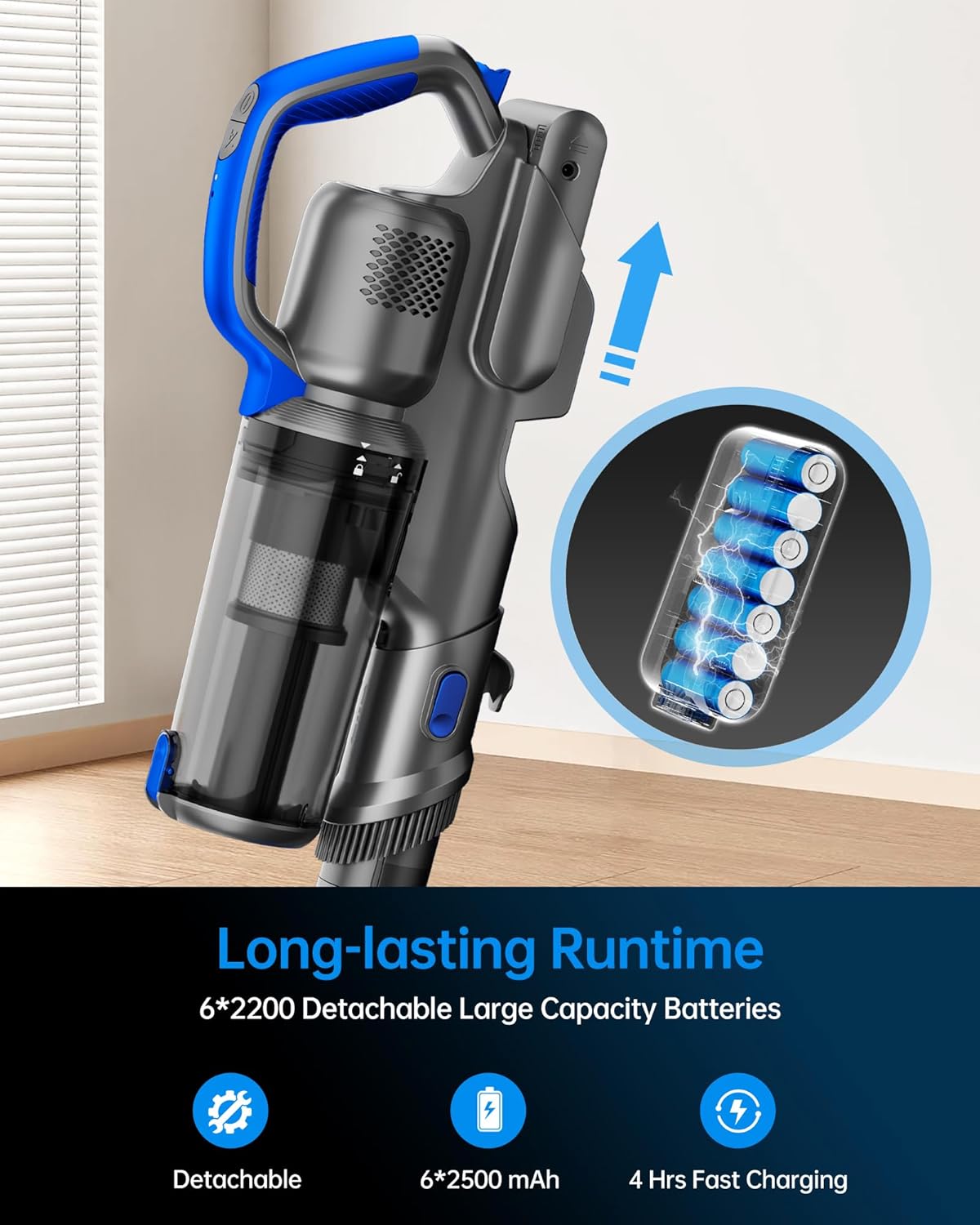
The FABULETTA FSV005 features a detachable 6x2500mAh battery. The battery can be charged independently or while installed in the vacuum cleaner. A full charge provides up to 45 minutes of runtime in Eco Mode.
2. Operating Instructions
2.1 Power and Suction Modes
The vacuum cleaner is equipped with a high-performance brushless motor, offering 24kPa strong suction on MAX mode. Select from three suction modes (Max/Standard/Eco) to suit different cleaning needs and optimize power consumption.

2.2 Versatile Cleaning (6-in-1)
The FABULETTA FSV005 is a 6-in-1 multi-function vacuum, adaptable for various cleaning scenarios. It can be easily converted into a handheld vacuum for upholstery, stairs, or car interiors.

2.3 Maneuverability and LED Lights
The floor brush head features flexible 150° sideways rotation and 90° up and down rotation, allowing easy navigation around furniture and into tight spaces. Integrated LED headlights illuminate dark areas, ensuring no dust is missed.

2.4 Self-Standing Design
The self-standing design allows you to conveniently pause cleaning and place the stick vacuum anywhere without needing to lean it against a wall or furniture.

2.5 Usage Scenarios
Observe the vacuum in action across various home cleaning scenarios, demonstrating its effectiveness on different surfaces and with various attachments.
3. Maintenance
3.1 Dust Cup Emptying
The large dust cup capacity allows for multiple cleaning sessions without frequent emptying. Utilize the one-touch emptying feature to dispose of debris without direct contact.

3.2 Filter Cleaning and Replacement
The vacuum features a 5-stage fully sealed cyclone filtration system. Regularly clean the MIF filter to maintain strong suction and prevent blockages. Refer to the video for instructions on how to remove and install the filter.

3.3 Roller Brush Cleaning
To maintain effective cleaning, periodically remove and clean the roller brush from the floor head. This helps prevent hair tangles and debris buildup.
4. Troubleshooting
If the vacuum cleaner is not performing optimally, consider the following common issues:
- No Power: Ensure the battery is fully charged and correctly installed. Check the power adapter connection if charging.
- Reduced Suction: Check the dust cup for fullness and empty if necessary. Inspect and clean all filters (MIF, metal, multi-cone system) as per maintenance instructions. Ensure there are no blockages in the telescopic tube or floor brush.
- Brush Roll Not Spinning: Remove the roller brush and clear any tangled hair or debris. Ensure it is reinstalled correctly.
- Unusual Noise: Turn off the vacuum and check for any foreign objects lodged in the brush roll or air pathways.
For persistent issues, please refer to the 'Warranty and Support' section for contact information.
5. Specifications
| Feature | Specification |
|---|---|
| Brand | FABULETTA |
| Model Number | FSV005 |
| Special Feature | Lightweight |
| Surface Recommendation | Carpet, Hard Floor |
| Power Source | Battery Powered |
| Voltage | 25.2 Volts |
| Recommended Uses | Carpet, Hard Floor, Rug |
| Color | Blue |
| Noise Level | 70 Decibels |
| Motor Horsepower | 0.33 horsepower |
| Number of Speeds | 3 |
| Is Product Cordless | Yes |
| Item Weight | 3 Pounds |
| Controller Type | Push Button |
| Control Method | Touch |
| Included Components | Brush |
| Amperage | 0.5 Amps |
| Battery Life | 45 minutes |
| Form Factor | Stick |
6. Warranty and Support
FABULETTA offers a 12-month warranty service and 24-hour after-sales support for your peace of mind. Should you have any questions or concerns regarding your FABULETTA Cordless Vacuum Cleaner, please contact our dedicated customer service team via email or phone.
When contacting support, please have your order number and product model (FSV005) ready to ensure a premium purchasing experience and efficient assistance.