
Tronsmart Halo 110 + Mic
Tronsmart Halo 110 Karaoke Party Speaker User Manual
Model: Halo 110 + Mic
Introduction
Welcome to the user manual for your Tronsmart Halo 110 Karaoke Party Speaker. This guide will help you understand the speaker's features, set it up correctly, operate it efficiently, and maintain it for long-lasting performance. Please read these instructions carefully before using your speaker.
Key Features
- 60W Powerful Sound: Equipped with a 3-way HiFi audio system for booming bass and crisp treble.
- Dynamic Light Show: Features 5 different modes and 7 colors to enhance your party atmosphere.
- Bluetooth 5.3 Connectivity: Ensures stable and fast wireless connection.
- Super Wireless Stereo (TWS): Pair two Halo 110 speakers for an immersive stereo sound experience.
- IPX6 Waterproof: Designed to withstand splashes and spills, suitable for outdoor use.
- Extended Playtime: Up to 18 hours of continuous music playback with a 12000mAh battery.
- Built-in Microphone Input: For karaoke and vocal performances.
Package Contents
Please check the package to ensure all items are present and in good condition:
- Tronsmart Halo 110 Karaoke Party Speaker
- Wired Microphone
- USB-C Charging Cable
- User Manual (this document)
Product Overview
Familiarize yourself with the speaker's components and controls.
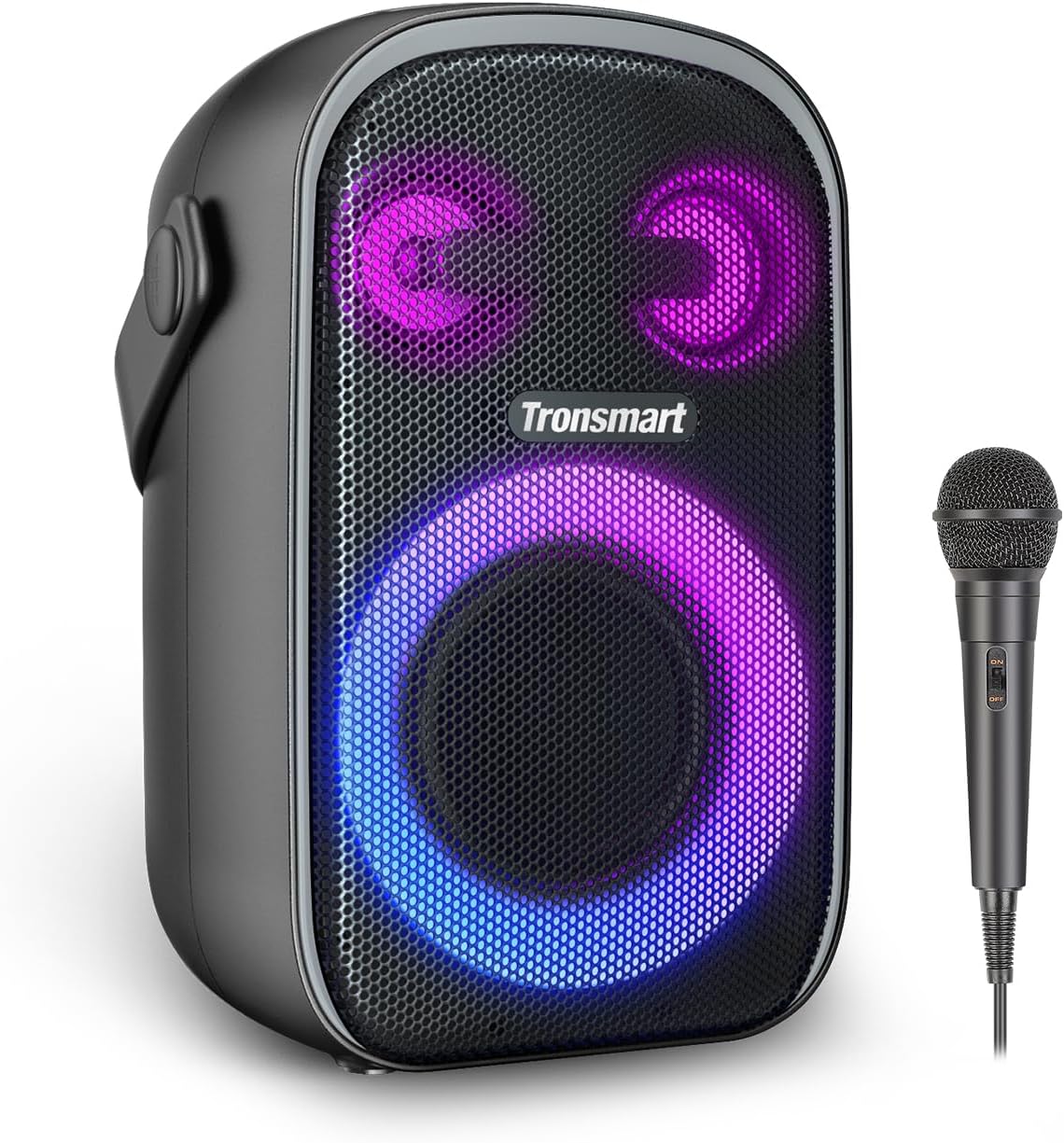
Image: Front view of the Tronsmart Halo 110 speaker with its included wired microphone, showcasing the speaker's light rings.
Controls and Ports
The Tronsmart Halo 110 features intuitive controls for easy operation:
- Power Button: Press and hold to turn the speaker on or off.
- Volume Up/Down Buttons: Adjust the playback volume.
- Play/Pause Button: Control audio playback.
- Mode Button: Switch between Bluetooth, AUX, and USB playback modes.
- Light Button: Cycle through different light show modes.
- EQ Button: Adjust the equalizer settings for different sound profiles.
- Microphone Input: Connect the wired microphone for karaoke.
- USB-C Charging Port: For charging the speaker.
- USB-A Port: For playing music from a USB drive or charging other devices.

Image: An exploded view diagram of the Tronsmart Halo 110 speaker, illustrating its internal 3-way sound system components including tweeter, mid-tweeters, woofer, and passive radiator.
Setup
Charging the Speaker
- Connect the USB-C charging cable to the speaker's USB-C port.
- Connect the other end of the cable to a compatible USB power adapter (not included).
- The charging indicator light will illuminate. Once fully charged, the light will change or turn off.
A full charge typically takes several hours. The speaker can provide up to 18 hours of playtime on a single charge, depending on volume and light usage.
Connecting the Microphone
- Locate the microphone input port on the speaker.
- Insert the microphone cable's plug firmly into the microphone input port.
- Ensure the microphone's power switch (if applicable) is in the 'ON' position.
Powering On/Off
- To Power On: Press and hold the Power button for approximately 2-3 seconds until you hear an audible prompt and the lights illuminate.
- To Power Off: Press and hold the Power button for approximately 2-3 seconds until you hear an audible prompt and the lights turn off.
Operating Instructions
Bluetooth Pairing
To connect your Tronsmart Halo 110 speaker to a Bluetooth-enabled device:
- Ensure the speaker is powered on and in Bluetooth mode (indicated by a flashing blue light). If not, press the Mode button to switch to Bluetooth.
- Enable Bluetooth on your device (smartphone, tablet, computer).
- Search for available Bluetooth devices and select "Tronsmart Halo 110" from the list.
- Once connected, the Bluetooth indicator light will become solid, and you will hear a confirmation sound.

Image: A hand holding a smartphone displaying the Tronsmart app interface for personalizing audio equalizers and light show settings, with the Halo 110 speaker in the background.
Audio Playback
- Play/Pause: Press the Play/Pause button once to play or pause music.
- Volume Control: Press the Volume Up (+) or Volume Down (-) buttons to adjust the volume.
- Next/Previous Track: Press and hold the Volume Up (+) button for the next track, and Volume Down (-) for the previous track.
Light Show Modes
The Halo 110 offers various light modes to suit your mood:
- Press the Light button repeatedly to cycle through the 5 different light show modes.
- The lights can also react to the beat of the music.

Image: A close-up of the Tronsmart Halo 110 speaker's front grille, highlighting its vibrant, customizable LED light patterns and indicating the ability to switch between 5 lighting modes.
EQ Mode Adjustment
The speaker features an EQ mode to optimize sound balance:
- Press the EQ button to switch between different equalizer presets.
- These presets are designed to balance mid-bass and treble for various music genres or listening preferences.
Stereo Pairing (TWS Function)
You can pair two Tronsmart Halo 110 speakers together for a true wireless stereo experience:
- Ensure both speakers are powered on and not connected to any Bluetooth device.
- On one speaker (this will be the primary speaker), press and hold the TWS button (often integrated with the Mode or Bluetooth button, refer to specific button icons if available).
- The speakers will automatically search and pair with each other. You will hear a confirmation sound once connected.
- Once paired, connect your device to the primary speaker via Bluetooth as described above. Audio will now play through both speakers in stereo.

Image: Two Tronsmart Halo 110 speakers positioned to demonstrate stereo pairing, with people in the background enjoying music, illustrating the enhanced audio experience.
Using the Microphone (Karaoke Function)
The included microphone allows for karaoke and vocal amplification:
- Ensure the microphone is securely connected to the speaker's microphone input.
- Play music through the speaker via Bluetooth or other modes.
- Speak or sing into the microphone. Your voice will be amplified through the speaker along with the music.
- Adjust the microphone volume using the controls on the microphone itself or the speaker's main volume if it affects microphone input.

Image: A person kneeling and singing into the wired microphone connected to the Tronsmart Halo 110 speaker, with friends in the background enjoying a karaoke session.
Maintenance
Cleaning
- Wipe the speaker's exterior with a soft, damp cloth.
- Do not use abrasive cleaners, alcohol, or chemical solvents, as these may damage the surface.
- Ensure all ports are dry before charging or connecting devices.
Storage
- Store the speaker in a cool, dry place away from direct sunlight and extreme temperatures.
- If storing for an extended period, charge the battery to approximately 50% every few months to preserve battery health.
Battery Care
- Avoid fully discharging the battery frequently.
- Use the provided charging cable or a certified USB-C cable for charging.
- Do not expose the speaker to temperatures above 60°C (140°F) as this can damage the battery.
Troubleshooting
If you encounter issues with your Tronsmart Halo 110 speaker, refer to the table below for common problems and solutions.
| Problem | Solution |
|---|---|
| Speaker does not power on. | Ensure the battery is charged. Connect the charging cable and try again. |
| No sound from the speaker. | Check the volume level on both the speaker and your connected device. Ensure the speaker is correctly paired via Bluetooth or the correct mode is selected. |
| Cannot pair with Bluetooth device. | Ensure the speaker is in Bluetooth pairing mode (flashing light). Turn off Bluetooth on your device and turn it back on. Move the speaker closer to your device. Clear the Bluetooth pairing list on your device and try pairing again. |
| Microphone is not working. | Ensure the microphone is securely plugged into the speaker's microphone input. Check if the microphone's power switch (if any) is turned on. |
| Sound distortion or poor quality. | Reduce the volume on both the speaker and your device. Ensure there are no obstructions between the speaker and your Bluetooth device. Try a different audio source. |
Specifications
Technical Data
| Feature | Detail |
|---|---|
| Model | Halo 110 + Mic |
| Brand | Tronsmart |
| Dimensions (L x W x H) | 17.9 x 15 x 28.6 cm |
| Weight | 3.61 kg |
| Power Output | 60W |
| Connectivity | Bluetooth 5.3 |
| Playtime | Up to 18 hours (varied by light display, volume levels & audio contents) |
| Battery Capacity | 12000mAh |
| Waterproof Rating | IPX6 |
| Color | Black |
| Compatible Devices | Phones and other Bluetooth-enabled audio devices |
Warranty and Support
Tronsmart products are built with quality and reliability in mind. This product is covered by a standard manufacturer's warranty against defects in materials and workmanship. Please refer to the warranty card included in your package or visit the official Tronsmart website for detailed warranty terms and conditions specific to your region.
For technical support, troubleshooting assistance, or warranty claims, please contact Tronsmart customer service through their official website or the contact information provided on your purchase receipt.
Note: No official product videos were available from the seller for embedding in this manual.
Related documentsHalo 110 + Mic


Ask a question about this manual
Ask about setup, troubleshooting, compatibility, parts, safety, or missing instructions. Manuals+ will review the question and use this page’s manual context to help answer it.