
Introduction
This user manual provides essential information for the safe and effective operation, maintenance, and troubleshooting of your Dynabrade NS5 Non-Vacuum Nitro Series Random Orbital Sander. Please read this manual thoroughly before using the tool to ensure proper handling and to maximize its lifespan and performance.
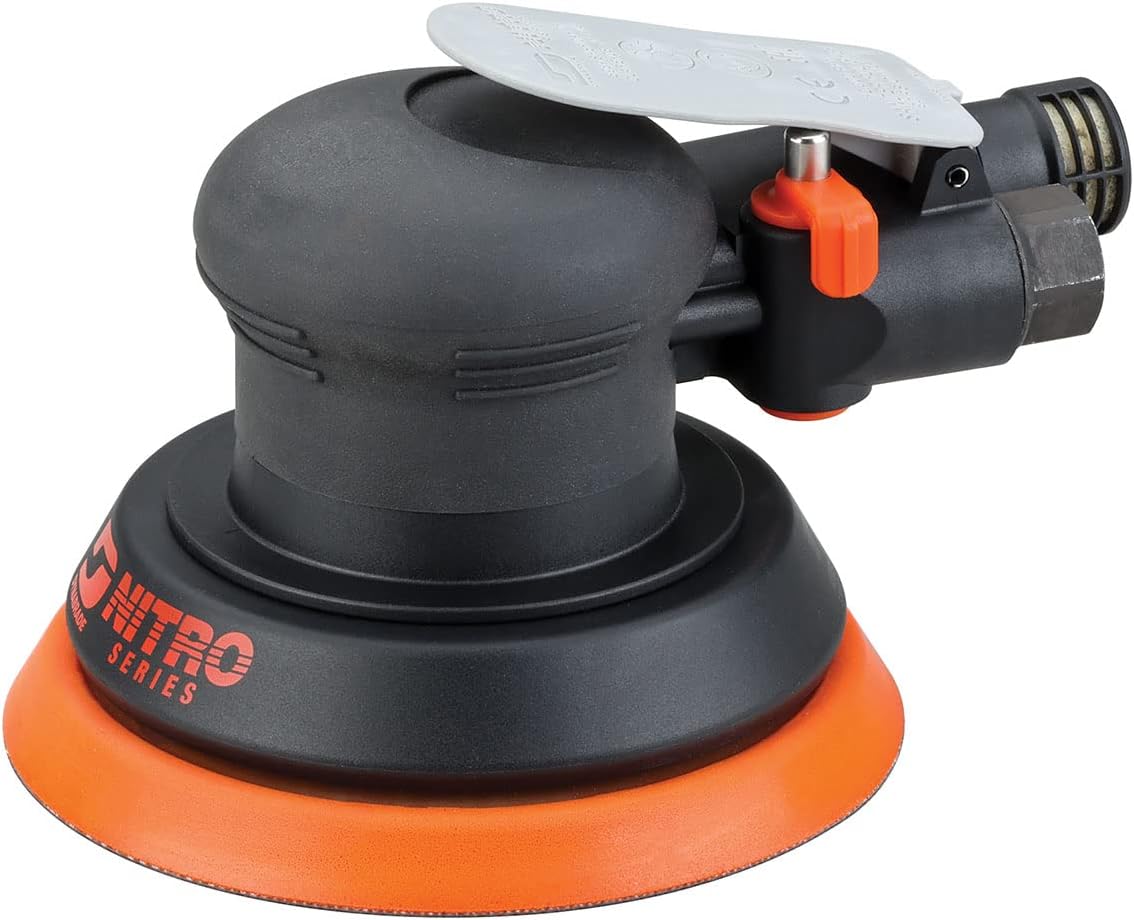
Image: The Dynabrade NS5 5-inch Non-Vacuum Random Orbital Sander, featuring its black body and orange sanding pad.
Safety Information
Always prioritize safety when operating power tools. Failure to follow safety instructions can result in serious injury or property damage.
General Safety Guidelines:
- Always wear appropriate personal protective equipment (PPE), including eye protection, hearing protection, and dust mask.
- Ensure your work area is well-lit and free of clutter.
- Keep children and bystanders away while operating the tool.
- Do not operate the tool in explosive atmospheres, such as in the presence of flammable liquids, gases, or dust.
- Disconnect the air supply before making any adjustments, changing accessories, or storing the tool.
- Maintain a firm grip on the tool and be aware of its rotational force.
- Use the correct tool for your application. Do not force a small tool or attachment to do the job of a heavy-duty tool.
Pneumatic Tool Specific Safety:
- Ensure the air supply is clean, dry, and regulated to the recommended pressure.
- Do not exceed the maximum operating pressure.
- Inspect air hoses for damage before each use.
- Avoid direct contact with the exhaust air, especially in confined spaces.
Setup
Proper setup is crucial for optimal performance and safety.
Unpacking and Inspection:
- Carefully remove the sander and all components from the packaging.
- Inspect the tool for any signs of shipping damage. If damage is found, do not operate the tool and contact your supplier immediately.
- Verify that all included components are present: Dynabrade Branded Product.
Connecting to Air Supply:
- Ensure your air compressor system provides clean, dry, and regulated air.
- Connect a suitable air hose (minimum 3/8 inch I.D.) to the tool's air inlet.
- Install an inline air filter/regulator/lubricator (FRL) unit as close to the tool as possible. This will help maintain tool performance and extend its life.
- Set the air pressure to the recommended operating pressure, typically 90 PSI (6.2 Bar) for most pneumatic tools. Refer to the specifications section for exact pressure.
Attaching Sanding Pad/Abrasive:
- The NS5 model uses a 5-inch (127 mm) diameter vinyl face pad.
- Ensure the sanding pad is securely attached to the tool's backing plate.
- Select the appropriate abrasive disc for your application. The tool is designed for coarse grit applications (Grit Rating: 1, Grit Description: Coarse).
- Align the holes on the abrasive disc with the holes on the sanding pad (if applicable for dust collection, though this is a non-vacuum model).
- Press the abrasive disc firmly onto the vinyl face pad for secure adhesion.
Operating Instructions
Follow these steps for effective and safe operation of your random orbital sander.
Starting the Sander:
- Ensure all safety precautions are observed and PPE is worn.
- Connect the tool to the regulated air supply.
- Hold the sander firmly with both hands.
- Depress the throttle lever to start the tool. The sander operates at 12,000 RPM.
Sanding Technique:
- Place the spinning pad flat on the workpiece surface.
- Apply light, even pressure. Excessive pressure will reduce the tool's efficiency and can damage the workpiece or the tool.
- Move the sander in overlapping circular or elliptical patterns to ensure even material removal and prevent swirl marks.
- The random orbital action ensures a swirl-free finish.
- For best results, allow the tool's weight and orbital action to do the work.

Image: A hand demonstrating the use of an orbital sander on a flat surface, showing proper grip and positioning.
Stopping the Sander:
- Lift the tool from the workpiece.
- Release the throttle lever.
- Disconnect the air supply when finished or before any adjustments.
Maintenance
Regular maintenance ensures the longevity and optimal performance of your Dynabrade NS5 sander.
Daily Maintenance:
- Lubrication: Ensure the air supply is properly lubricated via an FRL unit. If no FRL is used, add a few drops of pneumatic tool oil into the air inlet before and after each use.
- Air Filter: Check and drain the water trap on your air compressor and inline filter daily.
- Cleaning: Wipe down the tool with a clean, dry cloth to remove dust and debris.
Periodic Maintenance:
- Inspect Air Hose: Regularly check the air hose for cuts, kinks, or wear. Replace damaged hoses immediately.
- Sanding Pad Inspection: Check the vinyl face pad for wear, tears, or loss of adhesion. Replace if necessary to ensure proper abrasive attachment and sanding performance.
- Motor Inspection: For internal motor components, refer to an authorized service center or the detailed parts breakdown available from Dynabrade.
Important: Always disconnect the air supply before performing any maintenance or cleaning.
Troubleshooting
This section provides solutions to common issues you might encounter.
| Problem | Possible Cause | Solution |
|---|---|---|
| Tool does not start or runs slowly. | Low air pressure; Restricted air flow; Lack of lubrication; Worn motor components. | Check air pressure (should be 90 PSI); Inspect air hose and fittings for blockages; Add pneumatic tool oil; Contact service center. |
| Excessive vibration. | Damaged or unbalanced sanding pad; Worn bearings. | Replace sanding pad; Contact service center for bearing replacement. |
| Poor sanding performance. | Worn abrasive disc; Incorrect abrasive grit; Insufficient pressure; Worn pad. | Replace abrasive disc; Use appropriate grit for task; Apply light, even pressure; Replace sanding pad. |
| Air leaks. | Loose fittings; Damaged O-rings or seals. | Tighten fittings; Replace O-rings or seals. |
If you encounter issues not listed here or if the suggested solutions do not resolve the problem, please contact Dynabrade customer support or an authorized service center.
Specifications
| Feature | Detail |
|---|---|
| Model Number | NS5 |
| Brand | Dynabrade |
| Horsepower | 0.3 Hp |
| RPM (Revolutions Per Minute) | 12,000 Rpm |
| Orbit Diameter | 3/16" (5 Mm) Dia. |
| Pad Diameter | 5" (127 Mm) Dia. |
| Exhaust Type | Rear Exhaust |
| Pad Face Material | Vinyl Face |
| Vacuum Type | Non-Vacuum |
| Item Weight | 1.6 pounds |
| Product Dimensions | 6.5 x 5 x 3.6 inches |
| Color | Black/Orange |
| Grit Rating (Included Abrasive) | 1 (Coarse) |
| Power Source | Pneumatic (Air-Powered) |
Warranty and Support
The Dynabrade NS5 Random Orbital Sander comes with a limited warranty.
Warranty Information:
This product is covered by a 1-year warranty on material and workmanship from the date of purchase. This warranty covers defects in materials and manufacturing under normal use. It does not cover damage resulting from misuse, abuse, neglect, unauthorized repairs, or normal wear and tear.
For detailed warranty terms and conditions, please refer to the official Dynabrade warranty statement or contact Dynabrade customer service.
Customer Support:
For technical assistance, parts, or warranty claims, please contact Dynabrade directly.
- Manufacturer: Dynabrade
- Website: www.dynabrade.com
- User Manual (PDF): Download PDF Manual


