
Introduction
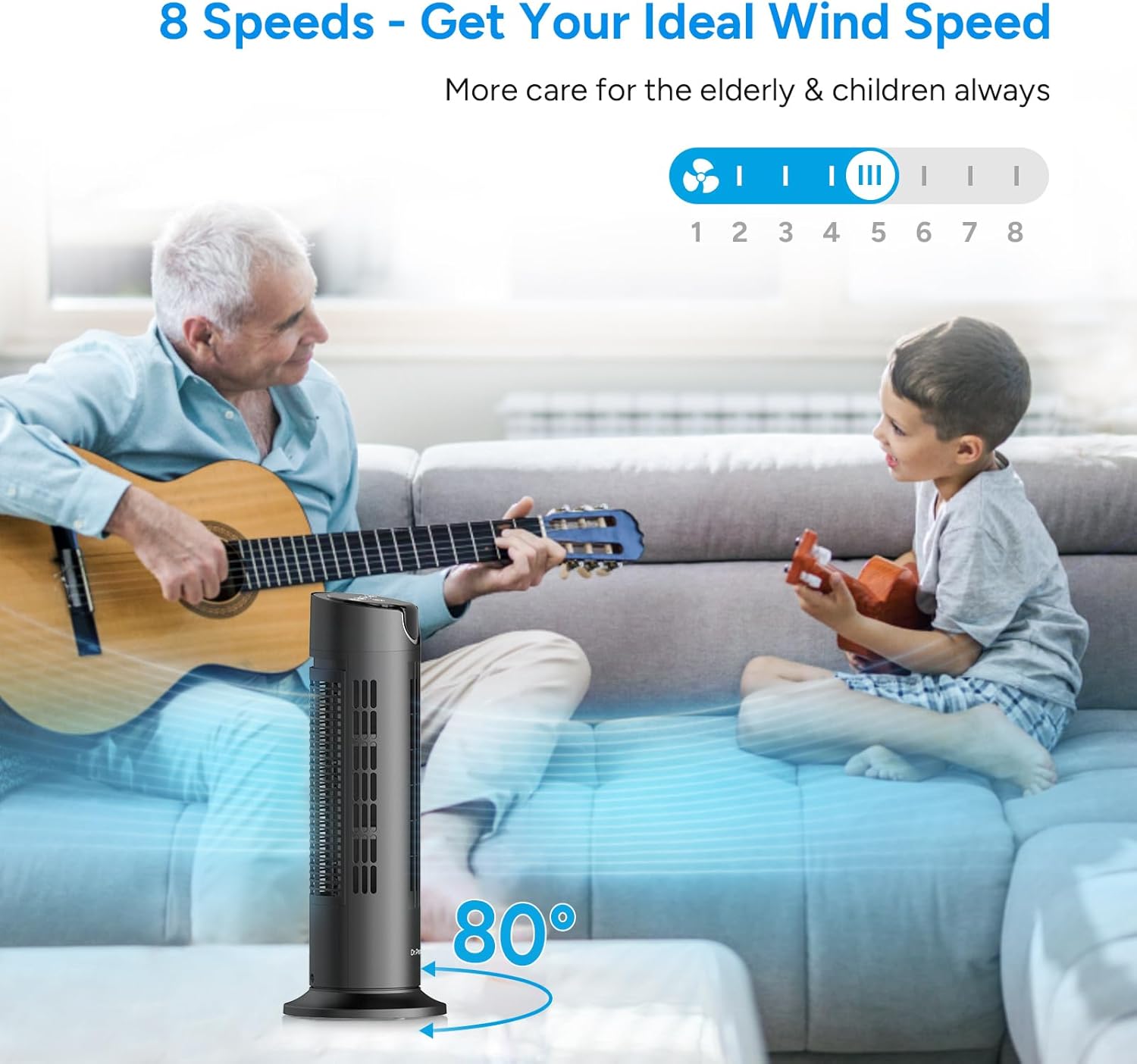
Thank you for choosing the DR.PREPARE Tower Fan. This compact yet powerful fan is designed to provide efficient and quiet cooling for your bedroom, living room, or home office. Featuring 8 speed settings, an 80° oscillation function, a 1-8 hour timer, and convenient remote control, it offers customizable comfort for any indoor space. Please read this manual thoroughly before use to ensure proper operation and maintenance.
Safety Instructions
- Always unplug the fan from the power outlet before cleaning, maintenance, or when not in use.
- Do not operate the fan with a damaged cord or plug. If the cord or plug is damaged, contact DR.PREPARE customer support.
- Keep the fan away from water and moisture. Do not use it in bathrooms or other wet environments.
- Ensure the fan is placed on a stable, flat surface to prevent it from tipping over.
- Do not insert fingers or any objects into the fan grilles while it is operating. This is a bladeless design, but internal components are still present.
- Keep children and pets away from the fan during operation.
- Do not block air openings or operate near curtains or other materials that could block airflow.
- This appliance has a polarized plug (one blade is wider than the other). To reduce the risk of electric shock, this plug is intended to fit in a polarized outlet only one way. If the plug does not fit fully in the outlet, reverse the plug. If it still does not fit, contact a qualified electrician. Do not attempt to defeat this safety feature.
Product Overview
The DR.PREPARE Tower Fan (Model DCCF10) is a compact and efficient cooling solution. Below are its main components and control features.

Components:
- Fan Body: The main unit housing the DC motor and air outlet.
- Base: Provides stability for the fan.
- Control Panel: Located on the top of the fan with touch-sensitive buttons and a digital display.
- Remote Control: Allows convenient operation from a distance.
- Power Cord: For connecting the fan to an electrical outlet.

Setup
The DR.PREPARE Tower Fan comes fully assembled and ready for use. Simply place it on a stable, flat surface and plug it into a standard electrical outlet.
Unboxing and Initial Placement:
- Carefully remove the tower fan and all packaging materials from the box.
- Place the fan on a firm, level surface where it will not be easily knocked over. Ensure it is at least 12 inches away from walls or furniture to allow for proper airflow.
- Uncoil the power cord and plug it into a suitable 120V AC electrical outlet.
Operating Instructions
The tower fan can be operated using either the touch control panel on top of the unit or the included remote control.
Control Panel Functions:
- Power Button (Power Icon): Press to turn the fan On or Off.
- Speed Adjustment (+/- Icons): Adjusts between 8 wind speeds. The current speed is displayed on the LED screen.
- Oscillation Button (Swing Icon): Activates or deactivates the 80° oscillation function, allowing air to circulate across a wider area.
- Timer Button (Clock Icon): Sets the auto-off timer from 1 to 8 hours in 1-hour increments.
- Sleep Mode Button (Moon Icon): Activates sleep mode, which gradually decreases the fan speed and dims the display for undisturbed sleep.
- Mute/Display Off (Speaker/Light Icon): Long press for 2 seconds to turn off the display screen. Short press to mute/unmute button sounds.
Remote Control Usage:
The remote control provides full functionality of the fan from a distance. Ensure the remote is aimed at the fan's display panel for optimal response.

Maintenance and Cleaning
Regular cleaning will help maintain the fan's performance and extend its lifespan. Always unplug the fan before cleaning.
Cleaning Instructions:
- Exterior Cleaning: Wipe the exterior surfaces of the fan with a soft, damp cloth. Do not use abrasive cleaners or solvents.
- Internal Cleaning: The impeller wheel and rear guard are detachable for easy cleaning.
- Carefully detach the rear guard and impeller wheel.
- Rinse the detached parts under running water. Ensure they are completely dry before reassembling.
- Reattach the impeller wheel and rear guard securely.
- Storage: If storing the fan for an extended period, clean it thoroughly, place it back in its original packaging, and store it in a cool, dry place.

Troubleshooting
| Problem | Possible Cause | Solution |
|---|---|---|
| Fan does not turn on. | No power supply; Power button not pressed. | Ensure the power cord is securely plugged into a working outlet. Press the Power button on the control panel or remote. |
| Weak airflow. | Fan speed is too low; Air inlet/outlet blocked; Dirty impeller/grilles. | Increase fan speed. Ensure nothing is obstructing the air inlet or outlet. Clean the impeller wheel and grilles as per maintenance instructions. |
| Fan is noisy. | Fan not on a stable surface; Internal components dirty. | Place the fan on a flat, stable surface. Clean the internal components. If noise persists, contact customer support. |
| Remote control not working. | Remote battery is dead; Remote not aimed correctly. | Replace the remote control battery. Ensure the remote is aimed directly at the fan's display panel. |
Specifications
- Brand: DR.PREPARE
- Model Name: Tower Fan
- Model Number: DCCF10
- Dimensions: 6.2"D x 6.2"W x 16"H
- Item Weight: 3.3 Pounds
- Power Source: Corded Electric
- Wattage: 12 watts
- Voltage: 12 Volts
- Noise Level: As low as 25 dB
- Number of Power Levels: 8
- Oscillation: 80°
- Timer: 1-8 Hours
- Control Method: Remote, Touch
- Special Features: Remote Controlled, Timer, Bladeless, Oscillating, Sleep Mode
- Certifications: FCC, UL
- UPC: 840315210387
Warranty and Support
DR.PREPARE products are designed for reliability and performance. For warranty information, technical support, or any questions regarding your tower fan, please contact DR.PREPARE customer service through the official website or your purchase platform. Please have your model number (DCCF10) and proof of purchase ready.
Visit the official DR.PREPARE store for more information: DR.PREPARE Store