
1. Introduction
Thank you for choosing the SENXIN J13 Dual Wireless Lavalier Microphone. This device is designed to provide high-quality audio recording for various applications, including video recording, live streaming, vlogging, and interviews. Its plug-and-play functionality, compact design, and advanced noise reduction technology make it an ideal tool for content creators.
This manual will guide you through the setup, operation, and maintenance of your new wireless microphone system. Please read it carefully before use to ensure optimal performance and longevity of the product.
2. What's in the Box
The SENXIN J13 Dual Wireless Lavalier Microphone package includes the following components:
- 2 x Microphone Transmitters
- 1 x USB Type-C Receiver
- 1 x Charging Box
- 1 x Charging Cable
- 1 x User Manual (this document)
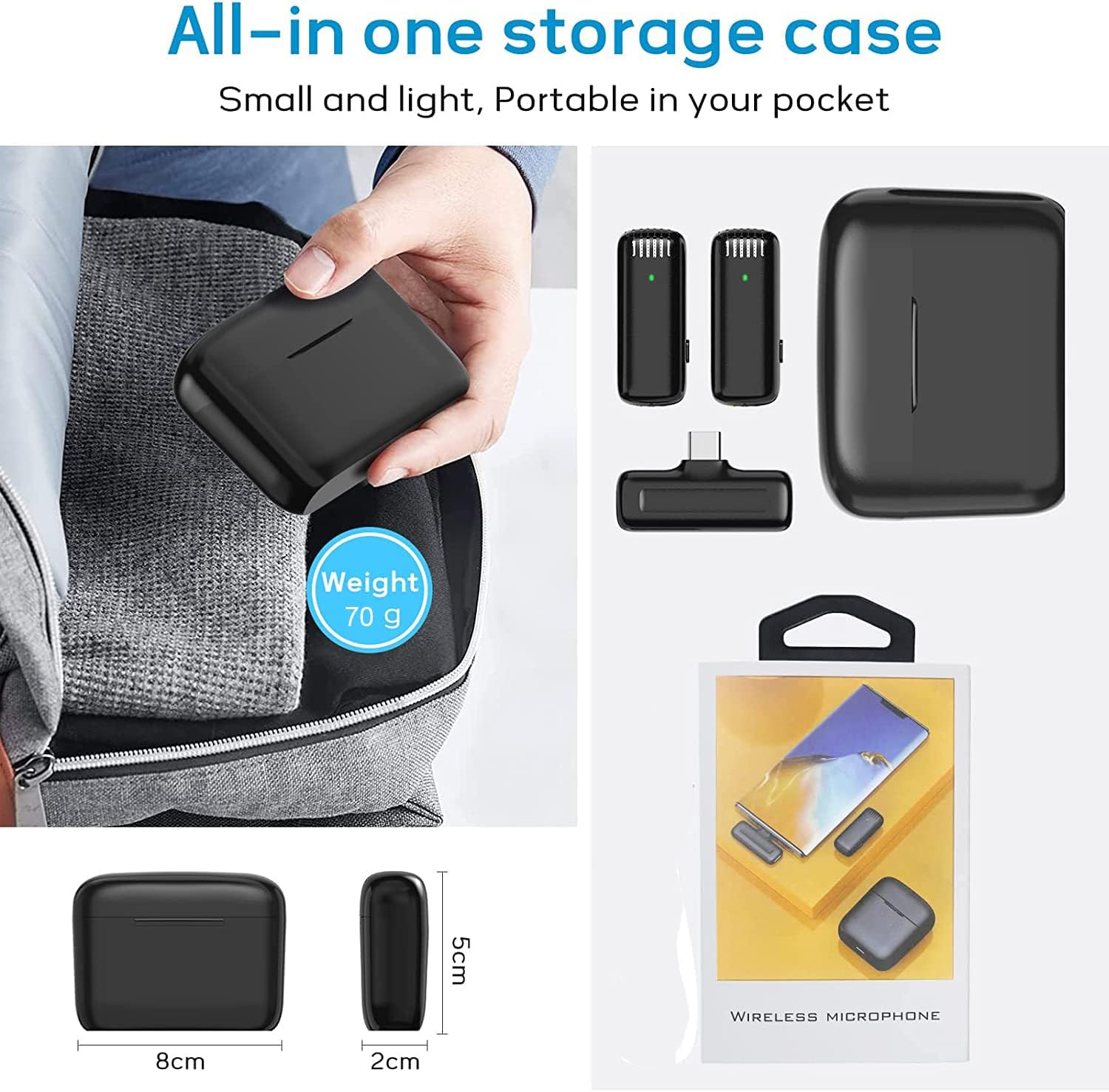
Image: The complete SENXIN J13 wireless microphone system, showing two microphone transmitters, one receiver, and the charging case.
3. Setup Guide
The SENXIN J13 microphone system is designed for easy plug-and-play operation. No additional apps or Bluetooth pairing are required.
3.1 Charging the Microphones and Receiver
Before first use, ensure all components are fully charged. Place the microphone transmitters and receiver into the charging box. Connect the charging box to a power source using the provided USB charging cable. The indicator lights on the microphones will show charging status.

Image: The charging case with the two microphone transmitters and the receiver docked, indicating they are charging.
3.2 Connecting to Your Device (Type-C Phone)
- Step 1: Turn on the Microphone Transmitter. Press the power switch on the side of the microphone transmitter. The indicator light will turn on.
- Step 2: Plug the Receiver into Your Phone. Insert the USB Type-C receiver into the Type-C port of your smartphone.
- Step 3: Automatic Connection. The receiver and microphone(s) will automatically connect. The indicator lights on both devices will remain solid (not flashing) once successfully connected.

Image: A hand pressing the power button on the microphone transmitter to turn it on.

Image: The USB Type-C receiver being inserted into the charging port of a smartphone.

Image: A visual guide demonstrating the simple plug-and-play setup for the J13 wireless microphone with a Type-C phone.
Note: The receiver also allows for phone charging during recording, ensuring your device doesn't run out of power during long sessions.
4. Operating Instructions
4.1 Wearing the Microphone
Clip the microphone transmitter onto your collar or clothing, ensuring the microphone grille faces towards your mouth for optimal sound capture. The compact and lightweight design makes it comfortable to wear.

Image: A person wearing the SENXIN J13 lavalier microphone clipped to their clothing.
4.2 Noise Reduction Levels
The J13 features three levels of noise reduction. Depending on your environment, you can adjust the noise reduction level to effectively identify and capture the original sound while minimizing background noise. Refer to the product's specific controls for adjusting these levels (usually a short press on the power button or a dedicated button).

Image: A visual representation of the microphone's noise reduction feature, showing a comparison of sound clarity before and after noise reduction is applied.
4.3 Recording and Live Streaming
Once connected, the microphone system is ready for use with your preferred recording or live streaming application. Simply open your app (e.g., camera app, TikTok, YouTube, etc.) and start recording or broadcasting. The system will automatically use the external microphone for audio input.

Image: A smartphone set up for recording, demonstrating the stable signal transmission and ultra-low latency of the wireless microphone system.
The 2.4GHz transmission technology ensures real-time automatic synchronization and a stable connection up to 65 feet (20 meters) in obstacle-free environments, with an ultra-low delay of 0.009 seconds.
4.4 Video Demonstration
Video: A demonstration of the SENXIN J13 dual microphone's sound clarity and transmission range, showing clear audio even at distances of 20 meters.
5. Maintenance
To ensure the longevity and optimal performance of your SENXIN J13 microphone system, follow these maintenance guidelines:
- Cleaning: Use a soft, dry cloth to clean the microphone transmitters, receiver, and charging box. Avoid using liquids or abrasive cleaners.
- Storage: When not in use, store all components in the provided charging box. This protects them from dust, damage, and keeps them charged.
- Battery Care: For best battery life, avoid fully discharging the devices frequently. Charge them regularly, especially if storing for extended periods.
- Environmental Conditions: Keep the devices away from extreme temperatures, direct sunlight, and high humidity.
6. Troubleshooting
If you encounter any issues with your SENXIN J13 microphone, please refer to the following common solutions:
| Problem | Possible Cause | Solution |
|---|---|---|
| No sound or low volume. | Microphone not turned on; receiver not properly connected; low battery; phone audio settings. | Ensure microphone is on (solid indicator light). Re-insert receiver firmly into phone. Charge microphones and receiver. Check phone's audio input settings to ensure external microphone is selected. |
| Intermittent connection or static. | Out of range; obstacles; interference. | Move closer to the receiver (within 20m/65ft). Ensure there are no major obstacles between the microphone and receiver. Avoid areas with strong electromagnetic interference. |
| Microphone not pairing. | Microphone or receiver not powered on; pairing issue. | Ensure both microphone and receiver are powered on. Try turning both off and on again. If issues persist, contact support. |
| Poor sound quality (e.g., too much background noise). | Incorrect noise reduction setting; noisy environment. | Adjust the noise reduction level on the microphone. Try to record in a quieter environment if possible. |
7. Product Specifications
| Feature | Detail |
|---|---|
| Model | J13 Type C |
| Connectivity Technology | 2.4GHz Wireless |
| Connector Type | USB Type-C |
| Transmission Distance | Up to 20 meters (65 feet) without obstacles |
| Transmission Delay | 0.009 seconds (9ms) |
| Noise Reduction | 3 Levels |
| Polar Pattern | Omnidirectional |
| Microphone Form Factor | Lavalier, Mini |
| Power Source | Battery Powered (Rechargeable) |
| Battery Capacity (Microphone) | 70 mAh |
| Working Time (Microphone) | Approx. 6 hours |
| Charging Time (Microphone) | Approx. 50 minutes |
| Charging Box Capacity | Can charge transmitters approx. 2 times |
| Frequency Range | 2.4GHz |
| Frequency Response Range | 20-20KHz |
| SNR | 64dB |
| Input Voltage | DC4.8~54V |
| Weight (Transmitter) | Approx. 8 grams (0.28 oz) |
| Charging Case Weight | Approx. 70 grams |

Image: A detailed table outlining the technical specifications of the SENXIN J13 wireless microphone system.
8. Warranty & Support
8.1 Warranty Information
The SENXIN J13 Dual Wireless Lavalier Microphone comes with a 1-year warranty from the date of purchase. This warranty covers manufacturing defects and malfunctions under normal use. It does not cover damage caused by misuse, accidents, unauthorized modifications, or improper storage.
Please retain your proof of purchase for warranty claims.
8.2 Customer Support
If you have any questions, require technical assistance, or need to make a warranty claim, please contact SENXIN customer support through the retailer where you purchased the product or visit the official SENXIN store on Amazon:
Visit the SENXIN Store on Amazon
Our support team is dedicated to providing prompt and helpful assistance.


