
Mohard BC61
Mohard BC61 Bluetooth 5.3 FM Transmitter and Car Charger User Manual
Model: BC61
Introduction
Thank you for choosing the Mohard BC61 Bluetooth 5.3 FM Transmitter. This device allows you to add Bluetooth functionality to older car models, enabling hands-free calls, Hi-Fi music streaming, and fast charging for your mobile devices through your car's speaker system. Please read this manual carefully before use to ensure proper operation and to maximize your experience.
Safety Warnings
- Use this product strictly according to the instructions provided in this manual.
- Avoid placing the device near other wireless equipment to prevent interference.
- Handle the device with care. Do not disassemble or modify it.
- Ensure proper recycling of any associated batteries or electronic components.
- Operate the device within specified temperature and humidity limits to prevent damage.
- Do not expose the device to excessive moisture or extreme temperatures.
Package Contents
Please check the package for the following items:
- 1 x Mohard BC61 Bluetooth FM Transmitter
- 1 x User Manual
Product Overview
The Mohard BC61 features a compact, all-metal design for durability and efficient heat dissipation. It integrates a digital display, control buttons, and dual fast-charging ports.

Image: The Mohard BC61 Bluetooth FM Transmitter, showcasing its compact design, digital display, and control buttons. A blue LED ring illuminates the device.
Key Features:
- Bluetooth 5.3: Provides faster pairing, more stable transmission, and lower power consumption for enhanced audio quality.
- Dual Fast Charging Ports: Equipped with a 30W PD3.0 Type-C port and an 18W QC3.0 Type-A port for simultaneous rapid charging of multiple devices.
- Hands-Free Calling: Integrated high-sensitivity microphone with CVC noise reduction technology ensures clear call quality by suppressing wind and road noise.
- Hi-Fi Music Streaming: Supports lossless music playback from any Bluetooth-enabled device.
- Voltage Monitoring: Helps monitor your car's voltage.
- Blue LED Ring: An illuminated blue ring around the device aids in locating it in the dark and adds to the car's interior aesthetics.
- All-Metal Construction: Durable zinc alloy casing for longevity and improved heat dissipation compared to plastic alternatives.

Image: Close-up of the Mohard BC61 showing the illuminated blue LED ring, which helps locate the device in low light conditions and enhances the car's interior.

Image: Comparison illustrating the robust zinc alloy construction of the Mohard BC61 against a typical plastic car charger, highlighting its durability and heat dissipation benefits.
Setup Instructions
- Insert into Car Cigarette Lighter: Plug the Mohard BC61 FM Transmitter firmly into your car's 12V-24V cigarette lighter socket. The device will power on, and the LED display will show the current car voltage for a few seconds, then switch to the FM frequency.
- Tune Car Radio: Tune your car's FM radio to an empty frequency (one with static or no broadcast). This frequency should be between 87.5 MHz and 108.0 MHz.
- Match FM Transmitter Frequency:
- Press the "CH" button (often integrated with the call button) on the FM transmitter. The frequency display will start flashing.
- Use the "Previous Track" (<<) and "Next Track" (>>) buttons to adjust the transmitter's frequency to match the empty frequency you selected on your car radio.
- Once matched, wait a few seconds for the display to stop flashing, or press the "CH" button again to confirm.
- Pair with Bluetooth Device:
- Enable Bluetooth on your smartphone or other audio device.
- Search for available Bluetooth devices and select "BC61" (or similar name) from the list.
- Once paired, the device will confirm the connection, and you can now stream audio.

Image: An internal view of the Mohard BC61 highlighting the Bluetooth 5.3 chip, indicating advanced connectivity for faster and more stable pairing.
Operating Instructions
Music Playback:
- Bluetooth Streaming: Once paired, open your music app on your phone and start playing. The audio will be transmitted to your car's speakers.
- Control Buttons:
- Press the "Previous Track" (<<) button to go to the previous song.
- Press the "Next Track" (>>) button to go to the next song.
- Press the multi-function button (often the call button) to Play/Pause music.
- Volume Adjustment: Adjust the volume directly on your phone or through your car's audio system.

Image: A visual representation of the Mohard BC61 enabling Hi-Fi music streaming from a smartphone to a car's audio system, illustrating seamless audio transmission.
Hands-Free Calling:
- Answer Call: When an incoming call rings, press the multi-function button (call button) once to answer.
- End Call: During a call, press the multi-function button once to end the call.
- Reject Call: When an incoming call rings, press and hold the multi-function button for 2 seconds to reject the call.
- Redial Last Number: Double-press the multi-function button to redial the last dialed number.
- Private Call: During a call, press and hold the multi-function button to switch the call between the transmitter and your phone.

Image: A user demonstrating hands-free calling with the Mohard BC61, showing the device's interface for answering, rejecting, and redialing calls, facilitated by CVC noise reduction.
Charging Devices:
- Connect your device (smartphone, tablet, etc.) to the PD 30W Type-C port for Power Delivery fast charging.
- Alternatively, connect your device to the QC3.0 18W Type-A port for Quick Charge 3.0 fast charging.
- The intelligent circuitry protects your devices against overcurrent, short-circuit, overheating, and overcharging.
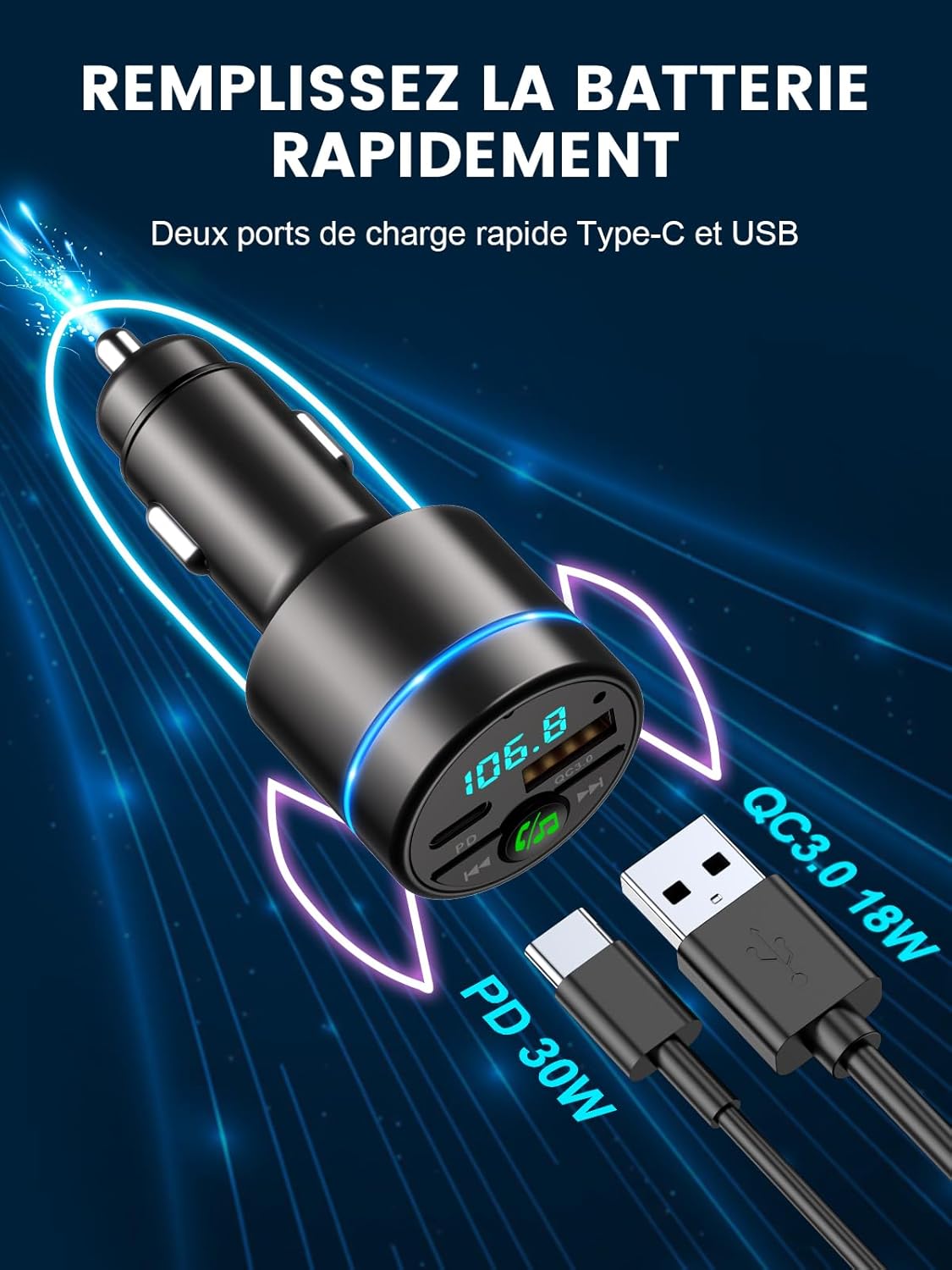
Image: The Mohard BC61 displaying its dual fast-charging ports: a PD 30W Type-C port and a QC3.0 18W USB-A port, capable of rapidly charging compatible devices.
Maintenance
- Keep the device clean and dry. Use a soft, dry cloth to wipe the surface.
- Avoid using harsh chemicals, cleaning solvents, or strong detergents.
- Store the device in a cool, dry place when not in use.
- Do not expose the device to direct sunlight for extended periods.
Troubleshooting
| Problem | Possible Cause | Solution |
|---|---|---|
| No power/Device not turning on. | Loose connection; Car cigarette lighter faulty; Car battery low. | Ensure the device is firmly plugged in. Check if the car cigarette lighter is working. Check car battery voltage. |
| Static or poor audio quality. | FM frequency interference; Volume too low/high; Bluetooth connection issue. | Find a clearer, empty FM frequency on your car radio and match the transmitter. Adjust volume on both phone and car stereo. Re-pair Bluetooth. |
| Cannot pair via Bluetooth. | Bluetooth not enabled on phone; Device not in pairing mode; Incorrect device selected. | Ensure Bluetooth is enabled on your phone. Restart the transmitter and your phone. Select "BC61" from the Bluetooth list. |
| Charging is slow or not working. | Cable issue; Device not compatible with fast charging; Overload protection activated. | Use a high-quality charging cable. Ensure your device supports PD or QC3.0. Unplug and replug the device. |
| Hands-free call quality is poor. | High background noise; Microphone obstruction; Low volume. | Ensure the microphone is not obstructed. Adjust call volume. CVC noise reduction should minimize background noise, but extreme conditions may affect clarity. |
Specifications
| Model Number | BC61 |
| Bluetooth Version | V5.3 |
| FM Frequency Range | 87.5 - 108.0 MHz |
| Input Voltage | DC12V-24V |
| QC3.0 Output | 5V/3A, 9V/2A, 12V/1.5A (Max 18W) |
| PD Output | 5V/3A, 9V/2.22A, 12V/1.67A (Max 30W) |
| Music Format Support | WMA, MP3, WAV, APE, FLAC |
| Bluetooth Distance | 10 meters |
| Material | Zinc Alloy |
| Dimensions | 8.4L x 4.7W x 4.2H centimeters |
| Weight | 36 Grams |
Warranty and Support
Mohard is committed to providing high-quality products and excellent customer service.
- Warranty: This product comes with a 12-month after-sales service warranty.
- Customer Support: Professional 24/7 customer support is available to assist you with any questions or issues. Please refer to the contact information provided with your purchase or visit the official Mohard website for support.
Related documentsBC61


Ask a question about this manual
Ask about setup, troubleshooting, compatibility, parts, safety, or missing instructions. Manuals+ will review the question and use this page’s manual context to help answer it.