
1. Introduction
Thank you for choosing the X-IMVNLEI X19 Drone. This compact and versatile quadcopter is designed for both beginners and enthusiasts, offering a range of features including a 720P HD FPV camera, optical flow positioning for stable flight, and various fun flight modes. This manual provides essential information for safe operation, setup, and maintenance to ensure an optimal flying experience.
2. What's in the Box
Upon unboxing your X-IMVNLEI X19 Drone, please verify that all the following components are included:
- X19 Drone
- Remote Control
- 2 x Batteries (1 installed, 1 spare)
- Phone Holder (for remote control)
- USB Charging Cable
- Spare Propellers
- Screwdriver
- User Manual

Image: All components included in the X-IMVNLEI X19 Drone package.
Video: An overview of the X-IMVNLEI Mini Drone and its included accessories, demonstrating the unboxing process and initial setup.
3. Setup
3.1. Battery Installation and Charging
The X19 Drone comes with two modular batteries for extended flight time. Ensure batteries are fully charged before use.
- Insert a charged battery into the drone's battery compartment until it clicks securely.
- To charge, connect the battery to the provided USB charging cable and plug it into a USB power source (e.g., computer, USB wall adapter). The indicator light on the cable will show charging status.
Image: Illustration of the drone's modular batteries, highlighting the ease of replacement and charging.
3.2. Remote Control Setup
The remote control requires 3 AAA batteries (not included). Install them in the battery compartment on the back of the controller.
- Attach the phone holder to the top of the remote control if you plan to use your smartphone for FPV viewing or control.
- Power on the remote control by pressing the power button.
3.3. App Installation and Wi-Fi Connection
For FPV (First Person View) and advanced control features, download the 'KY UFO' app on your smartphone.
- Scan the QR code provided in the included instruction manual or search for 'KY UFO' in your device's app store (App Store for iOS, Google Play for Android).
- Once the app is installed, power on the drone.
- On your smartphone, go to Wi-Fi settings and connect to the network named 'Drone-XXXXXX' (the specific name will be on the drone or in the manual).
- Open the 'KY UFO' app and tap 'Start' to enter the real-time interface.
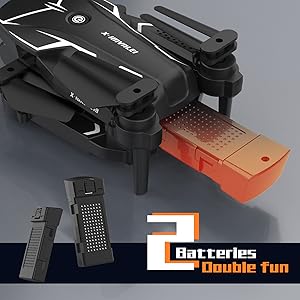
Image: Visual guide for connecting the drone to the mobile app via Wi-Fi for real-time video feed and control.
4. Operating Instructions
4.1. Basic Flight Controls
The X19 Drone is designed for ease of use, especially for beginners.
- One-Key Take Off/Landing: Press the dedicated button on the remote control for automatic take-off or landing.
- Altitude Hold: The drone maintains a stable altitude, allowing you to focus on directional control.
- Headless Mode: In this mode, the drone's orientation is relative to the pilot, simplifying control regardless of the drone's front direction.

Image: Visual representation of the drone's easy-to-control features, including Headless Mode, One Key Start/Landing, and Altitude Hold.
4.2. Advanced Flight Features
Explore the drone's dynamic capabilities:
- 3D Flips: Execute impressive aerial acrobatics with a single button press.
- Custom Path Flight: Draw a flight path on your smartphone screen, and the drone will follow it automatically.
- Gesture Control: Use hand gestures to command the drone for photos or videos (requires app connection).
- Speed Settings: Adjust flight speed to match your skill level or environmental conditions (3 high-speed flight modes available).

Image: The drone demonstrating 360-degree flips and its ability to navigate small indoor spaces.

Image: The Custom Path Flight feature, where the drone follows a pre-drawn route on the mobile application.
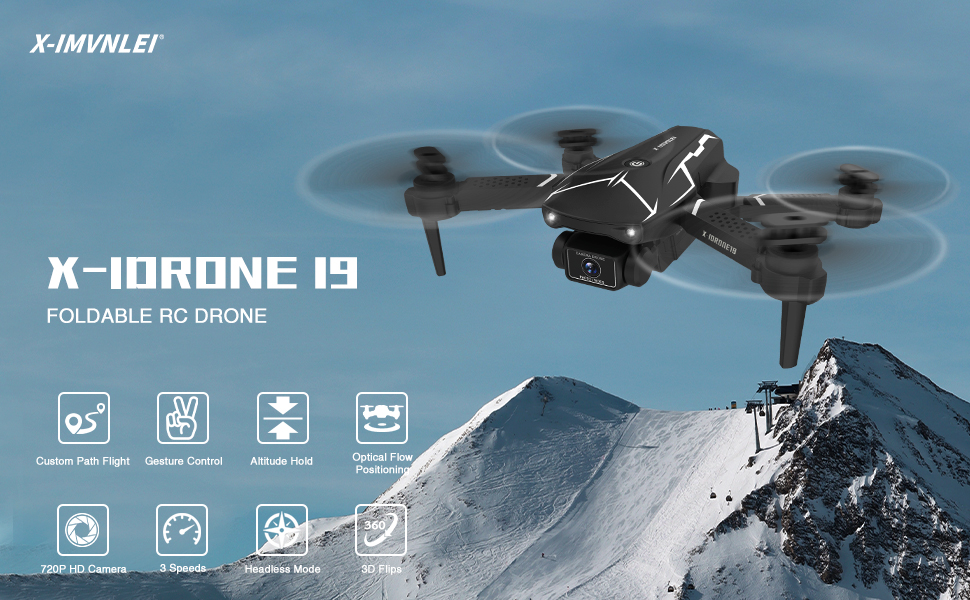
Image: The Gesture Control feature, allowing users to command the drone with hand movements for hands-free operation.
4.3. Camera Operation
The X19 Drone is equipped with a dual-camera system for versatile aerial photography and videography.
- 720P HD FPV Camera: The main camera offers 720p high-definition resolution and can be adjusted 90° for various angles. View the live feed directly on your smartphone via the app.
- Bottom Camera: An additional camera on the bottom provides a vertical view, expanding your visual perspective.
- Photo/Video Capture: Use the dedicated buttons on the remote control or the app interface to capture images and record videos. Files are saved directly to your connected smartphone.

Image: Detailed view of the 720P HD FPV camera with 90° adjustable angle, illustrating its capability for clear aerial shots.
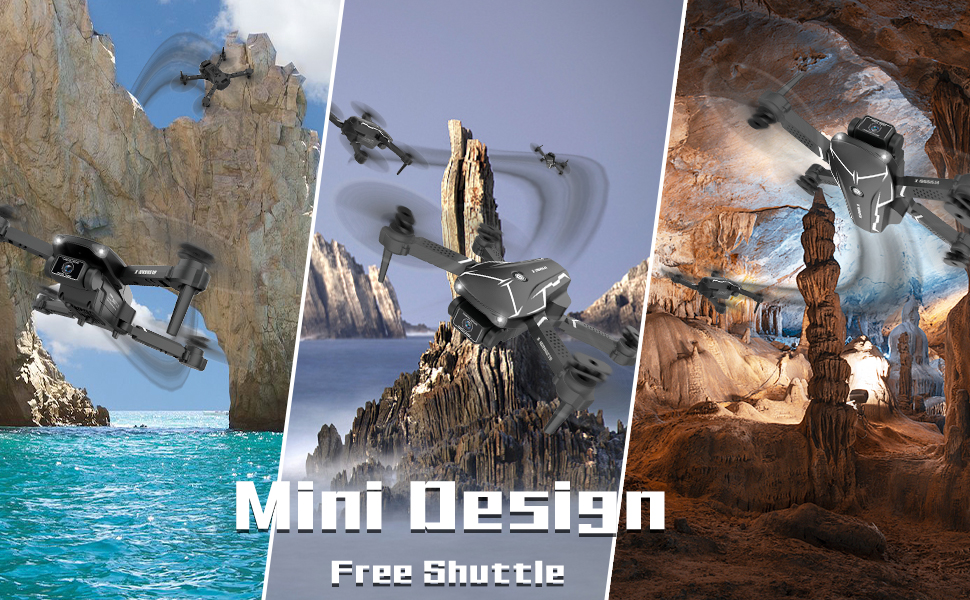
Image: The drone utilizing optical flow positioning for stable hovering, a key feature for beginners.
Video: A comprehensive demonstration of the X19 Drone's flight capabilities, including take-off, landing, and various maneuvers, suitable for beginners.
4.4. Environmental Considerations
The X19 Drone is lightweight and suitable for both indoor and outdoor use. However, due to its light weight, it is highly susceptible to wind. For optimal performance and to prevent loss of control, operate the drone in calm conditions with minimal wind.
5. Maintenance
Regular maintenance ensures the longevity and optimal performance of your X19 Drone:
- Cleaning: Gently wipe the drone body with a soft, dry cloth after each flight to remove dust and debris.
- Propeller Inspection: Regularly check propellers for any damage (cracks, bends). Replace damaged propellers immediately using the provided spare parts and screwdriver.
- Battery Care: Store batteries in a cool, dry place. Do not overcharge or over-discharge. If not used for an extended period, charge them to about 50% capacity.
- Storage: Fold the drone arms for compact storage in its original packaging or a protective case to prevent damage.

Image: The drone's foldable design, emphasizing its portability and ease of storage.
6. Troubleshooting
If you encounter issues with your X19 Drone, refer to the following common solutions:
- Drone not responding to remote: Ensure both the drone and remote control are powered on and properly paired. Re-pair if necessary by turning both off and on, then pushing the left joystick up and down.
- Unstable flight/drifting: Perform a gyroscope calibration. Refer to the detailed steps in the included user manual for calibration procedures. Ensure you are flying in calm conditions.
- Camera feed not appearing on phone: Verify that your phone is connected to the drone's Wi-Fi network and the 'KY UFO' app is open and running.
- Short flight time: Ensure batteries are fully charged. Consider using the spare battery for extended sessions.
- Drone flies away in light wind: This drone is very lightweight. Avoid flying in windy conditions, even light breezes, to prevent loss of control.
7. Specifications
| Feature | Specification |
|---|---|
| Brand | X-IMVNLEI |
| Model Name | X19 |
| Video Capture Resolution | 1080p (Output: 1920x1080 Pixels) |
| Camera Features | 720P HD FPV Camera, 2 Cameras (front and bottom), 90° adjustable angle |
| Connectivity Technology | Wi-Fi |
| Control Type | Remote Control, Mobile App |
| Special Features | Optical Flow Positioning, 3D Flip, 3 High-Speed Flight Modes, Altitude Hold, One Key Start/Landing, Headless Mode, Gesture Control |
| Age Range (Description) | Adult |
| Skill Level | Beginner |
| Item Weight | 68 Grams (2.4 ounces) |
| Product Dimensions | 5.5"L x 3.9"W x 1.38"H |
| Batteries | 1 Lithium Ion battery required (included), 2 total provided |
| Supported Image Format | JPEG |
8. Warranty and Support
For any warranty claims, technical support, or inquiries regarding your X-IMVNLEI X19 Drone, please refer to the contact information provided in your product packaging or visit the official X-IMVNLEI website. Keep your purchase receipt as proof of purchase for warranty services.