
1. Introduction
Thank you for choosing the Moukey MTs12-1 Karaoke Machine. This portable PA system is designed to deliver powerful and clear audio for various occasions, from intimate gatherings to outdoor parties. Featuring a 12-inch woofer and 3-inch tweeters, dynamic LED lighting, and versatile connectivity options, it provides an immersive audio experience. This manual will guide you through the setup, operation, and maintenance of your new karaoke machine.

Figure 1: Moukey MTs12-1 Karaoke Machine with included accessories.
2. Setup
2.1 What's in the Box
- Moukey MTs12-1 Speaker Unit
- 2 x UHF Wireless Microphones (AA batteries not included)
- Remote Control
- Power Adapter
- 3.5mm AUX Cable
- Tablet Holder
- User Manual
2.2 Initial Charge
Before first use, fully charge the karaoke machine. The upgraded MTs12-1 party speaker is equipped with a 12V/7AH powerful rechargeable battery. It can provide long non-stop music playing and supports playing while charging. Connect the power adapter to the DC IN port on the unit and plug it into a power outlet. The charging indicator will show the charging status.
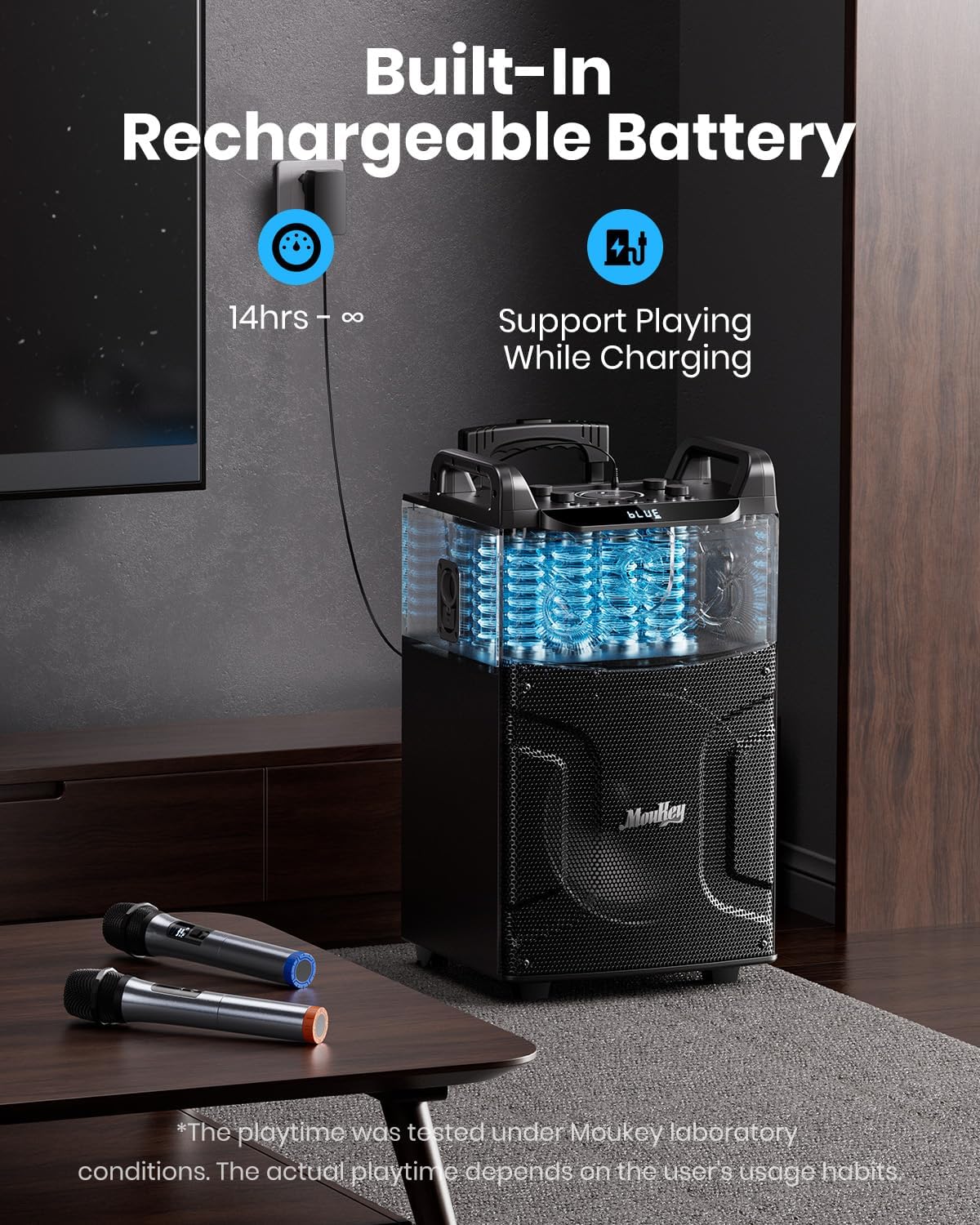
Figure 2: Charging the Moukey MTs12-1 Karaoke Machine.
3. Operating Instructions
3.1 Control Panel Overview
The control panel is located on the top of the unit, providing easy access to all functions. It includes knobs for microphone volume, echo, bass, treble, and master volume. Buttons are available for mode selection, track control, recording, and light effects.

Figure 3: Moukey MTs12-1 Control Panel.
3.2 Connectivity Modes
The MTs12-1 offers multiple ways to play your audio:
- Bluetooth 5.0: Connect wirelessly to most Bluetooth-enabled devices such as mobile phones, laptops, and tablets.
- Micro TF Card: Insert a TF card (below 32G) into the designated slot for direct playback.
- Flash USB: Insert a USB drive (below 32G) for playing audio files.
- AUX IN: Use the provided AUX cable to connect external audio sources.
- FM Radio: Search and tune into FM radio channels.

Figure 4: Multiple Playing Ways.
3.3 TWS Function (True Wireless Stereo)
The powerful TWS function allows you to connect two MTs12-1 units in series via Bluetooth for a true wireless stereo experience. This enables you to arrange two speakers in the same area to build your own PA system with colossal stereo sound. (Note: The unit price of the product is one piece; two units are required for TWS functionality).
3.4 Microphones
The system includes two UHF wireless microphones that are resistant to interference and provide crisp, high-fidelity sound. Additionally, there are two 6.35mm jacks for wired microphones, perfect for solo performances, duets, or group parties. (Each microphone requires 2 AA batteries, not included).
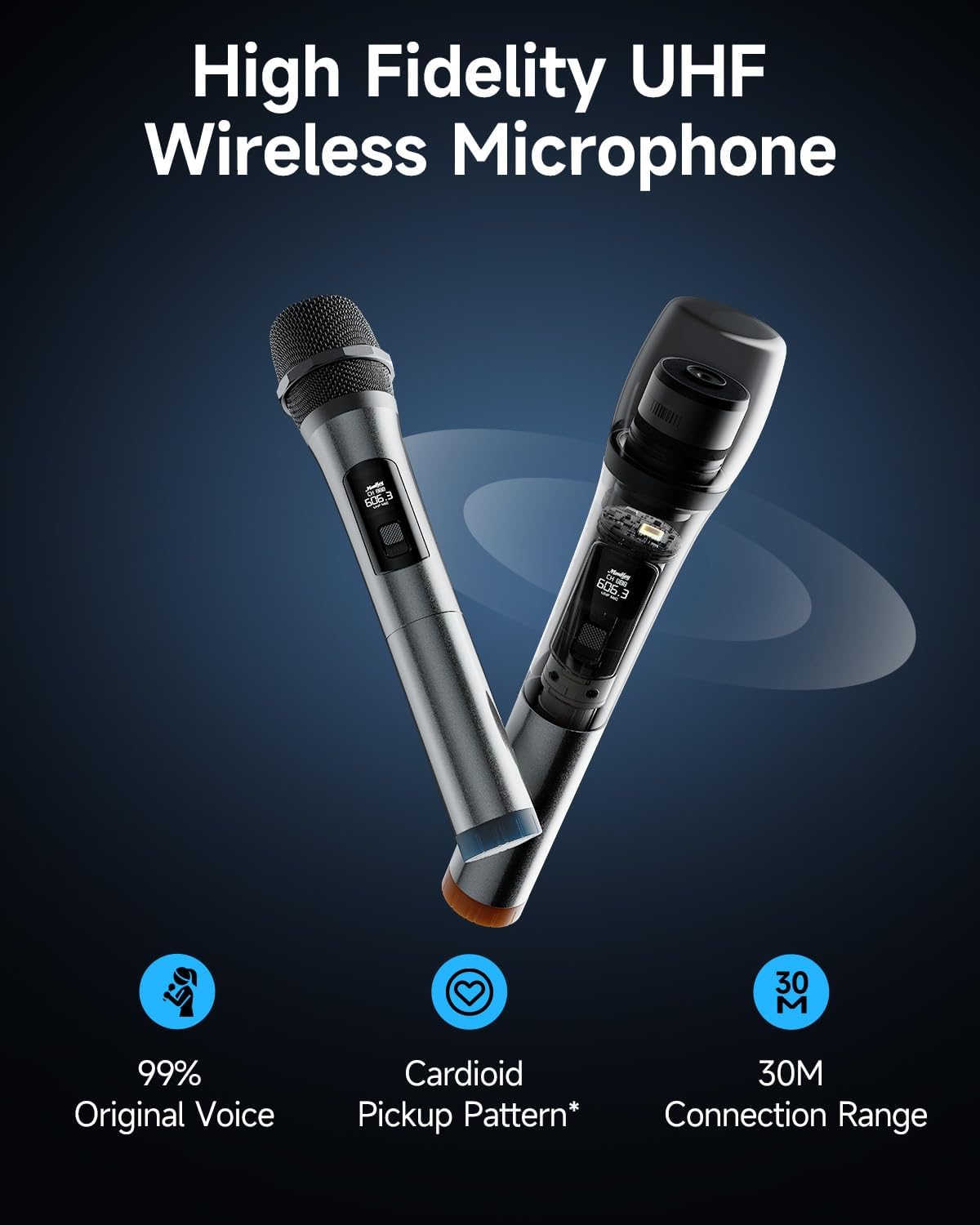
Figure 5: UHF Wireless Microphones.
3.5 Disco Lights
The MTs12-1 features dynamic colorful LED lights that change colors with the beat of the music, creating an amazing party vibe. These lights are perfect for gatherings, parties, karaoke sessions, and both outdoor and indoor activities. The DJ lights can be turned off if not desired.
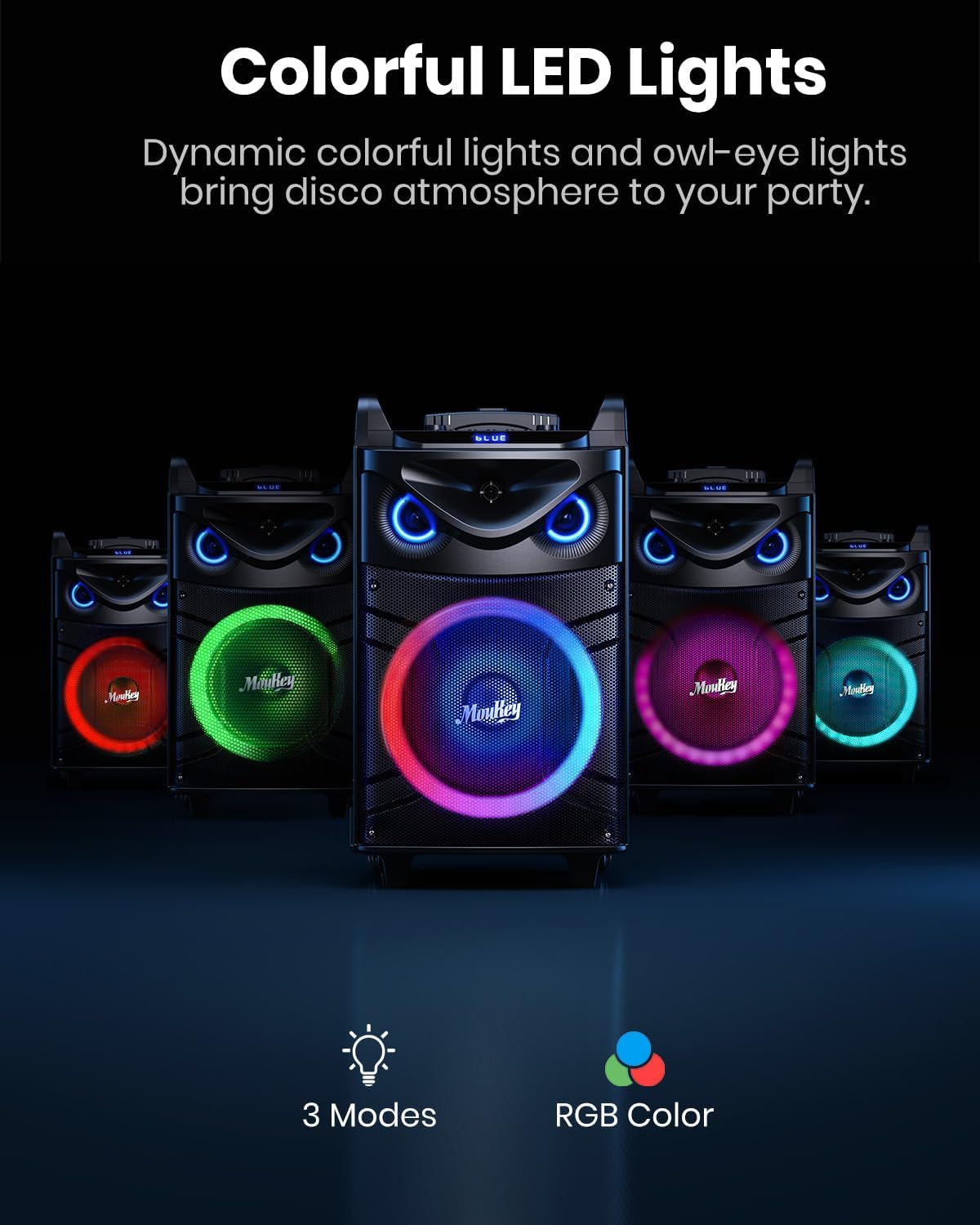
Figure 6: Colorful LED Lights in action.
4. Maintenance
4.1 Battery Care
To maximize battery life, ensure the unit is fully charged before extended use. If keeping the machine charged, it can be used all day long. Avoid completely draining the battery frequently.
4.2 Cleaning
Wipe the exterior of the unit with a soft, dry cloth. Do not use abrasive cleaners or solvents. Keep the speaker grilles free from dust and debris.
5. Troubleshooting
If you encounter any issues with your Moukey MTs12-1 Karaoke Machine, please consider the following common solutions:
- No Sound: Check the master volume and individual input volumes (microphone, AUX, Bluetooth device). Ensure the correct input mode is selected.
- Microphone Not Working: Verify that the microphones have fresh AA batteries and are powered on. Check microphone volume knob.
- Bluetooth Connectivity Issues: Ensure the unit is in Bluetooth mode and your device's Bluetooth is enabled. Try unpairing and re-pairing the device. Move closer to the speaker to avoid interference.
- Lights Not Working: Check if the DJ lights are turned off via the control panel.
- Unit Freezes/Unresponsive: Try turning the unit off and on again. If the issue persists, allow the battery to fully drain and then recharge.
For further assistance, please contact Moukey customer support.
6. Specifications
| Feature | Specification |
|---|---|
| Model Number | MTs12-1 |
| Woofer Size | 12 inches |
| Tweeter Size | 3 inches |
| RMS Power | 200W |
| Peak Power | Up to 650W |
| Bluetooth Version | 5.0 |
| Battery | 12V/7AH Rechargeable |
| Microphone Type | UHF Wireless |
| Dimensions (L x W x H) | 16.34 x 27.59 x 16.02 inches |
| Item Weight | 29.9 pounds (13.61 Kilograms) |
| Power Source | Battery Powered |
| Mounting Type | Tabletop |
| Audio Input | AUX IN, USB, TF |
7. Warranty and Support
This product is manufactured by Moukey. For any product-related inquiries, technical support, or warranty claims, please contact Moukey directly. Information regarding protection plans and return policies may be available from your retailer at the time of purchase. Typically, a 30-day return/replacement policy is offered by retailers.
For additional support, visit the official Moukey store or contact their customer service channels.


