1. Introduction
The EZVALO LY-23 LED Under Cabinet Light is a versatile and efficient lighting solution designed for various indoor applications. Featuring a motion sensor, remote control, and rechargeable battery, these lights provide convenient and customizable illumination for your home. The warm light (3500K color temperature) creates a comfortable atmosphere.
2. Package Contents
Please verify that all items are present in the package:
- LED Lights (Quantity: 3)
- USB Type-C Charging Cable (Quantity: 1)
- Remote Control (Quantity: 1)
- Magnetic Sheets for Installation (Quantity: 10)
- User Manual (This document)

Image 2.1: Contents of the EZVALO LY-23 package, showing three LED light bars, a remote control, and two USB charging cables.
3. Product Features
- Rechargeable Battery: Built-in 1600 mAh lithium-ion battery for extended use.
- Motion Sensor: Automatically detects motion within a 10-foot range and 120-degree angle.
- Daylight Sensor: Prevents activation in well-lit environments to conserve energy.
- Remote Control: Allows switching between ON/AUTO/OFF modes, adjusting brightness, and setting timers.
- Three Operating Modes: Always-On, Auto (motion sensor), and Off.
- Adjustable Brightness: Dimmable feature for customized lighting levels.
- Timer Function: Set lights to turn off after 5, 15, 30, 45, or 60 minutes.
- Wireless Installation: Magnetic attachment for easy mounting and removal.
- Warm Light: 3500K color temperature for a cozy ambiance.
4. Setup and Installation
The EZVALO LED lights are designed for simple, wireless installation.
- Prepare the Surface: Ensure the installation surface is clean, dry, and smooth.
- Attach Magnetic Sheets: Peel off the protective film from one side of the magnetic sheet and firmly press it onto the desired installation location. If the surface is metallic, the light can attach directly without the magnetic sheet.
- Mount the Light: The back of the LED light bar contains magnets. Align the light with the installed magnetic sheet (or metallic surface) and allow it to snap into place.
- Adjust Position: The magnetic attachment allows for easy removal and repositioning of the light as needed for charging or relocation.
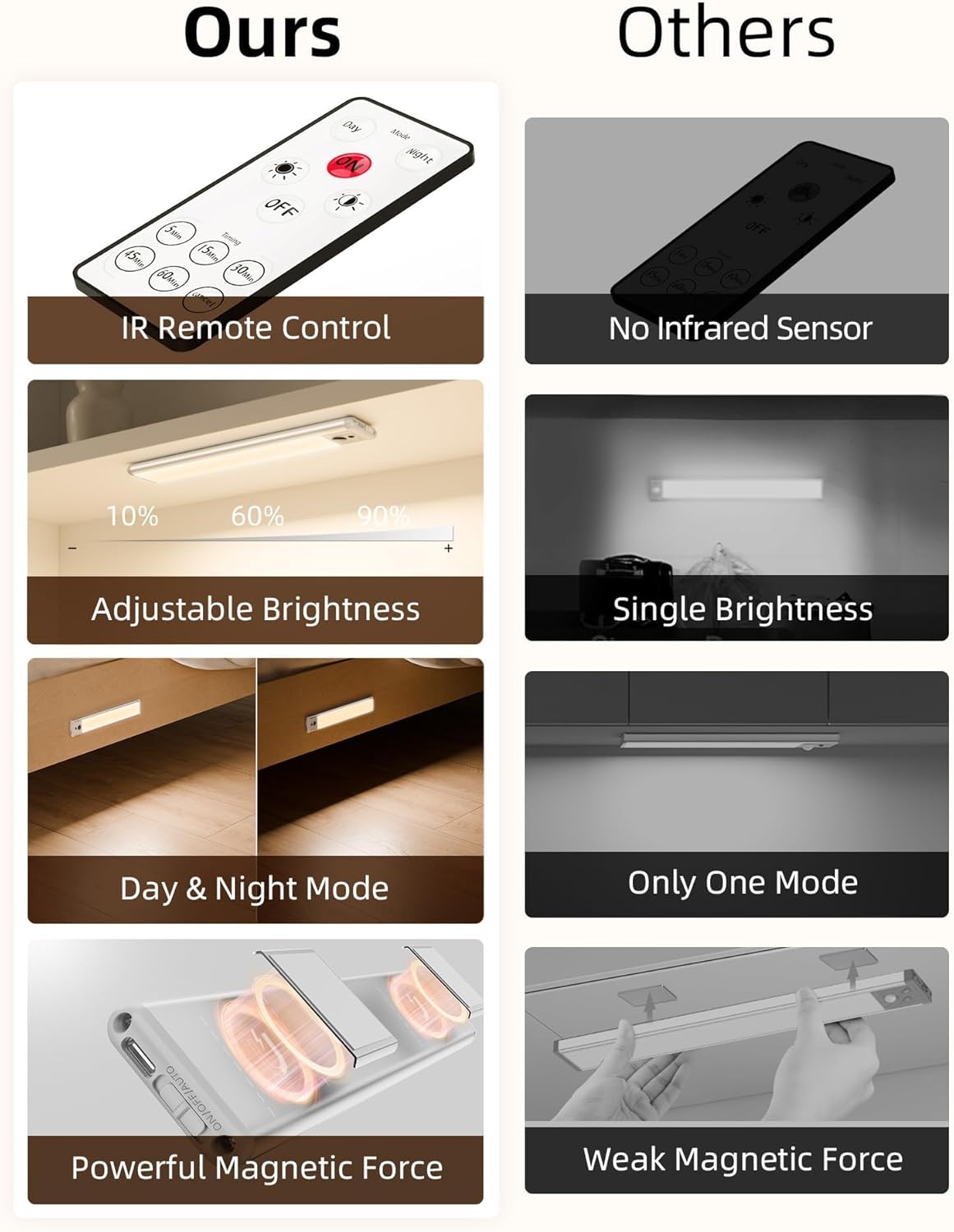
Image 4.1: Illustration highlighting the strong magnetic force for easy installation and removal of the light bar.
5. Operating Instructions
5.1. Understanding the Modes
The lights offer three primary operating modes:
- ON Mode (Always-On): The light remains continuously illuminated. Ideal for tasks requiring constant light. At maximum brightness, it can last 8-9 hours.
- AUTO Mode (Motion Sensor): The light automatically turns on when motion is detected within its range (10 feet, 120 degrees) and turns off after a period of no motion. This mode is energy-saving as it also incorporates a daylight sensor, preventing activation in bright conditions. In AUTO mode, the battery can last 30-60 days with 10-20 activations per day, each lasting 20 seconds.
- OFF Mode: The light is completely off.
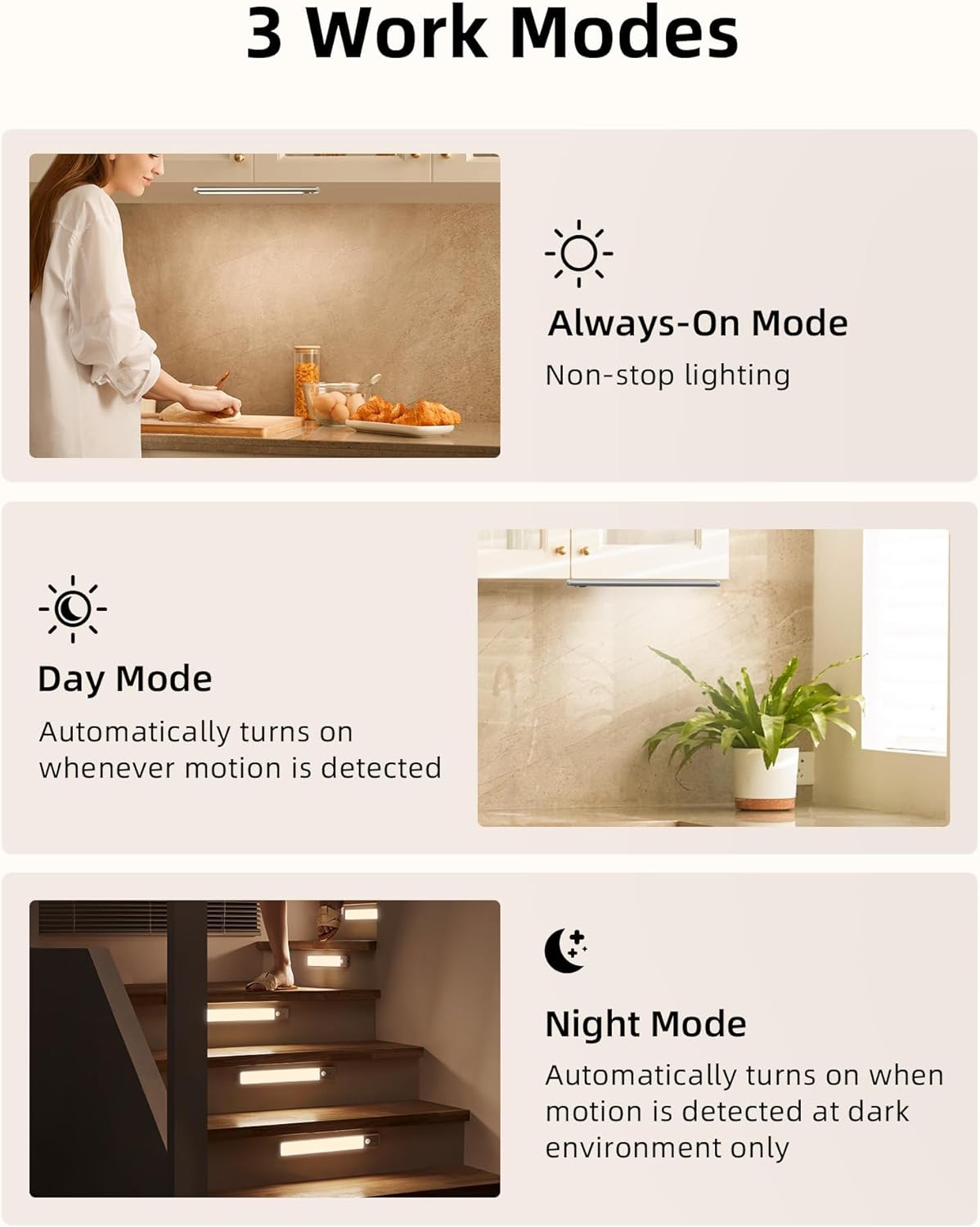
Image 5.1: Visual representation of the three operating modes: Always-On for continuous lighting, Day Mode for motion detection in any light, and Night Mode for motion detection only in dark environments.
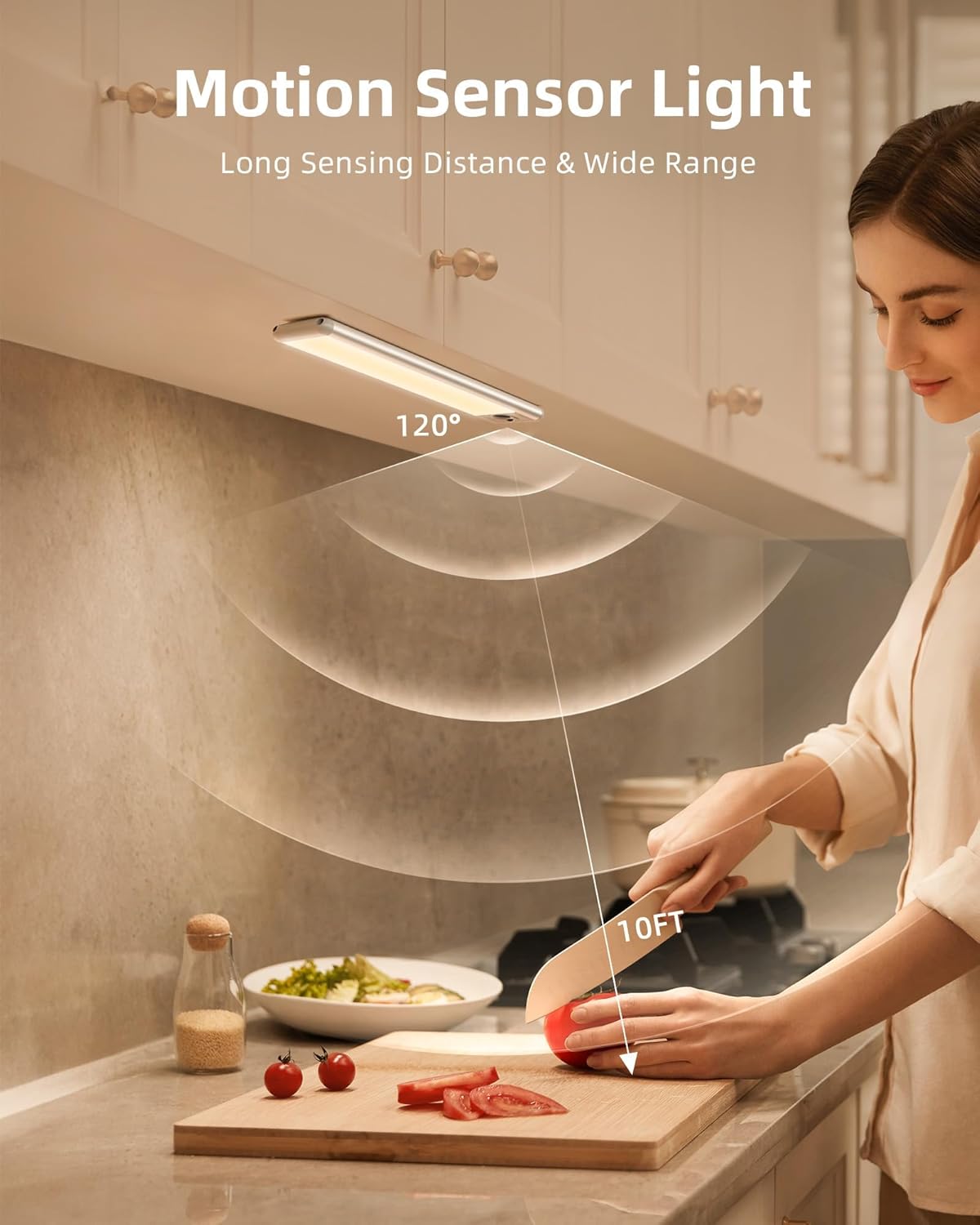
Image 5.2: The motion sensor detects movement within a 10-foot range and a 120-degree angle, as shown in a kitchen environment.
5.2. Using the Remote Control
The included remote control provides convenient access to various functions:
- ON/OFF Button: Turns the light on or off.
- Mode Selection: Buttons for Day Mode (motion sensor active regardless of ambient light) and Night Mode (motion sensor active only in dark environments).
- Dimming Switch: Adjusts the brightness level of the light.
- Timer Function: Set the light to automatically turn off after 5, 15, 30, 45, or 60 minutes.

Image 5.3: The remote control allows for easy adjustment of Day/Night mode, dimming, and timer settings for multiple lights.
6. Charging the Battery
The EZVALO LED lights are equipped with a rechargeable 1600 mAh battery. It is recommended to fully charge the lights before first use.
- Remove the Light: Gently detach the light bar from its magnetic mounting.
- Connect Charging Cable: Insert the USB Type-C end of the charging cable into the charging port on the light bar.
- Connect to Power: Plug the standard USB end of the cable into a 5V=1A USB power adapter (not included) or a computer USB port.
- Charging Indicator: The light will indicate charging status (e.g., a red light for charging, green/blue for fully charged).
- Charging Time: A full charge typically takes approximately 3 hours.
- Reattach Light: Once fully charged, reattach the light bar to its magnetic mounting.

Image 6.1: Details on the 1600mAh battery, indicating 30-60 days of use in AUTO mode and 8-9 hours in Always-On mode, with a fast charging time of 3 hours. Please fully charge before first use.
7. Maintenance
To ensure optimal performance and longevity of your EZVALO LED lights:
- Cleaning: Wipe the light bars with a soft, dry cloth. Do not use abrasive cleaners or solvents.
- Battery Care: Avoid fully depleting the battery frequently. Charge the lights regularly, especially if they will be stored for an extended period.
- Storage: Store the lights in a cool, dry place when not in use.
8. Troubleshooting
| Problem | Possible Cause | Solution |
|---|---|---|
| Light does not turn on. | Battery is depleted. Light is in OFF mode. Motion sensor not triggered (in AUTO mode). | Charge the battery. Switch to ON or AUTO mode using the remote or button on the light. Ensure motion is within range and ambient light is low enough (for Night Mode). |
| Motion sensor not working. | Light is in ON or OFF mode. Ambient light is too bright (in AUTO/Night Mode). Obstruction blocking sensor. | Switch to AUTO mode. Ensure the environment is dark enough for Night Mode, or switch to Day Mode. Clear any objects blocking the sensor. |
| Remote control not responding. | Remote battery is low. Obstruction between remote and light. Remote out of range. | Replace remote battery (if applicable, usually coin cell). Ensure clear line of sight. Move closer to the light (max 5m infrared range). |
| Battery life is shorter than expected. | Frequent use in ON mode at high brightness. Frequent motion activations. Battery degradation over time. | Use AUTO mode more often. Reduce brightness if possible. Ensure full charges. |
9. Specifications
| Feature | Detail |
|---|---|
| Model Number | LY-23 |
| Dimensions (L x W x H) | 230 mm x 40 mm x 11 mm (Light Body) |
| Weight | Approximately 100 grams per light |
| Power Input | 5V = 1A |
| Battery Capacity | 1600 mAh Lithium-ion |
| Motion Detection Distance | 3 meters (10 feet) |
| PIR Detection Angle | 120 degrees |
| Infrared Remote Control Distance | 5 meters |
| Timer Settings | 5 min / 15 min / 30 min / 45 min / 60 min |
| Material | Aluminum Alloy + ABS + PC |
| Operating Temperature | 0 ℃ ~ +40 ℃ (32 ℉ ~ 104 ℉) |
| Operating Humidity | 10% ~ 85% RH |
| Light Color Temperature | Warm Light (3500K) |
| Luminous Flux | 100 lm |
| Wattage | 5 Watts |
10. Safety Information
- Do not expose the device to extreme temperatures or humidity.
- Do not disassemble or attempt to repair the device yourself. This may void the warranty and pose safety risks.
- Keep out of reach of children.
- Use only the provided charging cable or a compatible 5V=1A USB charger.
- Avoid direct eye exposure to the LED light for prolonged periods.
11. Warranty and Support
EZVALO is committed to providing high-quality products and customer satisfaction. For any questions, technical support, or warranty claims, please contact EZVALO customer service.
Customer service is available Monday to Friday, 9 AM - 5 PM (MEST).
For further assistance, please refer to the contact information provided with your purchase or visit the official EZVALO website.


