
1. Introduction
The Fyearfly Smart Posture Corrector is an innovative device designed to help users maintain a healthy posture. Utilizing gentle vibrations, it reminds you to keep your back upright and prevents slouching. This device promotes long-term muscle memory, enabling you to maintain correct posture even when not wearing it. Made from durable ABS material, it is comfortable and easy to wear.
2. Safety Information
- Consult a healthcare professional before use if you have pre-existing medical conditions, especially related to the spine or neck.
- Do not use the device while sleeping.
- Keep out of reach of children.
- Avoid exposing the device to extreme temperatures or moisture.
- Use only the provided charging cable.
3. Package Contents
Please check the package for the following items:
- 1 x Fyearfly Smart Posture Corrector
- 1 x USB Data Cable
- 1 x User Manual
4. Product Overview
The Fyearfly Smart Posture Corrector features a comfortable, food-contact-grade silicone design that rests on your neck and shoulders, with a central unit containing the smart sensor and controls.
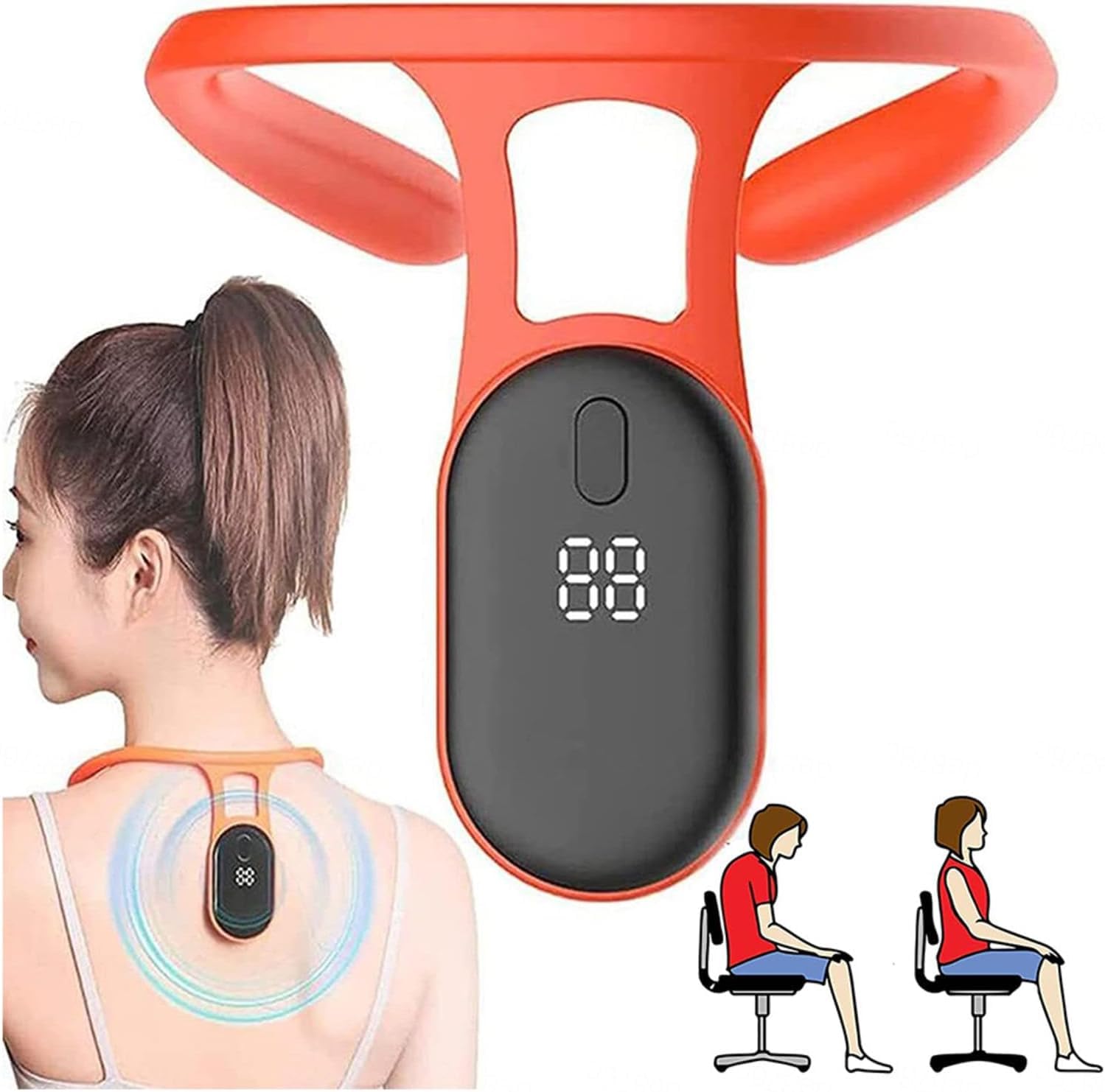
Image 1: The Fyearfly Smart Posture Corrector in use, illustrating its placement on the upper back and its effect on posture.

Image 2: Detailed view of the device's components, including the flexible silicone, power button, and USB interface for charging.
5. Setup
5.1 Initial Charging
Before first use, fully charge the device using the provided USB data cable. Connect the cable to the device's USB port and a compatible USB power source. The indicator light will show charging status.
5.2 Wearing the Device
- Place the posture corrector directly on your upper back, ensuring the central unit rests between your shoulder blades and the silicone arms comfortably wrap around your neck/shoulders.
- Adjust the device so it sits snugly but without discomfort. The design allows for direct wear without complex strap adjustments.
- Once positioned correctly, press the power button to turn on the device.

Image 3: Proper placement of the posture corrector on the neck and upper back.
6. Operating Instructions
6.1 Power On/Off
Press and hold the power button (refer to Image 2) for a few seconds to turn the device on or off. The display will illuminate when powered on.
6.2 Posture Monitoring and Vibration Reminder
Once powered on and correctly worn, the integrated high-precision chip will detect your body's posture. If it senses that you are slouching or leaning forward, the device will emit gentle vibrations to remind you to correct your posture. This gentle feedback helps train your muscle memory over time.
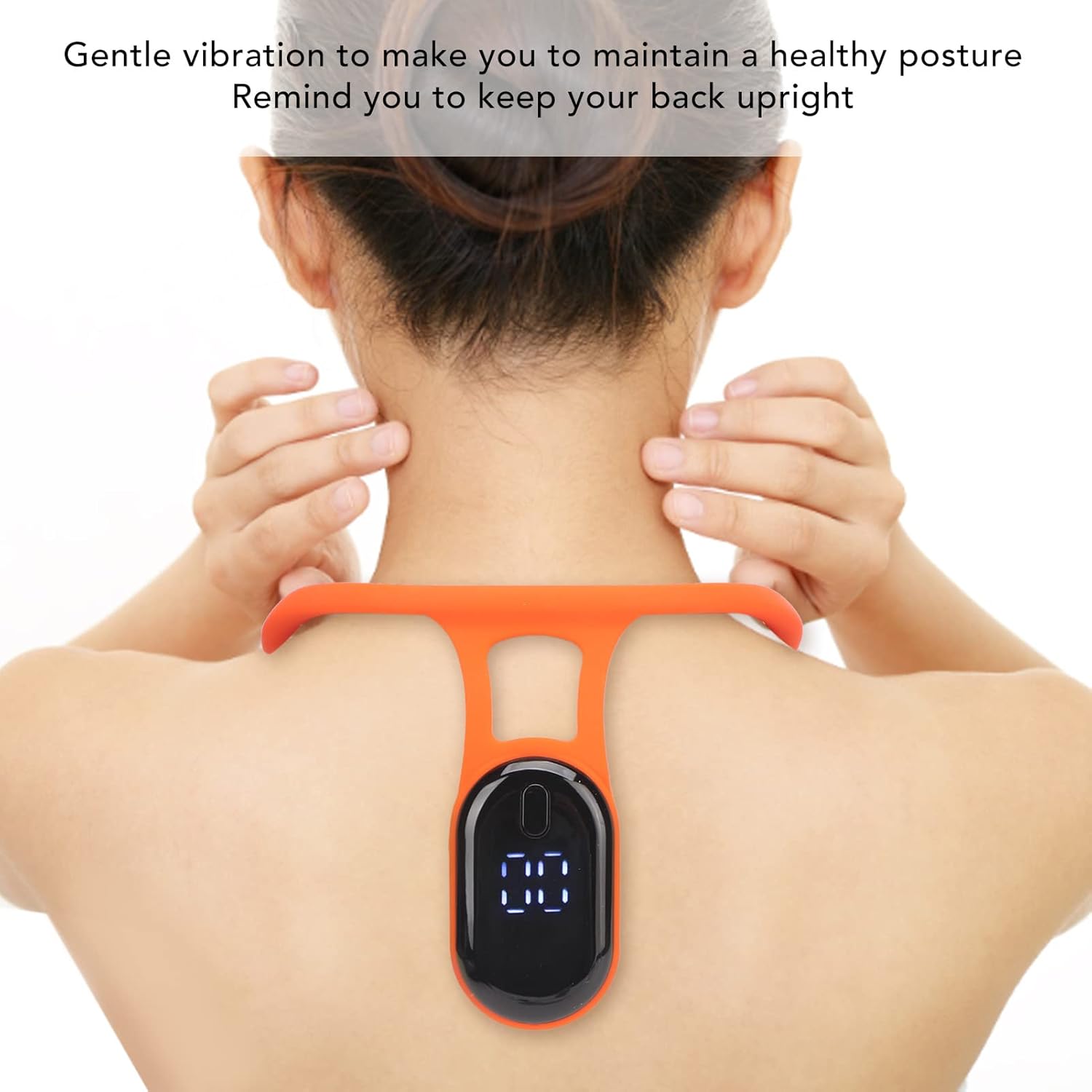
Image 4: The device providing gentle vibration reminders for upright posture.
6.3 Do Not Disturb Mode
The device features a 'one key switch reminder' function. For important occasions where vibrations might be disruptive, you can activate a 'Do Not Disturb' mode by briefly pressing the power button. Refer to the device's display for mode indication.
7. Maintenance
7.1 Cleaning
Wipe the device with a soft, damp cloth. Do not use harsh chemicals or abrasive cleaners. Ensure the USB port is dry before charging.
7.2 Storage
Store the device in a cool, dry place away from direct sunlight and extreme temperatures when not in use.
8. Troubleshooting
- Device not turning on: Ensure the device is fully charged. If the issue persists, try a different USB charging port or cable.
- No vibration feedback: Check if the device is powered on and correctly positioned. Ensure you are not in 'Do Not Disturb' mode. If your posture is already correct, the device will not vibrate.
- Vibrating excessively: Re-calibrate the device by turning it off and on while maintaining a correct posture. Ensure the device is sitting flat against your back and not moving excessively.
- Charging issues: Verify the USB cable is securely connected to both the device and the power source.
If problems persist, please contact customer support.
9. Specifications
| Feature | Specification |
|---|---|
| Model | Fyearfly2iobt4ge19 |
| Material | ABS, Food Contact Grade Silicone |
| Battery Type | Lithium Battery |
| Battery Capacity | 800 mAh |
| Charging Interface | USB |
10. Warranty and Support
This product comes with a standard manufacturer's warranty. For warranty claims, technical support, or any inquiries, please refer to the contact information provided with your purchase or visit the Fyearfly official website.