
1. Product Overview
The Roinvou Car Radio is an advanced infotainment system designed for Toyota Corolla EX models from 2005 to 2012. It features a 9-inch capacitive touch screen with Android 13, offering wireless CarPlay and Android Auto, GPS navigation, Bluetooth, and 5GHz Wi-Fi connectivity. This manual provides essential information for installation, operation, and maintenance.

Figure 1: Roinvou Car Radio with included accessories, including a backup camera and external microphone.
2. Setup and Installation
Proper installation is crucial for the optimal performance of your Roinvou Car Radio. It is recommended to have the installation performed by a qualified professional. Refer to the detailed video guide below for step-by-step instructions specific to Toyota Corolla models.
2.1 Pre-Installation Checks
- Ensure the vehicle's ignition is off and the battery is disconnected before starting any electrical work.
- Verify all components listed in the package contents are present.
- Confirm compatibility with your specific Toyota Corolla EX model year (2005-2012).
2.2 Installation Video Guide
Video 1: Detailed guide on center console disassembly and wiring for the Roinvou Car Radio in compatible Toyota Corolla models.
2.3 Post-Installation
After physical installation and wiring, reconnect the vehicle battery. Power on the unit and perform initial setup as prompted on the screen. This typically includes language selection, time/date settings, and network configuration.

Figure 2: Comparison of the Toyota Corolla dashboard before and after the installation of the Roinvou Car Radio, showcasing the integrated appearance.
3. Operating Instructions
This section covers the primary functions and features of your Roinvou Car Radio.
3.1 Home Screen and User Interface
The 9-inch HD capacitive touch screen provides a clear and responsive interface. Navigate through applications and settings using intuitive touch gestures. The system supports multiple EQ options and 28 desktop themes for personalization.
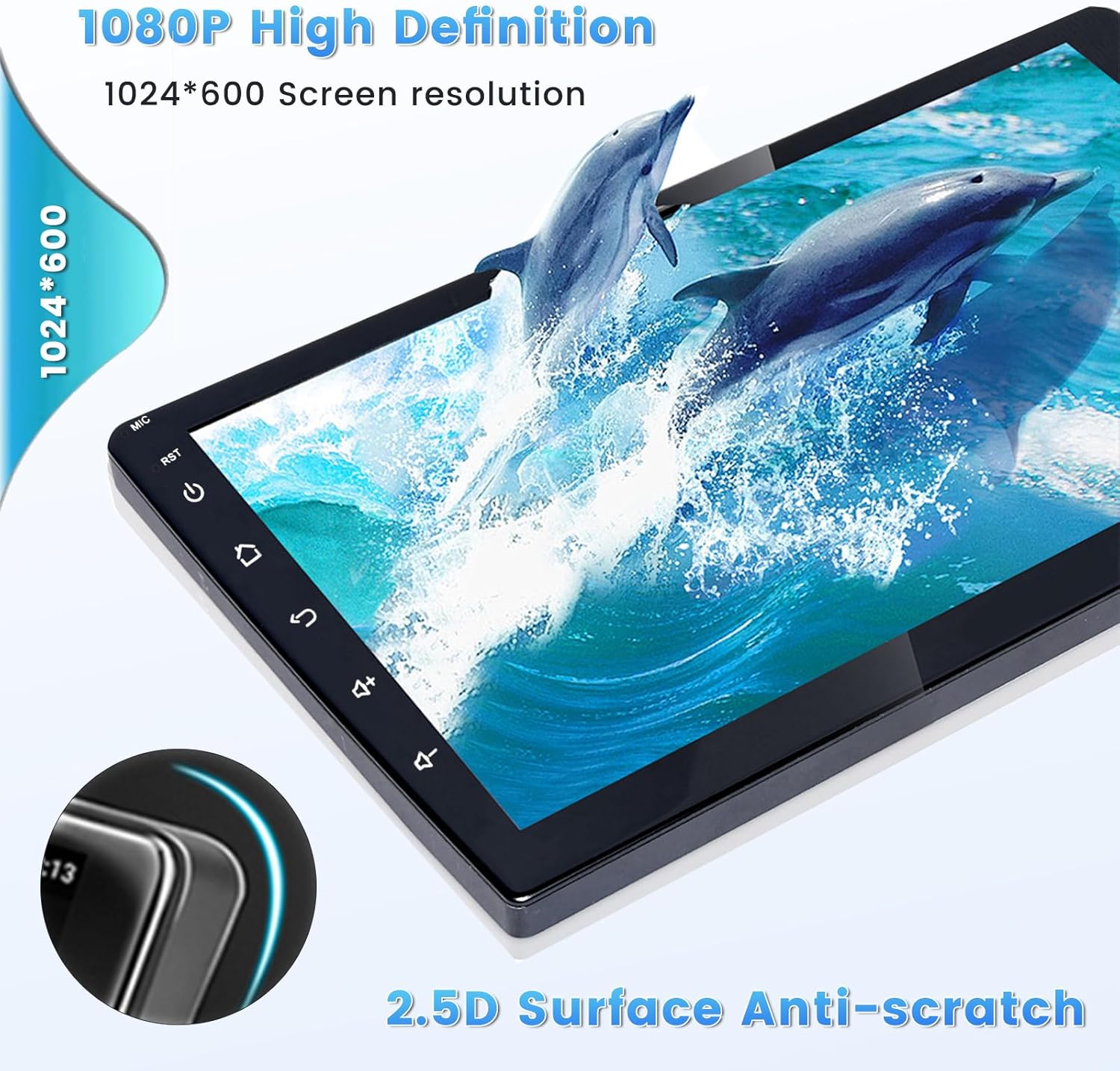
Figure 3: The Roinvou Car Radio showcasing a selection of its 28 customizable user interface themes.
3.2 Wireless CarPlay and Android Auto
Connect your iPhone or Android smartphone wirelessly or via USB for seamless integration. Access navigation, music, calls, messages, and more directly from the car radio screen using voice commands or touch controls.

Figure 4: The display showing the Wireless CarPlay and Android Auto interfaces, highlighting phone integration features.
3.3 GPS Navigation and Wi-Fi
The unit includes a built-in GPS module. You can use pre-installed offline maps or connect to Wi-Fi/hotspot for online navigation via apps like Waze. Wi-Fi connectivity also allows downloading other applications from the Play Store.

Figure 5: The screen illustrating GPS navigation with map data and options for Wi-Fi connection to access online content.
3.4 Bluetooth and FM/RDS Radio
Pair your mobile device via Bluetooth for hands-free calling, music playback, and voice functions. The FM/RDS radio features 18 preset stations and provides real-time broadcasting, weather forecasts, and road conditions.

Figure 6: The display showing the Bluetooth interface for phone calls and music, alongside the FM/RDS radio tuning screen.
3.5 Mirror Link
Synchronize your phone's screen to the car radio display via Wi-Fi hotspot or original USB cable. Android devices support bidirectional control, while iPhones support unidirectional control.
3.6 Backup Camera and Reversing Input
The system supports AHD backup cameras, providing a clear view when reversing. Ensure the camera is properly wired to the reversing light power and ground for automatic activation.

Figure 7: An illustration detailing the wiring connections for the backup camera and its display on the car radio screen, highlighting features like HD resolution and wide-angle view.
4. Maintenance
To ensure the longevity and optimal performance of your Roinvou Car Radio, follow these maintenance guidelines:
- Screen Cleaning: Use a soft, lint-free cloth slightly dampened with a screen cleaner or water. Avoid abrasive materials or harsh chemicals.
- Software Updates: Periodically check for and install software updates to ensure the system has the latest features and security patches. Updates are typically available via Wi-Fi.
- General Care: Avoid exposing the unit to extreme temperatures, direct sunlight for prolonged periods, or excessive moisture. Ensure proper ventilation around the unit.
5. Troubleshooting
If you encounter issues with your Roinvou Car Radio, refer to the following common troubleshooting steps:
| Problem | Possible Cause | Solution |
|---|---|---|
| No Power | Loose wiring connection, blown fuse, vehicle battery issue. | Check power harness connections. Inspect vehicle fuses. Verify battery charge. |
| No Sound | Volume too low, mute activated, speaker wiring issues, incorrect audio settings. | Increase volume. Check mute status. Verify speaker connections. Adjust audio output settings. |
| GPS Not Working | Weak GPS signal, outdated map data, GPS antenna not properly connected. | Ensure clear view of the sky. Update map data. Check GPS antenna connection and placement. |
| Bluetooth Connectivity Issues | Device not in pairing mode, interference, incorrect pairing procedure. | Ensure device is discoverable. Move closer to the unit. Re-attempt pairing process. |
| Touch Screen Unresponsive | Software glitch, temporary system freeze. | Perform a soft reset (refer to device settings). If issue persists, consult support. |
For issues not covered here, or if troubleshooting steps do not resolve the problem, please contact Roinvou customer support.
6. Specifications
- Screen Size: 9 Inches
- Resolution: 1024 x 600
- Operating System: Android 13
- Memory: 2GB RAM + 64GB ROM
- Connectivity: Bluetooth, USB, Wi-Fi (5GHz supported)
- Special Features: Wireless & Wired CarPlay, Android Auto, IPS Touchscreen, FM RDS Radio, Mirror Link, GPS Navigation, Split Screen, DSP, SWC, 28 Desktop Themes
- Audio Output Mode: Stereo
- Mounting Type: Dashboard Mount
- Product Dimensions: 14.49 x 4.92 x 5.51 inches
- Item Weight: 3.54 pounds
7. Warranty and Support
Roinvou provides a 1-year warranty for this product. For technical assistance, warranty claims, or any inquiries, please contact Roinvou customer support.
Email: roinvouservices@163.com
Please provide your product model number and a detailed description of the issue when contacting support to ensure efficient assistance.


