
1. Introduction
This manual provides essential instructions for the safe and effective use of your GUY-TECH Car DC Adapter. This adapter is designed to power compatible portable DVD players and other electronic devices from your vehicle's 12V-24V DC power outlet (cigarette lighter socket).
2. Product Overview
The GUY-TECH Car DC Adapter is a compact and portable power supply solution for your portable electronic devices. It features a coiled cable for flexibility and includes multiple protection mechanisms to ensure safe operation.

Image 1: GUY-TECH Car DC Adapter. This image displays the main unit of the car DC adapter, featuring the car lighter plug on one end and a barrel connector on the other, connected by a coiled power cable.
Key Features:
- Input Voltage: DC 12-24V, compatible with most vehicle power outlets.
- Output: Designed to power devices requiring 9V-12V DC.
- Cable Length: Flexible coiled cable, extending from approximately 45cm to 150cm.
- Safety Protections: Built-in Over Voltage Protection, Over Current Protection, and Short Circuit Protection.
- Efficiency: High power exchange efficiency for stable operation and controlled temperature.
- Design: Lightweight and portable for convenience.
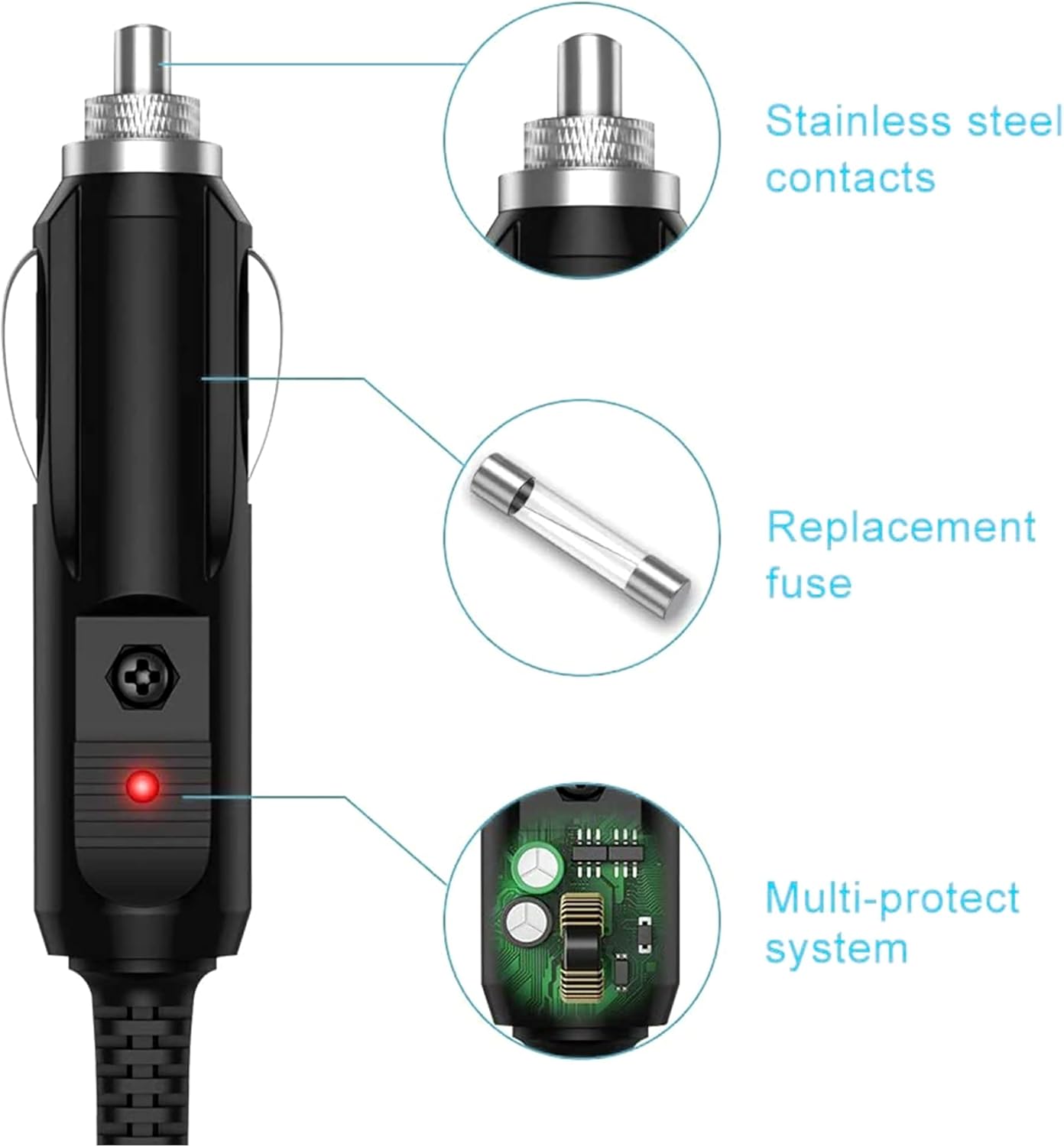
Image 2: Internal Features. This diagram highlights key components of the adapter, including stainless steel contacts for reliable connection, a replacement fuse for protection, and a multi-protect system circuit board.

Image 3: Smart Chip and Protection. This image illustrates the intelligent chip within the adapter, designed for automatic current matching and protection against over current, over voltage, short circuit, and overcharge.
3. Setup
- Verify Compatibility: Ensure your device requires a 9V-12V DC input and has a compatible barrel connector. This adapter is compatible with models such as Coby CA-703, TF-DVD5000, TF-DVD530, TF-DVD450, TF-DVD500, TF-DVD7379, and TF-DVD7052.
- Connect to Device: Insert the barrel connector end of the adapter firmly into the DC input port of your portable DVD player or other compatible electronic device.
- Connect to Vehicle: Insert the car lighter plug end of the adapter into your vehicle's 12V-24V DC power outlet (cigarette lighter socket). Ensure it is fully seated for a secure connection.
4. Operating Instructions
Once the adapter is correctly connected to both your device and the vehicle's power outlet, your device should begin to receive power or charge, depending on its design. Some devices may have an indicator light to confirm power reception.
- Ensure your vehicle's ignition is in a position that supplies power to the DC outlet (e.g., ACC or ON).
- Turn on your portable DVD player or device as per its own operating instructions.
- To disconnect, first turn off your device, then gently pull the car lighter plug from the vehicle's outlet, followed by disconnecting the barrel connector from your device.
5. Safety Information
- Do not expose the adapter to water, moisture, or extreme temperatures.
- Do not attempt to disassemble, modify, or repair the adapter. Refer to qualified personnel for service.
- Ensure the adapter's output voltage and connector type match your device's requirements to prevent damage.
- Keep out of reach of children.
- Avoid placing the adapter in direct sunlight or near heat sources.
- Do not use the adapter if the cable is damaged or frayed.
6. Maintenance
The GUY-TECH Car DC Adapter requires minimal maintenance.
- Cleaning: Wipe the adapter with a soft, dry cloth. Do not use liquid cleaners or solvents.
- Storage: When not in use, store the adapter in a cool, dry place, away from direct sunlight and extreme temperatures. Avoid tightly coiling the cable to prevent damage.
- Fuse: The adapter contains a replaceable fuse for protection. If the adapter stops working, the fuse may need replacement. Consult a qualified technician or the manufacturer for fuse replacement instructions if you are unsure.
7. Troubleshooting
| Problem | Possible Cause | Solution |
|---|---|---|
| Device not receiving power. | Loose connection, vehicle outlet not powered, blown fuse in adapter or vehicle. | Ensure all connections are secure. Check if the vehicle's DC outlet is active. Inspect the adapter's fuse (if accessible) or the vehicle's fuse for the DC outlet. |
| Adapter or device overheating. | Overload, poor ventilation, faulty adapter/device. | Disconnect immediately. Ensure the device's power requirements do not exceed the adapter's capacity. Ensure adequate ventilation around the adapter. If problem persists, discontinue use. |
| Device not charging/working correctly. | Incompatible voltage/current, faulty device. | Verify your device's power requirements match the adapter's output. Test the device with its original power supply if available. |
8. Specifications
- Input Voltage: DC 12-24V
- Output Voltage: Suitable for 9V-12V DC devices
- Cable Length: 45cm - 150cm (coiled)
- Material: Metal, Plastic
- Special Features: Lightweight, Portable, Over Voltage Protection, Over Current Protection, Short Circuit Protection
- Certifications: CCC, CE, RoHS (as per manufacturer)
9. Warranty and Support
For warranty information, technical support, or service inquiries, please contact the seller or manufacturer directly. Retain your proof of purchase for warranty claims.
Manufacturer: Guy-Tech