
1. Introduction
This manual provides essential information for the safe and efficient use of your Carlett 4 Wheel Shopping Trolley, model Lett430-L6. Please read these instructions carefully before initial use and retain them for future reference.
2. Safety Instructions
- Do not exceed the maximum load capacity of 25 kg (48L main bag).
- Ensure all wheels are securely attached before use.
- Always engage the safety brake when the trolley is stationary, especially on inclines.
- Avoid placing hot items directly into the thermal compartment.
- Keep hands and fingers clear of moving parts during folding and unfolding.
- Use caution when navigating uneven surfaces or stairs.
- Regularly inspect the trolley for any signs of wear or damage. Do not use if damaged.
3. Setup and Assembly
The Carlett Lett430-L6 trolley is designed for minimal assembly. Follow these steps for initial setup:
- Unfolding the Frame: Gently pull the handle upwards and outwards until the frame locks into its open position. Ensure all locking mechanisms are engaged.
- Attaching the Wheels: The wheels are easily removable for compact storage. Align each wheel with its axle and push firmly until it clicks into place. Verify that all four wheels rotate freely.
- Attaching the Bag: The removable 48L bag attaches to the trolley frame using straps. Securely fasten all straps to prevent the bag from shifting during use.
- Adjusting the Handle: The handle height can be adjusted to your preference. Locate the adjustment buttons or levers on the handle and extend or retract to the desired height, ensuring it locks securely.


4. Operating Instructions
4.1 Using the Trolley in 4-Wheel Mode
The 4-wheel configuration provides maximum stability and maneuverability. The front wheels feature 360° rotation, allowing for easy navigation in tight spaces. Push the trolley forward using the adjustable handle.
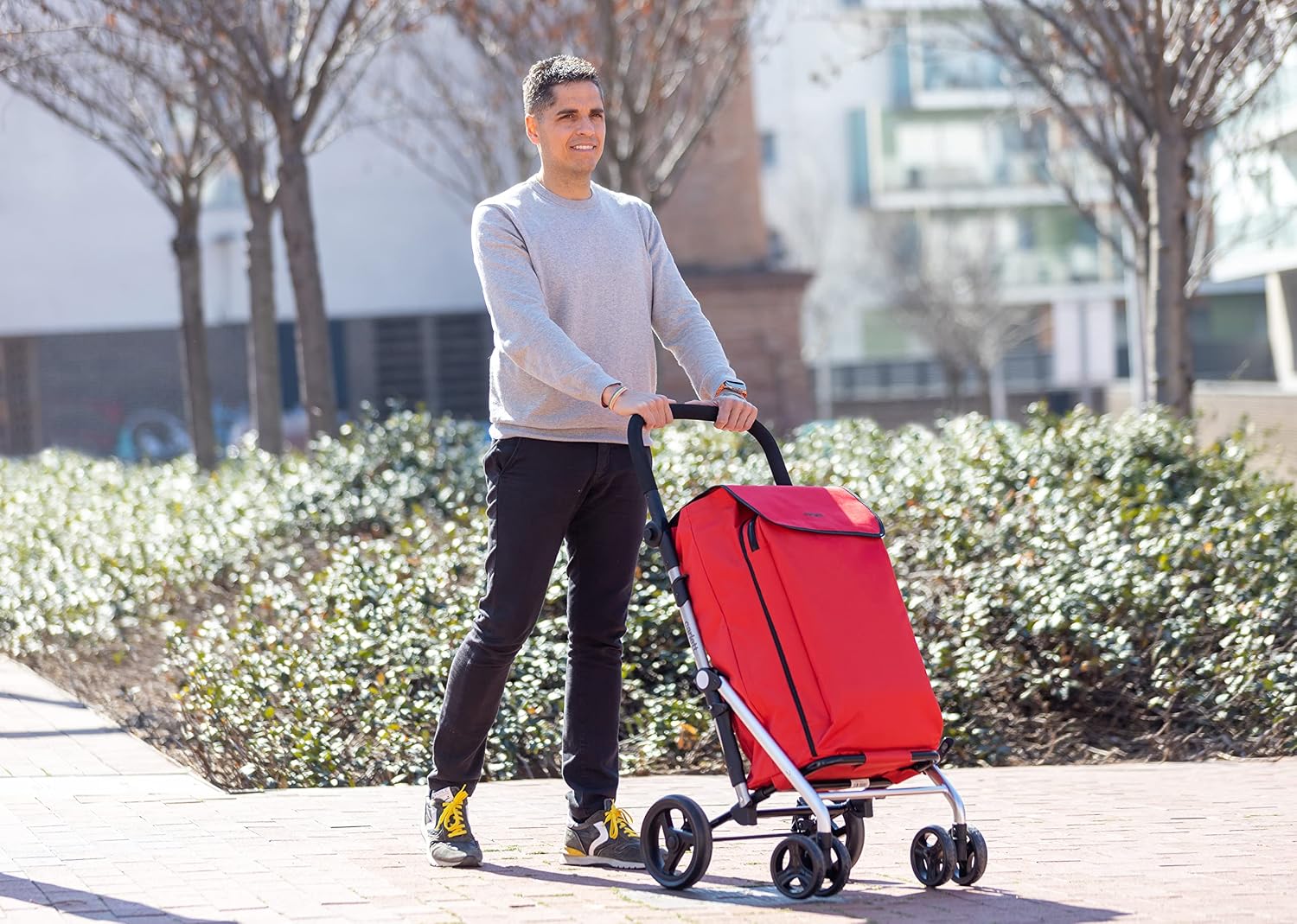
4.2 Adjusting to 2-Wheel Mode
For navigating stairs or uneven terrain, the trolley can be adjusted to a 2-wheel pulling mode. Consult the specific locking mechanism on your trolley to secure the front wheels in an elevated position, allowing the trolley to be tilted and pulled on its rear wheels.
4.3 Engaging the Safety Brake
The integrated rear safety brake helps secure the trolley when stationary. To engage, press down on the brake lever located near the rear wheels. To release, lift the lever. Always ensure the brake is fully engaged when parking the trolley.
4.4 Using the Storage Compartments
- Main Bag (48L): Use for general groceries and items, up to 25 kg. Secure the contents with the drawstring closure.
- Thermal Compartment (10L): Located within the main bag, this insulated section is designed for transporting fresh, chilled, or frozen foods. Ensure the compartment is sealed to maintain temperature.
5. Maintenance and Care
- Cleaning the Bag: The water-repellent bag can be cleaned with a damp cloth and mild soap. Do not machine wash or tumble dry. Allow to air dry completely before folding or storing.
- Frame Cleaning: Wipe the alloy steel frame with a damp cloth. Avoid abrasive cleaners.
- Wheel Maintenance: Periodically check the wheels for debris and ensure they rotate smoothly. The wheels can be easily removed for thorough cleaning if necessary.
- Storage: When not in use, fold the trolley to its compact size (23 × 34 × 61.5 cm) and store in a dry place away from direct sunlight.
6. Troubleshooting
If you encounter issues with your Carlett shopping trolley, refer to the following common solutions:
- Wheels not rotating smoothly: Check for debris (hair, lint, dirt) caught in the wheel axles. Remove wheels and clean thoroughly. Ensure they are re-attached correctly.
- Trolley not folding/unfolding easily: Ensure no items are obstructing the folding mechanism. Apply gentle, even pressure. Check for any bent frame components.
- Brake not engaging/disengaging: Inspect the brake mechanism for obstructions or damage. Ensure the lever is fully pressed or lifted.
- Bag slipping: Verify that all bag attachment straps are securely fastened to the frame.
If problems persist, contact customer support for further assistance.
7. Specifications
| Feature | Detail |
|---|---|
| Model Number | Lett430-L6 |
| Brand | Carlett |
| Product Dimensions (Unfolded) | 24.41"D x 16.54"W x 40.16"H (approx. 62cm D x 42cm W x 102cm H) |
| Folded Dimensions | 23cm D x 34cm W x 61.5cm H (approx. 9"D x 13.4"W x 24.2"H) |
| Item Weight | 4.7 Kilograms (approx. 10.4 lbs) |
| Maximum Weight Capacity | 25 Kilograms (approx. 55 lbs) |
| Main Bag Capacity | 48 Liters |
| Thermal Compartment Capacity | 10 Liters |
| Material (Frame) | Alloy Steel |
| Material (Bag) | Water-repellent fabric |
| Number of Wheels | 4 (with 360° rotating front wheels) |
| Special Features | Foldable, Height Adjustable Handle, Safety Brake, Adjustable to 2 Wheels, Reflective Elements |
8. Warranty and Support
For information regarding the product warranty, please refer to the documentation provided at the time of purchase or contact your retailer. For technical support or inquiries, please reach out to the retailer or the manufacturer, Carlett, directly.
Manufacturer: EASYCARLETT S.L.

