
1. Product Overview
The EZVALO Under Cabinet Lighting system is designed to provide convenient, hands-free illumination for various indoor spaces. Featuring a high-capacity rechargeable battery, motion and daylight sensors, and innovative hand-sweep control for dimming, this light offers a smart and efficient lighting solution. Its detachable battery design simplifies recharging, making it ideal for kitchens, closets, workshops, and more.

Figure 1: EZVALO Under Cabinet Light components.
2. Key Features
- 5000mAh Rechargeable Battery: Offers extended operation (up to 100 days in auto mode, 50 hours constant) with a convenient detachable design for easy recharging.
- Motion & Daylight Sensor: Automatically activates in dark environments when motion is detected within 10 ft, turning off after 15 seconds of no movement. Conserves energy by not activating in sufficient daylight.
- Hand-Sweep Control & Dimming: Activate always-on mode with a simple hand sweep (within 1.9 inches). Adjust brightness steplessly by holding your hand, with memory function for preferred settings.
- 3 Cycle Modes: Choose between Auto Mode (motion sensor), Always-On mode (constant light), and Always-Off mode.
- Easy Installation: Features 3M adhesive for direct attachment to various surfaces.
3. What's in the Box
- EZVALO Under Cabinet Light Unit
- USB Charging Cable
- User Manual (this document)
4. Setup and Installation
The EZVALO Under Cabinet Light is designed for simple, wireless installation using its integrated 3M adhesive. Follow these steps for optimal performance:
- Step 1: Prepare the Surface. Wipe the desired installation surface clean and ensure it is dry. A clean surface ensures strong adhesion.
- Step 2: Attach the Light Bar. Carefully peel the backing from the 3M adhesive on the back of the light bar. Stick the light bar firmly to the prepared surface.
- Step 3: Snap the Battery Unit. After 24 hours, snap the detachable battery unit onto the light bar. This waiting period allows the adhesive to fully cure, ensuring a secure mount. To prevent detection failures, ensure there are no objects within 4 inches directly below the battery unit.

Figure 2: Wireless Installation Steps.
Note: For safety reasons, do not install the light near heat sources or in areas with strong direct light or high humidity.
5. Operating Instructions
Motion and Daylight Sensing
In dark environments, the light will automatically turn on when motion is detected within a 10-foot range. It will turn off after 15 seconds if no further movement is detected. To conserve energy, the motion sensor will not activate the light in environments with sufficient ambient light.

Figure 3: Energy-Saving in Daylight and Quick Response at Night.
Hand-Sweep Control and Dimming
The EZVALO light features intuitive hand-sweep control for touch-free operation:
- Activate Always-On Mode: Simply sweep your hand within 1.9 inches of the sensor to turn the light on and activate the always-on mode.
- Adjust Brightness (Stepless Dimming): While in always-on mode, hold your hand steady within 1.9 inches of the sensor to adjust the brightness. The light will dim or brighten steplessly. Release your hand when the desired brightness is reached. The light will remember your last brightness setting.

Figure 4: Touch-Free Hand-Sweep Dimming.
3 Cycle Modes
The light offers three distinct operating modes to suit your needs:
- Auto Mode: (Default) The light operates based on motion and daylight sensors. Ideal for general use in areas like hallways or closets.
- Always-On Mode: Activated by a hand-sweep. Provides continuous illumination for specific tasks, such as cooking in the kitchen.
- Always-Off Mode: To turn off the light completely, perform another hand-sweep gesture while in Always-On mode, or if in Auto mode, ensure no motion is detected for 15 seconds in a dark environment.
Product Demonstration Video
Video 1: Demonstrates motion detection, hand-sweep dimming, and detachable battery convenience for EZVALO Under Cabinet Lights.
6. Maintenance
Recharging the Battery
The EZVALO light is equipped with a 5000mAh rechargeable battery. When the light dims or stops functioning, it indicates a low battery. The detachable design allows for convenient recharging:
- Gently detach the battery unit from the light bar.
- Connect the provided USB charging cable to the battery unit and a suitable USB power source (e.g., computer, wall adapter).
- The charging indicator light will show the charging status (e.g., red for charging, green for fully charged).
- Once fully charged, reattach the battery unit to the light bar.
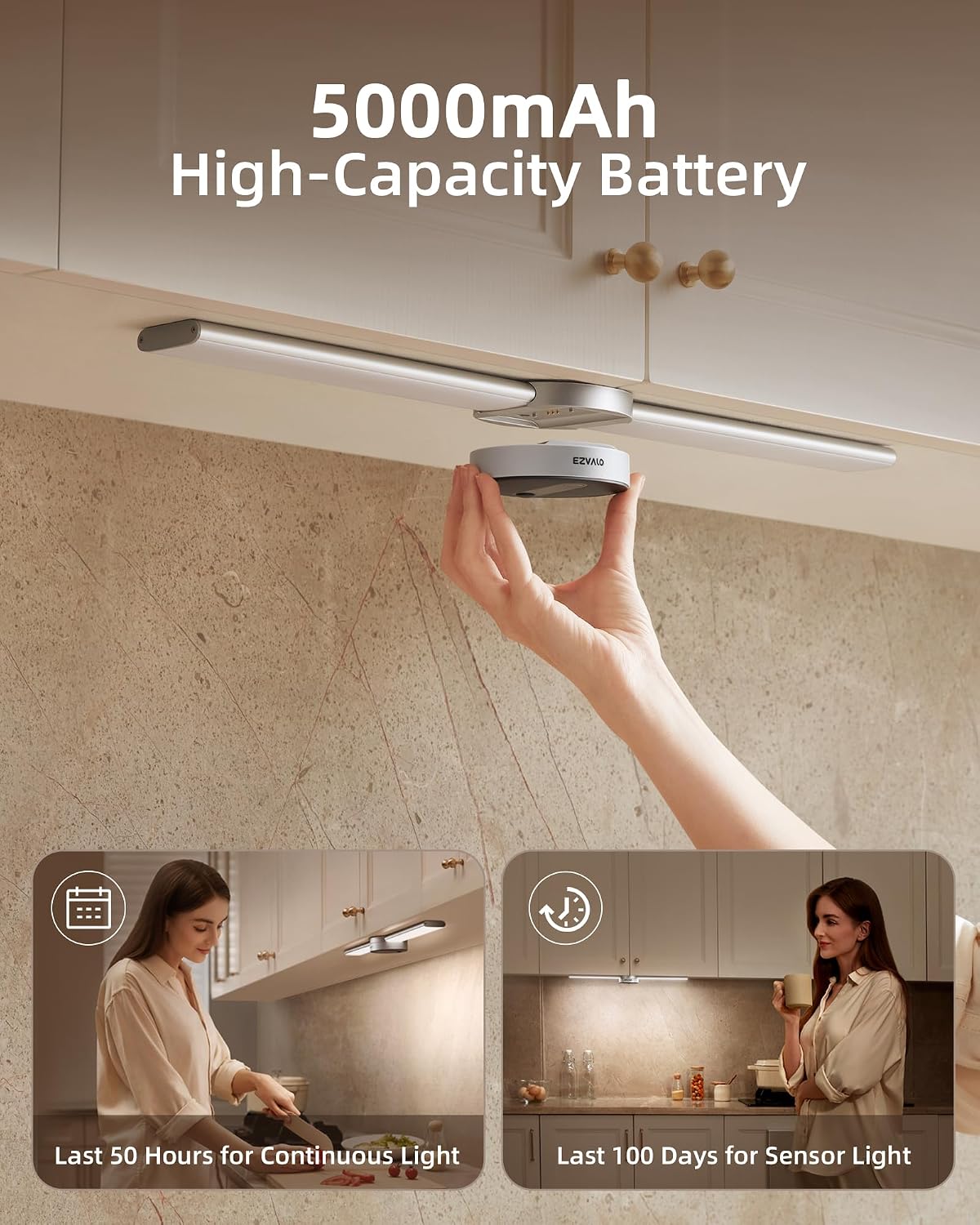
Figure 5: 5000mAh High-Capacity Battery.
Cleaning
To clean the light fixture, gently wipe it with a soft, dry cloth. Avoid using abrasive cleaners or solvents, as these may damage the finish or electronic components.
7. Troubleshooting
| Problem | Possible Cause | Solution |
|---|---|---|
| Light does not turn on. | Battery is depleted. | Recharge the battery unit. |
| Light does not turn on in Auto Mode. | Sufficient ambient light detected. | Move to a darker environment or switch to Always-On mode. |
| Motion sensor is not detecting movement. | Obstruction near sensor; incorrect mounting height. | Ensure no objects are within 4 inches below the battery unit. Verify mounting height is within recommended range (10 ft detection). |
| Hand-sweep dimming is unresponsive. | Hand too far from sensor; not in Always-On mode. | Ensure hand is within 1.9 inches of the sensor. Perform a quick hand-sweep to enter Always-On mode first. |
| Battery life is shorter than expected. | Frequent activation; extreme temperatures. | Reduce unnecessary activations. Ensure operating environment is within normal room temperatures. |
8. Specifications
| Attribute | Detail |
|---|---|
| Brand | EZVALO |
| Model Name | Mega |
| Color Temperature | 5000 Kelvin (Cool White) |
| Material | Aluminum |
| Product Dimensions | 12.87"L x 8.81"W x 1.47"H |
| Item Weight | 1.01 pounds (460 Grams) |
| Power Source | Battery Powered (5000mAh Lithium Ion) |
| Light Source Type | LED |
| Special Features | Dimmable, Easy Installation, Energy Efficient, Motion Sensor, Portable |
| Control Method | Hand-Sweep Control |
| Installation Type | Wall Mount (3M Adhesive) |
| Indoor/Outdoor Usage | Indoor |
9. Warranty and Support
EZVALO provides a lifetime warranty for this product. If you encounter any issues or have questions, please do not hesitate to contact us. We are committed to providing a satisfied solution within 24 hours.
For support, please refer to the contact information provided with your purchase or visit the official EZVALO website.