
FOREO F0521
FOREO ESPADA 2 LED Light Device User Manual
Model: F0521
1. Introduction
The FOREO ESPADA 2 is an advanced LED light device designed for blemish treatment. It utilizes the dual power of blue light and T-Sonic pulsations to target and reduce skin imperfections. This device is crafted from medical-grade silicone, ensuring hygiene and durability. It is intended for non-invasive management of blemish-prone skin, aiming to clear existing spots, reduce inflammation, regulate sebum production, and minimize enlarged pores.
The device employs a 450 nm blue light wavelength to penetrate the skin, addressing blemishes at their source. Simultaneously, T-Sonic pulsations stimulate microcirculation, which aids in skin renewal and can help reduce the appearance of scarring from previous imperfections. The ESPADA 2 is FDA cleared for its intended use.
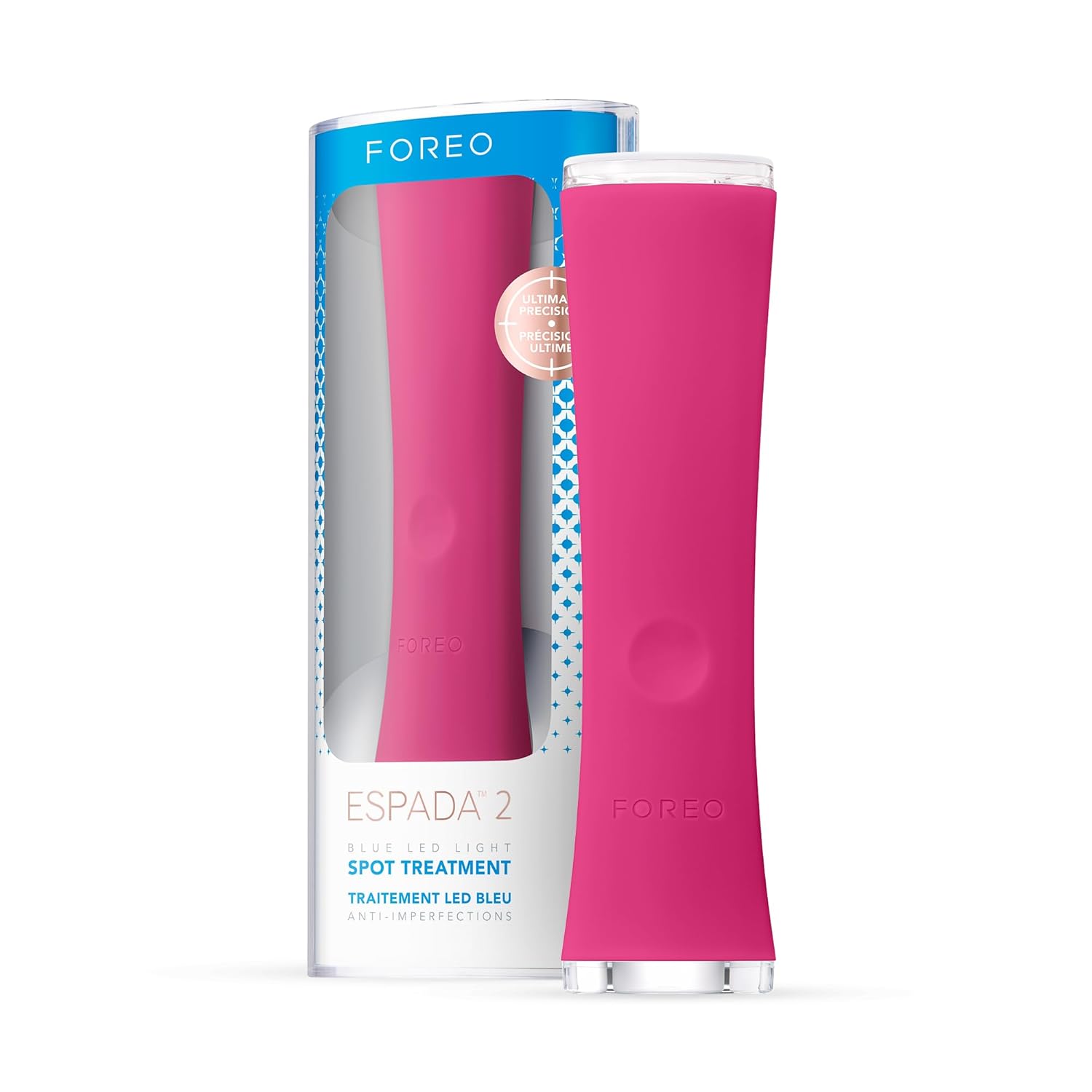
Image 1: The FOREO ESPADA 2 LED Light Device in its retail packaging.
2. What's in the Box
Upon unboxing your FOREO ESPADA 2, please ensure all the following items are present:
- FOREO ESPADA 2 Device (Fuchsia)
- USB Charging Cable
- User Manual
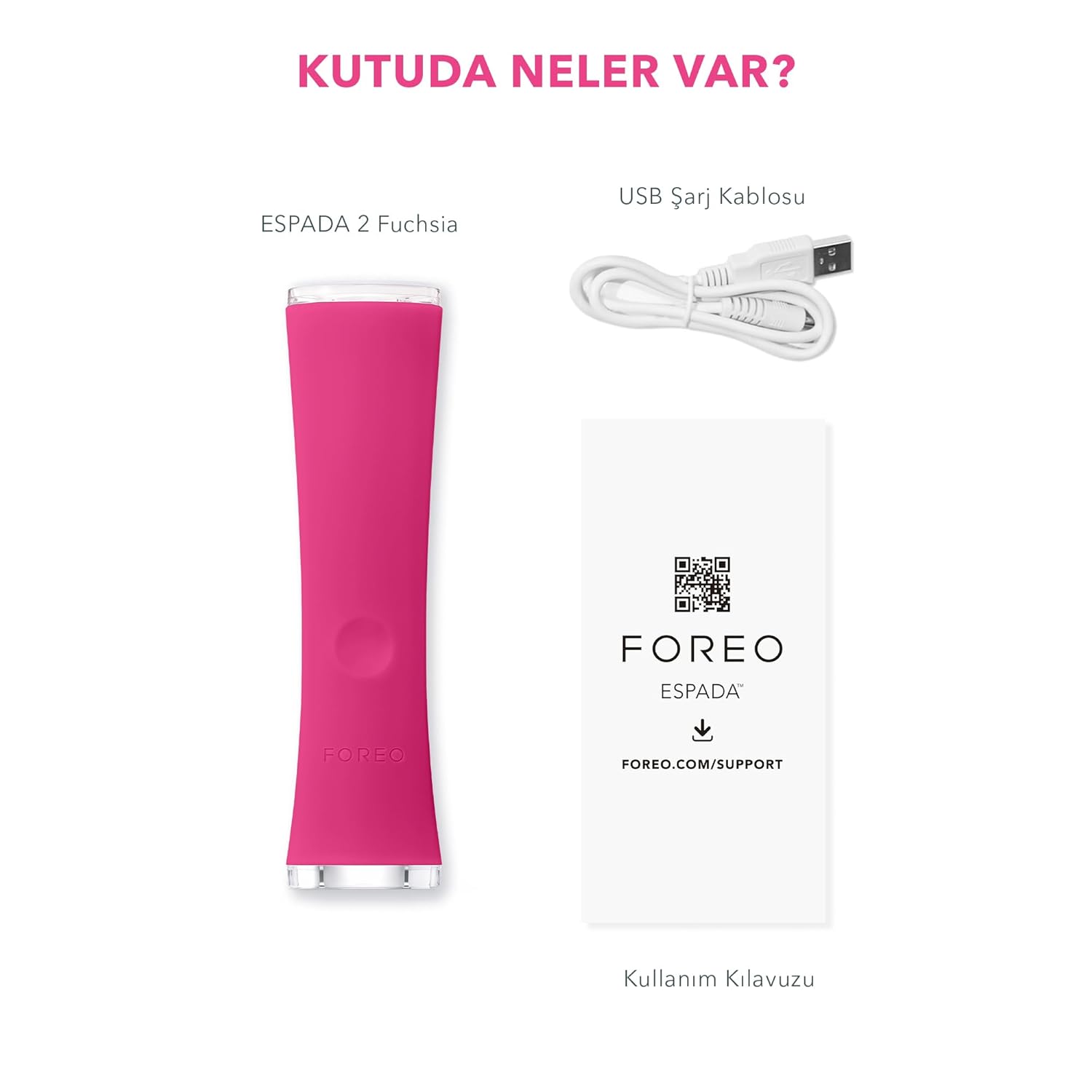
Image 2: Contents of the ESPADA 2 package, including the device, USB charging cable, and user manual.
3. Setup
3.1 Initial Charging
- Before first use, fully charge your ESPADA 2 device.
- Connect the USB charging cable to the charging port on the device and plug the other end into a USB power adapter or computer USB port.
- The indicator light on the device will pulse during charging and glow steadily when fully charged.
- A full charge typically takes approximately 1.5 hours and provides up to 150 uses.
4. Operating Instructions
4.1 Preparing Your Skin
Ensure your skin is clean and dry before using the ESPADA 2. Remove all makeup, oil, and dirt. For optimal results, consider using a complementary on-spot treatment like the FOREO ESPADA BHA+PHA Blemish Solution gel.
4.2 Device Activation and Treatment
- Press the universal button to turn on the device. The indicator light will illuminate.
- Gently place the treatment surface of the device directly onto the blemish you wish to treat. The device features a skin sensor that activates the blue light and T-Sonic pulsations only when in contact with the skin, ensuring precision and eye safety.
- Hold the device in place for 30 seconds. The device will pause briefly after 30 seconds to indicate the completion of one treatment cycle.
- Move the device to the next blemish and repeat the process.
- After treating all desired areas, press the universal button again to turn off the device.

Image 3: Illustration of the ESPADA 2's blue light and T-Sonic pulsations working together to target skin imperfections.

Image 4: The ESPADA 2 device can be used in conjunction with the ESPADA BHA+PHA Blemish Solution gel for enhanced results.

Image 5: Visual representation of potential skin improvement after using the ESPADA 2 device.
5. Maintenance
5.1 Cleaning
To maintain optimal performance and hygiene, clean your ESPADA 2 after each use:
- Wash the device with soap and water.
- Rinse thoroughly with clean water.
- Pat dry with a lint-free cloth or towel.
- Avoid using cleaning products containing alcohol, petrol, or acetone, as these may damage the silicone material.
5.2 Storage
Store your ESPADA 2 in a cool, dry place away from direct sunlight and extreme temperatures. Ensure the device is fully dry before storing.
6. Troubleshooting
If you experience issues with your ESPADA 2, please refer to the following common solutions:
- Device Not Turning On: Ensure the device is fully charged. Connect it to the USB charging cable and allow it to charge for at least 30 minutes before attempting to turn it on again.
- Blue Light Not Activating: The blue light and T-Sonic pulsations only activate when the treatment surface is in full contact with the skin. Ensure firm and complete contact with the blemish area. If the issue persists after ensuring proper contact and charge, the device may require service.
- Reduced Performance: If the device seems less effective, ensure it is clean and fully charged. Consistent use as directed is key to seeing results.
For further assistance, please contact FOREO Customer Support.
7. Specifications
| Feature | Detail |
|---|---|
| Model Number | F0521 |
| Product Dimensions | 1.34 x 4.53 x 7.91 inches |
| Item Weight | 0.09 Kilograms (3.17 ounces) |
| Battery Type | 1 Lithium Polymer battery (included) |
| Manufacturer | FOREO |
| Skin Type Compatibility | All |
| Scent | Unscented |
8. Warranty and Support
8.1 Warranty Information
The FOREO ESPADA 2 typically comes with a 2-year limited warranty. It is recommended to register your device on the official FOREO website to activate your warranty and ensure eligibility for support services.
8.2 Customer Support
For product inquiries, technical assistance, or warranty claims, please visit the official FOREO support page:
Related documentsF0521


Ask a question about this manual
Ask about setup, troubleshooting, compatibility, parts, safety, or missing instructions. Manuals+ will review the question and use this page’s manual context to help answer it.