
1. Introduction
Thank you for choosing the Bewinner Portable Bluetooth Language Translator Earbuds. This device is designed to facilitate seamless communication across language barriers, supporting 11 system languages and 144 online translation languages. With its advanced translation engine and comfortable design, it's an ideal companion for travel, business, and learning.
Please read this manual carefully before using the product to ensure proper operation and to maximize its potential.
2. Product Overview and Features
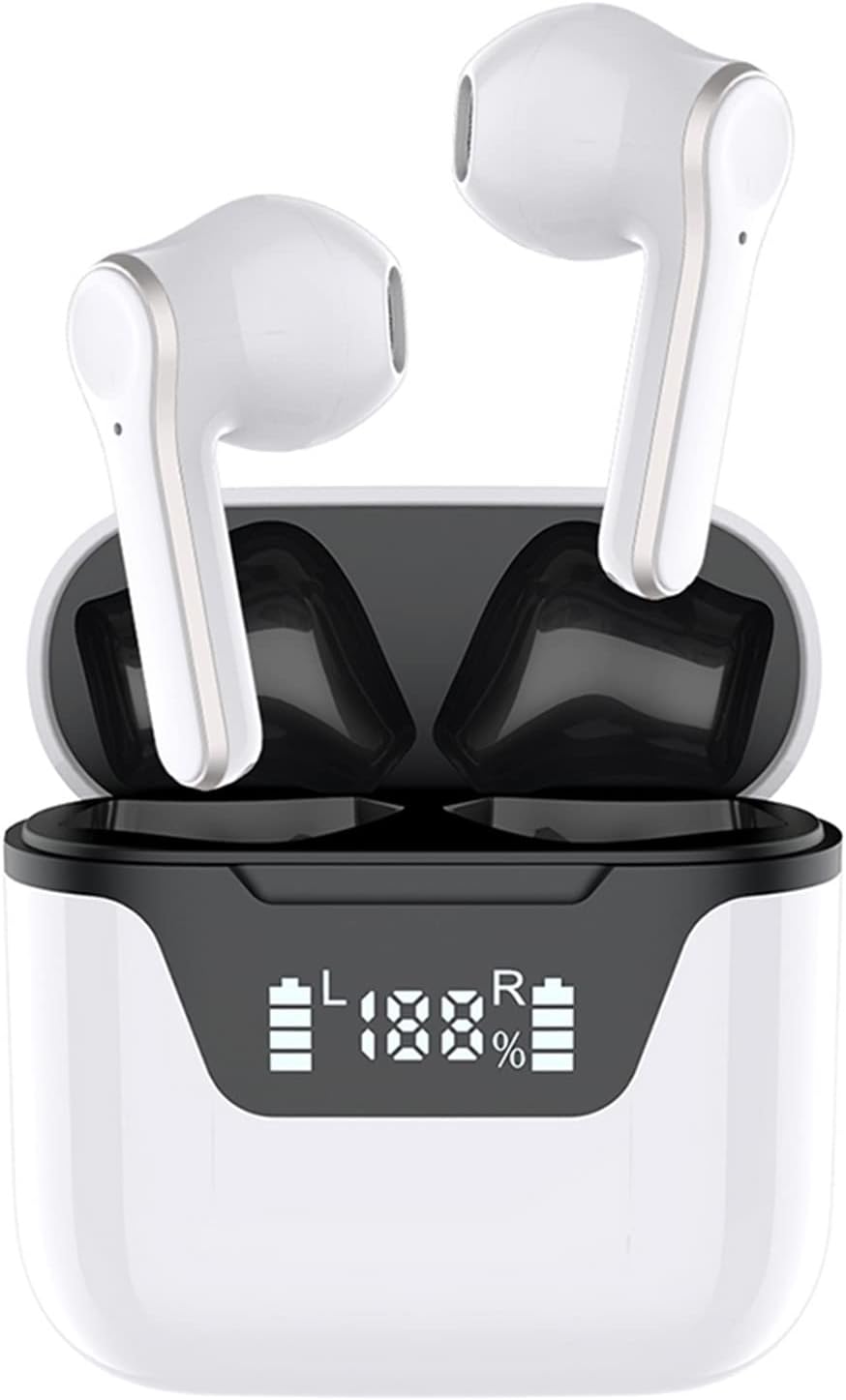
Image: The Bewinner Portable Bluetooth Language Translator Earbuds, shown in their open charging case, highlighting their compact and sleek design.
The Bewinner Translator Earbuds are equipped with cutting-edge technology to provide a superior translation experience:
- Powerful Translation Engine: Supports 11 system languages and 144 online translation languages, powered by 6 superior translation engines for up to 99% accuracy with a translation speed of just 0.2 seconds.
- Long Standby Time: Offers 4 to 5 hours of continuous play and up to 24 hours of use with the charging case. A full charge provides 7 to 10 days of standby time.
- Efficient and Fast Communication: Features an independently developed translation engine background for quick and effective communication, with continuous updates for less common languages.
- Three Translation Modes: Includes Touch Mode, Speaker Mode (Output Mode), and Free Talk Mode to suit various communication scenarios.
- Advanced Bluetooth 5.1 Chip: Equipped with a Bluetooth 5.1 master-slave switching chip and HD binaural microphones for clear calls and anti-interference performance.
3. Package Contents

Image: The complete package contents, including the earbuds, charging case, and USB-C charging cable.
Please check the package contents upon unboxing:
- 1 x Pair of Bewinner Translator Earbuds
- 1 x Charging Case
- 1 x USB-C Charging Cable
- 1 x User Manual (this document)
4. Setup Guide
4.1 Charging the Device
Before first use, fully charge the earbuds and the charging case. Connect the provided USB-C cable to the charging port on the case and plug the other end into a USB power adapter (not included) or a computer's USB port. The LED indicators on the case will show the charging status.
4.2 Downloading the Application
To utilize the translation features, you must download the dedicated application on your smartphone. Scan the QR code provided in the quick start guide (if available) or search for "Bewinner Translator" (or similar, as specified in the product packaging) in your device's app store (Google Play Store for Android, Apple App Store for iOS).
4.3 Bluetooth Pairing
- Ensure the earbuds are in the charging case and the case has sufficient power.
- Open the charging case lid. The earbuds will automatically enter pairing mode.
- On your smartphone, go to Bluetooth settings and enable Bluetooth.
- Search for available devices and select "Bewinner Translator" (or similar device name) from the list.
- Once connected, a confirmation sound or message will indicate successful pairing.
5. Operating Instructions
5.1 Language Selection
Within the Bewinner Translator application, select your native language and the target language for translation. The app supports 11 system languages and 144 online translation languages.

Image: A world map visually representing the extensive language support for multi-way and two-way translation, emphasizing global communication without barriers.
5.2 Translation Modes

Image: An illustration detailing the three distinct translation modes available: Touch Mode, Free Talk Mode, and Speaker Mode, each designed for different interaction scenarios.
The device offers three primary translation modes:
- Touch Mode: Ideal for one-on-one conversations. Each person wears one earbud. Double-tap your earbud to speak, and the translation will be heard by the other person through their earbud.
- Speaker Mode (Output Mode): One person wears the earbud, and the other person holds the smartphone. The person wearing the earbud speaks, and the translation is played aloud through the phone's speaker. This mode is suitable for interacting with strangers or groups.
- Free Talk Mode: Both individuals wear an earbud. This mode allows for real-time, continuous translation without needing to press any buttons, enabling a more natural conversation flow.
5.3 Voice Assistant Integration

Image: The earbuds are depicted with speech bubbles indicating their capability to interact with voice assistants for tasks such as playing music or making calls.
The built-in HD binaural microphones support clear calls and voice assistant functions. Depending on your connected device, you can activate your smartphone's voice assistant (e.g., Siri, Google Assistant) through the earbuds to perform various commands like playing music or making calls.
6. Maintenance
- Cleaning: Use a soft, dry, lint-free cloth to clean the earbuds and charging case. Do not use abrasive cleaners or immerse the device in water.
- Storage: Store the device in a cool, dry place away from direct sunlight and extreme temperatures. When not in use for extended periods, ensure the battery is charged periodically to maintain its health.
- Battery Care: Avoid fully discharging the battery frequently. For optimal battery life, charge the device before the battery is completely depleted.
7. Troubleshooting
| Problem | Possible Cause | Solution |
|---|---|---|
| Earbuds not pairing | Bluetooth off on device; Earbuds not in pairing mode; Low battery. | Ensure Bluetooth is enabled. Place earbuds in case, open lid to activate pairing. Charge earbuds and case. |
| Translation not working or inaccurate | No internet connection; Incorrect language selection; App not running; Microphone obstructed. | Ensure stable internet connection. Verify language settings in app. Restart the app. Check for obstructions around microphones. |
| No sound from earbuds | Volume too low; Earbuds not connected; Earbuds not in ear properly. | Increase volume on connected device. Re-pair earbuds. Adjust earbud position. |
| Charging issues | Cable or adapter faulty; Charging port dirty; Earbuds not seated correctly in case. | Try a different USB-C cable and adapter. Clean charging port gently. Ensure earbuds are properly seated in the case. |
8. Specifications
| Feature | Detail |
|---|---|
| Brand | Bewinner |
| Model Number | Bewinner6xn0qhftop |
| ASIN | B0C1GWLT3F |
| Bluetooth Version | 5.1 |
| System Languages Supported | 11 (Chinese, Traditional Chinese, English (American), French, Russian, Thai, Japanese, Korean, German, Spanish, Arabic) |
| Online Translation Languages Supported | 144 |
| Continuous Playtime | 4-5 hours |
| Total Battery Life (with charging case) | Up to 24 hours |
| Standby Time | 7-10 days |
| Country of Origin | China |
| Software Updates Guaranteed Until | Information not available |
| Spare Parts Availability | Information not available |
9. Warranty and Support
Bewinner products are designed and manufactured to the highest quality standards. For information regarding warranty coverage, technical support, or service inquiries, please refer to the warranty card included with your product or visit the official Bewinner website. Please retain your proof of purchase for any warranty claims.
For further assistance, you may also contact the seller directly through the platform where you purchased the product.