Product Overview
The SONOFF MINIR4 is a compact and versatile smart WiFi switch designed to integrate traditional lighting and electronic devices into your smart home system. Its miniature size allows for installation in various mounting boxes, including European standard ones, making it an ideal solution for modernizing your home's electrical infrastructure.
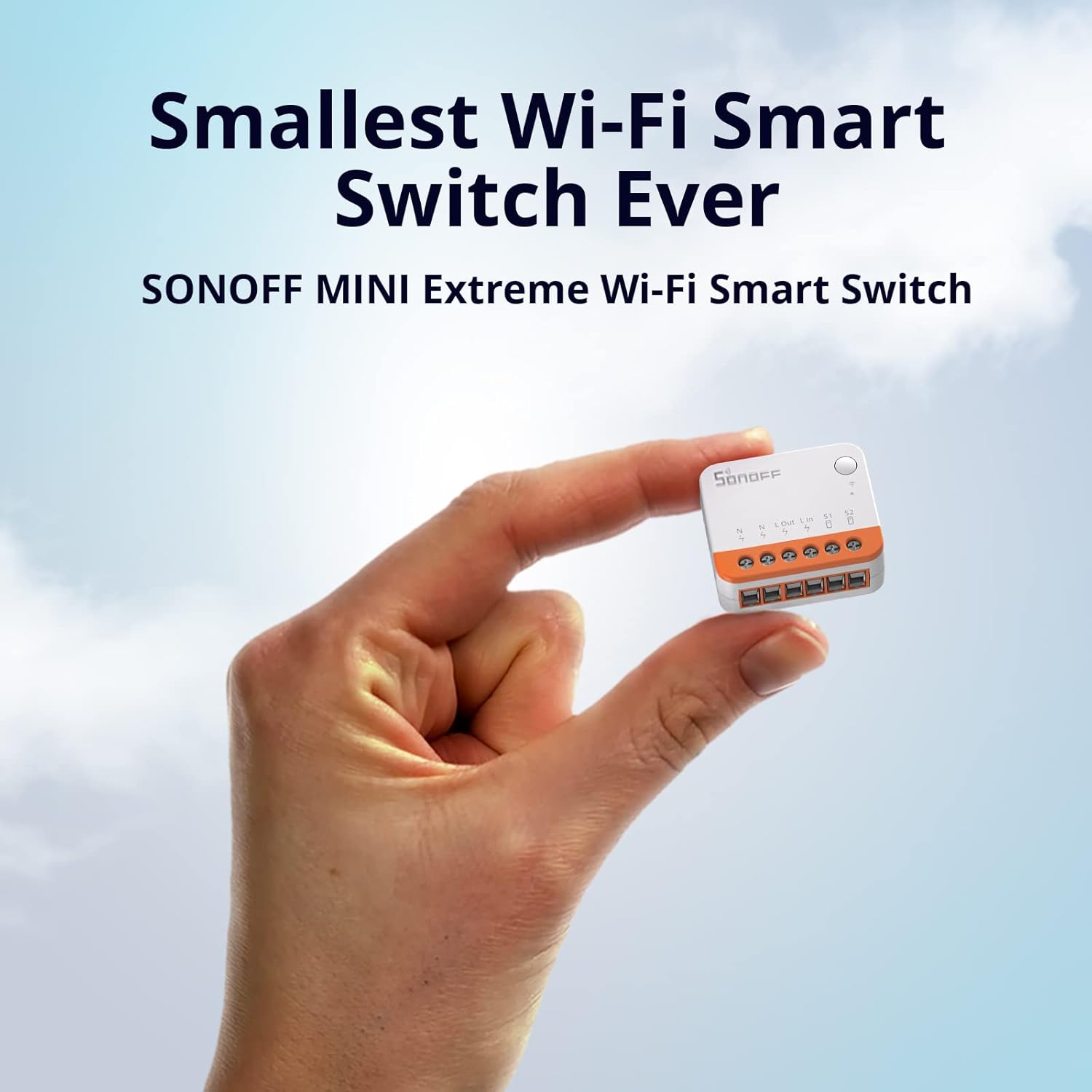
This image highlights the exceptionally small form factor of the MINIR4, demonstrating how easily it can be concealed within existing electrical installations.

This visual illustrates the MINIR4's ability to fit into diverse mounting boxes, including the smallest European standard, making it highly adaptable for various installations.
Key Features
- Ultra-Compact Design: Significantly smaller than previous models, fitting into most standard mounting boxes.
- External Switch Control: Supports various external switch types including momentary, door exit, SPDT, and latching switches, as well as dry contact sensors.
- Detach Relay Mode: Allows the external switch and relay states to operate independently, preventing manual switch operations from affecting the relay state.
- eWeLink-Remote Gateway: Functions as a gateway for eWeLink-Remote sub-devices like SONOFF R5 and S-MATE, enabling local control.
- High Compatibility: Works with Amazon Alexa, Google Home Assistant, and supports integration with Home Assistant, eWeLink Web, and IFTTT.
- Robust Performance: Equipped with an ESP32 chip for reliable and stable operation.
- Safety Certifications: TÜV, CE, and FCC certified for enhanced safety and reliability.

This image represents the advanced ESP32 chip inside the MINIR4, which ensures fast processing, improved reliability, and stable performance for smart home applications.
Safety Information
Important Safety Precautions:
- Installation should be performed by a qualified electrician in accordance with local electrical codes.
- Ensure power is disconnected at the circuit breaker before installation, wiring, or maintenance.
- Do not exceed the maximum current rating of 10 Amps. Overloading the device can cause damage or fire.
- This device is designed for indoor use only. Avoid exposure to moisture or extreme temperatures.
- Keep out of reach of children.
- Note that this is a WiFi device and is not compatible with Zigbee networks.

This image displays the safety and quality certifications (TÜV, ETL, CE) obtained by the SONOFF MINIR4, ensuring its compliance with international safety standards.
Installation & Setup
Wiring Diagram
The MINIR4 requires both Live (L) and Neutral (N) wires for operation. Refer to the specific wiring diagram for your desired setup, ensuring all connections are secure and correct.

This image provides visual guidance on how to connect the MINIR4 with different types of external switches, demonstrating its versatile compatibility for various control scenarios.
Device Pairing
- Power on the MINIR4.
- Download and open the eWeLink app on your smartphone (available on iOS and Android app stores).
- Follow the in-app instructions to add the device. The MINIR4 will typically enter pairing mode automatically when first powered on. If not, press and hold the pairing button on the device for approximately 5 seconds until the LED indicator flashes rapidly.
- Ensure your Wi-Fi network is 2.4GHz, as the MINIR4 does not support 5GHz networks.
Detach Relay Mode
The "Detach Relay" mode is a unique feature that separates the states of the external switch and the internal relay. This means operating the physical switch will not affect the relay's state, allowing for more flexible automation scenarios where the physical switch acts as a trigger rather than a direct controller. This feature can be configured within the eWeLink app settings for the MINIR4.
Operation
Manual Control
Once installed, the connected light or appliance can still be controlled manually via the physical wall switch, providing traditional control alongside smart functionality.
App Control (eWeLink)
Use the eWeLink app to remotely turn the device on/off from anywhere, set schedules, countdown timers, and create smart scenes based on various conditions (e.g., time of day, device status).
Voice Control
The MINIR4 is compatible with popular voice assistants such as Amazon Alexa and Google Home Assistant. Link your eWeLink account to your preferred voice assistant app to enable convenient voice commands for controlling your connected devices.
eWeLink-Remote Control
Pair the MINIR4 with eWeLink-Remote sub-devices like SONOFF R5 or S-MATE. These sub-devices can then act as remote controllers to control the MINIR4 locally through the eWeLink-Remote signal, offering additional control options without relying solely on Wi-Fi.

This image illustrates the various ways to control the MINIR4, including through eWeLink-Remote sub-devices, setting timers, and using voice commands with smart assistants.
Compatibility & Integration
The SONOFF MINIR4 offers broad compatibility for seamless integration into various smart home ecosystems, enhancing your automation possibilities.
- Voice Assistants: Fully compatible with Amazon Alexa and Google Home Assistant for convenient voice control.
- Smart Home Platforms: Supports integration with Home Assistant, allowing for advanced customization and control within your existing smart home setup.
- Automation Services: Compatible with IFTTT (If This Then That) for creating complex automation routines and connecting with other smart devices and services.
- Web Control: Access and control your devices via eWeLink Web, providing a convenient web-based interface for managing your smart home (requires eWeLink Advanced Plan).

This image demonstrates the MINIR4's extensive compatibility, allowing users to integrate it with popular smart home platforms like Home Assistant, eWeLink Web, and IFTTT for expanded control and automation possibilities.

This image depicts a "Smart Scene" in action, where the MINIR4 can be integrated with motion sensors or other devices to automate lighting based on presence or other triggers.
Maintenance
- Keep the device clean and dry. Avoid exposing it to dust, dirt, or moisture.
- Do not attempt to disassemble or repair the device yourself. Unauthorized modifications can void the warranty and pose safety risks. Contact customer support for assistance.
- Regularly check for firmware updates via the eWeLink app to ensure optimal performance, security, and access to new features.
Troubleshooting
- Device not pairing:
- Ensure your Wi-Fi network is 2.4GHz. Check if the device is in pairing mode (LED indicator flashing rapidly). Move the device closer to your Wi-Fi router to improve signal strength. Temporarily disable 5GHz on your router if you have a combined network.
- Device offline in app:
- Check your Wi-Fi connection and ensure your router is functioning correctly. Restart the MINIR4 by cycling its power. Ensure the eWeLink app is updated to the latest version. If the issue persists, try re-pairing the device.
- External switch not responding:
- Verify all wiring connections are secure and correct according to the installation diagram. Check if "Detach Relay Mode" is enabled in the app, as this separates physical switch control from the relay state. If enabled, the physical switch acts as a trigger, not a direct on/off.
- Device not responding to voice commands:
- Ensure your eWeLink account is correctly linked to your Amazon Alexa or Google Home account. Check your internet connection. Verify the device name in the eWeLink app matches the name used in your voice commands (e.g., "Living Room Light").
Specifications
| Feature | Detail |
|---|---|
| Model | MINIR4 |
| Brand | SONOFF |
| Product Dimensions | 1.56 x 1.3 x 0.66 inches |
| Weight | 4.66 ounces |
| Operation Mode | ON-OFF |
| Current Rating | 10 Amps |
| Operating Voltage | 120 Volts |
| Connectivity | Wi-Fi (IEEE 802.11 b/g/n 2.4GHz) |
| Contact Type | Normally Closed |
| Circuit Type | 2-way |
| Actuator Type | Push Button |
| Certifications | TÜV, CE, FCC |
Note: This device is a WiFi version, not Zigbee.
Warranty & Support
Warranty Information
For detailed warranty information regarding your SONOFF MINIR4, please refer to the official SONOFF website or the warranty card included with your product. It is recommended to keep your proof of purchase for any warranty claims.
Customer Support
If you encounter any issues, have questions, or require technical assistance with your SONOFF MINIR4, please visit the official SONOFF support page or contact their customer service team. They can provide guidance on installation, troubleshooting, and general product inquiries.
Official SONOFF Website: sonoff.tech


