
Introduction
Thank you for choosing the Aheaplus L Shaped Desk. This desk is designed to provide a versatile and functional workspace with integrated power outlets, LED lighting, and ample storage. This manual provides essential information for assembly, operation, maintenance, and troubleshooting to ensure optimal use of your new desk.

Image: An overhead view of the Aheaplus L Shaped Desk in a gaming setup, showcasing the LED lighting, dual monitors, and overall layout.
Safety Information
Please read and understand all safety warnings before assembly and use.
- Use caution when assembling and maintaining the desk, as MDF board can release harmful particles. Ensure adequate ventilation during assembly.
- Ensure the desk is anchored to the wall on an uneven floor to prevent tipping.
- Do not exceed the maximum weight recommendation of 50+ kg (110 lbs) for the desk surface.
- Keep all electrical components (power strip, LED lights) away from liquids.
- Ensure all power connections are secure and correctly plugged into a suitable power source.
Package Contents
Please refer to the detailed parts list included in your product packaging to ensure all components are present before beginning assembly. All necessary assembly tools are included.
Setup and Assembly
Assembly is required for this desk. Please follow the step-by-step instructions and diagrams provided in your product packaging. Two people are recommended for assembly to ensure safety and ease of construction.
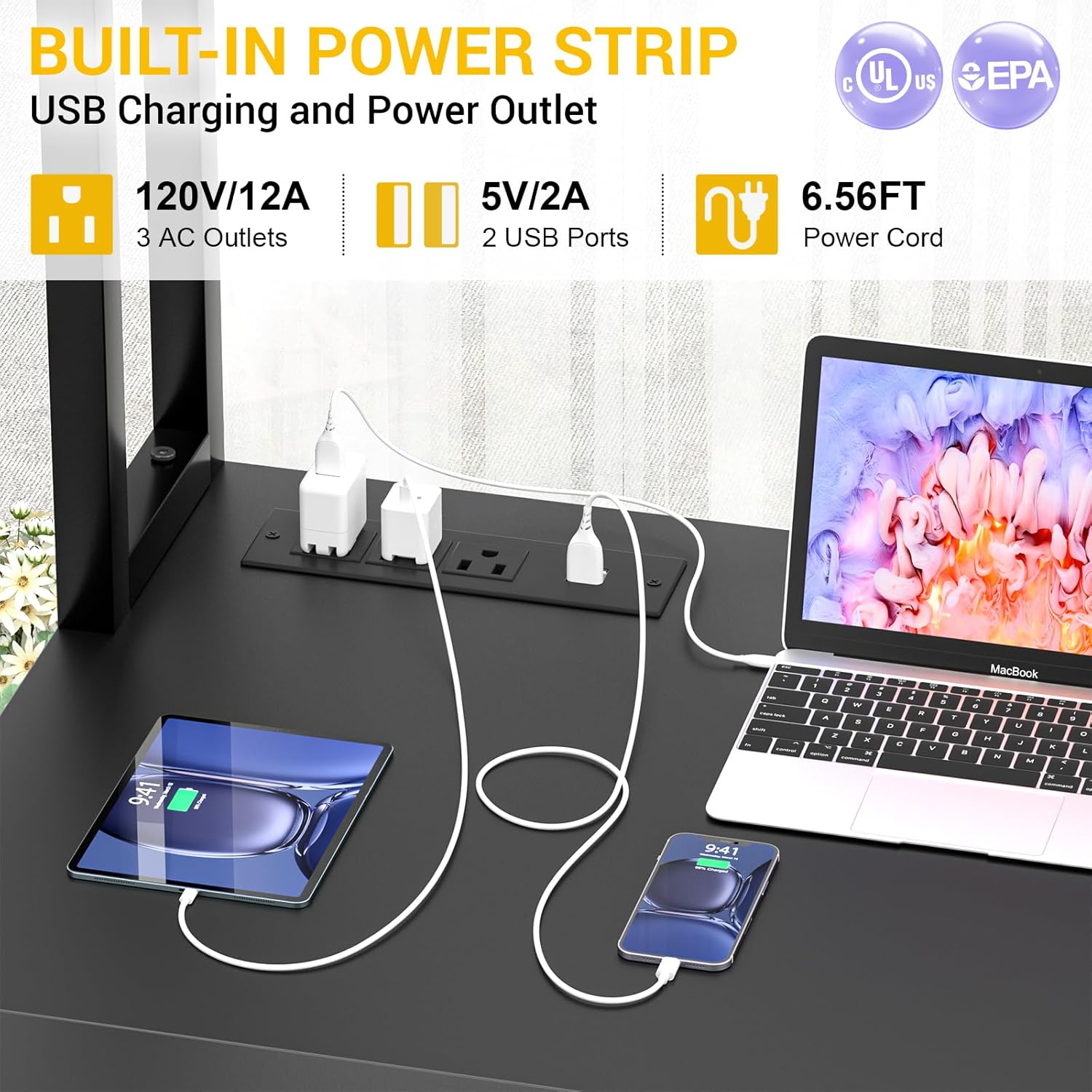
Image: A detailed diagram illustrating the dimensions of the L-shaped desk, including height, width, and depth measurements for various sections like the hutch, shelves, and desktop.
Reversible Design
The L-shaped desk features a reversible design, allowing you to configure the side display shelf on either the left or right side to best suit your space and preference. Refer to the assembly instructions for specific steps on how to achieve your desired orientation.

Image: A visual representation of the reversible L-shaped computer desk, showing two possible configurations (A and B) where the side display shelf can be positioned on either the left or right.
Assembly Video
Video: An official product video demonstrating the features and potential setup of the Aheaplus L Shaped Gaming Desk with LED Light and Full Hutch. This video can assist with understanding the assembly process and desk functionality.
Operating Instructions
Power Outlet Usage
The desk includes a built-in power strip with 3 AC outlets and 2 USB ports (5V/2A) for convenient charging of your devices. The power cord is 6.56 feet long. Plug the desk's main power cord into a wall outlet, then connect your devices to the integrated outlets.

Image: A close-up view of the built-in power strip on the desk, showing 3 AC outlets and 2 USB ports in use, charging a laptop, tablet, and smartphone.
LED Lighting System
The desk features RGB LED lights with over 60,000 color options and multiple flashing modes. The lights can be controlled via a remote or a dedicated app. A music sync function allows the lights to change rhythmically with sound and music. Refer to the separate LED light controller manual for detailed instructions on pairing and operating the lights.

Image: An L-shaped gaming desk setup with vibrant LED lighting illuminating the hutch and desktop, showcasing the aesthetic appeal and various control options for the lights.
Monitor Stand and Ergonomics
The full-size monitor stand elevates your display to promote a correct sitting posture, reducing strain on your neck and spine. Position your monitor(s) on the stand to achieve an ergonomic viewing height.

Image: A diagram comparing incorrect sitting posture (looking down at a laptop) with correct posture (monitor elevated to eye level with a monitor stand), highlighting the ergonomic benefits.
Storage Features
The desk includes a full-size hutch for elevated storage, side display shelves, and a fabric storage bag. Utilize these features to organize files, books, gaming gear, and office essentials, maximizing your workspace efficiency.

Image: A detailed view of the desk's storage solutions, including the high-rise hutch, adjustable side shelves, and a fabric storage bag, designed to keep the desktop clear and organized.
Care and Maintenance
- Cleaning: Wipe surfaces with a soft, damp cloth. Avoid harsh chemicals or abrasive cleaners that could damage the finish.
- Dusting: Regularly dust all surfaces to prevent buildup.
- Spills: Clean spills immediately to prevent staining, especially on engineered wood surfaces.
- Stability: Periodically check and tighten all screws and fasteners to ensure the desk remains stable.
- Electrical Components: Ensure the power strip and LED lights are kept dry and free from dust. Do not attempt to repair electrical components yourself.
Troubleshooting Common Issues
- Desk Wobbles: Check that all screws are securely tightened. Ensure the adjustable leg pads are properly adjusted to stabilize the desk on uneven floors.
- LED Lights Not Working: Verify that the LED light strip is correctly connected to its power source and the controller. Check if the power outlet is functioning. Ensure the remote control or app is properly paired and has working batteries (if applicable).
- Power Outlets Not Supplying Power: Confirm the desk's main power cord is securely plugged into a live wall outlet. Check for any tripped circuit breakers in your home.
- Missing Parts: If any parts are missing upon arrival, refer to the contact information in the Support section.
Product Specifications
| Feature | Detail |
|---|---|
| Brand | Aheaplus |
| Model | B0C1GNCJ62 |
| Shape | L-Shape |
| Product Dimensions (D x W x H) | 19.3" x 56.7" x 56.5" |
| Color | Black |
| Style | Industrial |
| Top Material Type | Engineered Wood |
| Base Material | Metal |
| Special Features | Built-In USB Outlet, LED Light |
| Power Outlet | 3 AC Outlets, 2 USB Ports (5V/2A) |
| Power Cord Length | 6.56 ft |
| LED Light Features | RGB, 60,000+ colors, Music Sync, Remote/App Control |
| Maximum Weight Recommendation | 500 Pounds |
| Required Assembly | Yes |
| Recommended Number of People for Assembly | 2 |
| Includes All Assembly Tools | Yes |
| Room Type | Bedroom, Gaming Room, Living Room, Office, Study Room |
Warranty Information
This Aheaplus L Shaped Desk is covered by a Lifetime Warranty. For details regarding warranty claims and coverage, please refer to the warranty documentation included with your purchase or contact customer support.
Customer Support
For any questions, concerns, or assistance with your Aheaplus L Shaped Desk, please contact our customer support team. Refer to your purchase documentation for specific contact details or visit the Aheaplus official website.
