Introduction
This manual provides essential information for the safe and effective use of your Lexibook CRUNI550 Multicolor Magic Magnetic Unicorn Drawing Board. Please read these instructions carefully before first use and retain them for future reference.
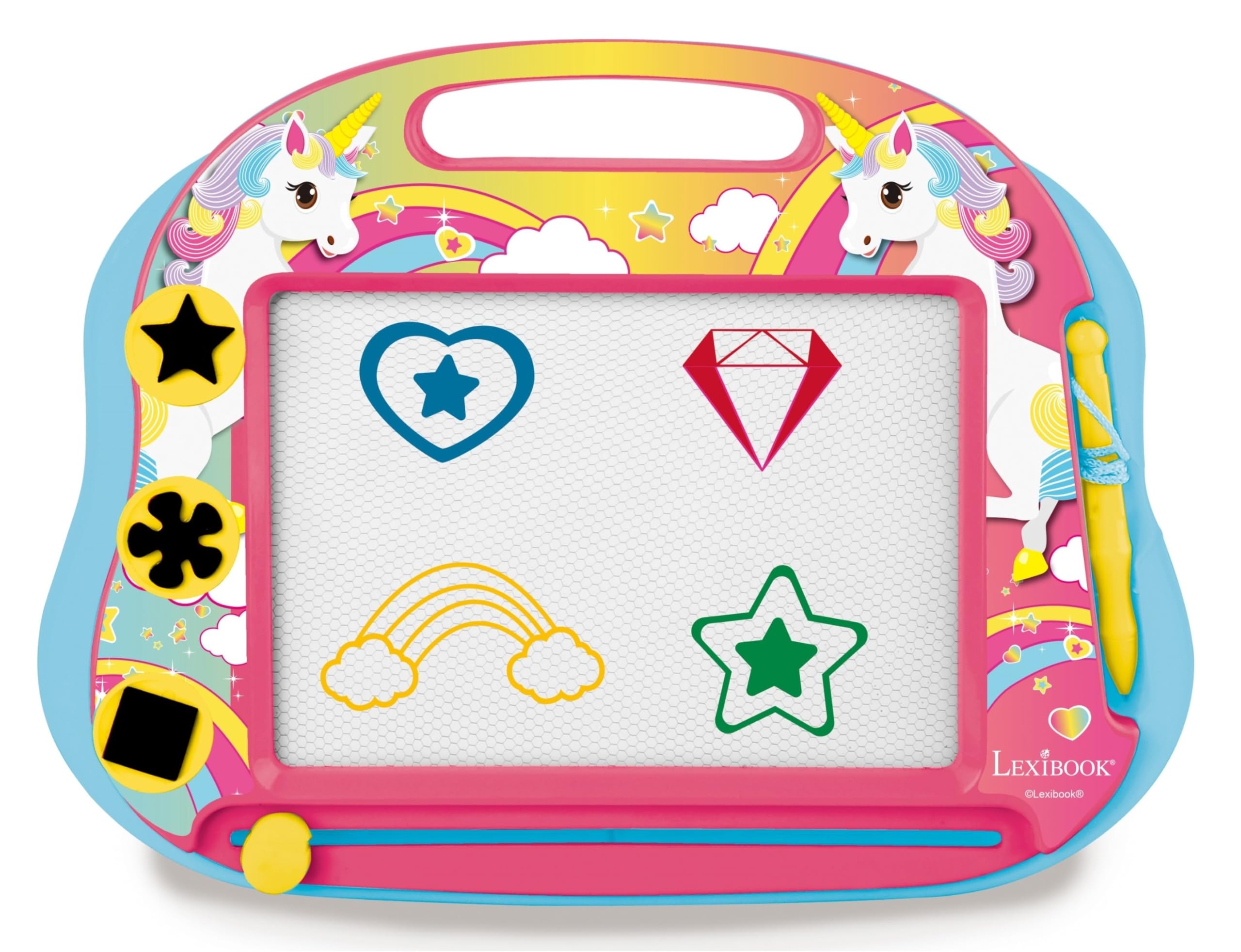
Image: The Lexibook Multicolor Magic Magnetic Unicorn Drawing Board, featuring a pink and blue frame with unicorn illustrations, a white drawing screen, a yellow stylus, and three magnetic stamps.
Safety Information
WARNING! Not suitable for children under 3 years due to potential choking hazards from small parts. Adult supervision is recommended during use.
What's in the Box
- 1 x Multicolor Magic Magnetic Unicorn Drawing Board
- 1 x Attached Magnetic Stylus Pen
- 3 x Magnetic Stamps (Star, Flower, Square)
- 1 x Eraser Slider (integrated)
Setup
- Unpack the drawing board and all accessories from the packaging.
- Ensure the magnetic stylus pen is securely attached to the board via its string.
- Locate the three magnetic stamps. These can be stored in their designated slots on the board when not in use.
- The board features a convenient handle for easy carrying and positioning on a tabletop.
Operating Instructions
The Lexibook Multicolor Magic Magnetic Unicorn Drawing Board offers hours of creative fun with its multi-color drawing screen.
- Drawing: Use the attached magnetic stylus pen to draw or write on the white screen. Different sections of the screen will display various colors as you draw.
- Stamping: Place one of the three magnetic stamps (star, flower, or square) onto the drawing screen to create instant patterns.
- Erasing: To clear the screen and start a new drawing, simply slide the eraser bar located at the bottom of the drawing screen from one side to the other.

Image: A child happily drawing on the Lexibook Multicolor Magic Magnetic Unicorn Drawing Board, demonstrating its use.
Maintenance
- Cleaning: Wipe the drawing board with a soft, dry cloth. Do not use abrasive cleaners or solvents, as these may damage the surface.
- Storage: Store the drawing board in a cool, dry place away from direct sunlight and extreme temperatures to prevent damage to the magnetic screen.
- Stamps and Pen: Ensure the magnetic stamps are stored in their designated slots and the pen is attached to prevent loss.
Troubleshooting
If you experience any issues with your Lexibook Multicolor Magic Magnetic Unicorn Drawing Board, please consider the following:
- Drawing not appearing clearly: Ensure the stylus tip is making firm contact with the screen. If the issue persists, the magnetic particles may be unevenly distributed; try gently shaking the board.
- Eraser not clearing completely: Slide the eraser bar firmly and completely across the screen multiple times.
- Missing parts: Check all packaging thoroughly. For replacement parts or further assistance, please contact Lexibook customer support.
Specifications
| Feature | Detail |
|---|---|
| Model Number | CRUNI550 |
| Brand | LEXiBOOK |
| Product Dimensions | 12.6 x 9.25 x 0.98 inches |
| Item Weight | 11 ounces |
| Color | Pink / Blue |
| Material | Plastic |
| Recommended Age | 3 years and up |
| Recommended Uses | Home |
| Mounting Type | Tabletop Mount |
| Release Date | April 4, 2023 |
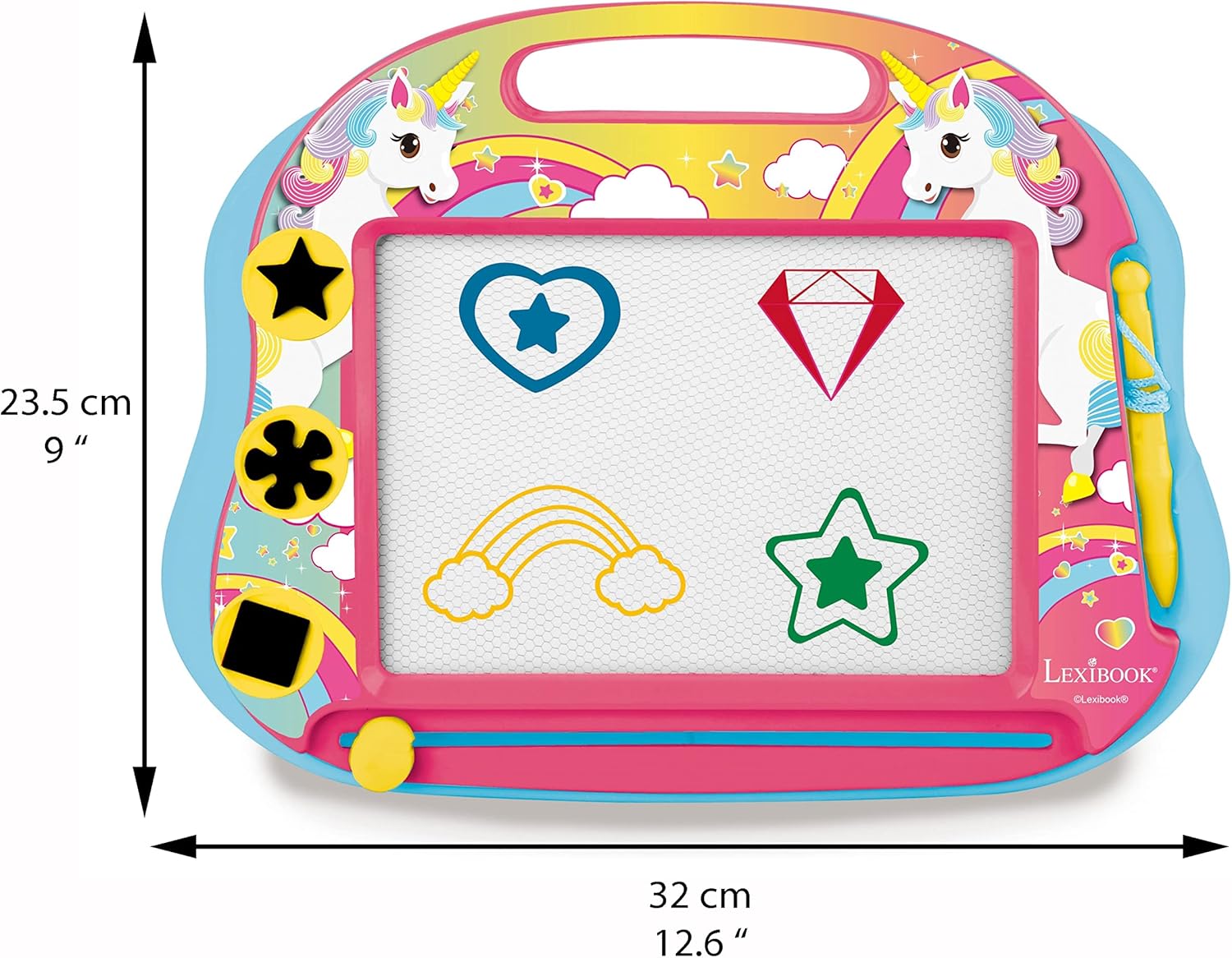
Image: The Lexibook Multicolor Magic Magnetic Unicorn Drawing Board with its dimensions (12.6 inches wide, 9 inches high) clearly indicated.
Warranty Information
This Lexibook product comes with a 2-year warranty. The product was designed and developed in Europe and manufactured in China. Please retain your proof of purchase for warranty claims.
Customer Support
For any questions, technical support, or warranty inquiries, please visit the official Lexibook website or contact their customer service department. Refer to the product packaging for specific contact details.


