
Introduction
Thank you for choosing the TIMEMORE C3S PRO Manual Coffee Grinder. This manual provides essential information for the safe and efficient use of your new coffee grinder. Please read it thoroughly before first use and keep it for future reference.
The TIMEMORE C3S PRO features an all-metal body, a patented S2C burr for consistent grinding, a convenient foldable handle for portability, and an ergonomic design for comfortable use.
Product Overview
Familiarize yourself with the components and key features of your TIMEMORE C3S PRO coffee grinder.
- Foldable Handle: Designed for compact storage and portability.
- Lid: All-metal construction for durability.
- Bean Hopper: Where whole coffee beans are loaded.
- Grind Adjustment Dial: Located at the bottom of the burr assembly, used to set grind coarseness.
- S2C Burr: Patented 38mm stainless steel conical burr for precise and uniform grinding.
- Grinds Catcher: Collects the ground coffee.
- Silicone Base: Provides anti-slip stability and reduces noise during grinding.

Image: The TIMEMORE C3S PRO grinder with its handle and coffee beans, illustrating its compact design.

Image: Detailed view of the patented S2C 660 stainless steel burr, highlighting its precision design for uniform grinding.

Image: The base of the grinder with its silicone pad, designed for anti-slip stability and noise reduction.
Setup
- Unpack: Carefully remove all components from the packaging.
- Initial Cleaning: Before first use, clean the burr and grinds catcher with the included brush to remove any manufacturing residue. Do not wash the burr assembly with water.
- Assemble Handle: Unfold the handle and ensure it is securely attached to the grinder shaft.
Operating Instructions
1. Grind Adjustment
The TIMEMORE C3S PRO features a stepped grind adjustment system. To adjust the grind size:
- Hold the grinder body firmly.
- Unscrew the grinds catcher.
- Locate the adjustment dial at the bottom of the burr assembly.
- Turn the dial clockwise for finer grind and counter-clockwise for coarser grind. Each click represents a step in coarseness.
- Refer to the following general guidelines for common brewing methods:
- Espresso: 7-8 clicks
- Pour Over / Hand Drip: 13-16 clicks
- French Press: 17-20 clicks

Image: Close-up of the grind adjustment dial, showing settings for various coffee brewing methods.
2. Grinding Process
- Load Beans: Remove the lid and pour the desired amount of whole coffee beans into the hopper. Replace the lid.
- Grind: Hold the grinder body firmly with one hand and turn the handle clockwise with the other. The beans will be ground into the grinds catcher.
- Collect Grounds: Once grinding is complete, unscrew the grinds catcher to retrieve your fresh coffee grounds.
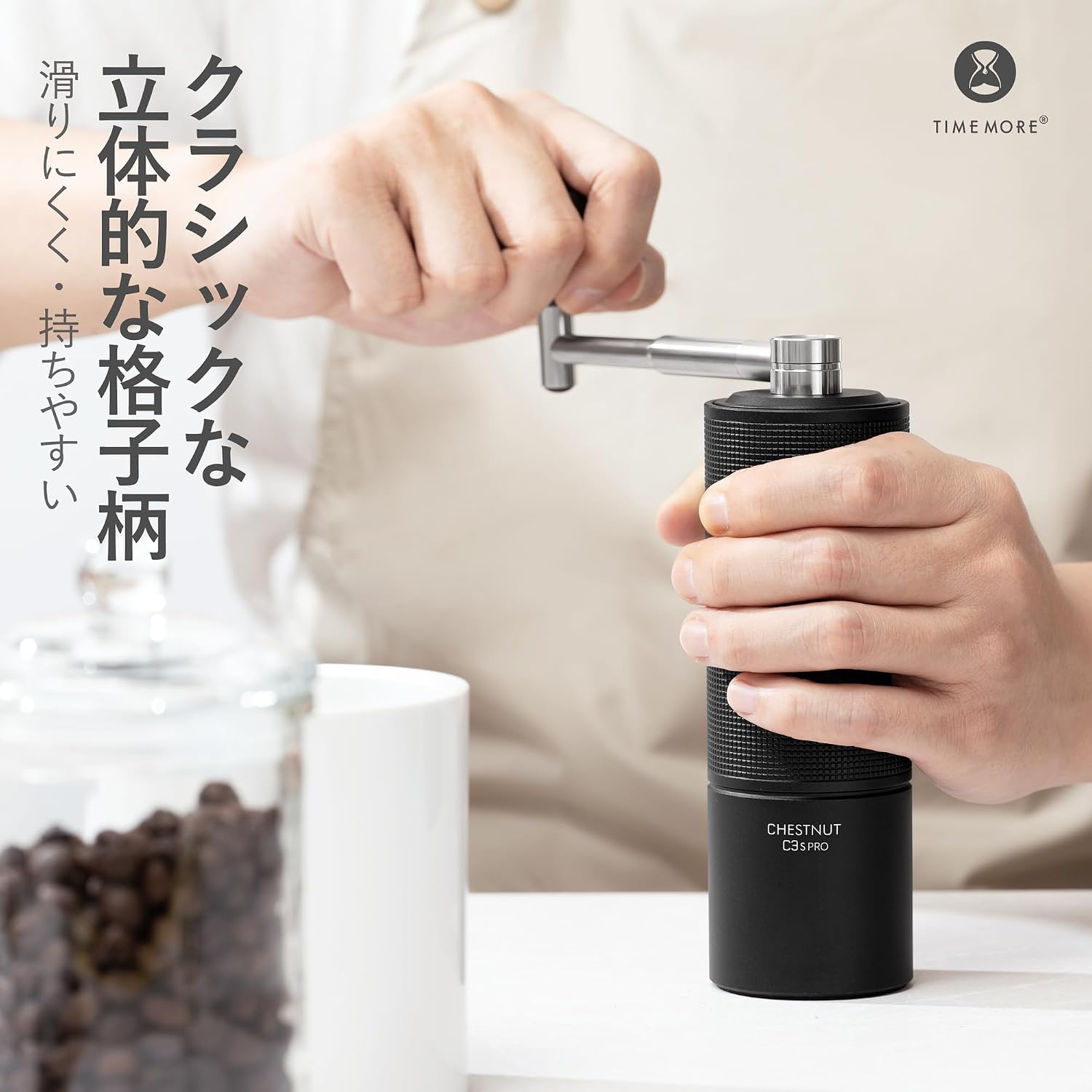
Image: A user demonstrating the grinding process with the TIMEMORE C3S PRO, highlighting the ergonomic grip.
Maintenance
Regular cleaning ensures optimal performance and longevity of your grinder.
- Daily Cleaning: After each use, tap the grinder gently to dislodge any remaining coffee grounds. Use the included brush to clean the burrs and grinds catcher.
- Deep Cleaning: Periodically, you may disassemble the grinds catcher and burr assembly (refer to product diagrams if available for detailed disassembly) to thoroughly brush away fine coffee particles.
- Important: The burr assembly and main body are not designed to be washed with water. Water can cause rust and damage the grinding mechanism. Use only the brush for cleaning.
- Storage: Store the grinder in a dry place away from direct sunlight. The foldable handle allows for compact storage.

Image: Disassembled TIMEMORE C3S PRO components being cleaned with a brush, emphasizing dry cleaning only.
Troubleshooting
| Problem | Possible Cause | Solution |
|---|---|---|
| Difficulty grinding, especially at fine settings. | Very fine grind settings increase resistance. | Apply steady, even pressure. For very fine grinds, it is normal to experience more resistance. Ensure the burr is clean. |
| Inconsistent grind size. | Burrs may be dirty or improperly assembled. | Clean the burr assembly thoroughly with the brush. Ensure all parts are correctly reassembled after cleaning. |
| Grinder feels unstable when placed on a surface during use. | The foldable handle, when extended, can affect balance. | Hold the grinder firmly in your hand while grinding. The silicone base provides some stability, but holding it ensures optimal balance. |
| Handle is difficult to turn. | Beans are too hard or burrs are clogged. | Check for foreign objects. Clean the burrs. Try a slightly coarser setting if resistance is consistently high. |
Specifications
| Brand | TIMEMORE |
| Model Name | C3S PRO (C3S Series) |
| Manufacturer Model Number | C3S FOLD-Black |
| Color | Black |
| Material | Aluminum (Body), Stainless Steel (Burr) |
| Product Use | Coffee Grinding |
| Included Components | Coffee Grinder, Cleaning Brush |
| Country of Origin | China |
Warranty and Support
Specific warranty information is not provided in this manual. For details regarding warranty coverage, returns, or technical support, please refer to the product packaging, the seller's website, or contact TIMEMORE customer service directly.
You can often find support information on the official TIMEMORE website or through the retailer where you purchased the product.


