1. Introduction
This manual provides detailed instructions for the installation, operation, and maintenance of your STEREN CCTV-238 WiFi Robotized Socket Camera. Please read this manual thoroughly before using the product to ensure proper functionality and safety.
The STEREN CCTV-238 is a versatile security camera designed for indoor monitoring. It features Wi-Fi connectivity, motion tracking, motion detection, and recording capabilities to a microSD card, all controllable via the Steren Home mobile application.
2. Product Overview
2.1 Key Features
- Wi-Fi Connectivity: Connects to 2.4 GHz Wi-Fi networks for remote monitoring.
- Easy Installation: Screws directly into any standard light bulb socket.
- Steren Home App Control: Manage camera movement and functions via the dedicated mobile application.
- Motion Tracking: Automatically detects and follows movement within its field of view.
- Motion Detection: Sends notifications to your mobile device upon detecting movement and can be configured to record only when motion is detected.
- High Resolution: 3 Megapixel sensor for clear image capture.
- MicroSD Recording: Supports local video storage on a microSD card up to 128 GB (sold separately).
2.2 Package Contents
- STEREN CCTV-238 WiFi Robotized Socket Camera
- Instruction Manual (this document)
- Mounting accessories (screws and anchors, if applicable)
2.3 Product Diagram
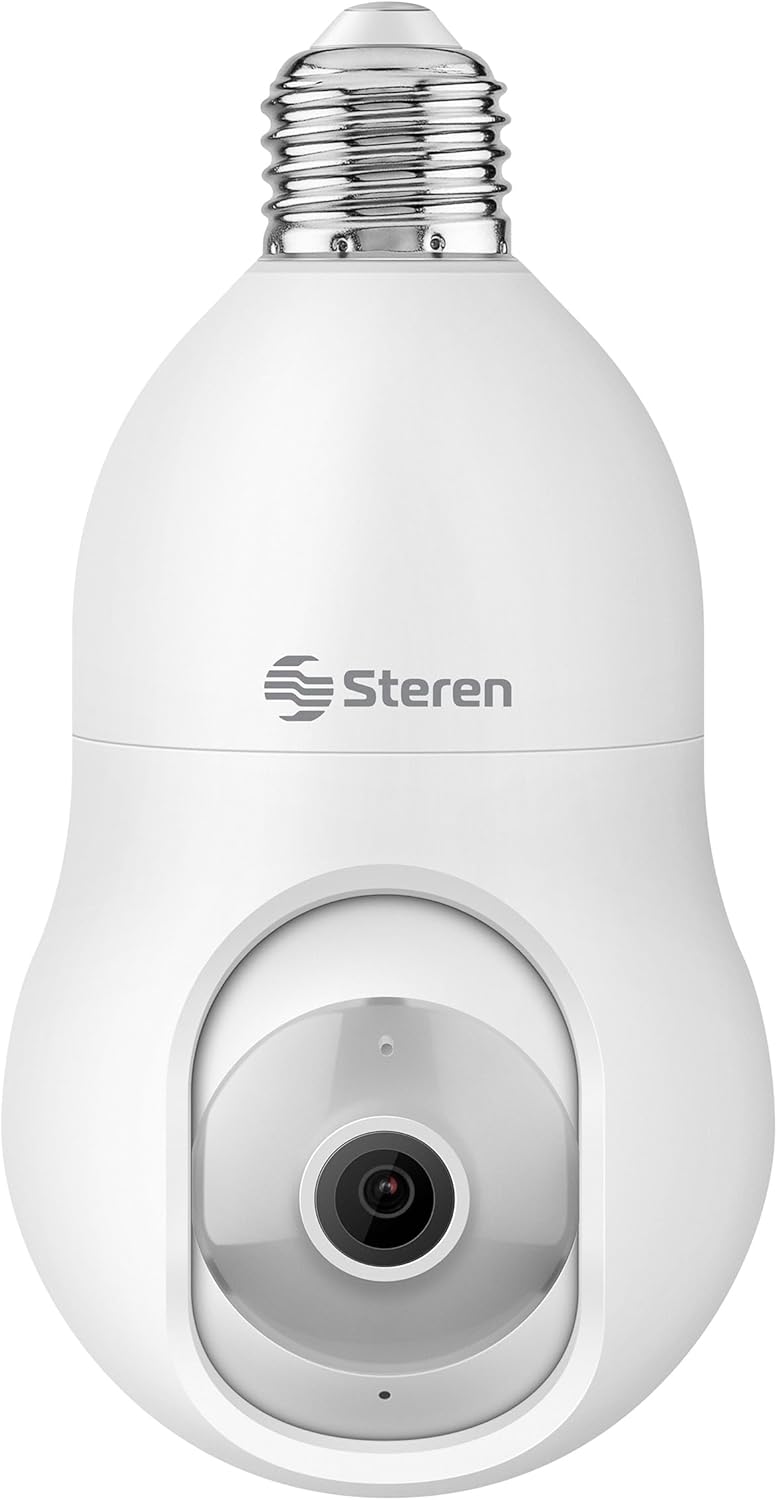
Figure 1: Front view of the STEREN CCTV-238 camera, showing the lens and the E27 screw base.

Figure 2: Side view of the camera, illustrating the location of the microSD card slot and the reset button.

Figure 3: The camera alongside its included mounting accessories, such as screws and wall anchors, and an optional socket adapter.
3. Setup Instructions
3.1 Physical Installation
- Choose a Location: Select an indoor location with a standard E27 light bulb socket (120V AC) within range of your 2.4 GHz Wi-Fi network.
- Power Off: Ensure the power to the socket is turned off before installation to prevent electrical hazards.
- Screw In Camera: Carefully screw the STEREN CCTV-238 camera into the standard socket until it is securely fastened.
- Power On: Restore power to the socket. The camera will power on and indicate its status (e.g., a blinking light).

Figure 4: The STEREN CCTV-238 camera, shown both in its retail packaging and installed into a standard light socket, highlighting its simple screw-in installation.
3.2 App Installation and Configuration
- Download Steren Home App: Download the "Steren Home" application from the App Store (for iOS devices) or Google Play Store (for Android devices).
- Create Account: Open the app and follow the on-screen instructions to create a new user account or log in if you already have one.
- Add Device: In the Steren Home app, tap the "+" icon or "Add Device" to begin the pairing process.
- Select Camera: Choose the camera category and select the CCTV-238 model.
- Connect to Wi-Fi: Follow the app's prompts to connect the camera to your 2.4 GHz Wi-Fi network. Ensure your mobile device is also connected to the same 2.4 GHz network during setup.
- Complete Setup: Once connected, the camera will be added to your Steren Home app, and you can begin configuring its settings.

Figure 5: Visual representation of the Steren Home app interface for device management and the simple installation process of the camera into a socket.
4. Operating Instructions
4.1 Live View and Remote Control
- Open the Steren Home app on your smartphone.
- Select your CCTV-238 camera from the device list to access the live video feed.
- Use the on-screen controls to pan (left/right) and tilt (up/down) the camera remotely to adjust its viewing angle.
4.2 Motion Detection and Tracking
- Enable Motion Detection: Navigate to the camera settings within the Steren Home app and enable the motion detection feature.
- Receive Notifications: When motion is detected, the camera will send an alert notification to your smartphone.
- Motion Tracking: If enabled, the camera will automatically follow detected movement within its operational range, keeping the subject in view.
- Recording on Motion: Configure the camera to record video clips only when motion is detected, saving storage space.

Figure 6: Illustration of the camera's motion detection capabilities, showing how it can track subjects and record events, along with a person receiving a package, indicating a common use case for motion detection.
4.3 Video Recording and Storage
- MicroSD Card: Insert a microSD card (up to 128 GB, sold separately) into the designated slot on the camera for local storage of recordings.
- Continuous Recording: The camera can be set to record continuously, overwriting older footage when the card is full.
- Event Recording: Configure the camera to record only when motion or other events are detected.
- Playback: Access recorded footage directly through the Steren Home app.
5. Maintenance
- Cleaning: Gently wipe the camera lens and body with a soft, dry cloth. Do not use liquid cleaners or abrasive materials.
- Firmware Updates: Periodically check the Steren Home app for available firmware updates to ensure optimal performance and security.
- MicroSD Card Management: Regularly back up important footage and consider formatting the microSD card periodically to maintain performance.
6. Troubleshooting
| Problem | Possible Cause | Solution |
|---|---|---|
| Camera does not power on. | No power to the socket; camera not screwed in properly. | Ensure the socket has power and the camera is securely screwed in. Test the socket with another device. |
| Cannot connect to Wi-Fi. | Incorrect Wi-Fi password; camera too far from router; connecting to 5 GHz network. | Verify Wi-Fi password. Move camera closer to the router. Ensure your router is broadcasting a 2.4 GHz network and your phone is connected to it during setup. |
| Live view is freezing or lagging. | Weak Wi-Fi signal; network congestion; slow internet speed. | Improve Wi-Fi signal strength (e.g., move router, use a repeater). Reduce other network activity. Check your internet service provider's speed. |
| Motion detection is not working or sending too many alerts. | Motion detection sensitivity settings; camera placement. | Adjust motion detection sensitivity in the Steren Home app. Reposition the camera to avoid areas with frequent, irrelevant movement (e.g., tree branches, pets). |
| MicroSD card not recording or recognized. | Card not inserted correctly; incompatible card; card full or corrupted. | Reinsert the microSD card. Ensure it is a compatible type (e.g., Class 10) and formatted correctly (FAT32). Try a different microSD card. |
| Limited vertical viewing angle. | Inherent design limitation. | This may be a design characteristic. Adjust the camera's physical installation height or angle if possible to optimize the field of view for your specific needs. |
7. Specifications
| Model Number | CCTV-238 |
| Brand | STEREN |
| Color | White |
| Material | Plastic |
| Video Capture Resolution | 720p |
| Frame Rate | 30 fps |
| Wireless Communication Technology | Wi-Fi (2.4 GHz) |
| Connectivity Protocol | Wi-Fi |
| Power Source | Socket (120 Volts AC) |
| Wattage | 5 watts |
| Mounting Type | Wall Mount (Screw-in to socket) |
| Special Feature | Motion Detector, Motion Tracking |
| Recommended Use | Indoor Security |
| Indoor/Outdoor Use | Indoor |
| Compatible Devices | Smartphone (Android, iOS) |
| Dimensions (L x W x H) | 8 x 15.01 x 8.99 cm |
| Weight | 33 g |
| MicroSD Support | Up to 128 GB (sold separately) |
Note: While the product title mentions 3MPX, the detailed specifications list video capture resolution as 720p. Please refer to the latest product information for the most accurate resolution details.
8. Warranty and Support
For warranty information, technical support, or service inquiries, please refer to the official STEREN website or contact STEREN customer service directly. Keep your purchase receipt as proof of purchase for warranty claims.
You can visit the STEREN store on Amazon for more product information: STEREN Official Store.