
Herilary C2-AA
Herilary C2-AA Wireless Android Auto Adapter User Manual
Model: C2-AA | Brand: Herilary
1. Introduction
The Herilary C2-AA Wireless Android Auto Adapter is designed to convert your car's wired Android Auto system into a wireless experience. This device allows seamless integration of your Android smartphone's features, such as navigation, music, calls, and messages, directly onto your car's display without the need for a USB cable.

Image: The Herilary C2-AA Wireless Android Auto Adapter, a compact black device with a short USB cable.
2. Product Overview
Key Features:
- Wireless Android Auto Conversion: Transforms your car's existing wired Android Auto into a wireless system.
- Fast and Stable Connection: Utilizes a 5G WiFi module for high-speed and stable connectivity, with automatic reconnection in as little as 5 seconds after initial setup.
- Broad Compatibility: Compatible with over 600 car models that support wired Android Auto and Android smartphones running Android 11 or later.
- Seamless Integration: Supports original car controls including touchscreen, steering wheel buttons, and OEM knobs.
- Full Android Auto Functionality: Enjoy voice control, Google Assistant, online music streaming, GPS navigation, hands-free calls, and messaging wirelessly.
- Certified Product: Technical Compliance Certification Number: 210-203438.

Image: An illustration highlighting the key features of the Herilary C2-AA, including wireless connectivity, automatic connection, fast startup, wide car compatibility, and 5GHz WiFi module.
3. Specifications
| Model Name | C2-AA (Android Auto Dedicated) |
| Brand | Herilary |
| Connectivity Technology | Bluetooth, Wi-Fi (5GHz) |
| Compatible Devices | Smartphones (Android 11 and above) |
| Compatible Car Systems | Vehicles with factory-installed wired Android Auto |
| Control Method | App, Remote (via car's native controls) |
| Power Source | USB (Car's USB port) |
| Technical Compliance Certification | 210-203438 |
| UPC | 717242859791 |
4. Setup Instructions
- Connect the Adapter: Plug the Herilary C2-AA adapter into your car's USB port that supports wired Android Auto.
- Enable Bluetooth on your Smartphone: On your Android smartphone (Android 11 or higher), turn on Bluetooth.
- Pair with the Adapter: Search for new Bluetooth devices and select "AIbox-BT-XXXX" (where XXXX is a unique identifier) to pair with the adapter.
- Activate Wireless Android Auto: On your car's infotainment screen, click the Android Auto button. The wireless Android Auto function should now be active.

Image: A visual guide demonstrating the three simple steps for connecting the Herilary C2-AA adapter: plugging into the car's USB port, pairing via smartphone Bluetooth, and activating Android Auto on the car screen.
Important Notes for Power Supply:
- Use the car's cigarette lighter port for power if a dedicated USB port is not available or causes issues.
- Avoid using a phone charger or the original CarPlay port for power, as this may lead to instability or non-functionality.

Image: Visual instructions on proper power supply connection (using car's cigarette lighter is recommended) and an overview of the online upgrade process via a smartphone interface.
5. Operating Instructions
Once the Herilary C2-AA adapter is successfully connected, your car's display will show the Android Auto interface wirelessly. You can interact with Android Auto using your car's native controls.
- Automatic Connection: After the initial setup, the adapter will automatically connect to your smartphone when you start your car, typically within 5-15 seconds.
- Navigation: Access Google Maps or other navigation apps directly on your car's screen.
- Music and Media: Play music, podcasts, and other audio content from your smartphone apps through your car's sound system. The adapter maintains original car audio quality.
- Calls and Messaging: Make and receive calls, and send/receive messages using the car's interface or voice commands.
- Voice Assistant: Utilize Google Assistant for hands-free control of various functions, including navigation, calls, and music playback.
- Car Controls: Operate Android Auto using the car's touchscreen, steering wheel buttons, and OEM control knobs.

Image: Demonstrates the use of original car controls with the Herilary C2-AA, including steering wheel controls, OEM knob, touchscreen, and voice assistant functionality.

Image: Illustrates the 5GHz WiFi capability, showing icons for map navigation, music playback, phone calls, and voice assistant, indicating a smooth driving experience.
6. Compatibility
The Herilary C2-AA adapter is designed for vehicles equipped with factory-installed wired Android Auto. It supports a wide range of car brands and models.
- Vehicle Compatibility: Compatible with over 600 car models, including Mercedes, Jeep, Kia, Lincoln, Ford, Chevrolet, Land Rover, Lexus, and many others that feature wired Android Auto. Please ensure your vehicle has wired Android Auto functionality before purchase.
- Smartphone Compatibility: Requires an Android smartphone running Android 11 or later. This includes devices from brands like OnePlus and Google.
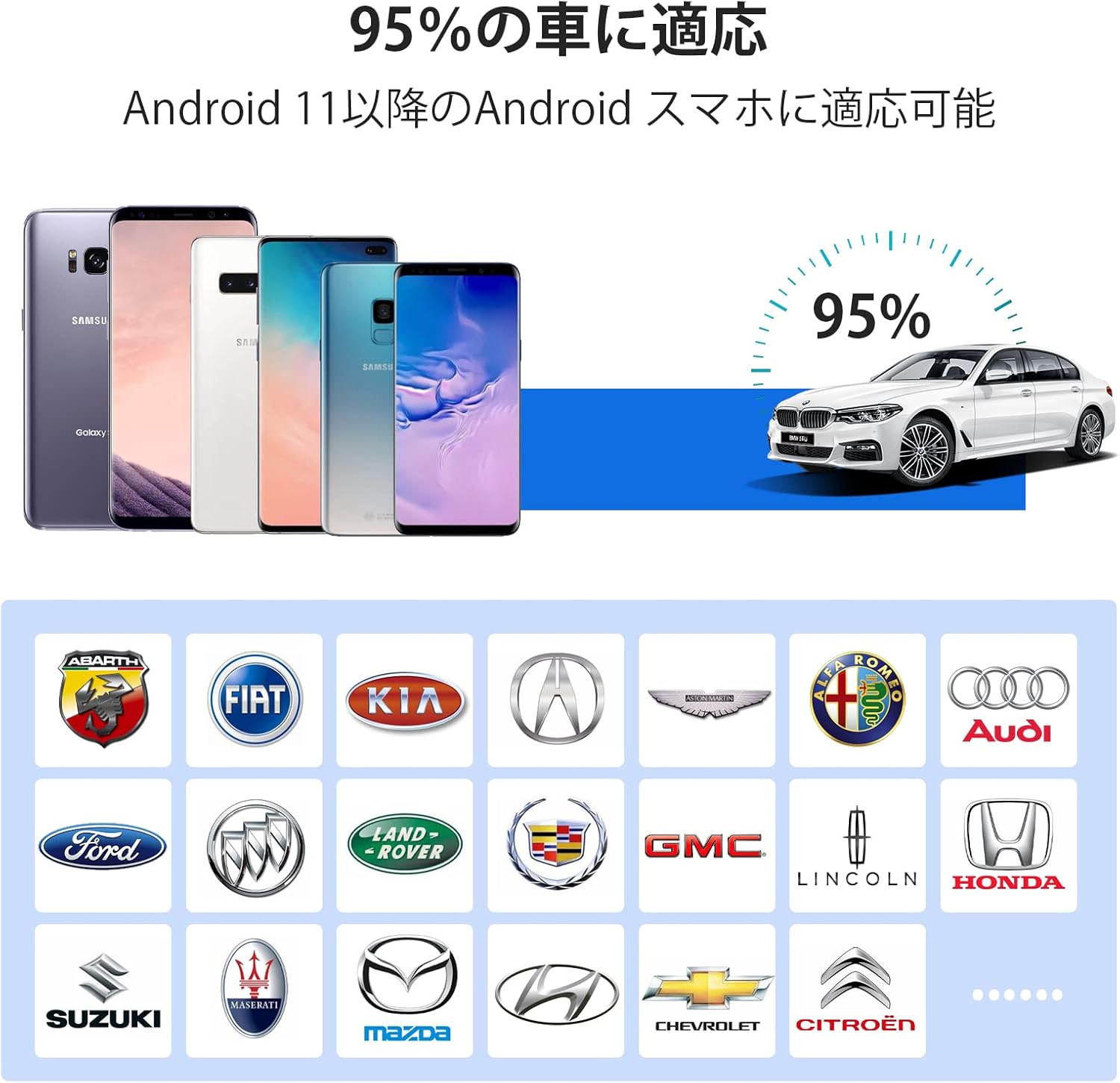
Image: A visual representation of the Herilary C2-AA's compatibility, showing various Android smartphones (Android 11+) and a selection of car brand logos, indicating broad support.
7. Maintenance
To ensure optimal performance and longevity of your Herilary C2-AA adapter, follow these general maintenance guidelines:
- Keep Clean: Regularly wipe the adapter with a soft, dry cloth to remove dust and debris. Avoid using liquid cleaners.
- Avoid Extreme Temperatures: Do not expose the adapter to extreme heat or cold, as this can affect its electronic components.
- Secure Connection: Ensure the adapter is securely plugged into the car's USB port to prevent accidental disconnections.
- Software Updates: Periodically check for software updates to ensure the best performance and compatibility. Updates can typically be performed via a connected smartphone.
Online Upgrade Process:
- Connect the product to a USB 5V power source.
- After powering on, connect your mobile phone to the product's WiFi. The WiFi name will be "AIbox-BT-XXXX".
- Enter "http://192.168.1.101" in your browser and input the password "88888888" to access the background system.
- In the background system, click "Update" to check for and install the latest software version.
8. Troubleshooting
If you encounter issues with your Herilary C2-AA adapter, please refer to the following common solutions:
- No Connection / Intermittent Connection:
- Ensure your car's USB port supports wired Android Auto.
- Verify that Bluetooth and Wi-Fi are enabled on your smartphone.
- Check if the adapter is properly plugged into the car's USB port.
- Try restarting both your smartphone and the car's infotainment system.
- Ensure the adapter is powered correctly (preferably from the car's cigarette lighter USB adapter, not a phone charger or CarPlay port).
- Android Auto Does Not Launch:
- Confirm your smartphone is running Android 11 or a newer version.
- Clear the cache and data of the Android Auto app on your smartphone.
- Ensure the car's infotainment system is updated to its latest firmware.
- Poor Audio Quality:
- Check your smartphone's audio settings.
- Ensure there are no other devices interfering with the Bluetooth or Wi-Fi signal.
- Slow Startup / Reconnection:
- Startup speed can vary by car model. Allow up to 15 seconds for full connection.
- Ensure the adapter has the latest firmware installed via online update.
If problems persist, please contact Herilary customer support for further assistance.
9. Warranty and Support
This product is covered by a standard manufacturer's warranty. For specific warranty terms and conditions, please refer to the documentation included with your purchase or visit the official Herilary website.
For technical support, troubleshooting assistance, or any inquiries regarding your Herilary C2-AA Wireless Android Auto Adapter, please contact our customer support team. Contact information can typically be found on the product packaging or the official Herilary website.
Technical Compliance: This product complies with radio wave regulations and has obtained technical compliance certification (Number: 210-203438), ensuring safe and legal use.
Related documentsC2-AA


Ask a question about this manual
Ask about setup, troubleshooting, compatibility, parts, safety, or missing instructions. Manuals+ will review the question and use this page’s manual context to help answer it.