
Introduction
This manual provides instructions for the UGREEN Adjustable Laptop Stand, Model 15925. This ergonomic stand is designed to elevate your laptop or tablet, improving posture and enhancing thermal performance. Constructed from high-quality aluminum alloy, it offers stability and durability for devices ranging from 10 to 16 inches.
Product Features
- Universal Compatibility: Supports laptops and tablets from 10 to 16 inches, including models like MacBook Air, MacBook Pro, HP, Dell, ASUS, and MSI.
- Adjustable Height & Angle: Z-shaped design allows for free adjustment of viewing angle and height (35mm to 280mm), helping to alleviate eye strain, neck, and back pain.
- Durable Material: Made from high-quality aluminum alloy, capable of supporting up to 5 kg (11 lbs).
- Enhanced Protection: Features rubber pads on the surface to prevent scratches and increase friction, ensuring the device remains securely in place. Two silicone-padded hooks at the base provide additional fall protection.
- Efficient Heat Dissipation: The aluminum alloy construction and strategically placed ventilation holes promote airflow, preventing laptop overheating.
- Foldable Design: Easily folds for convenient storage and portability.
Setup Instructions
- Unfold the Stand: Gently unfold the laptop stand from its compact, folded position. The hinges are designed to be firm for stability.
- Place on a Stable Surface: Position the stand on a flat, stable desk or table.
- Adjust Height and Angle:
The stand features a Z-shaped design for flexible adjustments. Hold the top platform and the base, then carefully adjust the height and angle to your desired ergonomic position. The height can be adjusted from 35mm to 280mm, and the angle can be set freely.

Image: Diagram illustrating the height and angle adjustment capabilities of the stand.
- Place Your Device: Carefully place your laptop or tablet onto the rubber-padded surface of the stand. Ensure the device rests securely against the two front hooks.
- Verify Stability: Before use, gently test the stability of your device on the stand to ensure it is balanced and secure.
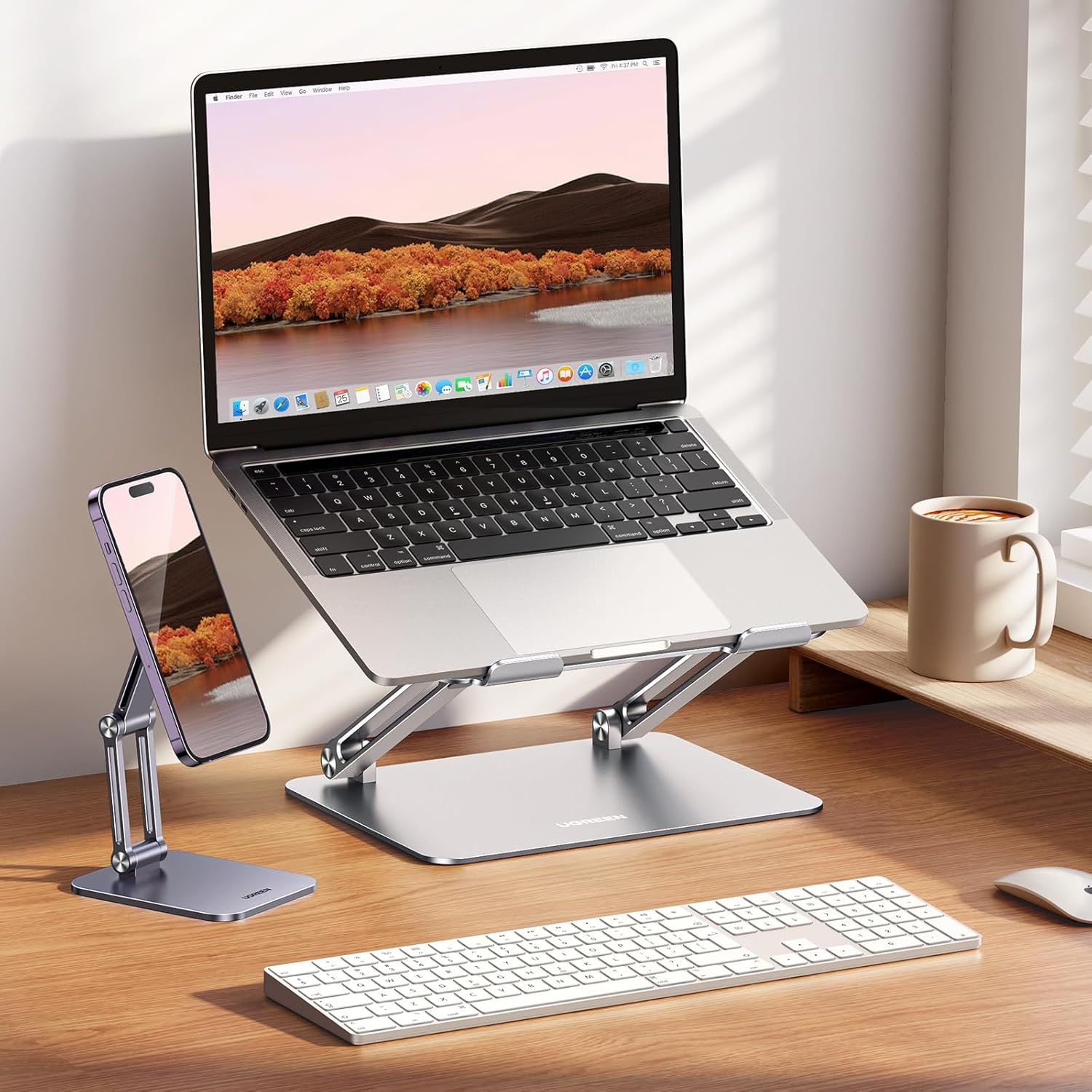
Image: The UGREEN laptop stand in use with a laptop and a separate phone stand, demonstrating a typical setup.
Operating Instructions
The UGREEN Adjustable Laptop Stand is designed for straightforward operation. Once set up, it requires minimal interaction during use.
- Ergonomic Positioning: Adjust the stand to a height that brings your laptop screen to eye level. This helps maintain a neutral neck and back posture, reducing strain during long work sessions.
- Sitting or Standing Use: The stand supports both sitting and standing desk configurations. Adjust the height as needed to transition between positions comfortably.

Image: Demonstrating the stand's use for both sitting and standing work postures.
- Thermal Management: The open design and aluminum material facilitate natural convection, aiding in the cooling of your laptop. Ensure no objects block the ventilation holes on the stand or your laptop's vents.

Image: Visual representation of the stand's heat dissipation capabilities.
- Portability: When not in use or for transport, fold the stand flat. Its compact size makes it easy to store in a drawer or carry in a bag.

Image: The stand folded for storage in a drawer and being placed into a laptop bag.
Maintenance
- Cleaning: Wipe the stand with a soft, damp cloth. Avoid using abrasive cleaners or solvents that could damage the finish or rubber pads.
- Inspection: Periodically check the hinges and rubber pads for any signs of wear or damage. Ensure all components are intact and functioning correctly.
- Storage: When not in use, store the stand in a clean, dry place, preferably folded to protect its surfaces.
Troubleshooting
| Problem | Possible Cause | Solution |
|---|---|---|
| Stand feels unstable. | Not fully unfolded or placed on an uneven surface. Device weight exceeds capacity. | Ensure the stand is fully extended and placed on a flat, stable surface. Verify your device's weight is within the 5 kg limit. |
| Laptop slides on the stand. | Rubber pads are dirty or worn. Laptop not positioned correctly against hooks. | Clean the rubber pads with a damp cloth. Ensure the laptop is placed firmly against the front hooks. If pads are worn, contact support. |
| Difficulty adjusting height/angle. | Hinges are stiff (normal for stability) or obstructed. | Apply gentle, even pressure when adjusting. The hinges are designed to be firm to maintain position. Do not force adjustments. |
Specifications
| Brand | UGREEN |
| Model Number | 15925 |
| Material | Aluminum Alloy |
| Color | Grey |
| Compatibility | Laptops and tablets from 10 to 16 inches |
| Max Load Capacity | 5 kg (11 lbs) |
| Adjustable Height Range | 35mm - 280mm |
| Special Features | Foldable, Ergonomic Z-design, Heat Dissipation, Anti-slip Silicone Pads |

Image: Dimensions and compatibility overview of the laptop stand. Note: While the image indicates compatibility up to 17.3 inches, the product description specifies 10 to 16 inches.
Support Information
For further assistance, technical support, or inquiries regarding your UGREEN Adjustable Laptop Stand (Model 15925), please visit the official UGREEN website or contact their customer service. Information regarding spare parts availability is not provided at this time.
You can find more information and contact details on the UGREEN Brand Store.