
X-IMVNLEI X-IDRONE17
X-IMVNLEI X-IDRONE17 Drone with 1080P HD Camera User Manual
Model: X-IDRONE17
Introduction
This manual provides essential instructions for the safe operation and maintenance of your X-IMVNLEI X-IDRONE17 drone. Please read this manual thoroughly before operating the device to ensure proper function and to avoid damage or injury.
Safety Information
Always operate the drone in open, clear areas, away from people, animals, and obstacles. Maintain a safe distance from power lines, buildings, and water bodies. Do not operate in strong winds or adverse weather conditions. Ensure all propellers are securely attached before flight. Adult supervision is recommended for younger users. Always turn off the drone and remote control when not in use.
What's in the Box
Your X-IMVNLEI X-IDRONE17 package includes the following components:
- X-IMVNLEI X-IDRONE17 Drone with 1080P HD Camera
- Remote Control
- Rechargeable Lithium Ion Batteries (x2)
- USB Charging Cable
- Spare Propellers
- Propeller Guards (x4)
- Screwdriver
- Instruction Manual
- Portable Carrying Case

Image: The X-IMVNLEI X-IDRONE17 drone, its remote control, and the adjustable camera feature.

Image: A visual representation of the X-IMVNLEI X-IDRONE17 drone and its accessories, including the remote, batteries, and spare parts.
Product Overview
The X-IMVNLEI X-IDRONE17 is a foldable RC quadcopter designed for both adults and beginners. It features a 1080P HD adjustable camera for clear aerial photos and videos, along with First-Person View (FPV) capabilities via Wi-Fi real-time transmission to your smartphone. The drone incorporates intelligent flight functions such as Altitude Hold, Optical Flow Positioning, and 360-degree infrared obstacle avoidance for enhanced safety and ease of use.

Image: The X-IMVNLEI X-IDRONE17 drone highlighting its friendly functions: Altitude Hold, One-Key Take-Off/Landing, and Headless Mode.
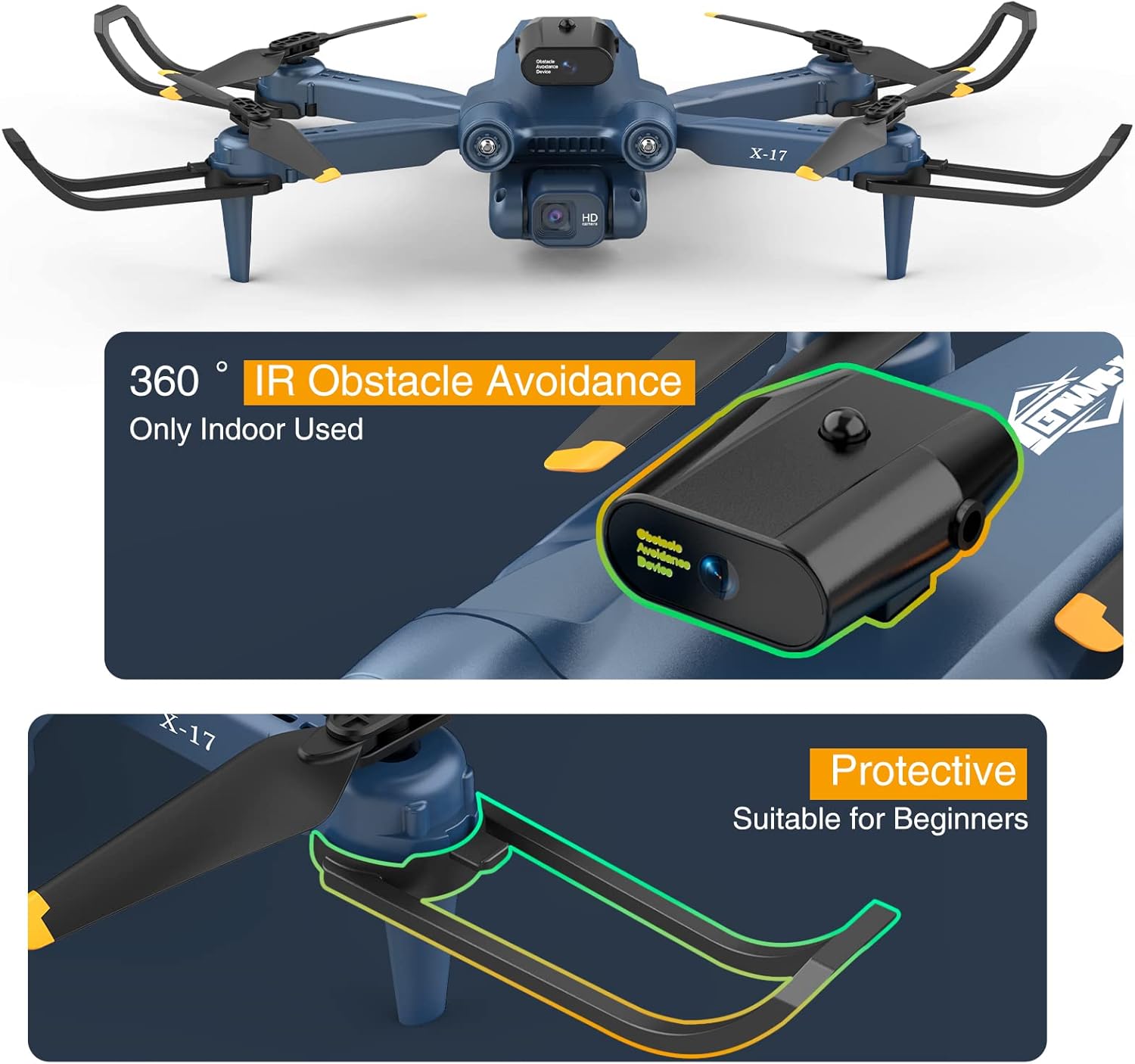
Image: The X-IMVNLEI X-IDRONE17 drone showcasing its 360-degree infrared obstacle avoidance system and propeller protective guards.
Setup
1. Battery Installation and Charging
Insert the fully charged Lithium Ion battery into the drone's battery compartment. Ensure it clicks into place securely. Charge the drone batteries using the provided USB charging cable. The remote control requires 3 AAA batteries (not included).
2. Propeller Guards Installation
For beginner pilots, it is highly recommended to install the propeller guards to protect the blades from damage during initial flights. Attach each guard to the corresponding motor arm using the provided screws and screwdriver.
3. Remote Control Setup
Install 3 AAA batteries into the remote control. Power on the remote control, then power on the drone. The drone's lights will flash. Push the left joystick up and then down to pair the remote with the drone. The lights will become solid, indicating successful pairing.
4. Smartphone App Connection
Download the dedicated X-IMVNLEI drone app from your smartphone's app store (refer to the instruction manual for QR code or app name). Connect your smartphone to the drone's Wi-Fi network (usually named "X-IDRONE17" or similar) in your phone's Wi-Fi settings. Open the app to view the live FPV feed and access advanced flight features.
Video: An official demonstration of the X-IMVNLEI X17 drone for beginners, showcasing its features and ease of use.
Operating Instructions
Take-Off and Landing
After pairing, press the One Key Start/Landing button on the remote control to initiate automatic take-off. The drone will hover at a stable altitude. To land, press the same button, and the drone will descend and land automatically.
Flight Modes and Features
- Altitude Hold: The drone maintains a consistent altitude, making it easier to control and capture stable footage.
- Optical Flow Positioning: Utilizes downward-facing sensors to maintain position stability, especially useful for indoor flight or in areas with limited GPS signal.
- Speed Adjustment: Choose from 3-speed modes (30%, 60%, 100%) to match your skill level and flying environment. Beginners should start with lower speeds.
- 3D Flip: Press the designated button and move the right joystick to perform impressive 360-degree aerial flips.
- Headless Mode: In this mode, the drone's orientation is relative to the pilot, eliminating the need to adjust its position before flight.
- Gesture Control: Perform specific hand gestures to trigger photo or video recording (refer to the app manual for specific gestures).
- Tap Fly (Waypoint Flight): Draw a desired flight path on your smartphone screen, and the drone will automatically follow it.
- Point of Interest: Select a point on the map, and the drone will circle around it, capturing footage.
- 360° Automatic Obstacle Avoidance: The drone is equipped with infrared sensors to detect and automatically avoid obstacles in its path, enhancing safety, especially for beginners. This feature is primarily designed for indoor use.
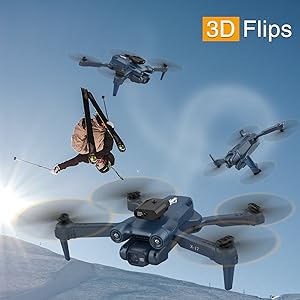
Image: The X-IMVNLEI X-IDRONE17 drone executing a 3D flip maneuver.

Image: A user demonstrating gesture control with the X-IMVNLEI X-IDRONE17 drone.

Image: The X-IMVNLEI X-IDRONE17 drone performing a custom path flight, following a pre-drawn route.
Image: The X-IMVNLEI X-IDRONE17 drone utilizing its Optical Flow Positioning for stable flight.
Camera Operation
The X-IDRONE17 is equipped with a 1080P HD adjustable camera for capturing high-quality photos and videos. The camera angle can be adjusted electronically for multi-angle shooting during flight. Use the smartphone app to view the live FPV feed and control camera functions.
- Photo Capture: Tap the camera icon in the app to take still photographs.
- Video Recording: Tap the video icon in the app to start and stop video recording. Footage will be saved to your smartphone.
- FPV (First-Person View): Experience real-time video transmission from the drone's camera directly to your smartphone screen, providing an immersive flight experience.

Image: A visual comparison demonstrating the 1080P camera quality of the X-IMVNLEI X-IDRONE17 drone.
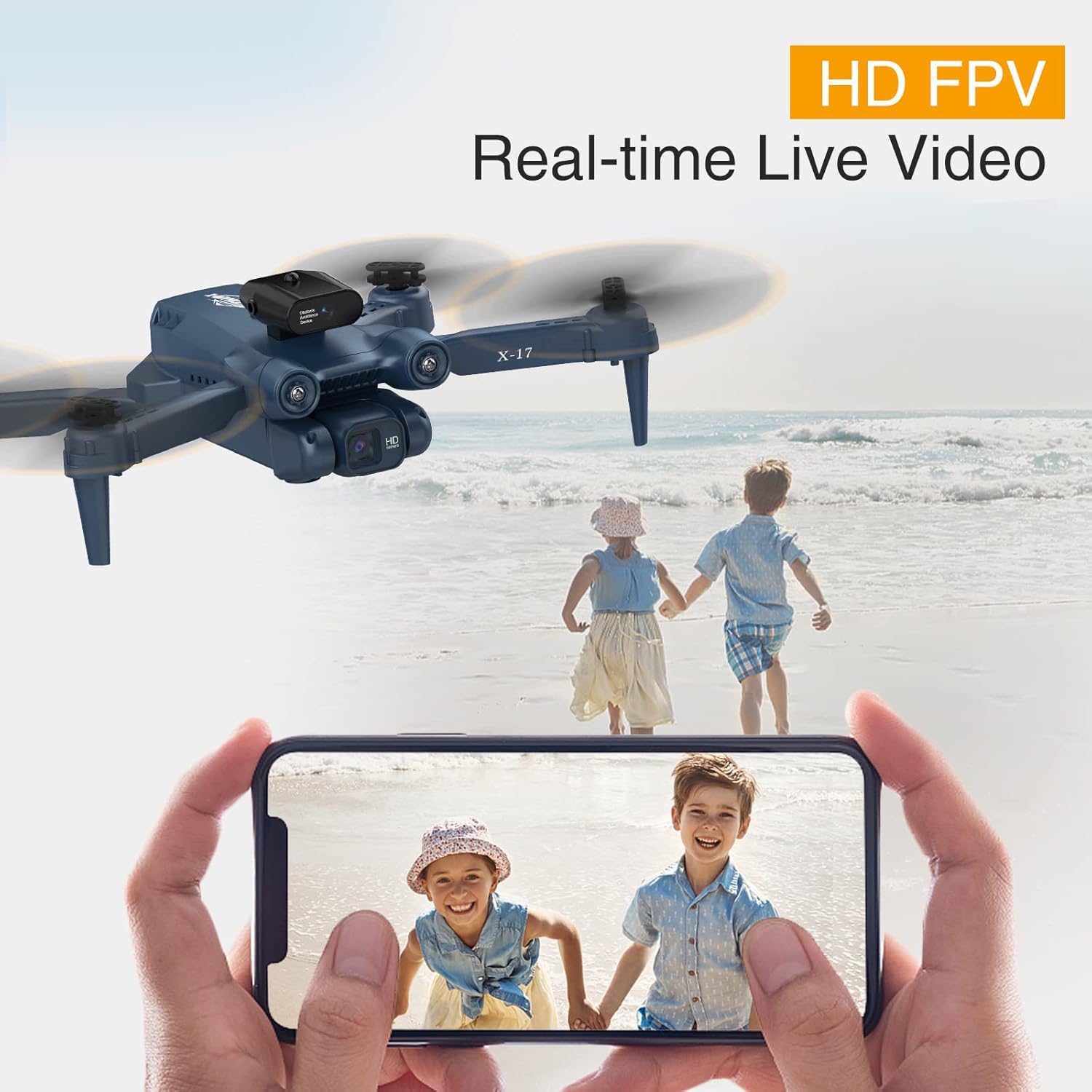
Image: The X-IMVNLEI X-IDRONE17 drone providing HD FPV real-time live video to a smartphone.
Maintenance
- Propeller Inspection: Regularly check propellers for any damage or cracks. Replace damaged propellers immediately using the spare parts provided.
- Cleaning: Use a soft, dry cloth to clean the drone body and camera lens. Avoid using harsh chemicals or liquids.
- Battery Care: Store batteries in a cool, dry place. Do not overcharge or over-discharge batteries. If the drone will not be used for an extended period, remove the batteries.
- Storage: When not in use, store the drone and its accessories in the provided portable carrying case to protect them from dust and damage.
Troubleshooting
- Drone does not power on: Ensure the battery is fully charged and correctly inserted.
- Drone does not pair with remote: Make sure both the drone and remote are powered on. Perform the pairing sequence (left joystick up then down) again. Ensure no other devices are interfering with the signal.
- Unstable flight: Calibrate the drone before flight. Check for damaged propellers and replace if necessary. Ensure flight is in calm conditions.
- Poor camera feed: Ensure your smartphone is properly connected to the drone's Wi-Fi network. Check for obstructions on the camera lens.
Specifications
| Brand | X-IMVNLEI |
| Model Name | X-IDRONE17 (X Iron) |
| Special Features | Obstacle avoidance, 3D flips, Tap Fly, Point of Interest, Altitude Hold, Optical Flow Positioning |
| Age Range | Adult (Beginner Skill Level) |
| Color | BLUE |
| Video Capture Resolution | 1080p (1920x1080 Pixels) |
| Connectivity Technology | Wi-Fi |
| Included Components | Camera, Control Stick (Remote Control), Batteries, Spare Propellers, Propeller Guards, Screwdriver, Manual, Carrying Case |
| Item Weight | 112 Grams (3.95 ounces) |
| Battery Type | Lithium Ion |
| Product Dimensions | 0.52"L x 0.66"W x 0.23"H |
Warranty and Support
For warranty information or technical support, please refer to the contact details provided in the original product packaging or visit the official X-IMVNLEI website. Keep your purchase receipt as proof of purchase for any warranty claims.
Related documentsX-IDRONE17


Ask a question about this manual
Ask about setup, troubleshooting, compatibility, parts, safety, or missing instructions. Manuals+ will review the question and use this page’s manual context to help answer it.