Introduction
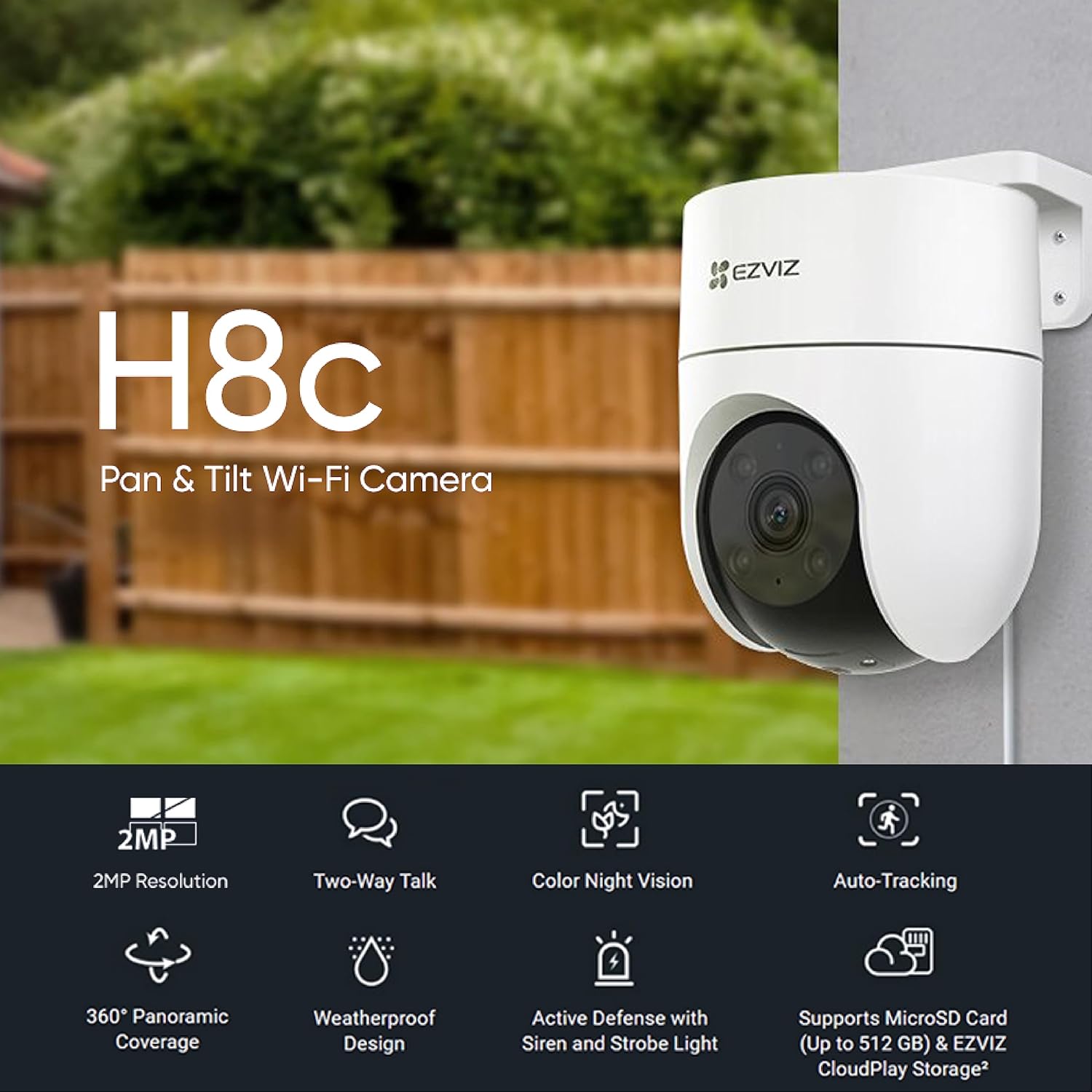
The EZVIZ H8c camera integrates smart features into a compact unit for smart home protection. This reliable and accessible camera performs consistently in all weather conditions and integrates seamlessly with residential internet platforms. It offers clear 1080p images, 360-degree panoramic view, human shape detection, active defense, two-way audio, and robust weatherproof design.
Key Features
- 1080p Resolution & 360-degree Panoramic View: Provides clear images and comprehensive coverage, eliminating blind spots. The camera's motor allows viewing of every important angle.
- Smart Detection and Tracking: Differentiates between people, pets, and other moving objects. Upon detecting human activity, the camera automatically tracks the target's movement.
- Active Defense System: Features a 24/7 vigilant guard function. When intruders are detected, it activates a loud siren and flashes two bright spotlights to deter unwanted visitors.
- Preset Viewing Angles: Allows users to define up to 12 preferred viewing angles via the EZVIZ app. The camera can automatically return to these preset points after tracking.
- Two-Way Audio: Enables remote communication through your mobile phone, allowing you to listen and speak to delivery personnel, greet guests, or deter intruders.
- Weatherproof Design: Built with a robust outer casing, ensuring long-term, worry-free protection in various weather conditions.
What's in the Box
The EZVIZ H8C camera package includes the following components:
- EZVIZ H8C Camera
- Drill Template
- Screw Kit
- Waterproof Kit
- Power Adapter
- Regulatory Information
- Quick Start Guide
Setup
Follow these steps to set up your EZVIZ H8C camera:
- Prepare for Installation: Choose a suitable outdoor location for mounting the camera. Ensure the area provides a clear view and is within range of your Wi-Fi network.
- Mount the Camera: Use the provided drill template to mark the screw holes. Securely mount the camera to the wall or ceiling using the screw kit. Ensure the camera is firmly attached to prevent accidental falls.
- Connect Power: Connect the power adapter to the camera and plug it into a power outlet.
- Download EZVIZ App: Download the EZVIZ app from your smartphone's app store (iOS or Android).
- Create Account & Add Device: Open the EZVIZ app, create an account if you don't have one, and follow the in-app instructions to add your H8C camera. Scan the QR code on the camera or its packaging when prompted.
- Configure Wi-Fi: Follow the app's instructions to connect the camera to your home Wi-Fi network. Ensure a strong signal for optimal performance.
- Final Adjustments: Adjust the camera's angle and position using the app to achieve the desired viewing area.

Operating Instructions
Once your EZVIZ H8C camera is set up, you can operate it using the EZVIZ mobile application.
- Live View: Open the EZVIZ app and select your H8C camera to view the live feed.
- Pan and Tilt Control: Use the on-screen controls in the app to remotely pan (horizontal rotation up to 350°) and tilt (vertical rotation up to 80°) the camera to adjust its viewing angle.

Image: A visual representation of the EZVIZ H8C camera's 360-degree panoramic view, highlighting its 350° horizontal and 80° vertical rotation capabilities. - Two-Way Talk: Tap the microphone icon in the app to activate two-way audio. You can speak through your phone, and your voice will be projected through the camera's speaker, allowing you to communicate with people near the camera.
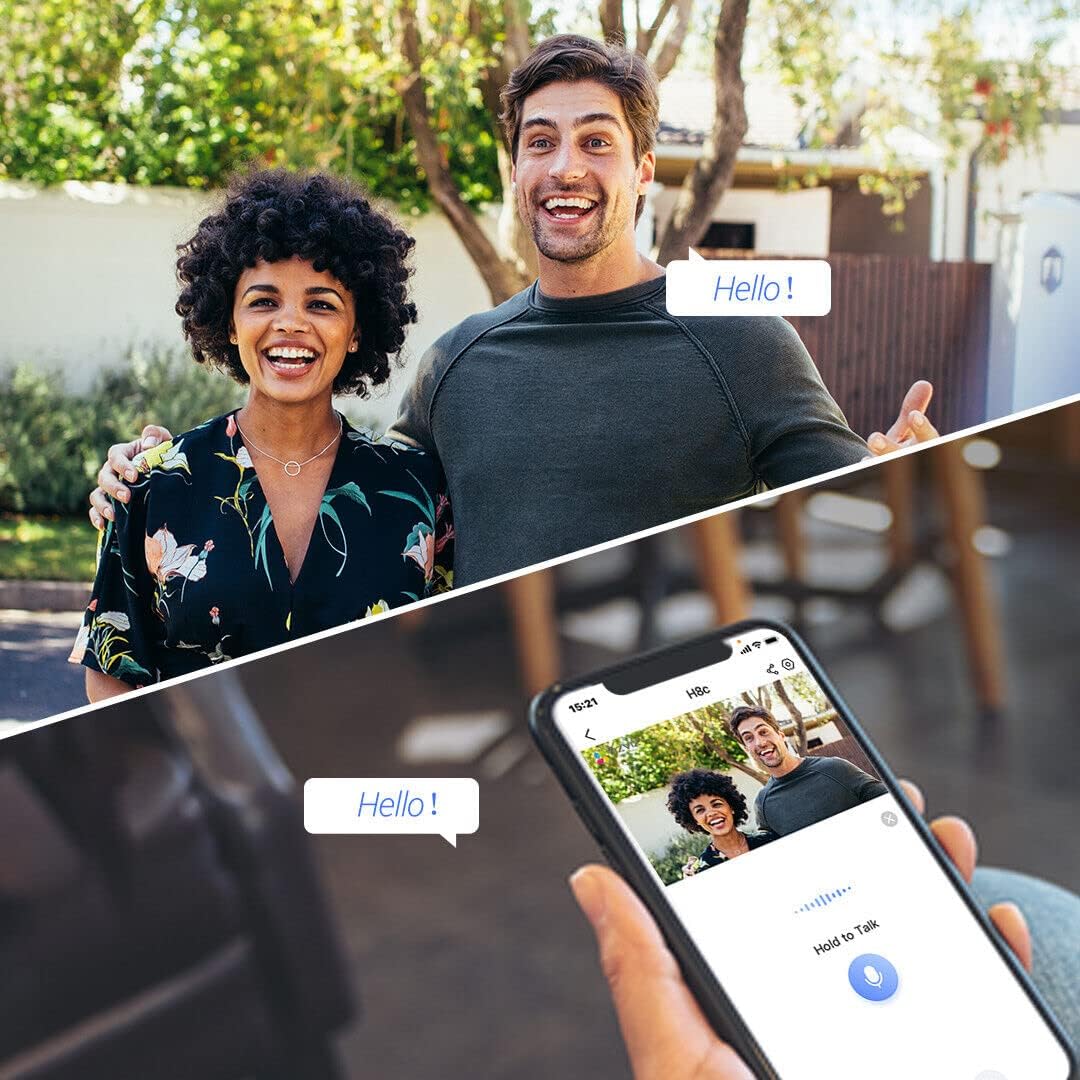
Image: This image demonstrates the two-way audio feature, allowing users to communicate with individuals near the camera via their smartphone. - Motion Detection & Tracking: The camera automatically detects human movement and tracks the subject. You will receive notifications on your phone when motion is detected.
- Active Defense: If enabled, the camera will activate its siren and spotlights upon detecting intruders to deter them.
- Night Vision: The camera automatically switches to night vision mode in low-light conditions, providing clear surveillance even in the dark. It supports color night vision.
- Recording & Playback: Access recorded footage through the EZVIZ app. You can view past events and download clips. The camera supports MicroSD card storage up to 512GB and EZVIZ CloudPlay Storage.
Maintenance
Regular maintenance ensures optimal performance and longevity of your EZVIZ H8C camera.
- Clean the Lens: Periodically wipe the camera lens with a soft, clean cloth to remove dust, dirt, or water spots that may affect image clarity. Do not use harsh chemicals.
- Check Connections: Ensure all power and network connections are secure and free from damage.
- Firmware Updates: Regularly check for and install firmware updates via the EZVIZ app. Updates often include performance improvements and security enhancements.
- Inspect for Damage: Periodically inspect the camera's casing and mounting for any signs of wear, damage, or loose components, especially after severe weather.

Image: The EZVIZ H8C camera enduring rain, illustrating its weatherproof design and the importance of checking for wear after exposure to elements. - Storage Management: If using a MicroSD card, periodically review and manage stored footage to ensure sufficient space. Consider EZVIZ CloudPlay for continuous backup.
Troubleshooting
| Problem | Possible Cause | Solution |
|---|---|---|
| Camera Offline | No power, Wi-Fi signal loss, network issues. | Check power connection. Verify Wi-Fi signal strength. Restart router and camera. Reconfigure Wi-Fi in the app if necessary. |
| Poor Image Quality | Dirty lens, low light, poor network bandwidth. | Clean the camera lens. Ensure adequate lighting or check night vision settings. Improve Wi-Fi signal or internet speed. |
| Motion Detection Not Working | Detection settings incorrect, camera obstructed. | Check motion detection sensitivity and area settings in the EZVIZ app. Ensure no physical obstructions block the camera's view. |
| Two-Way Audio Issues | Microphone/speaker muted, low volume, network delay. | Ensure microphone and speaker are enabled and volume is up in the app. Check network connection for stability. |
| MicroSD Card Not Recording | Card full, corrupted, or not inserted correctly. | Check card status in the app. Format the card (this will erase data). Replace with a new card if corrupted. Ensure it's inserted correctly. |
Specifications
| Feature | Detail |
|---|---|
| Model Number | CS-H8C (1080P) |
| Video Capture Resolution | 1080p |
| View Angle | 360 degrees (Pan: 350°, Tilt: 80°) |
| Wireless Communication Technology | Wi-Fi |
| Form Factor | Dome |
| Mounting Type | Ceiling Mount / Screw-in |
| Water Resistance Level | Waterproof |
| Special Features | Night Vision, Two-Way Audio, Motion Detection, Auto-Tracking, Active Defense |
| Power Source | Corded Electric (6 Watts) |
| Item Dimensions (LxWxH) | 10 x 12.9 x 15 cm |
| Item Weight | 420 grams |
| Compatible Devices | Smartphone (Android) |
| Storage Support | MicroSD Card (up to 512GB), EZVIZ CloudPlay Storage |
Warranty and Support
For warranty information and technical support, please refer to the official EZVIZ website or contact their customer service. Details regarding extended warranty options may also be available from your retailer.
- Manufacturer: EZVIZ, Hangzhou Ezviz Network Co. Ltd.
- First Available Date: April 20, 2023


