
Introduction
The Plugfones Sovereign Bluetooth Earplugs + Earphones combine certified hearing protection with premium audio performance. Designed with ANSI-rated earplugs, these earphones effectively block out harmful noise, making them suitable for noisy work environments, travel, or outdoor activities. Unlike traditional noise-canceling technology, Plugfones offer true noise isolation by creating a physical seal in your ears. This manual provides essential information for the proper setup, operation, and maintenance of your Sovereign earplugs.
Key Features
- Hearing Protection: Combines high-quality hearing protection with premium audio, suitable for noisy environments.
- Replaceable Earplug Tips: Includes small, medium, and large interchangeable earplug tips for a comfortable and secure fit.
- Seamless Connectivity: Bluetooth-enabled for quick pairing with your devices.
- Built-in Microphone: Allows for hands-free calls without removing the earplugs.
- Durable Battery: Long-lasting battery life for extended listening sessions.
What's Included
Your Plugfones Sovereign package includes the following items:
- One pair of Sovereign Earplugs
- Charging Hard Case
- USB-C Charging Cable
- Small, Medium, and Large Earbud Tips
- Plugfones ComforTiered Earplugs
- Pocket Case
- Instruction Guide

Image: All components included in the Plugfones Sovereign package.
Safety and Hearing Protection
Plugfones are designed to provide hearing protection in noisy environments. They are tested and compliant with ANSI S3.19-1974 noise reduction standards and meet NIOSH criteria.
Noise Reduction Rating (NRR)
An official Noise Reduction Rating (NRR) is a certification of the number of decibels a noise level can be reduced by the proper application of the device or item being tested. The Sovereign earplugs offer significant noise reduction to protect your hearing.

Image: Certified Noise Reduction Ratings (NRR) for different earplug types.

Image: Visual representation of noise isolation, blocking harmful sound waves.
Setup
Charging the Earplugs and Case
Before first use, fully charge your Plugfones Sovereign earplugs and their charging case. Place the earplugs into the charging case. Connect the USB-C charging cable to the case and a power source. The indicator lights on the case will show the charging status. A full charge provides up to 10 hours of playtime for the earplugs, with the charging case offering an additional 30 hours of battery life.
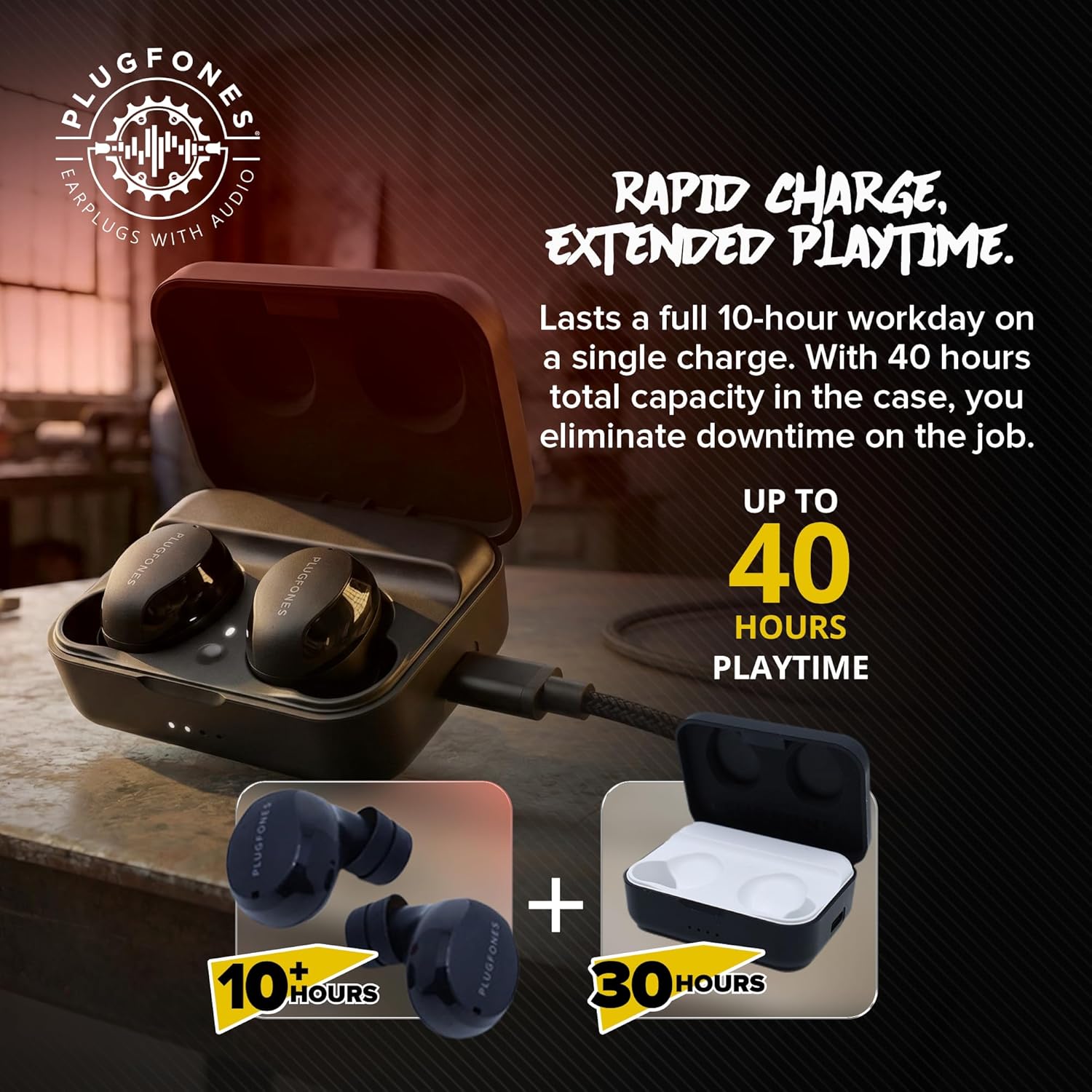
Image: Earplugs in charging case, highlighting rapid charge and extended playtime.
Bluetooth Pairing
- Ensure the earplugs are charged.
- Open the charging case. The earplugs will automatically enter pairing mode.
- On your device (smartphone, tablet, etc.), go to Bluetooth settings.
- Select "Plugfones Sovereign" from the list of available devices.
- Once connected, you will hear an audio confirmation.
Operating Instructions
Wearing the Earplugs
Select the earplug tips that provide the most comfortable and secure fit for your ears. A proper seal is crucial for effective noise isolation. Insert the earplugs firmly into your ear canal. The ergonomic design ensures they stay in place during various activities.
Controls
The Plugfones Sovereign feature intuitive touch controls on each earplug for managing audio playback and calls. Refer to the included Quick Start Guide for specific tap functions (e.g., play/pause, skip track, answer/end call, activate voice assistant).
Making and Receiving Calls
With the built-in microphone, you can make and receive calls hands-free. When a call comes in, tap either earplug to answer. Tap again to end the call. The noise-isolating design helps ensure clear communication even in loud environments.

Image: Usage scenarios demonstrating wireless freedom and industrial safety with Plugfones Sovereign.
Maintenance
To ensure the longevity and optimal performance of your Plugfones Sovereign, follow these maintenance guidelines:
- Cleaning: Regularly clean the earplug tips with a soft, damp cloth. Ensure they are completely dry before reattaching them to the earplugs. Do not use harsh chemicals or abrasive materials.
- Storage: Always store the earplugs in their charging case when not in use. This protects them from dust, debris, and physical damage, and keeps them charged.
- Avoid Extreme Conditions: Do not expose the earplugs or charging case to extreme temperatures, humidity, or direct sunlight for prolonged periods.
Troubleshooting
If you encounter issues with your Plugfones Sovereign, try the following solutions:
- No Power/Not Charging: Ensure the charging cable is securely connected to both the case and the power source. Verify that the earplugs are correctly seated in the charging case. Check the charging indicator lights.
- Cannot Pair: Make sure Bluetooth is enabled on your device and the earplugs are in pairing mode (open the case). Try turning Bluetooth off and on again on your device. If issues persist, try unpairing and re-pairing the earplugs.
- No Sound/Low Volume: Check the volume levels on both your device and the earplugs. Ensure the earplugs are properly seated in your ears to create a good seal.
- Intermittent Connection: Ensure your device is within the Bluetooth range (typically 10 meters or 33 feet) and there are no significant obstructions.
For further assistance, please refer to the official Plugfones support resources.
Specifications
| Feature | Detail |
|---|---|
| Brand | Plugfones |
| Model Number | PS-BB |
| Ear Placement | In Ear |
| Form Factor | In Ear |
| Noise Control | Sound Isolation |
| Connectivity Technology | Wireless |
| Wireless Technology | Bluetooth |
| Frequency Range | 20Hz - 20,000Hz |
| Audio Driver Type | Dynamic Driver |
| Additional Features | Lightweight |
| Enclosure Material | Plastic |
| Water Resistance Level | Water Resistant |
| Item Weight | 0.15 Kilograms |
| Compatible Devices | Cellphones, Tablets, Smart Speaker, Laptops, Desktops, Televisions |
Warranty Information
Plugfones products typically come with a manufacturer's warranty covering defects in materials and workmanship. Please refer to the warranty card included in your product packaging or visit the official Plugfones website for detailed warranty terms and conditions. Keep your proof of purchase for any warranty claims.
Customer Support
For technical support, product inquiries, or assistance with your Plugfones Sovereign, please contact Plugfones customer service. Contact information can typically be found on the Plugfones website or in the documentation provided with your product.


