1. Introduction
The ULTIMEA Apollo S40 is a 2.2 channel soundbar system designed to enhance your audio experience for televisions, PCs, and laptops. It features a unique detachable design, allowing it to be used as a single soundbar or split into two independent vertical speakers. Equipped with twin subwoofers and tweeters, it delivers balanced sound with rich bass and crisp highs. The soundbar supports various connectivity options including ARC, Optical, AUX, USB, and Bluetooth 5.0, ensuring seamless integration with your devices.
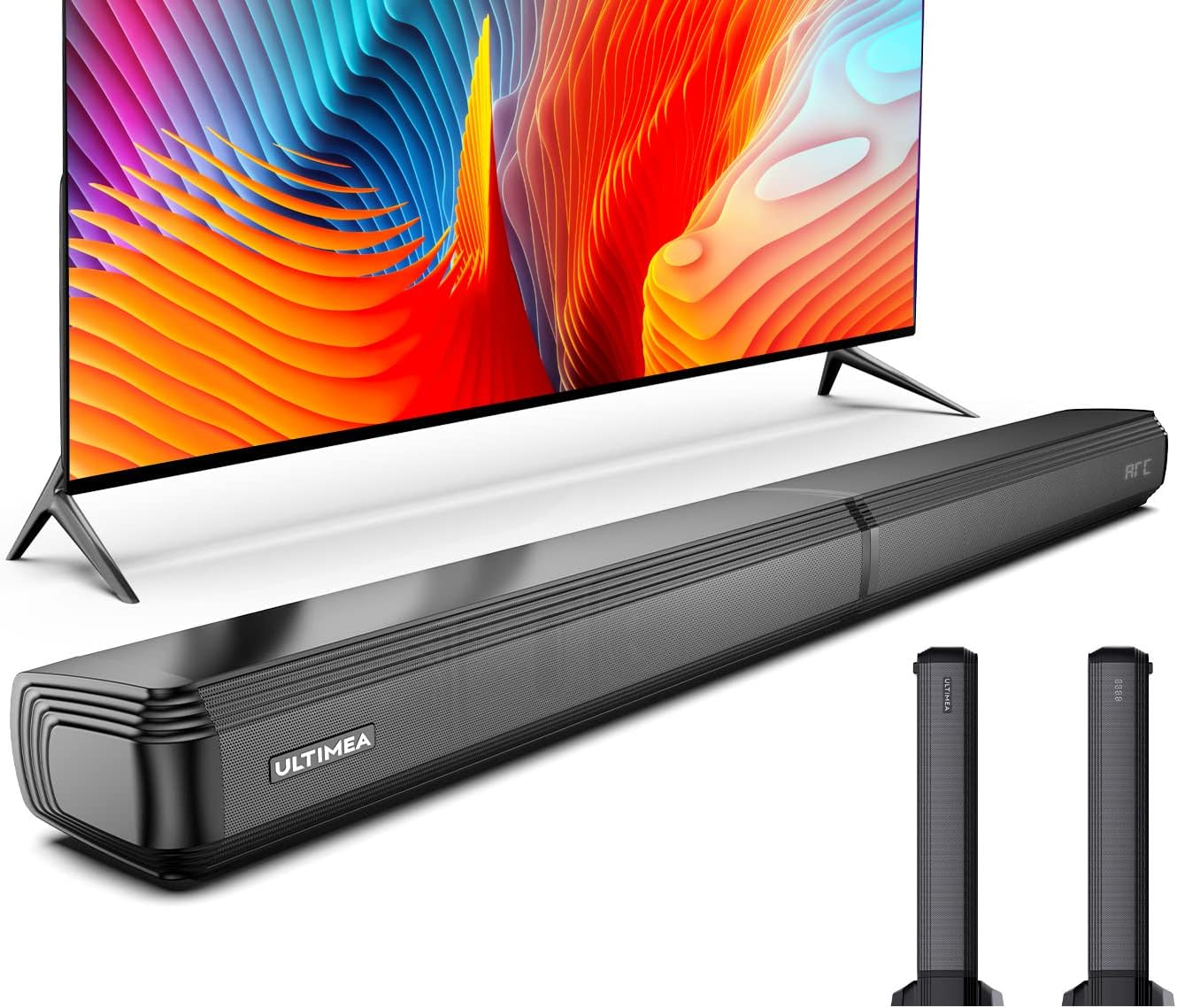
Image: The ULTIMEA Apollo S40 soundbar shown as a single unit, placed horizontally below a television. Two detached vertical speakers are shown separately to the right, illustrating the soundbar's versatile configuration.
2. Key Features
- 2.2 Channel Audio: Features 2 built-in subwoofers and 2 tweeters for powerful, balanced sound with enhanced bass and clear treble. An additional interface is available for connecting an external subwoofer (not included).
- Detachable Design: The soundbar can be used as a single horizontal unit or split into two vertical speakers, offering flexible placement options to suit your room layout and aesthetic preferences.
- Customizable Sound Modes: Offers dedicated equalizer settings for various content types, including Movie, Music, News/Dialogue, Night Mode, HiFi, and Dynamic modes, allowing for optimized audio playback.
- Advanced DSP Chip: Incorporates an updated 2023 DSP chip to ensure clear, static-free audio reproduction, delivering every sound and word as intended.
- Multiple Connectivity Options: Equipped with ARC, Optical, AUX, and USB ports. All necessary cables are included for convenient setup.
- Bluetooth 5.0: Provides fast and stable wireless connectivity with a range of up to 45 feet, allowing for easy streaming from compatible devices.
- CEC Synchronization: Enables simultaneous control of your TV and soundbar via a single ARC connection, simplifying power and volume adjustments with fewer remotes.

Image: A living room scene showing the ULTIMEA Apollo S40 soundbar positioned horizontally beneath a television, with a couple enjoying the audio experience. This illustrates the soundbar's integration into a home entertainment setup.

Image: A family is shown relaxing on a sofa, watching a television. The ULTIMEA Apollo S40 soundbar is visible below the TV, with visual effects suggesting sound waves filling the room, emphasizing the immersive audio experience.

Image: A detailed close-up of one of the ULTIMEA Apollo S40's speakers, showcasing its internal structure and design optimized for crisp and clear audio output.
3. Setup and Installation
3.1 Unpacking and Components
Carefully unpack all components from the box. Verify that all items listed below are present:
- 1 x Soundbar Unit (detachable)
- 2 x Bases (for vertical speaker setup)
- 1 x Power Adapter
- 1 x ARC Cable
- 1 x Digital Optical Cable
- 1 x Stereo RCA to 3.5mm Cable
- 1 x Stereo RCA to RCA Audio Cable (100mm)
- 1 x Stereo RCA to RCA Audio Cable (2.5m)
- 2 x Wall Mount Sets
- 2 x Wall Brackets
- 1 x Remote Control
- 1 x Quick Start Guide
3.2 Placement Options
The Apollo S40 offers versatile placement options:
- Desktop Placement (Single Unit): Place the soundbar horizontally on a flat surface in front of your TV.
- Wall Mount (Single Unit): Use the provided wall mount sets and brackets to mount the soundbar horizontally below your TV.
- L/R Desktop (Detached Speakers): Separate the soundbar into two vertical speakers and place each on a flat surface, such as a desk or cabinet, on either side of your TV. Attach the provided bases to each speaker for stability.
- L/R Wall Mount (Detached Speakers): Separate the soundbar into two vertical speakers and use the wall mount sets to mount them vertically on the wall, on either side of your TV.

Image: A visual guide demonstrating the four primary setup configurations for the ULTIMEA Apollo S40 soundbar: horizontal desktop placement, horizontal wall mount, detached vertical speakers on a desktop, and detached vertical speakers wall-mounted.

Image: The ULTIMEA Apollo S40 soundbar is shown in its detached configuration, with the two vertical speakers placed on a wooden media console flanking a television. This highlights the space-saving and flexible setup possibilities of the detachable design.
3.3 Connecting the Soundbar
Connect the soundbar to your TV or other audio source using one of the following methods:
- ARC (Recommended): Connect one end of the ARC cable to the ARC port on the soundbar and the other end to the ARC/eARC port on your TV. This connection supports CEC for synchronized control.
- Optical: Connect one end of the optical cable to the OPTICAL port on the soundbar and the other end to the Optical Digital Audio Out port on your TV.
- AUX: Use the 3.5mm to RCA cable to connect the AUX port on the soundbar to the audio output (RCA L/R) on your TV or other device.
- USB: Insert a USB drive into the USB port to play audio files directly from the drive.
- Bluetooth:
- Power on the soundbar.
- Press the Bluetooth button on the remote or the soundbar to enter Bluetooth pairing mode. The indicator light will flash.
- On your device (smartphone, tablet, etc.), enable Bluetooth and search for "ULTIMEA Apollo S40".
- Select the soundbar to pair. Once connected, the indicator light will turn solid.

Image: A detailed diagram illustrating the available input ports on the ULTIMEA Apollo S40 soundbar, including DC IN, ARC, Optical, AUX, USB, a reserved subwoofer port, and analog L/R channels. Below, a smartphone screen shows the Bluetooth pairing process, with a visual representation of the soundbar connecting wirelessly to various devices in different rooms.
4. Operating the Soundbar
4.1 Power On/Off
Press the Power button on the remote control or the soundbar to turn the unit on or off.
4.2 Volume Control
Use the Volume Up (+) and Volume Down (-) buttons on the remote or soundbar to adjust the volume level.
4.3 Input Source Selection
Press the Input button on the remote or soundbar to cycle through available input sources: ARC, Optical, AUX, USB, and Bluetooth.
4.4 Sound Modes (EQ Settings)
The Apollo S40 offers several preset equalizer modes to optimize audio for different content:
- Movie Mode: Enhances cinematic sound effects and dialogue for an immersive movie-watching experience.
- Music Mode: Optimizes audio for music playback, providing balanced tones and clear vocals.
- News/Dialogue Mode: Boosts vocal clarity, making news broadcasts and conversations easier to understand.
- Night Mode: Reduces dynamic range to prevent sudden loud sounds, ideal for late-night listening.
- HiFi Mode: Provides high-fidelity audio reproduction for a pure and accurate sound experience.
- Dynamic Mode: Offers a more energetic and impactful sound profile.
Press the corresponding button on the remote control to select your desired sound mode.

Image: A graphic illustrating the personalized EQ modes available on the ULTIMEA Apollo S40 soundbar. Icons for Movie, Music, News/Dialogue, Night, HiFi, and Dynamic modes are displayed on a TV screen, with the soundbar positioned below, indicating easy selection for different audio experiences.
5. Maintenance
Proper maintenance ensures the longevity and optimal performance of your ULTIMEA Apollo S40 soundbar.
- Cleaning: Use a soft, dry, lint-free cloth to wipe the surface of the soundbar. Do not use liquid cleaners, aerosols, or abrasive cleaning agents, as they may damage the finish or internal components.
- Dust Removal: Regularly dust the speaker grilles and vents to prevent dust buildup, which can affect sound quality and airflow. A soft brush or compressed air can be used carefully.
- Placement: Avoid placing the soundbar in direct sunlight, near heat sources, or in areas with high humidity or extreme temperatures. Ensure adequate ventilation around the unit.
- Power Cord: Periodically check the power cord for any signs of damage. If damaged, discontinue use and contact customer support for a replacement.
6. Troubleshooting
If you encounter issues with your soundbar, refer to the following common problems and solutions:
| Problem | Possible Cause | Solution |
|---|---|---|
| No power | Power cord not connected; Power outlet not active | Ensure power cord is securely plugged into the soundbar and a working power outlet. |
| No sound | Incorrect input source; Volume too low; Cables not connected properly; TV audio settings incorrect |
|
| Distorted sound | Volume too high; Poor audio source quality; Interference |
|
| Bluetooth connection issues | Device too far; Not in pairing mode; Interference |
|
| Remote control not working | Batteries dead; Obstruction; Remote not pointed correctly |
|
7. Specifications
| Feature | Detail |
|---|---|
| Model Name | Apollo S40 |
| Model Number | U3300 |
| Speaker Type | Soundbar |
| Surround Sound Channel Configuration | 2.2 |
| Max Speaker Output Power | 200 Watts |
| Connectivity Technology | ARC, Optical, AUX, USB, Bluetooth 5.0 |
| Wireless Communication Technology | Bluetooth |
| Control Method | Touch, Remote Control |
| Power Source | Corded Electric |
| Product Dimensions | 27 x 15.5 x 44 cm; 3.6 kg |
| Mounting Type | Wall Mount, Tabletop Mount |
| Recommended Use | For televisions |
| Compatible Devices | Smartphone |
| Speaker Amplification Type | Active |
8. Warranty Information
The ULTIMEA Apollo S40 Soundbar comes with a Limited Warranty. Please refer to the quick start guide included in your package or visit the official ULTIMEA website for detailed terms and conditions of the warranty.
9. Customer Support
For technical assistance, troubleshooting beyond this manual, or warranty claims, please contact ULTIMEA customer support. You can typically find contact information on the official ULTIMEA website or in the product packaging.
Visit the official ULTIMEA store on Amazon: ULTIMEA Store


