
1. Introduction
This manual provides detailed instructions for the installation, operation, and maintenance of your Energeeks Guardian EG-CIPEXT002 Outdoor WiFi IP Camera. This camera is designed for outdoor surveillance, offering features such as high-resolution video, motion detection with human filtering, two-way audio, and night vision. Please read this manual thoroughly before using the product to ensure proper functionality and safety.
2. Safety Information
- Ensure the power supply is disconnected before installation or maintenance.
- Use only the power adapter provided with the camera.
- Do not expose the camera to extreme temperatures or corrosive environments.
- Avoid placing the camera in direct sunlight for prolonged periods, as this may affect performance.
- Ensure all cables are properly secured to prevent tripping hazards or damage.
- This product is rated IP65 for water resistance, meaning it is protected against dust and low-pressure water jets. Do not submerge the camera in water.
3. Package Contents
Verify that all items are present in the package:
- Energeeks Guardian EG-CIPEXT002 IP Camera
- Wall Mounting Bracket
- Power Adapter (Transformer)
- Mounting Screws and Wall Plugs
- User Manual (this document)

Image: The product box for the Energeeks Guardian EG-CIPEXT002 camera, showing the camera and its features.
4. Setup and Installation
4.1 Physical Installation
- Choose a Location: Select an outdoor location that provides the desired viewing angle and is within range of your Wi-Fi network. Ensure the camera is mounted securely and has access to a power outlet.
- Mount the Bracket: Use the provided wall mounting bracket, screws, and wall plugs to securely attach the bracket to the chosen surface.
- Attach the Camera: Secure the camera to the mounted bracket.
- Connect Power: Connect the power adapter to the camera and plug it into a suitable outdoor power outlet.
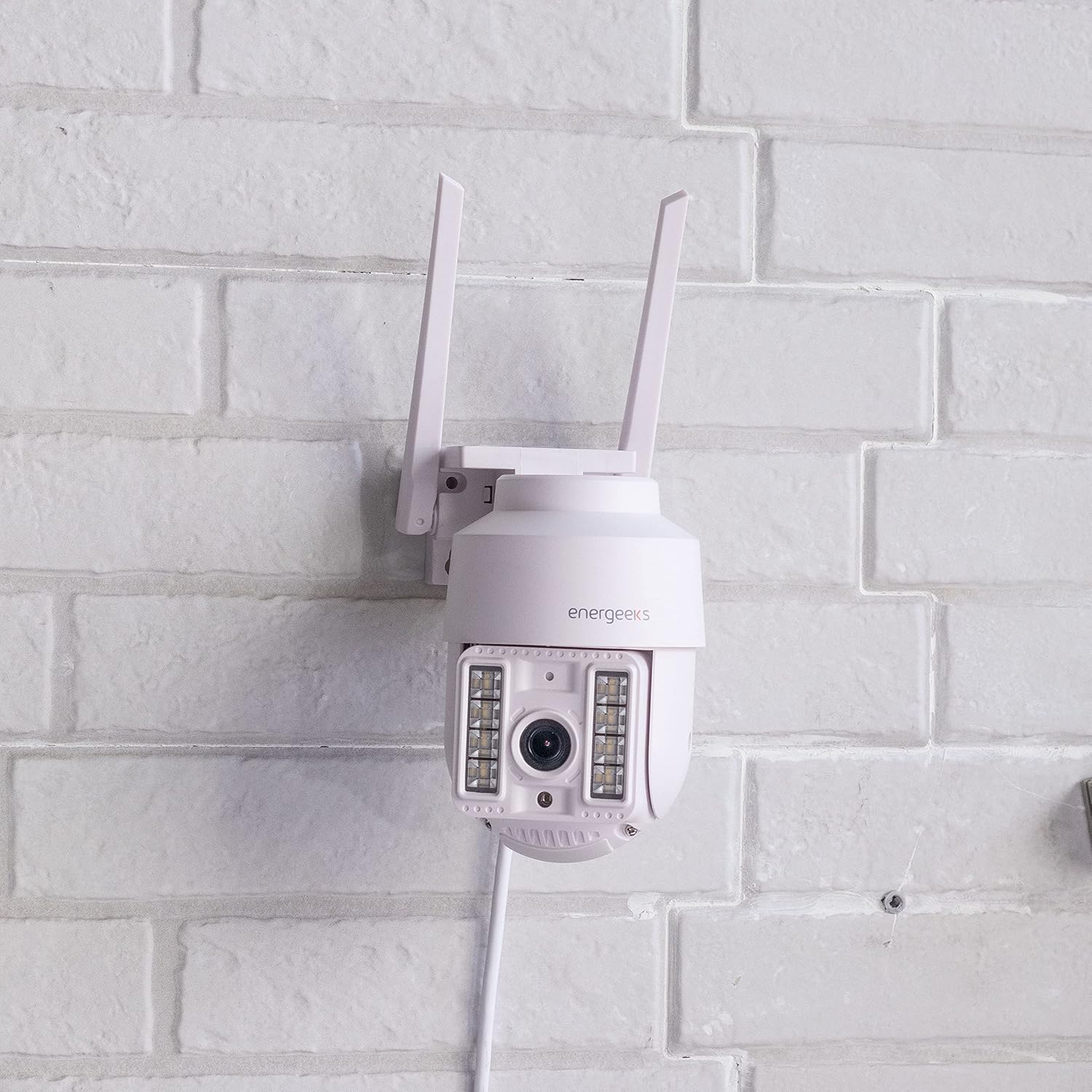
Image: The Energeeks Guardian EG-CIPEXT002 camera mounted on a white brick wall, showing its outdoor installation.

Image: The Energeeks Guardian EG-CIPEXT002 camera mounted on a white brick wall, with its integrated lights illuminated.
4.2 Network Connection
- Download the App: Search for the "Energeeks 3.0" app on Google Play Store or Apple App Store and install it on your smartphone.
- Create an Account: Open the app and follow the on-screen instructions to create a new user account or log in if you already have one.
- Add Device: In the app, select "Add Device" or the "+" icon. Choose "Security Camera" or the relevant camera type.
- Connect to Wi-Fi: Follow the app's instructions to connect the camera to your 2.4GHz Wi-Fi network. This typically involves scanning a QR code displayed on your phone with the camera.
- (Optional) Wired Connection: The camera also supports an RJ45 Ethernet connection for a stable wired network connection. Connect an Ethernet cable from your router to the camera's RJ45 port.
5. Operating Instructions
5.1 Live View and Control
- Open the Energeeks 3.0 app and select your camera from the device list.
- You will see a live feed from the camera.
- Use the on-screen controls to pan (355° horizontal) and tilt (90° vertical) the camera lens to adjust the viewing angle.
5.2 Key Features
- High-Resolution Video: Records in Super HD 3 Megapixel (1296p) resolution for clear images.
- Motion Detection with Human Filter: The camera detects movement and can specifically filter for human shapes, reducing false alarms. Notifications are sent to your smartphone upon detection.
- Night Vision: Equipped with infrared LEDs for clear vision in low-light conditions. Integrated lights can also be activated.
- Two-Way Audio: Use the app to listen to the camera's surroundings and speak through the camera's built-in speaker.
- Local Storage: Supports recording to a MicroSD card (not included). Insert the card into the designated slot on the camera.
- Cloud Storage: Optional cloud storage service is available (subscription required) for secure off-site video backup.
- Integrated Siren: The camera features an integrated siren that can be activated manually or automatically upon detection to deter intruders.
- Smart Home Integration: Compatible with Google Home and Amazon Alexa for voice control and integration into smart home routines.
6. Maintenance
- Cleaning: Periodically clean the camera lens and housing with a soft, damp cloth. Do not use harsh chemicals or abrasive cleaners.
- Firmware Updates: Check the Energeeks 3.0 app regularly for available firmware updates. Keeping the firmware updated ensures optimal performance and security.
- Cable Inspection: Regularly inspect power and network cables for any signs of wear or damage. Replace damaged cables immediately.
7. Troubleshooting
| Problem | Possible Cause | Solution |
|---|---|---|
| Camera not connecting to Wi-Fi | Incorrect Wi-Fi password; Camera too far from router; Router is 5GHz only; Network interference. | Verify Wi-Fi password; Move camera closer to router; Ensure router supports 2.4GHz (camera only supports 2.4GHz); Reduce interference from other devices. |
| Poor image quality | Dirty lens; Low light conditions; Poor network connection. | Clean the camera lens; Ensure night vision is active in low light; Check Wi-Fi signal strength or use wired connection. |
| Motion detection not working | Motion detection disabled in app; Sensitivity set too low; Incorrect detection zone. | Enable motion detection in the app settings; Adjust sensitivity; Configure detection zones correctly. |
| Two-way audio not functioning | Microphone/speaker muted in app; App permissions not granted. | Check audio settings in the app; Ensure the app has microphone permissions on your phone. |
8. Specifications
| Feature | Detail |
|---|---|
| Model Number | EG-CIPEXT002 |
| Video Recording Resolution | 1296p (3 Megapixel Super HD) |
| Pan/Tilt Movement | 355° Horizontal / 90° Vertical |
| Water Resistance Rating | IP65 |
| Connectivity Technology | Wi-Fi (2.4GHz), RJ45 Ethernet |
| Special Features | Two-way audio, Motion detection with human filter, Night vision, Integrated siren, Integrated lights |
| Compatible Devices | Google Home, Amazon Alexa |
| Power Source | Electric Cable |
| Dimensions (L x W x H) | 12 x 14 x 18 cm |
| Weight | 570 grams |
| Components Included | Camera, Wall Mounting Bracket, Power Adapter |
9. Warranty and Support
For warranty information and technical support, please refer to the documentation provided with your purchase or visit the official Energeeks website. Information regarding spare parts availability is not provided at this time. Please retain your proof of purchase for warranty claims.