
1. Introduction
The MCSYPOAL Microcurrent Facial Device JY-186 is designed to provide a comprehensive facial and body massage experience. Utilizing mild microcurrent and gentle vibration, this device aims to revitalize facial muscles, improve skin elasticity, and reduce the appearance of wrinkles and fine lines. It features 5 different modes to cater to various skincare needs.

Image 1.1: The device utilizes microcurrent and vibration to target skin concerns like wrinkles and sagging.
2. Safety Information
- Read all instructions before using the device.
- Do not use the device on broken, irritated, or infected skin.
- Consult a physician before use if you have any medical conditions, including but not limited to epilepsy, heart conditions, pacemakers, or if you are pregnant.
- Keep the device away from water and do not immerse it.
- Keep out of reach of children.
- Discontinue use if you experience any discomfort or adverse reactions.
- Use only the provided charging cable and adapter.
3. Package Contents
Please check the package for the following items:
- 1 x MCSYPOAL Microcurrent Facial Device JY-186
- 1 x USB-C Charging Cable
- 1 x Device Holder/Base
- 1 x User Manual

Image 3.1: The package includes the device, charging cable, device holder, and user manual.
4. Device Overview
Familiarize yourself with the different parts of your MCSYPOAL Microcurrent Facial Device:

Image 4.1: Key components include the Massage Roller, Indicator Light, Power Button & Modes Adjustment, USB Charging Port, and Device Base.
- Massage Roller: Features a 360° rotating V-shaped design for effective skin contact.
- Indicator Light: Displays device status (e.g., charging, operating mode).
- Power Button & Modes Adjustment: Used to turn the device on/off and cycle through the 5 microcurrent and vibration modes.
- USB Charging Port: USB-C port for charging the device.
- Device Base: Provides a stable resting and charging position for the device.
5. Setup
5.1 Charging the Device
- Place the device onto its base.
- Connect the provided USB-C charging cable to the device's charging port and a suitable USB power adapter (not included).
- Charge the device completely for approximately 1.5 hours. The indicator light will typically turn blue when fully charged (or change from red to blue).

Image 5.1: The device charging on its base.
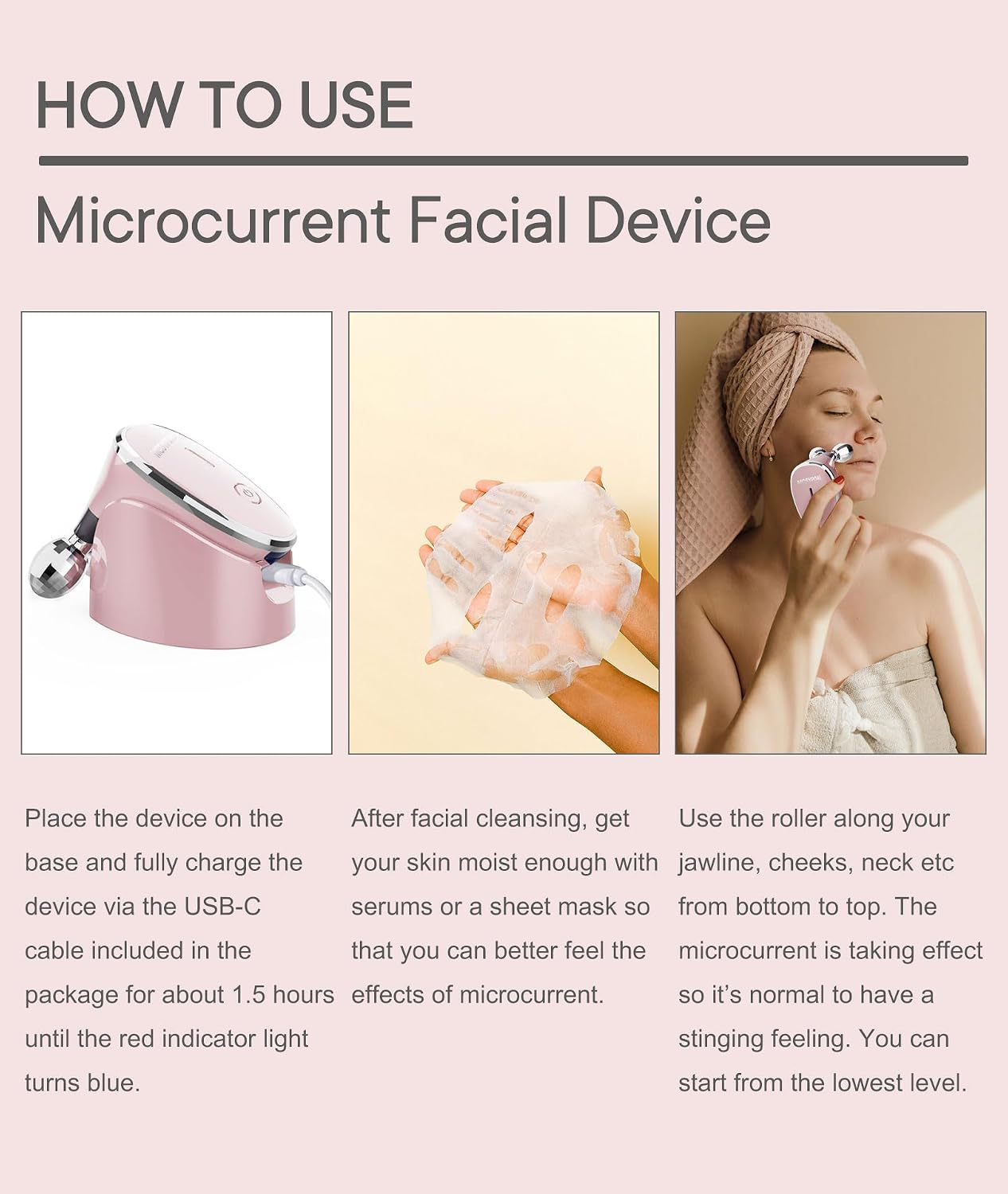
Image 5.2: Visual guide for charging the device and preparing your skin.
6. Operating Instructions
6.1 Preparing Your Skin
Before each use, ensure your skin is clean and adequately moisturized. Apply your preferred lotion, cream, or serum to the areas you intend to treat. This helps conduct the microcurrent effectively and allows for better nutrient absorption.
6.2 Using the Device
- Press and hold the Power Button to turn on the device.
- The device will start at the lowest intensity setting. You can cycle through the 5 available modes by pressing the Power Button briefly.
- Gently roll the device along your jawline, cheeks, neck, and other desired areas. Move the rollers from bottom to top, following the natural contours of your face and body.
- A mild tingling sensation is normal as the microcurrent takes effect. If the sensation is too strong, reduce the intensity.
- Use the device for approximately 10 minutes per day for optimal results.
- After use, press and hold the Power Button to turn off the device.
Image 6.1: Step-by-step guide on how to apply the device to your face after skin preparation.
7. Maintenance
7.1 Cleaning
- After each use, wipe the massage rollers with a soft, damp cloth.
- Do not use abrasive cleaners or harsh chemicals.
- Ensure the device is completely dry before storing.
7.2 Storage
- Store the device in a cool, dry place, away from direct sunlight.
- Keep the device on its holder when not in use to protect the rollers.
8. Troubleshooting
| Problem | Possible Cause | Solution |
|---|---|---|
| Device does not turn on | Low battery or not charged | Charge the device fully for 1.5 hours. |
| No microcurrent sensation | Skin is too dry or intensity is too low | Apply more conductive lotion/serum. Increase the intensity setting. |
| Device stops working during use | Low battery | Recharge the device. |
9. Specifications
- Model Number: JY-186
- Dimensions: 14.1 x 9.3 x 8.41 cm
- Weight: Approximately 340 grams
- Material: Metal
- Power Source: Battery Powered
- Charging Time: Approximately 1.5 hours for a full charge
- UPC: 704771653396
10. Warranty and Support
10.1 Warranty Information
The MCSYPOAL Microcurrent Facial Device JY-186 comes with a one-year warranty from the date of purchase. This warranty covers manufacturing defects under normal use. It does not cover damage caused by misuse, accidents, unauthorized modifications, or normal wear and tear.
10.2 Customer Support
For any questions, concerns, or warranty claims, please contact MCSYPOAL customer service. We aim to respond to all inquiries within 24 hours.
Please refer to your purchase documentation for specific contact details.