1. Introduction
This manual provides essential instructions for the setup, operation, and maintenance of your Generic Replacement IR Remote Control. This remote is designed as a direct infrared (IR) replacement for specific PA DJ speaker systems, including the Dixon MS-8009PO, EMB Tower1-10LBT, EMB PKL5000, and Dual TTD-2807. No programming or code setup is required for compatible models; simply insert batteries and begin use.
Please ensure your speaker system is listed as compatible before use. If your model is not listed, this remote may not function correctly.
2. Product Overview
The replacement remote control features a standard layout for easy navigation and control of your compatible speaker system. Familiarize yourself with the buttons and their functions as described below.

Figure 2.1: Front View of Remote Control. This image displays the front face of the remote control, highlighting the button layout including power, mode, volume, track controls, EQ, and a numeric keypad.

Figure 2.2: Back View of Remote Control. This image shows the rear of the remote control, which is a plain black surface, indicating where the battery compartment is typically located.
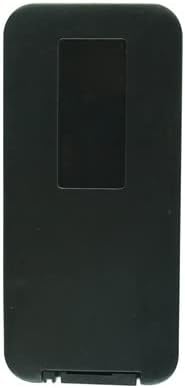
Figure 2.3: Remote Control with Mounting Clip. This image presents the remote control next to an included mounting clip, which can be used for convenient storage or attachment.
Button Functions:
- Power (Ⓢ): Turns the speaker system on or off.
- Mode: Cycles through input modes (e.g., Bluetooth, USB, SD, FM Radio, AUX).
- Mute (🔇): Mutes or unmutes the audio output.
- Play/Pause (►▮▮): Plays or pauses the current track.
- Previous Track (◀◀): Skips to the beginning of the current track or the previous track.
- Next Track (►►): Skips to the next track.
- EQ (EQ): Adjusts the equalizer settings (if supported by the speaker).
- VOL- / VOL+: Decreases or increases the volume level.
- Numeric Keypad (0-9): Used for direct track selection or FM radio frequency input.
- RPT (Repeat): Toggles repeat modes (e.g., repeat one, repeat all).
- SCAN: Initiates an automatic scan for FM radio stations.
3. Setup
Battery Installation:
- Locate the battery compartment on the back of the remote control.
- Slide open the battery compartment cover.
- Insert one (1) CR2 battery, ensuring the correct polarity (+ and -) as indicated inside the compartment. Note: Batteries are not included with the remote control.
- Close the battery compartment cover securely.
Your remote control is now ready for use. No additional pairing or programming is required for compatible speaker systems.
4. Operating Instructions
To operate your speaker system with the remote control:
- Point the remote control directly at the infrared receiver on your speaker system. Ensure there are no obstructions between the remote and the speaker.
- Press the desired function button (e.g., Power, Volume Up, Mode) to control the speaker.
- Maintain a reasonable distance from the speaker for optimal performance. The effective range typically extends up to 15-20 feet (4.5-6 meters) with a clear line of sight.
5. Maintenance
Cleaning:
Wipe the remote control with a soft, dry cloth. Do not use liquid cleaners or abrasive materials, as these can damage the remote's surface or internal components.
Battery Replacement:
Replace the CR2 battery when the remote's response becomes sluggish or stops working. Always dispose of used batteries responsibly according to local regulations.
Storage:
When not in use for extended periods, remove the battery to prevent leakage and potential damage to the remote control. Store the remote in a cool, dry place away from direct sunlight and extreme temperatures.
6. Troubleshooting
- Remote not responding:
- Check if the battery is inserted correctly with the proper polarity.
- Replace the CR2 battery with a new one.
- Ensure there is a clear line of sight between the remote and the speaker's IR receiver.
- Verify that the remote is compatible with your specific speaker model.
- Limited range or intermittent response:
- The battery may be low; replace it.
- Ensure no strong light sources (like direct sunlight or bright fluorescent lights) are interfering with the IR signal.
- Reduce the distance between the remote and the speaker.
- Remote controls some functions but not others:
- This may indicate partial compatibility. Refer to your speaker's original manual for remote control functions.
7. Specifications
- Controller Type: Infrared (IR) Remote Control
- Connectivity Technology: Infrared (IR) (Note: While some speaker systems may use Bluetooth for audio, this remote operates via IR.)
- Battery Type: 1 x CR2 (not included)
- Manufacturer: SZHKHXD
- Compatible Models: Dixon MS-8009PO, EMB Tower1-10LBT, EMB PKL5000, Dual TTD-2807 PA DJ Speaker Systems
- Special Feature: Portable
- Color: Random (as supplied by manufacturer)
8. Warranty and Support
For warranty information, returns, or technical support regarding this replacement remote control, please contact the original seller or the manufacturer, SZHKHXD, directly. Keep your purchase receipt as proof of purchase.


