
1. Introduction
Thank you for choosing the Saiyin 24-inch Sound Bar. This manual provides detailed instructions for setting up, operating, and maintaining your new sound bar to ensure optimal performance and longevity. Please read this manual thoroughly before use and retain it for future reference.

Image: The Saiyin 24-inch Sound Bar shown with its included remote control, highlighting its sleek black design.
2. Safety Information
To reduce the risk of electric shock, fire, or damage to the unit, please observe the following safety precautions:
- Do not expose this appliance to rain or moisture.
- Do not place objects filled with liquids, such as vases, on the appliance.
- Ensure proper ventilation. Do not block any ventilation openings.
- Do not install near any heat sources such as radiators, heat registers, stoves, or other apparatus (including amplifiers) that produce heat.
- Protect the power cord from being walked on or pinched, particularly at plugs, convenience receptacles, and the point where they exit from the appliance.
- Only use attachments/accessories specified by the manufacturer.
- Unplug this appliance during lightning storms or when unused for long periods of time.
- Refer all servicing to qualified service personnel. Servicing is required when the apparatus has been damaged in any way, such as power-supply cord or plug is damaged, liquid has been spilled or objects have fallen into the apparatus, the apparatus has been exposed to rain or moisture, does not operate normally, or has been dropped.
3. Package Contents
Please check the box for the following items:
- Detachable Soundbar
- Power Cord
- Remote Control
- Optical Cable
- 3.5mm to 3.5mm Audio Cable
- User Manual
- Mount Screws (for wall mounting)

Image: A visual representation of all items included in the Saiyin Sound Bar package, such as the sound bar, remote, cables, power adapter, user manual, and mount screws.
4. Product Overview
4.1. Sound Bar Components
The Saiyin Sound Bar features a sleek design with integrated controls and various input ports for versatile connectivity.

Image: A close-up view of the sound bar's central display, showing LED indicators for different input modes: OPT (Optical), ARC (HDMI ARC), BT (Bluetooth), and AUX.
4.2. Dimensions
The sound bar measures approximately 24 inches (L) x 3.5 inches (W) x 2.5 inches (H), making it suitable for various TV sizes.

Image: A visual comparison demonstrating the Saiyin Sound Bar's compact size relative to various TV screen sizes, including 24, 32, 40, and 42 inches.
5. Setup
5.1. Placement
The sound bar can be placed on a desktop or mounted on a wall. Ensure it is positioned centrally below your TV for the best audio experience.
- Desktop Placement: Place the sound bar on a stable, flat surface in front of your TV. Ensure it does not block the TV's remote sensor.
- Wall Mounting: Use the included mount screws to secure the sound bar to the wall. Refer to the wall mounting template (if provided in packaging) for precise drilling locations.

Image: The Saiyin Sound Bar positioned neatly on a media console beneath a wall-mounted television in a living room setting.
5.2. Connecting to Your TV
The Saiyin Sound Bar offers multiple connection options:

Image: An illustration showing the various connectivity options for the Saiyin Sound Bar: Optical, HDMI (ARC), Bluetooth, and AUX.
- HDMI (ARC): For the best audio quality and TV remote control integration, connect an HDMI cable (not supplied) from your TV's HDMI ARC port to the sound bar's HDMI ARC port. The sound bar's indicator will light up White for this input.
- Optical: Connect the supplied optical cable from your TV's optical output to the sound bar's optical input. The sound bar's indicator will light up Purple for this input.
- AUX: Connect the supplied 3.5mm audio cable from your TV's headphone jack or AUX output to the sound bar's AUX input. The sound bar's indicator will light up Green for this input.
5.3. Bluetooth Pairing
To connect your mobile device via Bluetooth:
- Press the 'BT' button on the remote control or the sound bar to switch to Bluetooth mode. The sound bar's indicator will light up Blue and flash, indicating it's in pairing mode.
- On your mobile device, enable Bluetooth and search for 'Saiyin Sound Bar'.
- Select 'Saiyin Sound Bar' from the list of available devices to pair. Once connected, the blue indicator will stop flashing and remain solid.

Image: The Saiyin Sound Bar connected via Bluetooth, with a smartphone displaying music playback, illustrating wireless audio streaming.
5.4. TV Audio Settings
For optimal sound quality, especially when using Optical or HDMI ARC connections, ensure your TV's audio output settings are configured correctly. The Saiyin Sound Bar is not compatible with Dolby and DTS audio formats.
- Navigate to your TV's audio settings menu.
- Select the sound output to either HDMI(ARC) or Optical, depending on your connection.
- Change the Digital Output Audio Format to PCM or Stereo.

Image: A diagram illustrating how to adjust TV audio settings, specifically selecting HDMI(ARC)/Optical as sound output and setting Digital Output Audio Format to PCM, along with a depiction of a TV's rear panel showing HDMI ARC and Optical ports.
6. Operating Instructions
6.1. Power On/Off
Press the power button on the sound bar or the remote control to turn the unit on or off.
6.2. Input Selection
Press the 'Input' button on the sound bar or the corresponding input buttons (OPT, ARC, BT, AUX) on the remote control to switch between different audio sources. The LED indicator on the sound bar will change color to reflect the active input:
- Optical: Purple
- HDMI (ARC): White
- Bluetooth: Blue
- AUX: Green
6.3. Volume Control
Use the 'Volume +' and 'Volume -' buttons on the sound bar or the remote control to adjust the volume level.
6.4. Sound Modes
The sound bar features three customized sound modes optimized for different content types:
- Music Mode: Enhances musical clarity and bass.
- Movie Mode: Provides a more immersive cinematic experience with enhanced dialogue and surround effects.
- News Mode: Optimizes vocal clarity for news broadcasts and talk shows.
Press the 'Music', 'Movie', or 'News' buttons on the remote control to select the desired sound mode.

Image: A hand holding the Saiyin Sound Bar remote control, with a TV screen in the background displaying three distinct sound modes: Music, Movie, and News, each with corresponding visual content.
6.5. Remote Control
The included remote control provides full functionality for the sound bar. Ensure the remote is pointed directly at the sound bar's sensor for optimal response.

Image: A close-up of the Saiyin Sound Bar's remote control, showing its various buttons for power, volume, input selection, and sound modes.
7. Maintenance
To keep your Saiyin Sound Bar in optimal condition:
- Clean the surface with a soft, dry cloth. Do not use abrasive cleaners or solvents.
- Avoid exposing the sound bar to extreme temperatures or humidity.
- Do not attempt to disassemble the unit. Refer all servicing to qualified personnel.
8. Troubleshooting
If you encounter issues with your sound bar, please refer to the following common solutions:
| Problem | Possible Cause / Solution |
|---|---|
| No sound from the sound bar. |
|
| Sound is distorted or buzzing. |
|
| Remote control not working. |
|
| Bluetooth pairing fails. |
|
9. Specifications
| Feature | Description |
|---|---|
| Model Name | Detachable Sound Bar for Smart TV |
| Speaker Type | Soundbar |
| Speaker Maximum Output Power | 100 Watts |
| Connectivity Technology | HDMI (ARC), Optical, AUX, Bluetooth |
| Wireless Communication Technology | Bluetooth 5.3 |
| Bluetooth Range | 10 Meters |
| Audio Output Mode | Stereo |
| Surround Sound Channel Configuration | 2.0 |
| Product Dimensions | 5"D x 24"W x 4"H |
| Item Weight | 3.75 Pounds |
| Control Method | Remote, Button |
| Power Source | Corded Electric |
| Mounting Type | Wall Mount |
| Compatible Devices | Desktop, Gaming Console, Home Theater, Projector, Television |
10. Warranty and Customer Support
Saiyin provides lifetime technical support for its products. For any inquiries, technical assistance, or warranty claims, please contact our customer support team.
- Warranty: Up to 12-month warranty.
- Return Policy: 30-day free return.
- Services: 24/7 E-mail assistance.
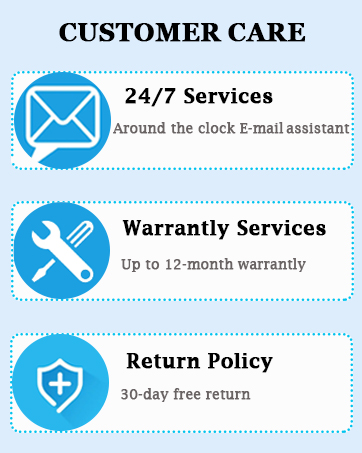
Image: A graphic detailing Saiyin's customer care services, including 24/7 email support, up to 12-month warranty services, and a 30-day free return policy.
Please refer to the contact information provided in your product packaging or visit the official Saiyin website for the most up-to-date support details.


