
Introduction
Thank you for choosing the PINDOWS Digital Sports Watch. This manual provides detailed instructions for the setup, operation, and maintenance of your new watch. Designed for durability and functionality, this watch features a digital and analog display, LED backlight, stopwatch, countdown timer, and 50-meter water resistance, making it suitable for various activities.
Product Overview
Watch Dimensions
The PINDOWS Digital Sports Watch features a robust design with clear dimensions for a comfortable fit.
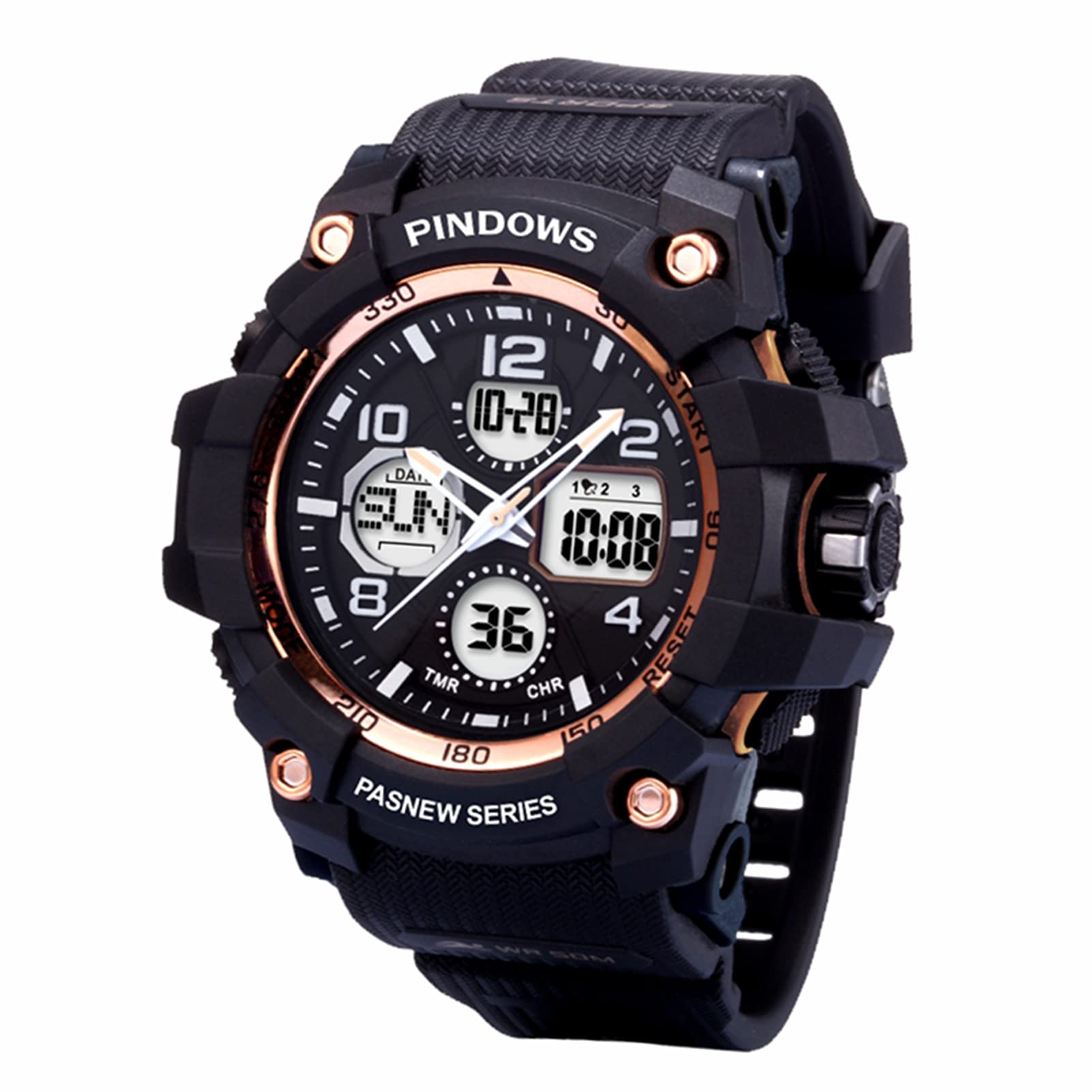
Image: Watch dimensions showing overall length of 10.77 inches, strap lengths of 5.31 inches and 3.42 inches, and watch face width of 2.04 inches. The watch face diameter is 2.16 inches, thickness is 0.66 inches, and strap width is 0.86 inches. The strap circumference adjusts from a minimum of 1.45 inches to a maximum of 2.4 inches.
Button Functions and Display
Familiarize yourself with the watch's buttons and display areas for optimal use.

Image: Diagram illustrating the watch's buttons and display features. From left to right: Light Button (top left), Mode Button (bottom left), Date Display, Week Display, Time Display, Rotating Crown (right side, center), Start/Pause Button (top right), and Adjustment Button (bottom right).
- Light Button: Activates the LED backlight.
- Mode Button: Cycles through different modes (Time, Stopwatch, Alarm, Countdown).
- Start/Pause Button: Used to start and pause functions like the stopwatch.
- Adjustment Button: Used to adjust settings in various modes.
- Rotating Crown: Primarily for analog time adjustment.
Setup
Initial Time and Date Setting
- In Timekeeping Mode, press the Mode Button until the setting indicators (e.g., seconds, hour, minute) begin to flash.
- Use the Adjustment Button to cycle through the settings you wish to change (seconds, hour, minute, year, month, day).
- Use the Start/Pause Button to increase the selected value. Hold to rapidly advance.
- Once all settings are correct, press the Mode Button again to exit the setting mode.
Analog Time Adjustment
Pull out the Rotating Crown on the right side of the watch. Rotate the crown to set the analog hands to the correct time. Push the crown back in to finalize the setting.
Operating Instructions
Mode Switching
Press the Mode Button (bottom left) to cycle through the following modes:
- Timekeeping Mode (displays current time, date, and day of the week)
- Stopwatch Mode
- Alarm Mode (up to 3 alarms)
- Countdown Timer Mode
Using the Stopwatch
- Enter Stopwatch Mode by pressing the Mode Button.
- Press the Start/Pause Button (top right) to start the stopwatch.
- Press the Start/Pause Button again to pause the stopwatch.
- Press the Adjustment Button (bottom right) to reset the stopwatch to zero.
Setting and Using Alarms
- Enter Alarm Mode by pressing the Mode Button.
- Press the Adjustment Button to select the alarm you wish to set (Alarm 1, 2, or 3).
- Press the Start/Pause Button to activate or deactivate the selected alarm.
- To set the alarm time, press and hold the Mode Button until the hour digits flash.
- Use the Start/Pause Button to adjust the hour and the Adjustment Button to switch between hour and minute settings.
- Press the Mode Button to confirm and exit.
Using the Countdown Timer
- Enter Countdown Timer Mode by pressing the Mode Button.
- Press and hold the Mode Button until the countdown time flashes.
- Use the Start/Pause Button to adjust the time and the Adjustment Button to switch between hour, minute, and second settings.
- Press the Mode Button to confirm the setting.
- Press the Start/Pause Button to start or pause the countdown.
- Press the Adjustment Button to reset the countdown.
LED Backlight
Press the Light Button (top left) to illuminate the display for a few seconds, allowing visibility in low-light conditions.

Image: The watch display illuminated by its green LED backlight, showing digital time, date, and day of the week in a dark environment.
Water Resistance Guidelines
This watch is water-resistant up to 50 meters (5 ATM). This means it is suitable for everyday use, showering, and swimming in shallow water. It is not suitable for diving, snorkeling, or high-pressure water activities.
- Do not operate buttons while the watch is submerged in water.
- Avoid exposing the watch to hot water or steam, as this can compromise the seals.
- Ensure the crown is fully pushed in before exposing the watch to water.

Image: The PINDOWS watch submerged in water with bubbles, illustrating its 50-meter water resistance capability.
Maintenance
Cleaning
To maintain the appearance and functionality of your watch, regularly wipe it with a soft, dry cloth. For stubborn dirt, a slightly damp cloth can be used, followed by drying. Avoid using chemical cleaners or solvents.
Battery Replacement
The watch uses a Lithium-metal battery, which typically lasts approximately two years. When the display becomes dim or functions become erratic, it may be time to replace the battery. It is recommended to have the battery replaced by a qualified watch technician to ensure the water resistance seals are properly re-installed.
Strap and Clasp Care
The comfortable resin sports strap and 304 stainless steel crown clasp are designed for durability. Inspect them periodically for wear and tear. Clean the clasp to prevent dirt buildup that could affect its operation.

Image: Close-up views of the watch's anti-corrosion backcover, showing the PINDOWS logo and model number PDS-609, and the exquisite plating clasp on the resin strap.
Troubleshooting
Display is Blank or Dim
- Check if the battery needs replacement.
- Ensure the watch has not been exposed to extreme temperatures.
Buttons Not Responding
- Ensure the watch is not in a locked mode (if applicable, though not specified for this model).
- If the watch was recently exposed to water, ensure it is completely dry.
- A low battery can sometimes affect button responsiveness.
Inaccurate Time
- Re-adjust the digital and analog time settings as described in the Setup section.
- If the issue persists, the battery may be low or the movement may require servicing.
For persistent issues not covered here, please contact customer support.
Specifications
| Feature | Detail |
|---|---|
| Model Number | PDS-609-N2new |
| Display Type | Analog-Digital |
| Movement Type | Japanese Quartz |
| Water Resistance | 50 Meters (5 ATM) |
| Case Material | Acrylonitrile Butadiene Styrene (ABS) |
| Strap Material | Resin / Plastic |
| Clasp Type | Buckle |
| Crystal Material | Acrylic Glass |
| Power Source | Battery (1 Lithium-metal, included) |
| Functions | Chronograph, LED Backlight, Countdown Timer, 3 Alarms, Dual Time Display, Date, Week |
| Product Dimensions | 8.71 x 8.71 x 6.86 cm |
| Product Weight | 132 g |
Warranty and Support
Warranty Information
PINDOWS offers a 12-month warranty service from the date of purchase. This warranty covers manufacturing defects under normal use. It does not cover damage caused by misuse, accidents, unauthorized repairs, or normal wear and tear.
Customer Support
If you have any questions regarding the operation, maintenance, or warranty of your PINDOWS Digital Sports Watch, please refer to the contact information provided with your purchase or visit the official PINDOWS website. We are committed to providing the best possible product service.
