
Lemorele P100L
Contents
Lemorele Wireless HDMI Transmitter and Receiver Kit User Manual
Model: P100L
Introduction
This user manual provides comprehensive instructions for the Lemorele Wireless HDMI Transmitter and Receiver Kit (Model P100L). This device enables wireless transmission of 1080P HD video and audio, eliminating the need for long HDMI cables. It is designed for various applications, including home entertainment, business presentations, and educational settings. Please read this manual thoroughly before using the product to ensure proper operation and longevity.
Product Overview and Components
The Lemorele Wireless HDMI Kit consists of two main components: a Transmitter (TX) and a Receiver (RX). Each unit features an HDMI connector for video/audio input/output and a USB-A connector for power supply.

Image: The Lemorele Wireless HDMI Transmitter and Receiver Kit, showing both the TX and RX units with their HDMI and USB connectors.
Package Contents:
- 1 x Lemorele Wireless HDMI Transmitter (TX)
- 1 x Lemorele Wireless HDMI Receiver (RX)
- 1 x User Manual (this document)
Setup Instructions
The Lemorele Wireless HDMI Kit is designed for plug-and-play operation, requiring no drivers or Wi-Fi connection for basic functionality. Follow these steps for initial setup:
- Connect the Transmitter (TX):
Plug the HDMI connector of the Transmitter (labeled "TX") into the HDMI output port of your source device (e.g., laptop, PC, camcorder, set-top box). Connect the USB-A connector of the TX unit to a USB power source (e.g., a USB port on your source device, a USB wall adapter, or a power bank) to provide power.
- Connect the Receiver (RX):
Plug the HDMI connector of the Receiver (labeled "RX") into the HDMI input port of your display device (e.g., TV, projector, monitor). Connect the USB-A connector of the RX unit to a USB power source (e.g., a USB port on your display device or a USB wall adapter) to provide power.
- Power On Devices:
Ensure both your source device and display device are powered on.
- Automatic Connection:
The Transmitter and Receiver units are pre-paired from the factory. Once both units are powered and connected, they should automatically establish a wireless connection within a few seconds. The indicator lights on both units will show their connection status.

Image: A diagram illustrating the connection of the HDMI Wireless Transmitter (TX) to a laptop, camera, or set-top box, and the HDMI Wireless Receiver (RX) to a projector, TV set, or monitor.

Image: A user connecting the Lemorele Wireless HDMI Transmitter to a laptop, with the display mirrored wirelessly to a large screen, demonstrating the plug-and-play functionality.
Operating Instructions
Once the Transmitter and Receiver are successfully connected, your source device's display will be wirelessly transmitted to your connected display device.
Display Modes:
The system supports common display modes depending on your source device's operating system settings:
- Mirror Mode: The display on your source device is duplicated on the external display. This is ideal for presentations or sharing content directly.
- Extend Mode: The external display acts as an extension of your source device's desktop, allowing you to have more screen real estate. This is useful for multitasking.
You can typically switch between these modes through your computer's display settings (e.g., Windows Display Settings or macOS System Preferences > Displays).
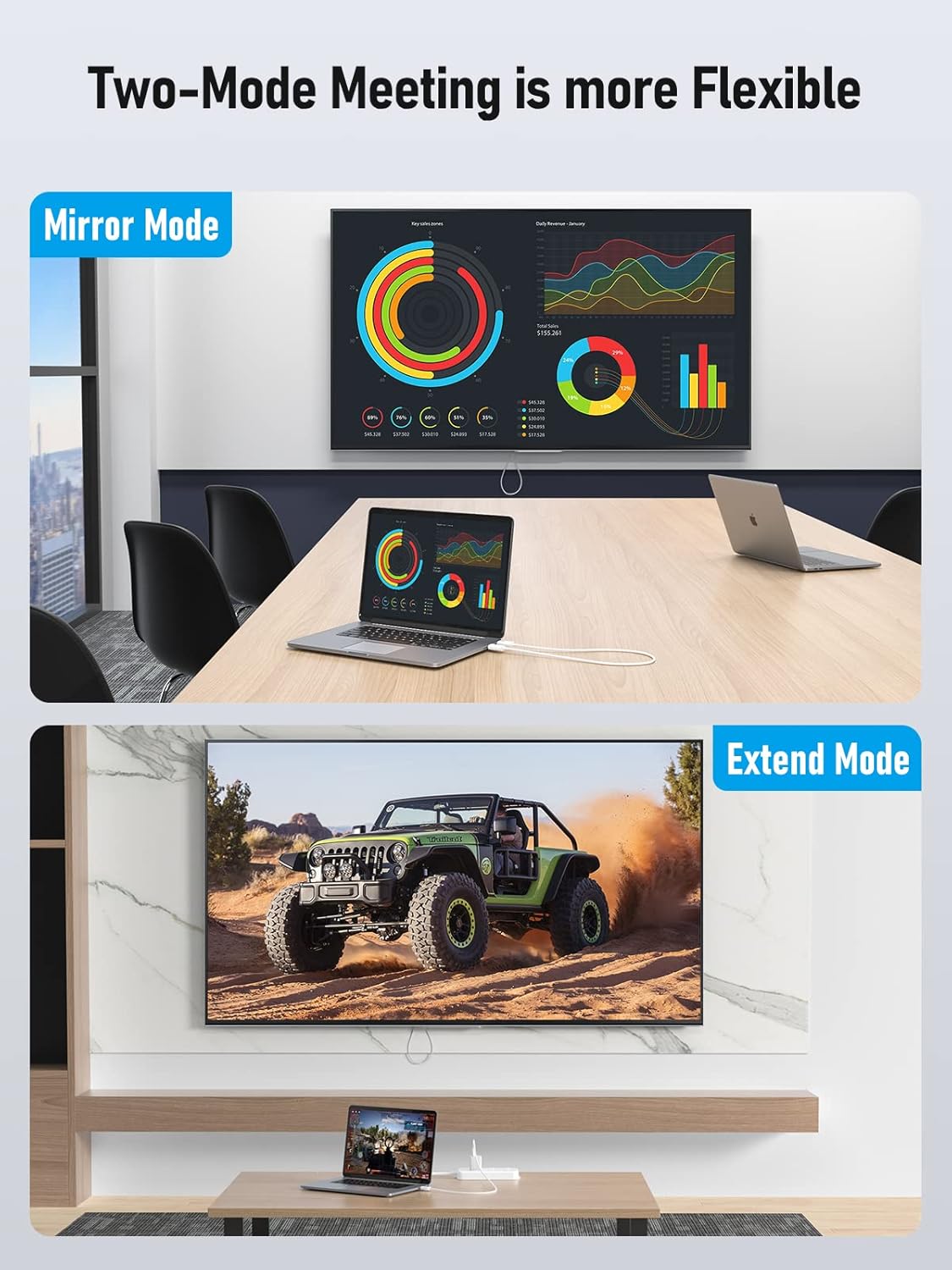
Image: Two scenarios demonstrating display modes: an office meeting setup showing a laptop screen mirrored to a large wall display (Mirror Mode), and a home entertainment setup showing a laptop extending its display to a TV (Extend Mode).
Transmission Range and Quality:
The kit utilizes 2.4/5G dual-band transmission protocol, offering a wireless transmission distance of up to 98 feet (30 meters) in open environments. For optimal performance, ensure minimal obstructions between the Transmitter and Receiver units.

Image: A visual representation of the 98-foot (30-meter) wireless transmission range, showing a laptop connected to the transmitter and a monitor displaying content wirelessly at a distance.
The system supports 1080P@60Hz Full HD quality, providing clear and crisp video and audio. Performance may vary based on environmental factors such as walls, other wireless signals, and interference.

Image: The Lemorele Wireless HDMI Receiver and Transmitter units in the foreground, with a vibrant 1080P HD display in the background, emphasizing the high-definition picture quality supported by the device.
Maintenance
To ensure the longevity and optimal performance of your Lemorele Wireless HDMI Kit, follow these maintenance guidelines:
- Cleaning: Use a soft, dry cloth to clean the exterior of the units. Do not use liquid cleaners or aerosols, as they may damage the components.
- Storage: When not in use, store the units in a cool, dry place away from direct sunlight and extreme temperatures.
- Handling: Avoid dropping the units or subjecting them to strong impacts. Do not bend the HDMI or USB connectors excessively.
- Power Supply: Always use a stable and appropriate USB power source (5V/1A recommended) to prevent damage to the units.
Troubleshooting
If you encounter issues with your Lemorele Wireless HDMI Kit, refer to the following common problems and solutions:
| Problem | Possible Cause | Solution |
|---|---|---|
| No signal on display. |
|
|
| Intermittent signal or poor quality. |
|
|
| Units feel warm during operation. | Normal operation. | It is normal for the units to generate some heat during operation. If they become excessively hot or you notice smoke/unusual odors, disconnect power immediately and contact support. |
| No audio. |
|
|
Specifications
| Feature | Detail |
|---|---|
| Model Number | P100L |
| Brand | Lemorele |
| Product Dimensions | 27.55 x 0.7 x 0.39 inches |
| Item Weight | 2.24 ounces |
| Color | White |
| Connector Type | HDMI, USB Type A |
| Compatible Devices | MacBook, Projectors, Monitors, Laptops, Televisions, Desktops |
| Video Resolution | Up to 1080P@60Hz Full HD |
| Wireless Transmission | 2.4G/5G Dual-band |
| Transmission Distance | Up to 98 feet (30 meters) in open environment |
| Power Input | USB 5V/1A (recommended) |
Warranty and Support
Lemorele products are designed for reliability and performance. For information regarding warranty coverage and customer support, please refer to the documentation included with your purchase or visit the official Lemorele website. You may also contact the seller directly for assistance.
For additional protection, extended protection plans are available for purchase separately. Please check product listings for details.
Manufacturer: Lemorele
Ask a question about this manual
Ask about setup, troubleshooting, compatibility, parts, safety, or missing instructions. Manuals+ will review the question and use this page’s manual context to help answer it.