
1. Introduction
This manual provides essential information for the safe and efficient use of your FOSSIBOT F101 Rugged Smartphone. Please read it thoroughly before operating the device and retain it for future reference. The FOSSIBOT F101 is designed for durability, featuring a large battery, a powerful speaker, and robust protection against water, dust, and drops.
2. Setup
2.1. Package Contents
Ensure all items are present in the package:
- FOSSIBOT F101 Smartphone
- Charging Cable
- Power Adapter
- SIM Ejector Tool
- User Manual (this document)
2.2. SIM Card and MicroSD Card Installation
To install your SIM card(s) and/or MicroSD card:
- Locate the SIM card tray on the side of the device.
- Insert the SIM ejector tool into the small hole next to the tray and press firmly until the tray pops out.
- Place your Nano-SIM card(s) and/or MicroSD card into the designated slots on the tray. Ensure the cards are correctly oriented.
- Carefully push the tray back into the slot until it is flush with the phone's body.
2.3. Initial Charging
Before first use, fully charge your FOSSIBOT F101. Use the provided charging cable and power adapter.
- Connect the charging cable to the phone's USB port.
- Connect the other end of the cable to the power adapter, then plug the adapter into a wall outlet.
- The phone supports 18W fast charging. A full charge typically takes approximately 3.5 hours.

Image: FOSSIBOT F101 highlighting its 10600mAh battery capacity and 18W fast charging capability.
Video: Demonstrates the FOSSIBOT F101's 10600mAh battery and 18W fast charging features.
2.4. Powering On/Off
- To Power On: Press and hold the Power button until the FOSSIBOT logo appears.
- To Power Off: Press and hold the Power button, then select 'Power off' from the options on the screen.
3. Operating the Device
3.1. Basic Functions
The FOSSIBOT F101 runs on Android 12, offering a familiar and secure mobile experience. Navigate using touch gestures on the 5.45-inch HD+ display.
- Calls & Messaging: Use the Phone and Messages applications for communication.
- Internet Access: Connect to Wi-Fi or use mobile data (4G cellular technology) for internet browsing and app usage.
- Applications: Download and install applications from the Google Play Store.

Image: The FOSSIBOT F101 displaying the Android 12 operating system interface.
3.2. Rugged Features
The FOSSIBOT F101 is built to withstand harsh environments.
- IP68/IP69K Waterproof: The device is resistant to water immersion and high-pressure water jets. It can be submerged up to 1.5 meters for 30 minutes.
- Shockproof: Designed to endure drops and impacts, meeting MIL-STD-810G standards.
- Dustproof: Fully protected against dust ingress.

Image: The FOSSIBOT F101 showcasing its IP68/IP69K and MIL-STD-810G certifications, with specific waterproof components highlighted.
Video: Demonstrates the FOSSIBOT F101's IP68/IP69K waterproof capabilities in various wet environments.
Video: Overview of the FOSSIBOT F101's rugged design and features, including water and drop resistance.
Video: Further demonstration of the FOSSIBOT F101's ruggedness and durability in challenging conditions.
3.3. Loud Speaker
The F101 features a powerful 123dB speaker with a 36mm diameter and 12.5CC sound cavity, providing clear and loud audio for calls, music, and notifications.

Image: The FOSSIBOT F101 showcasing its powerful 123dB stereo dual speaker.
3.4. Camera Features
Capture moments with the versatile camera system:
- Rear Camera: 24MP main camera, 5MP macro camera, and 0.3MP bokeh lens.
- Front Camera: 8MP for selfies and video calls.
- Waterproof Camera: Designed to function even in wet conditions.

Image: Detailed view of the FOSSIBOT F101's camera setup, including front, rear, auxiliary, and macro lenses, highlighting its waterproof capability.
Video: Showcases the FOSSIBOT F101's 24MP main camera, demonstrating its photo-taking capabilities.
3.5. Performance and Storage
- RAM: 4GB physical RAM, expandable to 7GB with 3GB virtual memory (activate in Settings > Memory Expansion, then restart).
- ROM: 64GB internal storage, expandable up to 128GB via MicroSD card.
- Processor: MediaTek MT6761 (Helio A22) Quad-core.
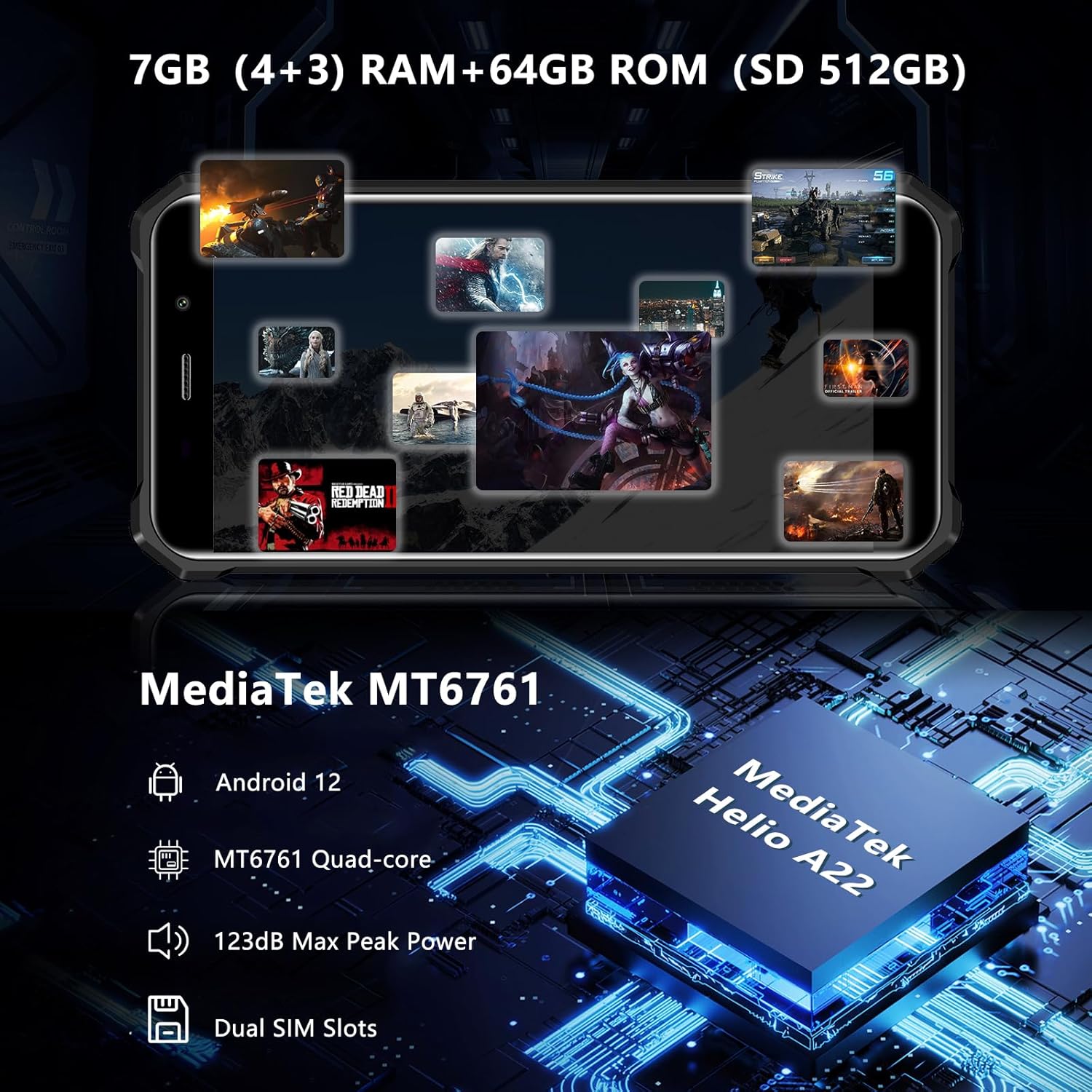
Image: The FOSSIBOT F101's internal specifications, including RAM, ROM, processor, and operating system.
3.6. Display
The device features a 5.45-inch HD+ display with 720x1440 resolution and 400 nits brightness for clear viewing in various lighting conditions.

Image: The FOSSIBOT F101's 5.45-inch HD+ display specifications.
3.7. Security Features
- Face ID: Unlock your phone using facial recognition.
- Fingerprint Sensor: Use your fingerprint for secure unlocking.

Image: FOSSIBOT F101 highlighting Face ID and Fingerprint unlock features.
3.8. Navigation and OTG
- Navigation: Supports GPS, Glonass, Galileo, and Beidou for accurate positioning.
- OTG Function: Use your phone as a power bank to charge other devices.
Image: FOSSIBOT F101 showing GPS navigation and OTG reverse charging capabilities.
3.9. Accessibility
- HAC Function: Hearing Aid Compatibility ensures clear conversations even when using hearing aids.

Image: FOSSIBOT F101 demonstrating the HAC function for users with hearing aids.
4. Maintenance
4.1. Cleaning
Despite its rugged design, proper cleaning helps maintain the device's performance and appearance.
- After exposure to water, especially saltwater, rinse the phone with fresh water and ensure all ports are dry before charging.
- Use a soft, lint-free cloth to wipe the screen and body. Avoid abrasive materials or harsh chemicals.
- Ensure all port covers are securely closed to maintain water and dust resistance.
4.2. Battery Care
- Avoid extreme temperatures, which can degrade battery life.
- Do not fully discharge the battery frequently.
- Use only the original or certified charging accessories.
4.3. Software Updates
Regularly check for and install software updates to ensure optimal performance, security, and access to new features. Go to Settings > System > System update to check for updates.
5. Troubleshooting
If you encounter issues with your FOSSIBOT F101, try the following steps:
- Phone not turning on: Ensure the battery is charged. Connect to the charger and wait a few minutes before attempting to power on again.
- Unresponsive screen: If the screen becomes unresponsive, try a forced restart by holding the Power button for about 10-15 seconds.
- Charging issues: Check the charging cable and adapter for damage. Ensure the charging port is clean and free of debris.
- Network connectivity problems: Check if your SIM card is properly inserted. Restart the phone. Verify network settings in Settings > Network & internet.
- Water exposure issues: If the phone was recently exposed to water, ensure it is completely dry before use or charging. Some functions, like the touchscreen, might be temporarily affected until fully dry.
For persistent issues, contact FOSSIBOT customer support.
6. Specifications
| Feature | Specification |
|---|---|
| Product Dimensions | 3 x 0.76 x 6.1 inches |
| Item Weight | 12.3 ounces (350 Grams) |
| Item Model Number | F101 |
| Operating System | Android 12.0 |
| RAM | 4 GB (7 GB with virtual memory expansion) |
| Memory Storage Capacity | 64 GB (expandable up to 128GB) |
| Connectivity Technologies | USB, 4G Cellular |
| GPS | True (GPS, Glonass, Galileo, Beidou) |
| Special Features | Dual SIM, IP68/IP69K, Outdoor Phone, Rugged Smartphone, Waterproof Phone, OTG |
| Human Interface Input | Microphone |
| Scanner Resolution | 720 x 1440 |
| Other Camera Features | Rear (24MP Main, 5MP Macro, 0.3MP Bokeh), Front (8MP) |
| Audio Jack | No headphone jack |
| Form Factor | Smartphone |
| Color | Red |
| Battery Power Rating | 10600 Milliampere Hour (mAh) |
| Phone Talk Time | 6 Hours |
| Manufacturer | FOSSiBOT |
| Standing Screen Display Size | 5.45 Inches |
| Charging Time | 3.5 Hours |
| Refresh Rate | 60 Hz |
7. Warranty
The FOSSIBOT F101 comes with a standard manufacturer's warranty. Please refer to the warranty card included in your product packaging or visit the official FOSSIBOT website for detailed warranty terms and conditions. Keep your proof of purchase for warranty claims.
8. Support
For further assistance, technical support, or inquiries, please visit the official FOSSIBOT website or contact their customer service through the channels provided on their website.