
1. Introduction
This manual provides detailed instructions for the safe installation, operation, and maintenance of your QUTWOB 52-inch Wood Ceiling Fan. Please read all instructions carefully before beginning installation and retain this manual for future reference.
The QUTWOB 52-inch ceiling fan features three solid wood blades, an integrated 18W LED light, and a quiet DC motor. It is designed for both indoor and covered outdoor use, providing efficient air circulation and adjustable lighting for various spaces.
2. Safety Information
Always follow basic safety precautions when installing and operating electrical appliances to reduce the risk of fire, electric shock, and personal injury.
- Ensure the power is turned off at the circuit breaker before installation or maintenance.
- All wiring must be in accordance with national and local electrical codes. If you are unsure, consult a qualified electrician.
- The mounting structure must be capable of supporting the weight of the fan (approximately 11 pounds).
- Do not bend the blade holders during installation, balancing, or cleaning.
- Keep hands, tools, and other objects clear of the fan blades when the fan is operating.
- This fan is suitable for indoor and covered outdoor locations. Avoid direct exposure to rain.
3. Package Contents
Verify that all components are present before beginning installation. If any parts are missing or damaged, contact customer support.

Image: All components included in the QUTWOB 52-inch Wood Ceiling Fan package.
- Remote Control
- Canopy (x1)
- Mounting Bracket (x1)
- Coupling Cover (x1)
- Locking Blade (x1)
- Balancing Kits
- Motor (x1)
- Downrod (x2: 5-inch and 10-inch)
- Screw Package
- LED Board (x1)
- Fan Blade (x3)
4. Specifications
| Feature | Specification |
|---|---|
| Brand | QUTWOB |
| Model Number | DY1695K-1L |
| Product Dimensions | 52"D x 52"W x 15.7"H |
| Blade Length | 52 Inches |
| Number of Blades | 3 |
| Blade Material | Wood |
| Motor Type | DC Inverter Motor |
| Number of Speeds | 6 |
| Noise Level | 20 Decibels (at minimum speed) |
| Light Type | Integrated 18W LED |
| Light Color Temperatures | 3000K (Warm White), 4500K (Natural White), 6000K (Cool White) |
| Light Dimmability | 25% to 100% |
| Controller Type | Remote Control |
| Downrod Lengths | 5-inch, 10-inch (included) |
| Indoor/Outdoor Use | Indoor, Covered Outdoor |
5. Installation
The QUTWOB ceiling fan is designed for straightforward installation. A detailed instruction manual and installation video are provided to guide you through the process. Ensure you have all necessary tools and follow safety guidelines.
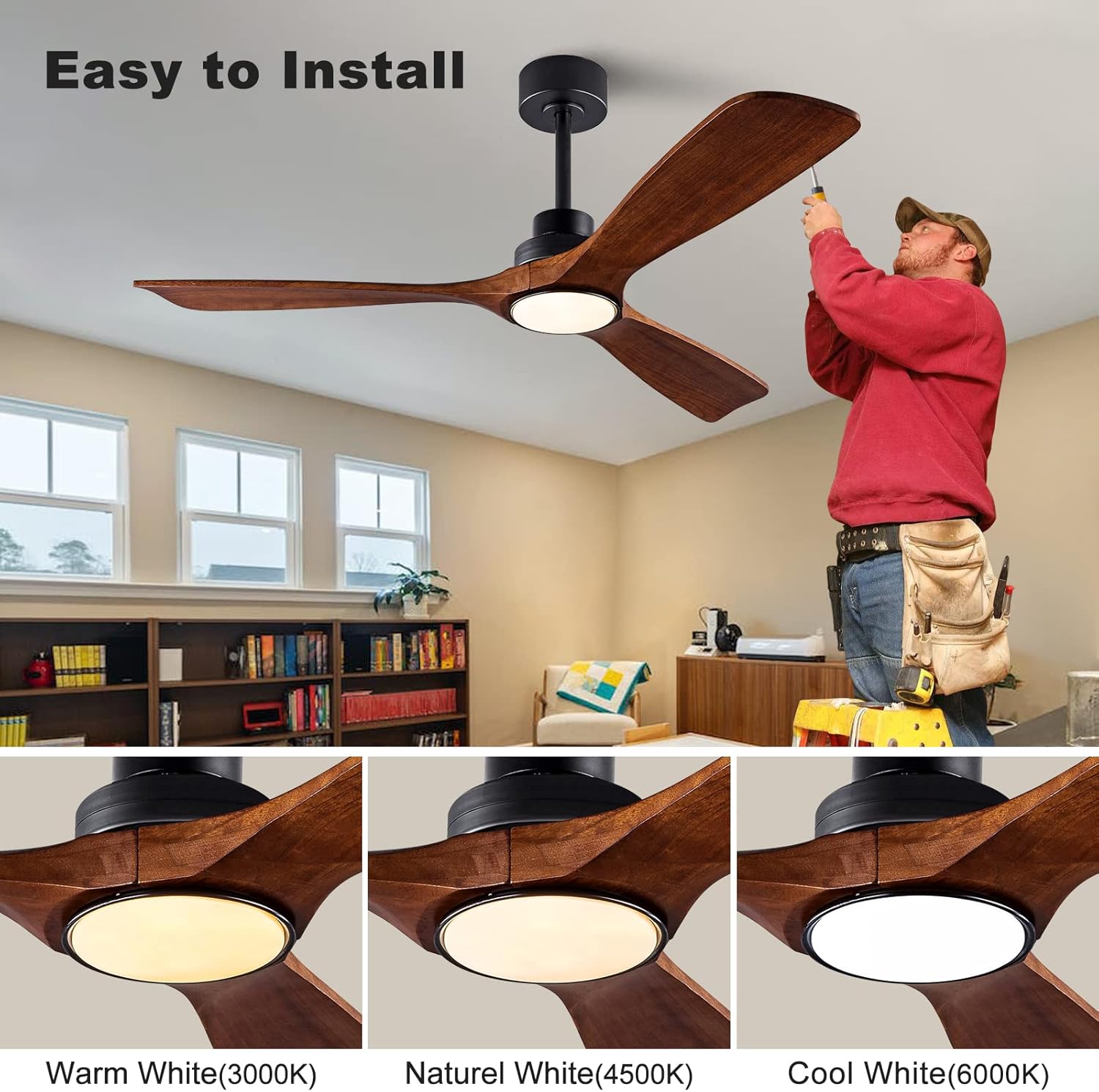
Image: Illustration of the easy installation process for the QUTWOB ceiling fan.
5.1 Mounting Options
The fan comes with two downrods (5-inch and 10-inch) to allow for flexible hanging heights. It supports both standard downrod mounts and angled mounts for sloped ceilings (up to 15 degrees).

Image: Fan dimensions and available mounting types (Downrod and Angled Mount).
5.2 Wiring
Connect the fan's wiring to your household electrical system according to the provided wiring diagram in the separate installation guide. Ensure all connections are secure and properly insulated.
6. Operating Instructions
Your QUTWOB ceiling fan is operated using the included remote control. Familiarize yourself with the remote's functions for optimal use.

Image: Remote control functions and layout.
6.1 Fan Speed Control
The fan features 6 adjustable speed settings. Use the '1' through '6' buttons on the remote to select your desired airflow. '1' is the lowest speed, and '6' is the highest.

Image: Fan speed levels and their corresponding airflow intensity.
6.2 Light Control
The integrated LED light offers three color temperature options (3000K, 4500K, 6000K) and is dimmable from 25% to 100% brightness.
- Press the light button to turn the light on/off.
- Cycle through color temperatures (Warm White, Natural White, Cool White) by repeatedly pressing the light color temperature button.
- Use the brightness adjustment buttons (luminance+ / luminance-) to dim or brighten the light.

Image: Light color temperature and dimming capabilities.
6.3 Reversible Function
The fan features a reversible DC motor to optimize air circulation for different seasons.
- Summer Mode (Downward Airflow): Press the 'F/R' button on the remote to set the blades to rotate counter-clockwise, creating a downward airflow that provides a cooling effect.
- Winter Mode (Upward Airflow): Press the 'F/R' button again to set the blades to rotate clockwise, creating an upward airflow that helps redistribute warm air trapped near the ceiling, reducing heat loss.

Image: Reversible function for summer and winter use.
6.4 Timer Setting
Set the fan to automatically turn off after a specified period using the timer function.
- Press the '1H', '4H', or '8H' buttons on the remote to set the fan to turn off after 1, 4, or 8 hours, respectively.

Image: Timer setting options on the remote control.
6.5 Memory Function
The fan and lighting settings include a memory function. If the fan is turned off via the wall switch, it will automatically resume its previous fan speed, light brightness, and color temperature settings when powered back on.
7. Maintenance
Regular maintenance ensures optimal performance and longevity of your ceiling fan.
- Cleaning: Use a soft, damp cloth to clean the fan blades and motor housing. Do not use abrasive cleaners or solvents.
- Blade Inspection: Periodically check the fan blades for any signs of damage or looseness. Ensure all screws are tightened.
- Dust Removal: Dust the fan regularly to prevent accumulation, which can affect performance and balance.
- Light Source: The LED light source is integrated and not user-replaceable. If the light fails, contact customer support.
8. Troubleshooting
If you encounter issues with your QUTWOB ceiling fan, refer to the following common problems and solutions:
| Problem | Possible Cause | Solution |
|---|---|---|
| Fan does not start | No power supply; Loose wiring; Remote control battery dead. | Check circuit breaker; Verify all wiring connections; Replace remote control battery. |
| Fan makes excessive noise | Loose screws on blades or mounting; Unbalanced blades. | Tighten all screws; Use balancing kit to balance blades. |
| Light does not work | Loose wiring; Faulty LED board. | Check light wiring connections; Contact customer support for LED board replacement if necessary. |
| Fan does not move enough air | Incorrect blade rotation direction; Blades installed backwards. | Ensure fan is in summer mode (counter-clockwise rotation); Check blade installation to ensure correct orientation. |
| Remote control not working | Dead battery; Not paired with fan. | Replace battery; Refer to remote pairing instructions in the full manual. |
8.1 Common Questions
- Why doesn't the ceiling fan move enough air?
First, check if the rotation of the ceiling fan is reversed (it should be counter-clockwise for downward airflow in summer). Secondly, please check if the fan blades are installed backwards. - What if some parts are damaged or lost?
Please contact QUTWOB customer service via your order page to request a replacement.
9. Warranty and Support
QUTWOB stands behind the quality of its products.
- The fan motor comes with a 10-year warranty.
- All other fan components are covered by a one-year warranty.
We offer 24/7 customer support. If you have any questions during installation or use, please feel free to contact us at any time. We will respond as soon as possible to assist you.