1. Introduction
This instruction manual provides essential information for setting up, operating, and maintaining your new Samsung 55" Class OLED 4K S95C Series Smart TV. Please read this manual thoroughly before using the product to ensure safe and optimal performance. Keep this manual for future reference.
2. Safety Information
Always follow basic safety precautions when using this television to reduce the risk of fire, electric shock, or injury. Ensure proper ventilation, avoid blocking vents, and do not expose the TV to rain or moisture. Disconnect the power cord during lightning storms or when unused for long periods. Refer to the E-Manual for detailed safety guidelines.
3. What's in the Box
Carefully unpack your new Samsung S95C Series Smart TV. The package should contain the following items:
- Samsung 55" Class OLED 4K S95C Series Smart TV
- User Manual (this document)
- E-Manual (digital version accessible via TV)
- Power Cable
- Remote Control
Below is an image showing the main product and its accessories.
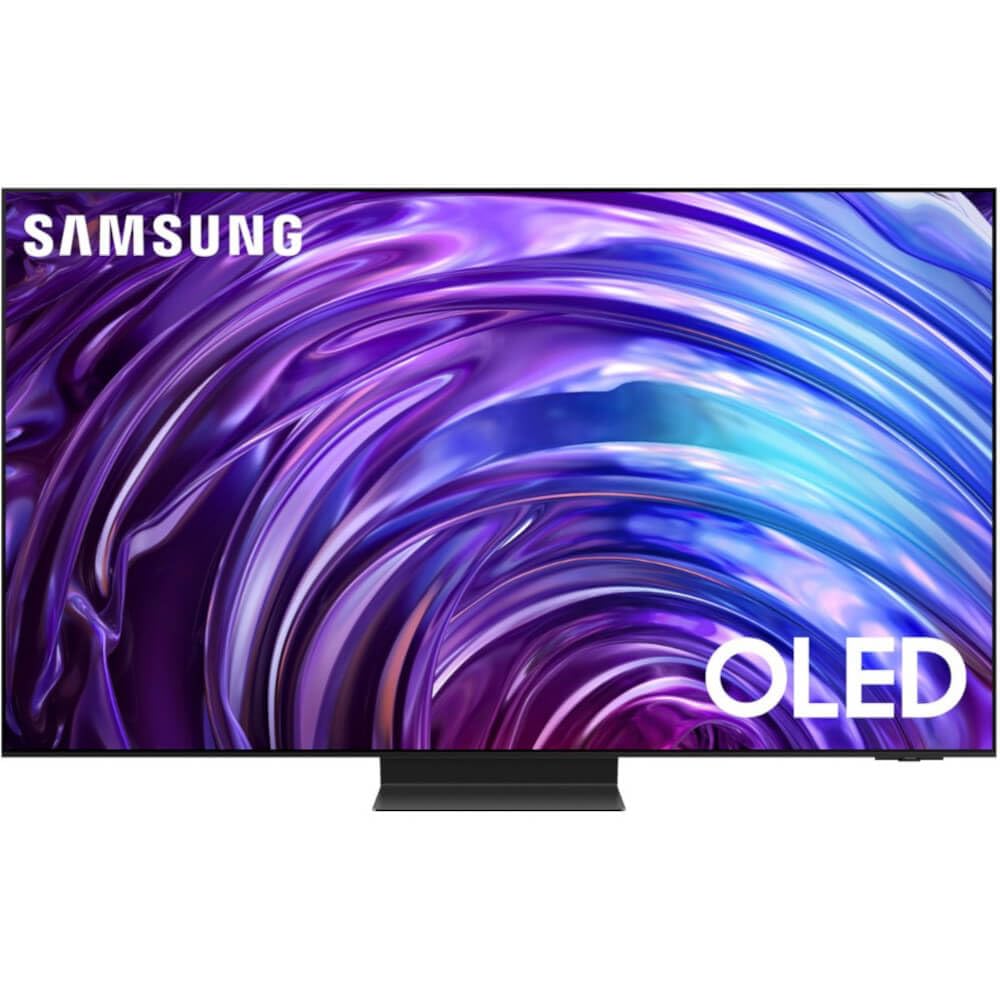
Image: Samsung 55-inch S95C OLED 4K Smart TV with its included stand.
Watch this video for an unboxing and initial setup overview:
Video: Unboxing and initial setup of a Samsung 55-Inch Class OLED 4K HDR Pro Smart TV, demonstrating how to unpack and assemble the stand.
4. Setup
4.1 Assembling the Stand
To assemble the stand, carefully place the TV screen-down on a soft, flat surface to prevent damage. Align the stand components with the designated slots on the back of the TV and secure them using the provided screws. Ensure the stand is firmly attached before placing the TV upright.

Image: Side profile of the Samsung S95C OLED TV, highlighting its ultra-thin design.
4.2 Connecting External Devices
The Samsung S95C features a Slim One Connect box to manage all your connections neatly. Connect your HDMI devices (gaming consoles, Blu-ray players, soundbars) to the HDMI ports on the One Connect box. Use the USB ports for external storage or other compatible devices. Connect the One Connect box to the TV using the dedicated One Connect cable.

Image: Rear view of the Samsung S95C One Connect Box, displaying HDMI, USB, LAN, and other input ports.
4.3 Initial Power On
After connecting all necessary cables, plug the power cord into an electrical outlet. Press the power button on the remote control or the TV to turn it on. Follow the on-screen instructions to complete the initial setup, including network connection, channel scanning, and Samsung account login.
5. Key Features
- SAMSUNG OLED TECHNOLOGY: Experience incredible detail and unbelievable screen brightness with pure blacks and over a billion shades of color, powered by QD technology and 8.3 million self-illuminating pixels.
- INFINITY ONE DESIGN w/ SLIM ONE CONNECT: The sleek, impossibly thin design features modern lines and an attachable Slim One Connect solution to neatly organize cords and cables.
- QUANTUM HDR OLED+: Optimized picture for crisp, clear bright whites and pure blacks, with rich contrast dynamically tone-mapped by a powerful processor.
- NEURAL QUANTUM PROCESSOR w/ 4K UPSCALING: Content is transformed into 4K resolution with a high-performance, AI-powered processor that upgrades content scene by scene.

Image: A visual representation of Samsung OLED Technology, showcasing deep blacks and vibrant colors in a city skyline.
6. Operating Instructions
Your Samsung Smart TV runs on the Tizen OS, providing an intuitive interface for accessing content and settings. Use the included remote control to navigate the Smart Hub, launch apps, and adjust settings. The TV also features Alexa built-in for voice control.
For a general overview of the Samsung Smart TV operating system and features, watch this video:
Video: A review of a Samsung Neo QLED TV, demonstrating the Smart TV operating system, gaming features, and SmartThings integration. (Note: Features may vary slightly by model.)
7. Gaming Features
The S95C Series is designed for an enhanced gaming experience:
- MOTION XCELERATOR TURBO PRO: Enjoy consistently crisp 4K visuals at blazing-fast speeds up to 120Hz, with Game Motion Plus supporting up to 144Hz for compatible PC-connected content.
- Gaming Hub: Access your favorite cloud gaming services and console games directly from your TV.
8. Audio Features
Immerse yourself in rich, dynamic sound with the following audio technologies:
- DOLBY ATMOS & OBJECT TRACKING SOUND+: Experience dramatic 3D audio as AI Sound tracks the action on screen with pinpoint accuracy, making you feel like you're part of the scene.
- Q-SYMPHONY 3.0: Pair your Samsung TV speakers with a compatible Samsung soundbar for a masterfully orchestrated sound experience, where both operate as one.
9. SmartThings Integration
The Samsung S95C Smart TV seamlessly integrates with your SmartThings ecosystem. Control and monitor your SmartThings devices with Bixby Voice Control Hint, and utilize IoT Sensor Functionality to create your IoT Home with the TV sensor and SmartThings Home.
10. Maintenance
To ensure the longevity and optimal performance of your TV, follow these maintenance tips:
- Cleaning: Gently wipe the screen and frame with a soft, dry microfiber cloth. Avoid using harsh chemicals or abrasive materials.
- Ventilation: Ensure adequate airflow around the TV to prevent overheating. Do not block ventilation openings.
- Software Updates: Regularly check for and install software updates to enhance performance and security.
11. Troubleshooting
If you encounter any issues with your TV, refer to the following common troubleshooting steps:
- No Power: Check if the power cord is securely connected to both the TV and the wall outlet. Test the outlet with another device.
- No Picture/Sound: Verify that the correct input source is selected. Check all cable connections (HDMI, etc.) for looseness or damage.
- Remote Not Working: Ensure the remote control has sufficient battery power. Point the remote directly at the TV.
- Network Connection Issues: Restart your router and modem. Check the TV's network settings to ensure it's connected to the correct Wi-Fi network.
For more detailed troubleshooting, consult the E-Manual accessible through your TV's settings menu.
12. Specifications
Below are the technical specifications for the Samsung 55" Class OLED 4K S95C Series Smart TV (Model: QN55S95CA):
| Feature | Specification |
|---|---|
| Brand | Samsung |
| Screen Size | 55 Inches |
| Display Technology | OLED |
| Resolution | 4K |
| Refresh Rate | 144 hertz |
| Special Feature | Flat |
| Included Components | User Manual, E-Manual, Power Cable, Remote Control |
| Connectivity Technology | Bluetooth, Ethernet, HDMI, USB, Wi-Fi |
| Aspect Ratio | 16:9 |
| Supported Internet Services | Amazon Instant Video, Netflix |
| Item Weight | 72.8 pounds |
| Product Dimensions | 10.5 x 48.2 x 30.4 inches |
| Color Name | Titan Black |
13. Warranty and Support
This product is a renewed item. Please refer to the seller's specific warranty and return policy for renewed products. Typically, renewed products may have a limited warranty period. For this product, a 90-day return policy is available from Digital supplies wholesale.
For technical support, please refer to the included E-Manual on your TV or visit the official Samsung support website. The User Manual and E-Manual contain detailed information on product features, troubleshooting, and contact information for customer service.


