Important Safety Information
WARNING!
- Not suitable for children under 3 years of age.
- Choking hazard due to small parts.
- Retain the packaging as it contains important instructions.
- Please read this user manual carefully before operation.
Product Overview
The Carrera RC Mega Wheel Dino is a powerful 4WD monster truck designed for off-road action. It features a robust design, impressive speed, and dynamic stunt capabilities.
- Powerful Performance: Capable of 360° stunts and speeds up to 15 km/h.
- Distinctive Design: A 31 cm long vehicle with a unique dinosaur-inspired aesthetic, including purple serrated crests and striking eyes.
- LED Lighting: Equipped with luminous pipes that provide green highlights for enhanced visibility and special effects during night or dusk operation.
- All-Wheel Drive (4WD): Features a dual motor system and continuous differential control for stable and enjoyable driving on various terrains.
- Long Playtime & Quick Charge: Enjoy up to 30 minutes of playtime on a single charge. The included USB charging cable allows for a full charge in approximately 80 minutes.
- Auto-Off Function: The vehicle automatically switches off after 30 minutes of inactivity to conserve battery life.
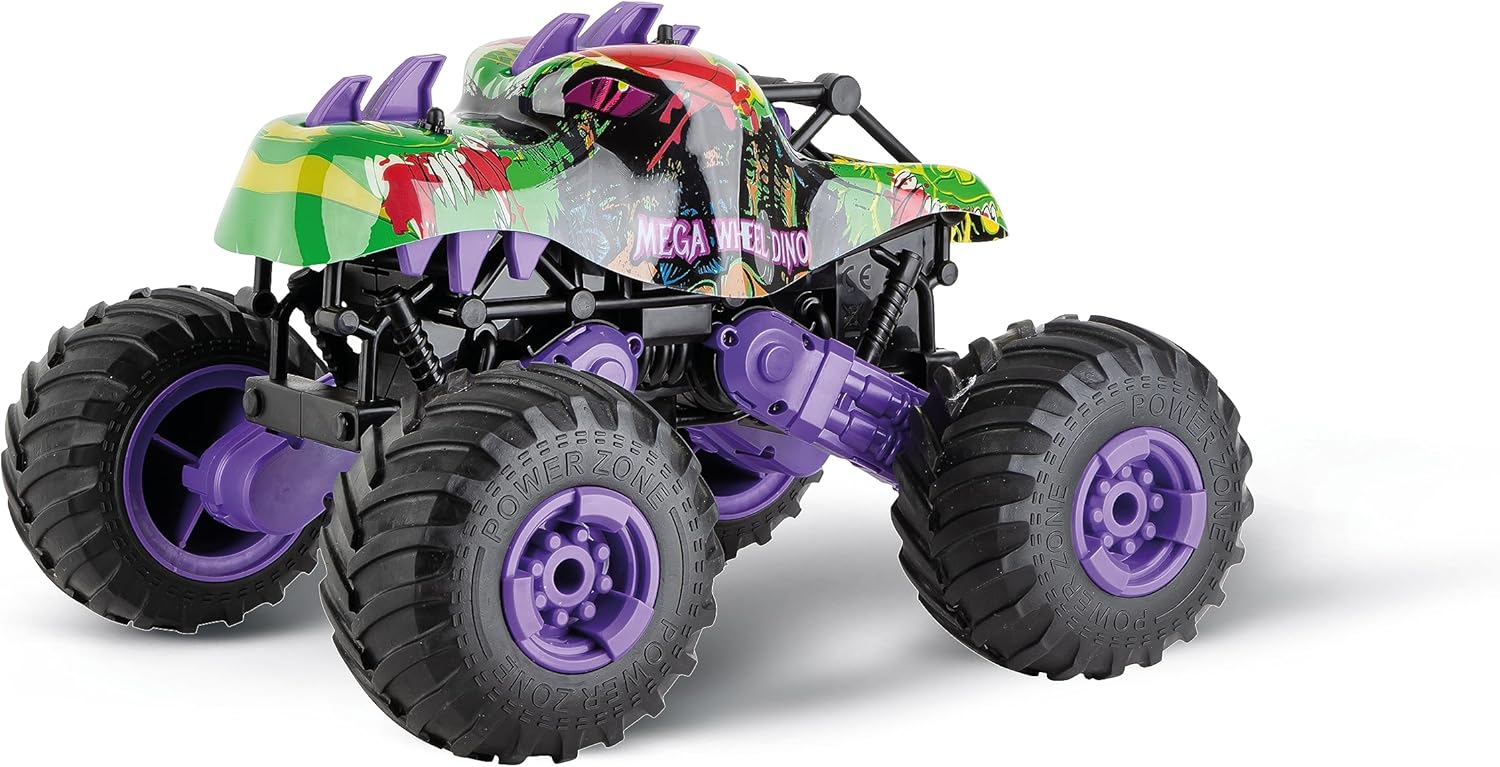
Image: Front-side view of the Carrera RC Mega Wheel Dino Monster Truck, showcasing its vibrant green, black, and purple design with large off-road tires.
Setup Guide
1. Charging the Vehicle Battery
- Ensure the vehicle is turned OFF.
- Locate the charging port on the vehicle.
- Connect the included USB charging cable to the vehicle's charging port and to a compatible USB power source (e.g., computer USB port, USB wall adapter).
- The charging indicator light will illuminate during charging.
- A full charge takes approximately 80 minutes. The indicator light will change or turn off when charging is complete.
- Disconnect the charging cable once fully charged.
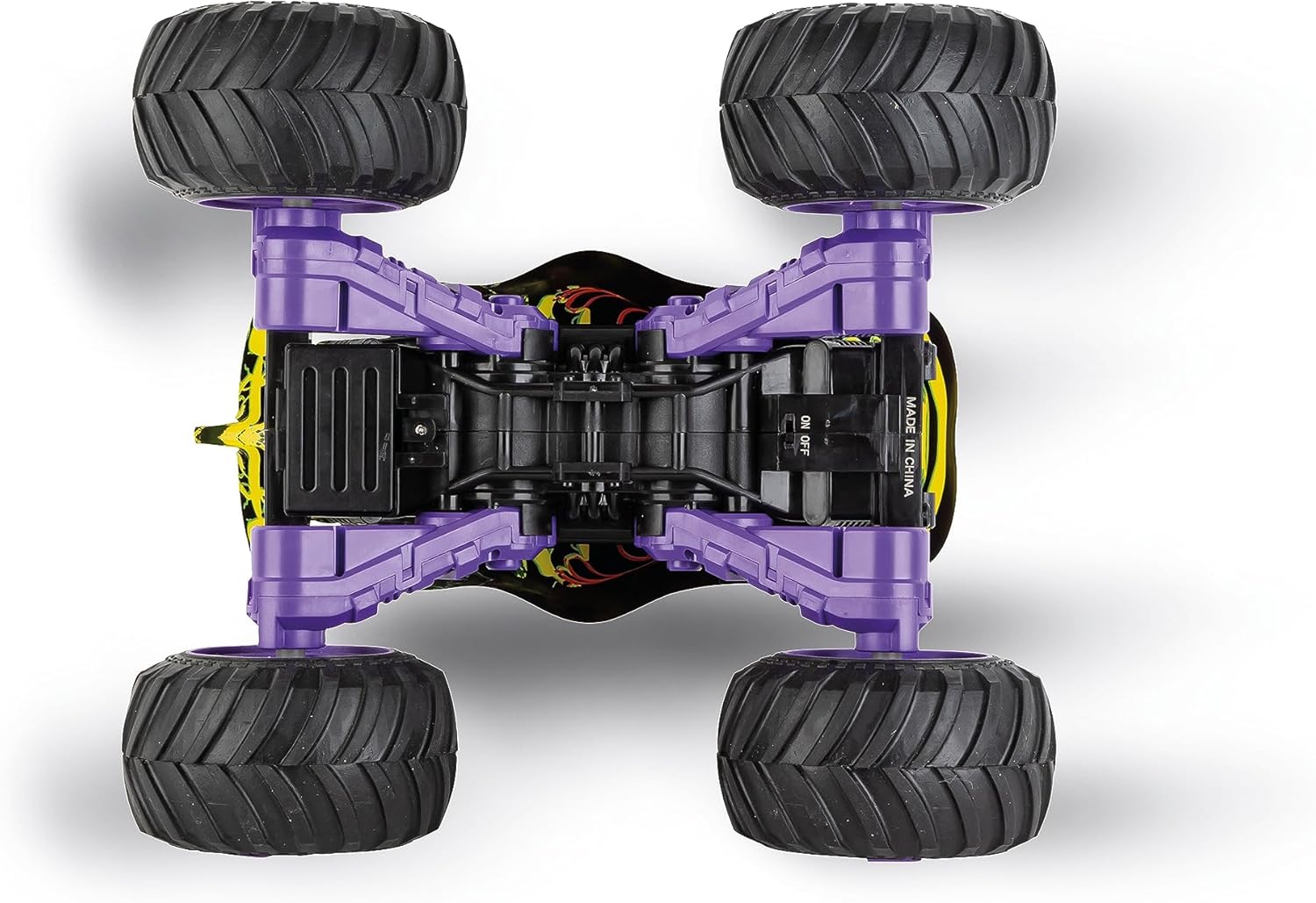
Image: Bottom view of the Carrera RC Mega Wheel Dino, illustrating the location of the battery compartment and power switch.
2. Installing Remote Control Batteries
- Locate the battery compartment on the back of the remote control.
- Open the battery compartment cover.
- Insert the required batteries (e.g., AA or AAA, not included) observing the correct polarity (+/-).
- Close the battery compartment cover securely.

Image: The Carrera RC remote control, showing the joysticks and power switch. This is where the batteries for the remote control are typically installed.
3. Pairing the Vehicle and Remote Control
- Ensure both the vehicle and the remote control are turned OFF.
- Turn ON the vehicle first. The LED indicator on the vehicle may flash.
- Immediately turn ON the remote control.
- The vehicle and remote control should automatically pair. The LED indicator on both devices will become solid when successfully paired.
- If pairing fails, turn both devices OFF and repeat the process.
Operating Instructions
Basic Controls
- Forward/Backward: Use the left joystick (or appropriate control) to move the vehicle forward or backward.
- Steering (Left/Right): Use the right joystick (or appropriate control) to steer the vehicle left or right.
- 360° Stunts: Specific combinations of joystick movements may trigger 360° spins or other stunts. Refer to the remote control diagram for detailed instructions.
- LED Lights: The vehicle's LED lights will activate automatically when the vehicle is powered on.
For optimal performance, operate the vehicle on flat, open surfaces or designated off-road tracks. Avoid water, sand, and excessively dusty environments.
Maintenance
Cleaning
To clean the vehicle, gently wipe it with a damp cloth. Do not immerse the vehicle in water or use harsh chemicals. Ensure all parts are dry before storage.
Battery Care
- Always recharge the vehicle's battery after each use.
- Allow the battery to cool down for at least 30 minutes after use before recharging.
- If storing the vehicle for an extended period, ensure the battery is partially charged (not fully charged or fully depleted) and remove batteries from the remote control.
- Store the vehicle and batteries in a cool, dry place away from direct sunlight and extreme temperatures.
Troubleshooting
| Problem | Possible Cause | Solution |
|---|---|---|
| Vehicle does not respond to remote control. |
|
|
| Vehicle moves slowly or inconsistently. |
|
|
| LED lights are not working. |
|
|
Specifications
| Model Number | 370160146 |
| Dimensions (L x W x H) | 42 x 22.5 x 29.5 cm |
| Weight | 1.32 kg |
| Recommended Age | 6 years and up |
| Scale | 1:16 |
| Max Speed | 15 km/h |
| Playtime | Up to 30 minutes |
| Charging Time | Approx. 80 minutes |
| Vehicle Battery Type | Lithium-ion polymer (LiFePo4) |
| Main Material | Plastic |
| Color | Multicolor |
| Educational Value | Promotes fine motor skills and coordination in remote driving; fosters interest in dinosaurs and prehistory. |
| Supported Languages (Manual) | Spanish, English, German, French, Italian |
Warranty and Support
For information regarding warranty coverage, please refer to the warranty card included with your product or visit the official Carrera website. Specific warranty terms may vary by region.
If you encounter any issues or require technical assistance, please contact Carrera customer support. Contact details can typically be found on the product packaging or the official Carrera website.
Additional resources and FAQs may be available online. You can also visit the link provided on the product packaging for more information: http://tinyqr.com/hf


