1. Product Overview
The Yesido DS18 Mini Magnetic Wireless Charger is designed for Apple Watch owners seeking a compact and efficient charging solution. This portable charger delivers a reliable 5V 0.6A 2.5W output, ensuring a stable charge for your device. Its sleek design and durable construction make it suitable for use at home, in the office, or while traveling.
Key Features:
- Strong Magnetic Connection: Features a built-in magnetic module for secure attachment to your Apple Watch, preventing accidental slips and ensuring stable charging.
- Fast Wireless Charging: Provides a 5V 0.6A 2.5W output for quick and efficient power delivery.
- Durable Zinc Alloy Shell: Constructed with a zinc alloy shell, offering anti-wear and antioxidant properties, along with efficient heat dissipation for enhanced safety and longevity.
- Portable & Compact Design: Small form factor with an included lanyard for easy carrying and storage, ideal for travel and on-the-go use.

Image: The Yesido DS18 Mini Magnetic Wireless Charger, illustrating its compact design, zinc alloy construction, magnetic attraction, and compatibility with Apple Watch generations.
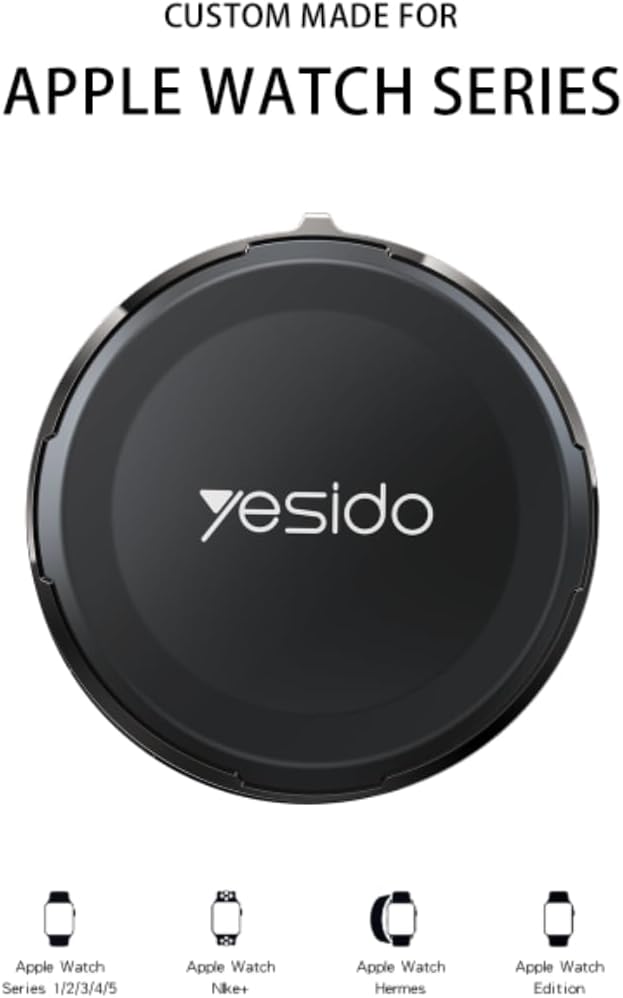
Image: Top view of the Yesido DS18 charger, indicating its broad compatibility with various Apple Watch Series and models.
2. Setup Instructions
Follow these steps to set up your Yesido DS18 Mini Magnetic Wireless Charger:
- Unpack the Charger: Carefully remove the Yesido DS18 charger and any included accessories from its packaging.
- Connect to Power: The charger features dual input ports (Lightning and Type-C). Connect the provided 1m/4ft Type-C cable to the Type-C port on the charger. Plug the other end of the cable into a compatible USB power adapter (not included) or a USB port on a computer.
- Verify Power: Once connected, the charger is ready for use. There may be a small indicator light (if present) to confirm power.

Image: Detailed view of the charger's dual input ports, demonstrating connection with both Lightning and Type-C cables.

Image: Contents of the product box, including two Yesido DS18 chargers, two carrying straps, and two 1-meter Type-C cables.
3. Operating Instructions
To charge your Apple Watch using the Yesido DS18 charger:
- Connect the Charger: Ensure the Yesido DS18 charger is properly connected to a power source as described in the "Setup Instructions" section.
- Place Apple Watch: Gently place your Apple Watch onto the magnetic charging surface of the Yesido DS18 charger. The built-in magnetic module will automatically align and secure your watch in the correct charging position.
- Confirm Charging: Your Apple Watch display should show a charging indicator (e.g., a green lightning bolt or battery percentage). If charging does not begin, adjust the position of your watch on the charger.
- Charging Time: The charger provides fast wireless charging. A full charge for an Apple Watch Series 5 typically takes approximately 2.5 hours. Actual charging time may vary based on the Apple Watch model and its current battery level.
- Remove After Charging: Once your Apple Watch is fully charged, you can simply lift it off the magnetic surface.

Image: The strong magnetic attraction between the Apple Watch and the Yesido DS18 charger, ensuring proper alignment for charging.

Image: An Apple Watch actively charging on the Yesido DS18, highlighting its fast charging capability and estimated charging duration.
4. Maintenance
Proper maintenance ensures the longevity and optimal performance of your Yesido DS18 charger:
- Cleaning: Use a soft, dry, lint-free cloth to wipe the surface of the charger. Avoid using abrasive cleaners, solvents, or aerosol sprays, as these can damage the device.
- Storage: When not in use, store the charger in a cool, dry place away from direct sunlight and extreme temperatures. The compact design and included lanyard make it easy to store and carry.
- Avoid Water: This device is not waterproof. Keep it away from water and other liquids to prevent damage.
- Handle with Care: While durable, avoid dropping the charger or subjecting it to strong impacts.
5. Troubleshooting
If you encounter issues with your Yesido DS18 charger, refer to the following common problems and solutions:
| Problem | Possible Cause | Solution |
|---|---|---|
| Apple Watch not charging. |
|
|
| Slow charging. |
|
|
| Charger gets warm during use. |
|
|
6. Product Specifications
| Brand | YESIDO |
| Model Number | DS-18 |
| Input Voltage | 5 Volts |
| Output Current | 0.6 Amps (2.5W) |
| Output Voltage | 5 Volts |
| Wattage | 2.5 Watts |
| Total USB Ports | 2 (Lightning and Type-C input) |
| Item Weight | 27 Grams |
| Portable | Yes |
| Compatible Apple Watch Models | Apple Watch Series 1, 2, 3, 4, 5, 6, 7, 8, SE, SE 2022, Ultra (all sizes) |
| Shell Material | Zinc Alloy |
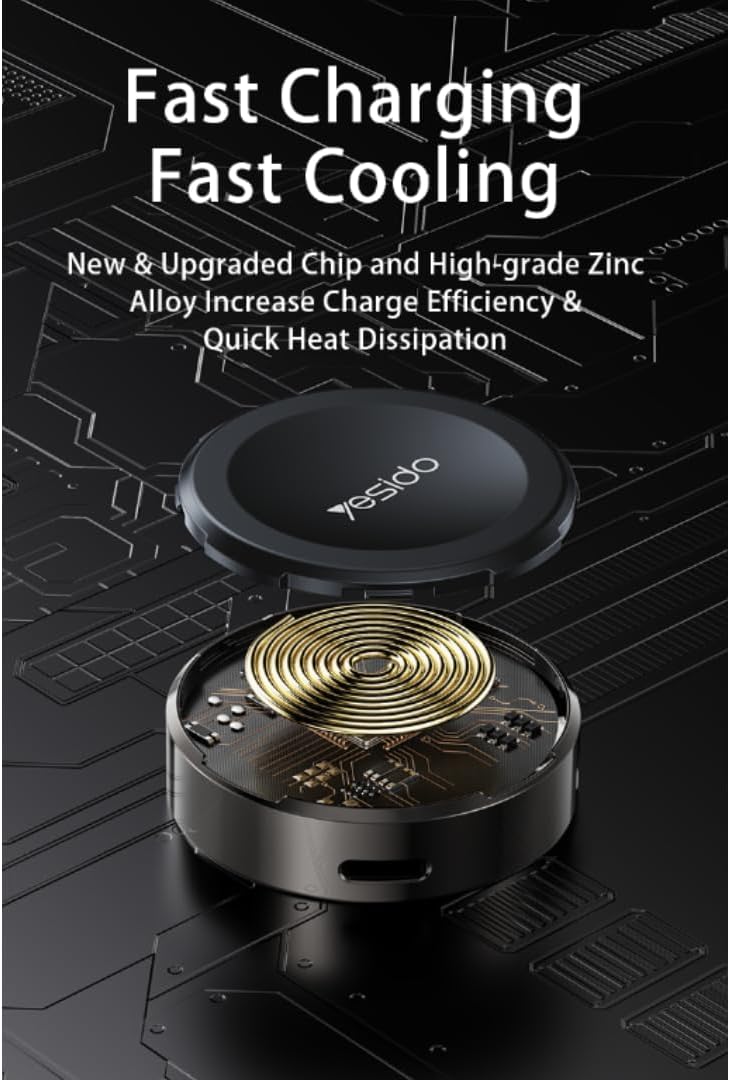
Image: An exploded view illustrating the internal components, highlighting the advanced chip and zinc alloy construction for efficient charging and heat dissipation.
7. Warranty Information
The Yesido DS18 Mini Magnetic Wireless Charger comes with a 1-year Manufacturer Warranty from the date of purchase. This warranty covers defects in materials and workmanship under normal use.
The warranty does not cover:
- Damage caused by accident, abuse, misuse, flood, fire, earthquake, or other external causes.
- Damage caused by operating the product outside the permitted or intended uses described by Yesido.
- Damage caused by service (including upgrades and expansions) performed by anyone who is not a representative of Yesido or an authorized Yesido Service Provider.
- Products or parts that have been modified to alter functionality or capability without the written permission of Yesido.
Please retain your proof of purchase for warranty claims.
8. Customer Support
For further assistance, technical support, or warranty inquiries regarding your Yesido DS18 Mini Magnetic Wireless Charger, please contact your retailer or the manufacturer directly.
When contacting support, please have your product model number (DS-18) and proof of purchase readily available.

Image: The Yesido DS18 charger in various usage environments, emphasizing its portability and convenience for charging on the go.


