Introduction
This manual provides instructions for the AULCMEET UC7078T replacement ceiling fan remote control. This remote is designed to be compatible with various Hampton Bay and Hunter ceiling fan models, including UC7078T, CHQ8BT7078T, CHQ7078T, L3HMAY97FANHD, RR7078TR, L3H2003FANHD, Fan-HD, HD6, UC7030T, UC7052T, UC7083T, 7030T, G9P2BTAUC7052T, and AC-552. It also works as a replacement for Craftmade 7066TX. Please read these instructions carefully before use to ensure proper setup and operation.
Setup
1. Battery Installation
The remote control requires one A23 battery (not included). To install the battery:
- Open the battery compartment cover on the back of the remote control.
- Insert one A23 battery, ensuring the correct polarity (+ and - terminals).
- Close the battery compartment cover securely.
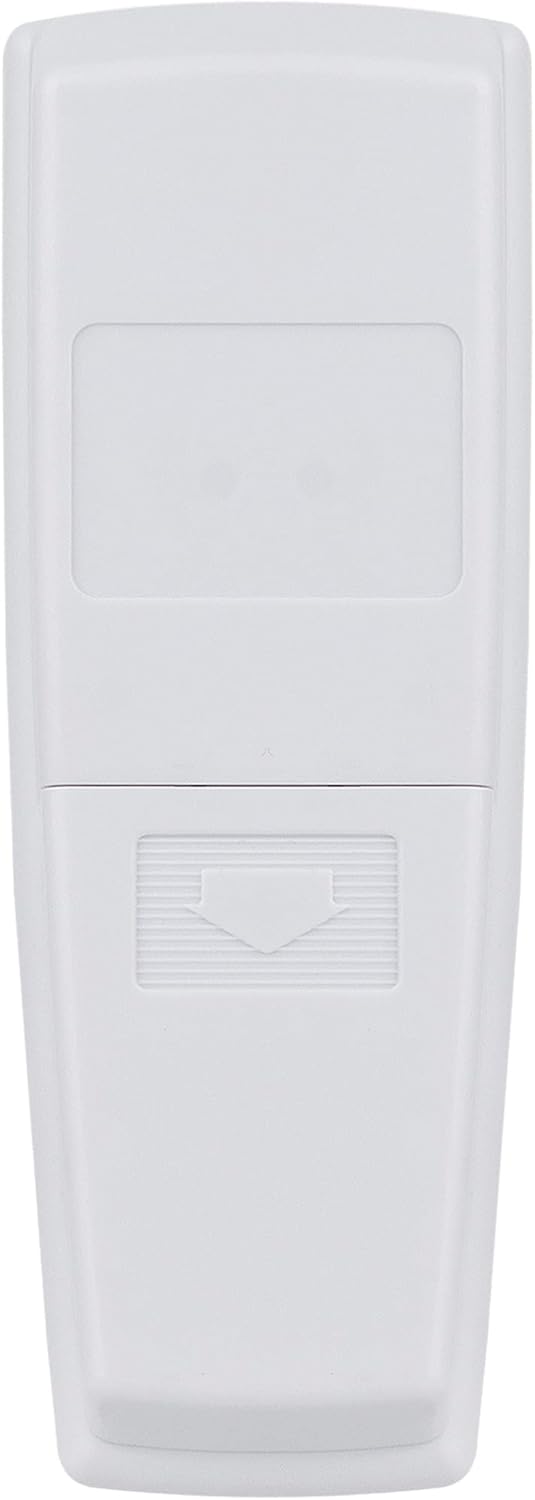
Image: Back of the remote control with the battery compartment. The compartment is designed for easy access to insert or replace the A23 battery.
2. Dip Switch Setting
For the remote to communicate with your ceiling fan's receiver, the dip switch settings on the remote must match those on your fan's receiver unit (typically located in the fan's canopy or on your old remote).
- Locate the four small dip switches inside the battery compartment of your new remote control.
- Identify the dip switches on your existing ceiling fan receiver unit or your old remote control.
- Adjust the switches on the new AULCMEET remote to exactly match the ON/OFF (or UP/DOWN) pattern of the switches on your fan's receiver or old remote. This step is crucial for establishing communication.
Operating Instructions
Once the battery is installed and dip switches are matched, your remote is ready for use. The remote features dedicated buttons for fan speed, light control, and fan direction.

Image: Front view of the remote control, displaying the 'LIGHT/DIMMER', 'LO', 'MED', 'HI', 'FAN OFF', and 'REVERSE' buttons.
- LIGHT/DIMMER: Press this button to turn the ceiling fan light ON or OFF. Hold this button down to dim or brighten the light to your desired level.
- FAN OFF: Press this button to turn the ceiling fan OFF.
- LO: Press this button to set the fan speed to Low.
- MED: Press this button to set the fan speed to Medium.
- HI: Press this button to set the fan speed to High.
- REVERSE: Press this button to change the direction of the fan blades. This function is useful for seasonal changes: forward rotation for cooling in summer and reverse rotation for circulating warm air in winter.
Maintenance
Battery Replacement
When the remote control's range decreases or buttons become unresponsive, it is likely time to replace the A23 battery. Follow the battery installation steps outlined in the 'Setup' section, ensuring the new battery is inserted with correct polarity.
Troubleshooting
- Remote not working:
- Verify that the A23 battery is correctly installed and has sufficient charge. Replace if necessary.
- Crucially, ensure the dip switch settings on the remote control exactly match the settings on your ceiling fan's receiver unit. Incorrect dip switch settings are the most common reason for a remote not functioning.
- Fan or light not responding:
- Confirm that the wall switch controlling the ceiling fan is in the ON position.
- Re-check the dip switch settings as described above.
- Light not dimming:
- Ensure your ceiling fan light fixture uses dimmable bulbs. Non-dimmable bulbs will not respond to the dimming function.
Specifications
- Product Dimensions: 5.8 x 2 x 0.7 inches
- Item Weight: 2.39 ounces
- Item Model Number: UC7078T
- Brand: AULCMEET
- Special Feature: Ergonomic design
- Color: White
- Max Number of Supported Devices: 1
- Compatible Devices: Ceiling Fan
- Battery Requirement: 1 x A23 (not included)
Warranty and Support
Specific warranty information for this AULCMEET product is not provided within this manual. For any product support, technical assistance, or warranty inquiries, please contact the manufacturer, AULCMEET, directly through their official channels or the retailer from whom the product was purchased.