
YEELIGHT YLFWD-012
Contents
Yeelight Smart LED Light Panels User Manual
Model: YLFWD-012
Introduction
The Yeelight Smart LED Light Panels are innovative modular lighting solutions designed to enhance your living or gaming space with dynamic and customizable illumination. These panels offer a wide spectrum of colors, music synchronization, and smart control capabilities, allowing you to create unique lighting effects and ambiances. This manual provides essential information for the proper setup, operation, and maintenance of your Yeelight Smart LED Light Panels.
What's in the Box
Upon opening the package, please verify that all components are present and in good condition. The standard package for the Yeelight Smart LED Light Panels typically includes:
- Yeelight Smart LED Light Panels (multiple units)
- Controller Unit
- Power Adapter
- Connector Links
- Mounting Tape or Brackets
- User Manual (this document)

Image: Contents of the Yeelight Smart LED Light Panels package, showing the hexagonal panels and the product box.
Setup
Follow these steps to set up your Yeelight Smart LED Light Panels:
- Plan Your Layout: Before mounting, arrange the panels on a flat surface to visualize your desired design. Ensure the controller unit can reach all panels.
- Connect Panels: Use the provided connector links to physically join the panels according to your planned layout. Ensure a secure connection for proper power and data flow.
- Attach Controller: Connect the controller unit to one of the panels. This unit will provide power and enable smart control.
- Mount Panels: Clean the desired mounting surface thoroughly. Apply the adhesive mounting tape or use appropriate brackets (if included) to secure the panels to the wall or surface. Press firmly for several seconds.
- Connect Power: Plug the power adapter into the controller unit, then plug the adapter into a standard electrical outlet. The panels should illuminate briefly.
- Download App: Download the Yeelight app from your device's app store (available for iOS and Android).
- Pair with App: Open the Yeelight app, create an account or log in, and follow the in-app instructions to add your new device. This typically involves searching for nearby devices and connecting to your Wi-Fi network.
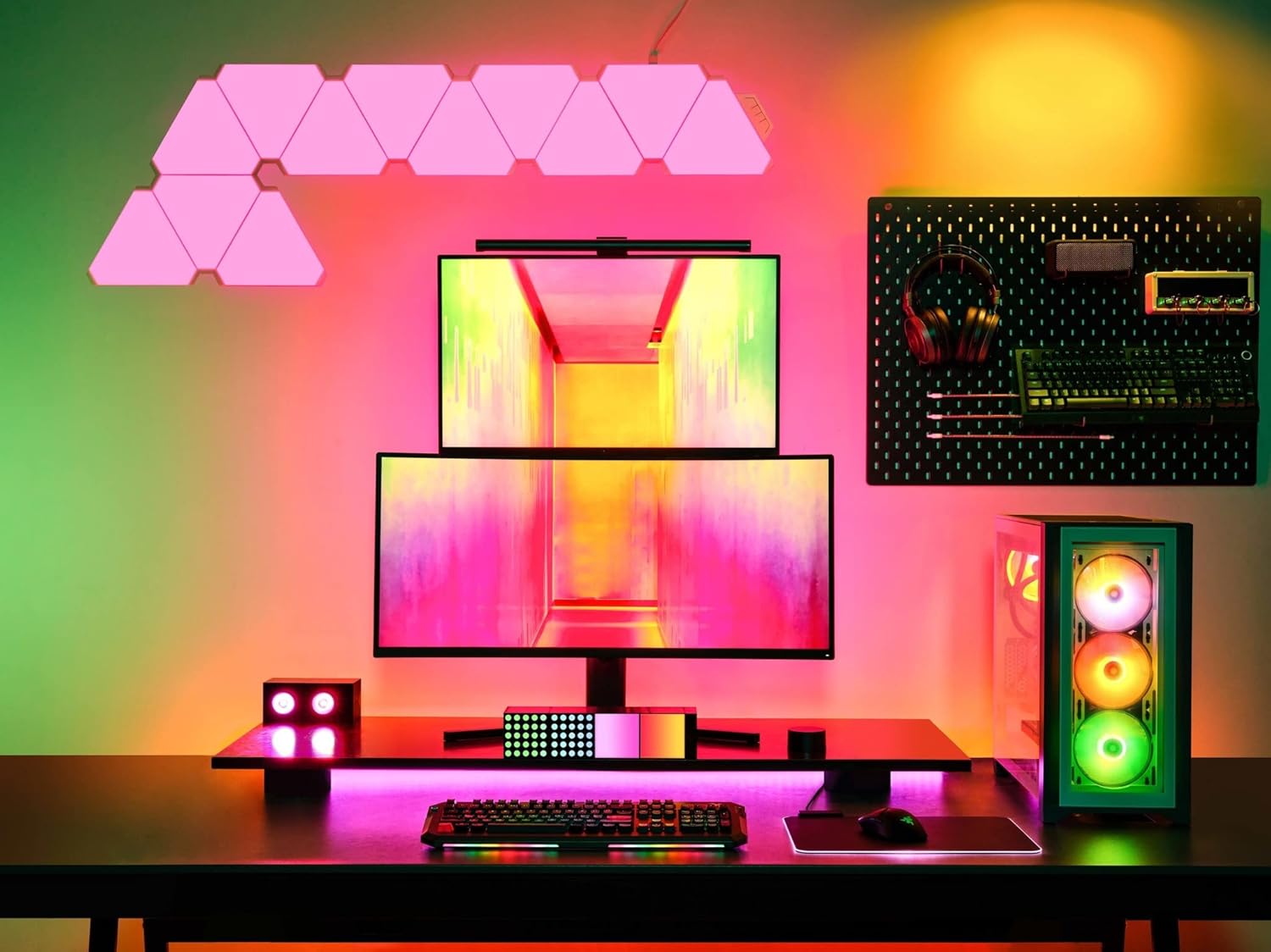
Image: Yeelight Smart LED Light Panels installed above a gaming desk, demonstrating a potential setup configuration.
Operating
The Yeelight Smart LED Light Panels are primarily controlled via the Yeelight mobile application. Once paired, you can access a variety of features:
- Power On/Off: Toggle the lights on or off directly from the app.
- Color Selection: Choose from 16 million colors using the color wheel or predefined palettes.
- Brightness Adjustment: Adjust the intensity of the light to suit your preference.
- Preset Scenes: Select from over 20 preset lighting modes designed for various moods and activities (e.g., reading, party, relaxation).
- Music Sync: Enable music synchronization to have the lights react dynamically to audio played through your device's microphone or a connected audio source.
- Custom Scenes: Create and save your own custom lighting scenes and animations.
- Scheduling: Set schedules for the lights to turn on or off at specific times.
- Voice Control: Integrate with smart home assistants like Amazon Alexa or Google Assistant for hands-free control (requires compatible smart speaker/device).

Image: Yeelight Smart Light Panels displaying various colors and highlighting key features such as 16 million colors, music sync, app control, and preset light modes.
Maintenance
To ensure the longevity and optimal performance of your Yeelight Smart LED Light Panels, follow these simple maintenance guidelines:
- Cleaning: Gently wipe the surface of the panels with a soft, dry, or slightly damp cloth. Avoid using abrasive cleaners, solvents, or excessive moisture, as these can damage the panels.
- Power Off Before Cleaning: Always disconnect the power adapter before cleaning the panels.
- Avoid Physical Damage: Do not bend, drop, or apply excessive force to the panels or connectors.
- Environmental Conditions: Operate the panels within their specified temperature and humidity ranges. Avoid exposure to extreme temperatures or direct water contact.
Troubleshooting
If you encounter issues with your Yeelight Smart LED Light Panels, refer to the following common problems and solutions:
- Panels Not Lighting Up:
- Ensure the power adapter is securely plugged into both the controller unit and a working electrical outlet.
- Check if the controller unit is properly connected to the panels.
- Verify that the power outlet is functional.
- Cannot Connect to App:
- Ensure your mobile device's Wi-Fi is enabled and connected to a 2.4GHz network (5GHz networks are often not supported by smart devices).
- Make sure the panels are powered on and within range of your Wi-Fi router.
- Try restarting the panels by unplugging and replugging the power adapter.
- Reset the panels (refer to the app or Yeelight support for specific reset procedures, often involves a series of power cycles).
- Ensure your Yeelight app is updated to the latest version.
- Lights Flickering or Inconsistent Colors:
- Check all physical connections between panels and the controller unit to ensure they are secure.
- Ensure the power supply is adequate for the number of panels connected.
- Try a different power outlet.
- Voice Control Not Working:
- Verify that the Yeelight skill/service is enabled and linked correctly in your smart home assistant app (e.g., Amazon Alexa, Google Home).
- Ensure your smart speaker/device is connected to the internet and functioning correctly.
- Use the exact commands specified by your smart assistant.
For further assistance, please refer to the official Yeelight support resources or contact customer service.
Specifications
| Feature | Detail |
|---|---|
| Brand | YEELIGHT |
| Model Number | YLFWD-012 |
| Manufacturer | Yeelight |
| Item Weight | 2.2 pounds |
| Product Dimensions | 19.69 x 19.69 x 11.02 inches |
| Color | Black (referring to the base/controller, panels are white/translucent) |
| Number of Items | 1 (package) |
| Connectivity | Wi-Fi (2.4GHz) |
| Color Range | 16 Million Colors |
| Control Method | App Control, Voice Control (via smart assistants) |
Warranty and Support
Yeelight products typically come with a limited manufacturer's warranty. Please refer to the warranty card included in your product packaging or visit the official Yeelight website for detailed warranty terms and conditions specific to your region and purchase date.
For technical support, troubleshooting assistance, or warranty claims, please contact Yeelight customer service through their official website or the support section within the Yeelight mobile application. You may need to provide your product model number (YLFWD-012) and proof of purchase.
Official Yeelight Website: www.yeelight.com
Ask a question about this manual
Ask about setup, troubleshooting, compatibility, parts, safety, or missing instructions. Manuals+ will review the question and use this page’s manual context to help answer it.