1. Introduction
Thank you for choosing Erssimo Wireless Ear Cuff Earphones. These earphones are designed to provide a unique open-ear listening experience with advanced sound technology and comfortable wear. This manual provides essential information for setting up, operating, and maintaining your earphones.

The Erssimo Wireless Ear Cuff Earphones, featuring a sleek black design, are shown alongside their charging case. The case displays a digital LED battery indicator, and the earphones themselves have a subtle blue light accent.
2. Safety Information
- Do not expose the earphones or charging case to extreme temperatures, humidity, or liquids.
- Avoid dropping, disassembling, or modifying the device.
- Keep out of reach of children and pets.
- Use only the provided charging cable and a certified power adapter.
- Prolonged listening at high volume levels may cause hearing damage.
- Be aware of your surroundings when using the earphones, especially in traffic or dangerous environments, as they allow ambient sound to be heard.
3. Package Contents
Please check that all items are present in your package:
- Erssimo OWS Bluetooth Earphones (1 pair)
- Charging Case (1)
- Type-C Charging Cable (1)
- User Manual (Japanese, 1) - Note: This document serves as the English version.
4. Product Overview
The Erssimo Wireless Ear Cuff Earphones feature an innovative open-ear design that clips onto your earlobe, providing comfort and awareness of your surroundings. They incorporate advanced audio technology for clear sound and minimal leakage.
Key Features:
- Open-Ear Design: Sits on the earlobe without entering the ear canal, ensuring comfort and hygiene.
- Directional Sound Transmission: Minimizes sound leakage while delivering clear audio directly to your eardrum.
- Bluetooth 5.3: Provides stable and fast wireless connection with low latency.
- Physical Buttons: Easy control for volume, track skipping, and call management, preventing accidental touches.
- High-Quality Call Performance: Equipped with a high-performance MEMS microphone and noise reduction for clear calls.
- Digital LED Display: Shows battery levels of the charging case and individual earphones.
- IPX4 Water Resistance: Protects against splashes and sweat.


Left: A close-up view of the Erssimo ear cuff earphone securely placed on an ear, demonstrating its ergonomic design. Right: A diagram illustrating Erssimo's directional sound transmission technology, showing how sound is directed towards the eardrum to minimize leakage and enhance audio clarity.
5. Setup
5.1 Initial Charging
- Place both earphones into the charging case.
- Connect the Type-C charging cable to the charging port on the case and plug the other end into a USB power source.
- The digital LED display on the charging case will show the battery percentage. Ensure the earphones and case are fully charged before first use.
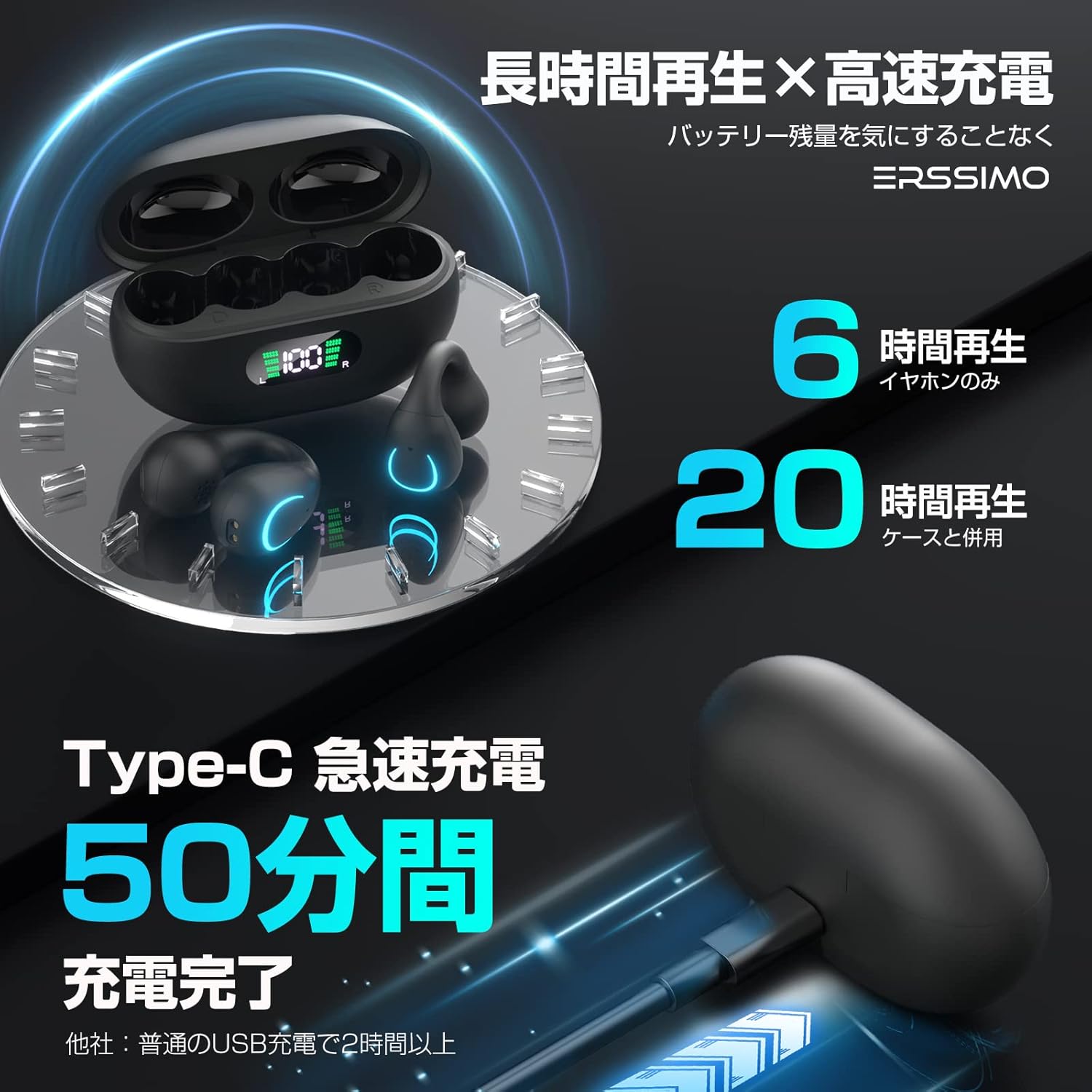
The Erssimo ear cuff earphones in their charging case, illustrating long playback time and rapid charging. It indicates 6 hours of playback for the earphones alone and 20 hours with the charging case. The Type-C rapid charging allows for a full charge in 50 minutes.
5.2 Bluetooth Pairing
- Open the charging case. The earphones will automatically enter pairing mode.
- On your device (smartphone, tablet, etc.), enable Bluetooth.
- Search for "EDR" in the list of available Bluetooth devices and select it to connect.
- Once connected, a voice prompt will confirm successful pairing.
- The earphones will automatically reconnect to the last paired device when taken out of the case, if Bluetooth is enabled on the device.
6. Operating Instructions
The Erssimo earphones feature physical buttons for easy control.
6.1 Power On/Off
- Power On: Take the earphones out of the charging case. They will power on automatically.
- Power Off: Place the earphones back into the charging case. They will power off automatically and begin charging.
6.2 Music Playback
- Play/Pause: Press the physical button on either earphone once.
- Next Track: Press the physical button on the right earphone twice.
- Previous Track: Press the physical button on the left earphone twice.
6.3 Call Management
- Answer/End Call: Press the physical button on either earphone once.
- Reject Call: Press and hold the physical button on either earphone for 2 seconds.
6.4 Volume Control
- Volume Up: Press the physical button on the right earphone once during a call or music playback.
- Volume Down: Press the physical button on the left earphone once during a call or music playback.

A woman is shown participating in an online meeting or call while wearing the Erssimo ear cuff earphones. The image highlights the high-quality voice communication, featuring a high-performance MEMS microphone and unique call noise reduction function for clear conversations.
7. Charging
The charging case is equipped with a digital LED display to show the battery status.
- Earphone Charging: Place the earphones into the charging case. The LED display will show charging status for each earphone (L/R) and the case's battery level.
- Case Charging: Connect the Type-C cable to the charging case and a power source. The LED display will show the case's battery percentage increasing.
- Rapid Charging: The Type-C port supports rapid charging, allowing the case to be fully charged in approximately 50 minutes.
8. Maintenance
- Cleaning: Use a soft, dry cloth to clean the earphones and charging case. Do not use abrasive cleaners or solvents.
- Storage: When not in use, store the earphones in their charging case to protect them and keep them charged. Store in a cool, dry place.
- Water Resistance: The earphones are IPX4 water-resistant, meaning they can withstand splashes and sweat. Do not submerge them in water or expose them to heavy rain.
9. Troubleshooting
| Problem | Possible Cause | Solution |
|---|---|---|
| Earphones do not power on. | Low battery. | Place earphones in the charging case and charge fully. |
| Cannot pair with device. | Bluetooth is off on device; earphones not in pairing mode; device too far. | Ensure Bluetooth is on, earphones are out of case, and device is within range (10m). Try forgetting the device and re-pairing. |
| No sound or low volume. | Volume too low; earphones not connected; media paused. | Adjust volume on both earphones and device. Ensure earphones are connected and media is playing. |
| Sound cuts out or unstable connection. | Interference; device too far; low earphone battery. | Move closer to the device. Avoid areas with strong Wi-Fi or other Bluetooth signals. Charge earphones. |
| Microphone not working during calls. | Microphone muted on device; earphone not properly positioned. | Check device settings. Ensure earphones are correctly worn. |
10. Specifications
| Feature | Detail |
|---|---|
| Wireless Communication Technology | Bluetooth |
| Bluetooth Version | 5.3 |
| Model Name | EDR |
| Headphone Form Factor | In-Ear (Ear Cuff Type) |
| Driver Size | 15mm Dynamic Driver |
| Water Resistance Rating | IPX4 |
| Charging Port | Type-C |
| Earphone Playback Time | Up to 6 hours |
| Total Playback Time (with case) | Up to 20 hours |
| Charging Case Dimensions | Approximately 13.1 x 11.4 x 3.2 cm |
| Weight | Approximately 110 g |
11. Warranty and Support
This product comes with a 1-year warranty period from the date of purchase.
If you encounter any issues or have questions regarding your Erssimo Wireless Ear Cuff Earphones, please contact our customer support. We are committed to providing prompt assistance.

Our customer support team is ready to assist you with any product inquiries or issues.