
1. Introduction
This manual provides detailed instructions for the installation, operation, and maintenance of your FAHKNS AL-460 Z-Axis Power Feed. This unit is designed to enhance the functionality of vertical knee-type milling machines, such as Bridgeport models, by providing automated Z-axis movement. Please read this manual thoroughly before operating the device to ensure safe and efficient use.

Figure 1: FAHKNS AL-460 Z-Axis Power Feed. This image displays the overall unit, its compact dimensions (7x3.5x12.8 inches), and highlights key internal features like the copper core coil and durable rubber and copper gears.
2. Safety Information
Always prioritize safety when operating machinery. Failure to follow these safety guidelines may result in injury or damage to the equipment.
- Ensure the power feed is securely mounted before operation.
- Disconnect power before performing any maintenance or adjustments.
- Wear appropriate personal protective equipment (PPE), including safety glasses.
- Keep hands and clothing clear of moving parts.
- Do not operate the machine if any parts are damaged or missing.
- The unit features a special safety device to protect transmission gears and electronic parts from damage during collisions or instantaneous reversals. However, always operate with caution.
Figure 2: Safety Warnings and Cautions label on the power feed unit. Always read and adhere to all warning labels on the product.
3. Product Components
The FAHKNS AL-460 Z-Axis Power Feed comes with the following components:
- FAHKNS AL-460 Z-Axis Power Feed Unit
- Copper Gear (x1)
- Limit Switch Protection Box (x1)
- Limit Switch Spring (x2)
- Travel Limit Block (x2)
- Mounting hardware (screws, washers, etc.)
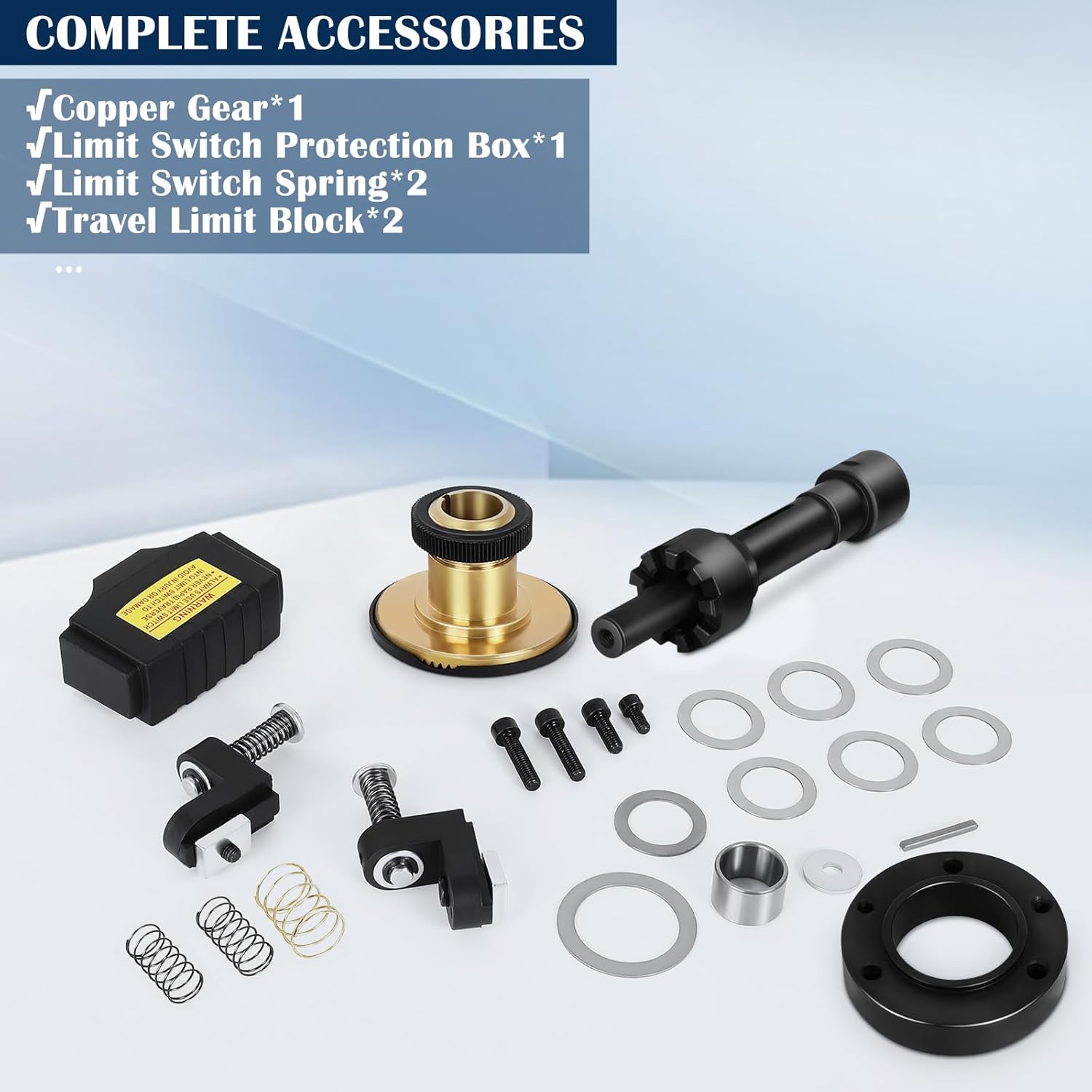
Figure 3: Included accessories. This image shows the copper gear, limit switch protection box, limit switch springs, travel limit blocks, and various mounting hardware.
4. Setup and Installation
The FAHKNS AL-460 Z-Axis Power Feed is designed for convenient installation on compatible vertical knee-type milling machines with a 5/8" diameter shaft. While installation is generally straightforward, some machines may require minor modifications.
- Prepare the Milling Machine: Ensure the milling machine is powered off and secured. Clean the mounting area on the Z-axis.
- Mount the Power Feed Unit: Align the power feed unit with the mounting pattern on your milling machine. Secure it using the provided hardware. Ensure the 5/8" diameter shaft of the power feed properly engages with the machine's mechanism.
- Install Limit Switches: Attach the limit switch protection box, springs, and travel limit blocks to the milling machine's Z-axis table. These components prevent over-travel and protect the unit. Adjust their positions to define the desired travel limits.
- Connect Power: Plug the power feed unit into a standard 110V power outlet.
- Test Functionality: Before full operation, perform a manual test of the Z-axis movement to ensure smooth operation and proper engagement of the limit switches.
Note: For specific installation details or if your machine requires modifications, consult a qualified technician or refer to online resources for similar power feed installations.
5. Operating Instructions
The FAHKNS AL-460 offers both manual and automatic speed adjustment for precise control of your milling operations.

Figure 4: Manual and Automatic Controls. This image highlights the Power Switch, Speed Control Knob, Rapid Switch, and Manual Speed Adjustment lever.
5.1. Power On/Off
- To power on the unit, flip the Power Switch to the "ON" position.
- To power off, flip the Power Switch to the "OFF" position.
5.2. Speed Adjustment
- Manual Speed Adjustment: Use the Speed Control Knob to precisely adjust the feed rate from 0 to 200 RPM. Turning the knob clockwise increases speed, counter-clockwise decreases it.
- Automatic Constant Speed: For consistent feed rates, engage the Rapid Switch. This sets the device to an automatic constant speed, freeing your hands during operation.
5.3. Direction Control
- Use the Manual Speed Adjustment lever to drive the Z-axis movement left or right (up or down on the Z-axis).
The unit features a Gleason Spiral Bevel Gear system, ensuring a stable transmission ratio, high transmission efficiency, and low noise during operation.
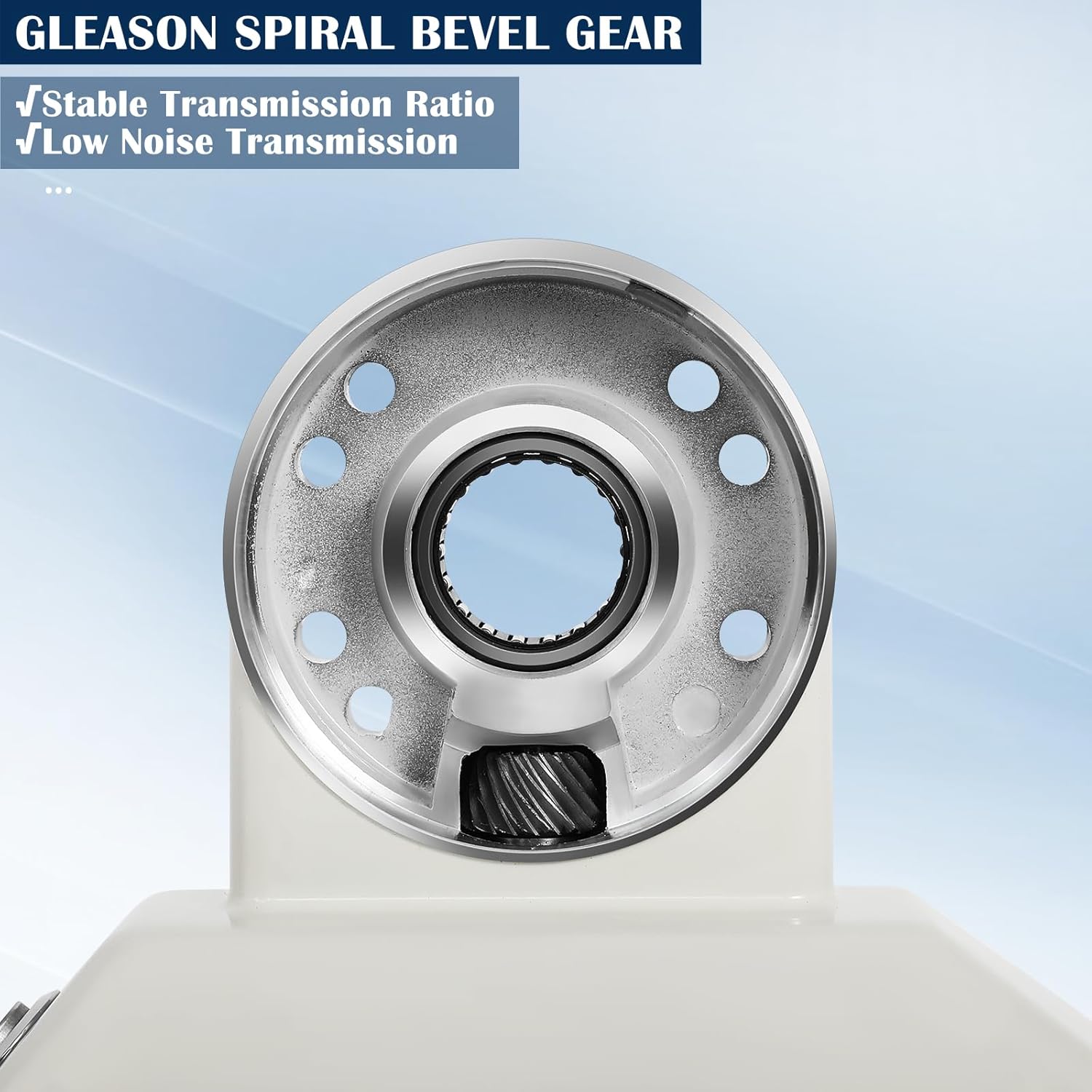
Figure 5: Gleason Spiral Bevel Gear. This image highlights the gear system responsible for stable and efficient power transmission.
6. Maintenance
Regular maintenance ensures the longevity and optimal performance of your FAHKNS AL-460 Z-Axis Power Feed.
- Cleaning: Keep the unit clean and free from dust, chips, and debris. Use a soft, dry cloth. Avoid using harsh chemicals.
- Lubrication: Periodically check and lubricate moving parts as recommended by your milling machine's maintenance schedule.
- Inspection: Regularly inspect the power cord for damage, and check all mounting bolts for tightness. Ensure the limit switches are functioning correctly.
- Gear Check: The unit features durable rubber and copper gears. While designed for longevity, inspect them periodically for wear.

Figure 6: Durable and Long-Casting Design. The unit is constructed from polished sturdy aluminum, offering anti-corrosion, wear-resistant, waterproof, and oil-proof properties.
7. Troubleshooting
If you encounter issues with your power feed, refer to the following common troubleshooting steps:
| Problem | Possible Cause | Solution |
|---|---|---|
| Unit does not power on. | No power supply; faulty power switch; loose connection. | Check power outlet and cord. Ensure power switch is "ON". Verify all connections. |
| Z-axis movement is erratic or non-responsive. | Improper shaft engagement; damaged gears; limit switch engaged. | Verify shaft engagement. Inspect gears for damage. Check if a limit switch is activated. |
| Excessive noise during operation. | Lack of lubrication; worn gears; loose components. | Lubricate moving parts. Inspect gears for wear. Tighten any loose fasteners. |
| Unit stops unexpectedly. | Overload protection activated; limit switch triggered. | Reduce load. Check and reset limit switches. Allow unit to cool if overheated. |
If the problem persists after attempting these solutions, contact customer support.
8. Specifications
| Model | AL-460 |
| Power | 90W |
| Input Voltage | 110V, 50/60Hz, Single Phase |
| Torque | 450 in-lb |
| Rotate Speed | 0-200 RPM |
| Shaft Diameter Compatibility | 5/8" |
| Product Dimensions (L x W x H) | 7 x 3.5 x 12.8 inches (17.78 x 8.89 x 32.51 cm) |
| Item Weight | 8.27 lbs (3.75 kg) |
| Material | Polished Sturdy Aluminum (housing), Copper Core Coil, Rubber Gear, Copper Gear |
| Features | Ergonomic Design, Safety Device, High Transmission Efficiency (Gleason Spiral Bevel Gear), Flexible Speed Adjustment (Manual & Automatic), Anti-Corrosion, Wear Resistant, Waterproof, Oil-proof |
9. Warranty and Support
FAHKNS is committed to providing high-quality products. For warranty information, technical support, or service inquiries, please contact your retailer or visit the official FAHKNS website. Please have your product model number (AL-460) and purchase date available when contacting support.