
Introduction
This manual provides instructions for the installation, operation, and maintenance of your Dexnor protective case for the Samsung Galaxy A54 5G. This case is designed to offer comprehensive protection against drops, impacts, and scratches, featuring a dual front frame design and a built-in kickstand.

This image shows the Dexnor full-body protective case for the Samsung Galaxy A54 5G in its violet color variant, highlighting its overall design.
Compatibility
This Dexnor case is specifically designed for the Samsung Galaxy A54 5G (6.4-inch display) only. It is not compatible with other Samsung models such as the Galaxy A34, A53 5G, or A32 5G.

This image illustrates that the case is exclusively compatible with the Samsung Galaxy A54 5G. It explicitly shows other models like the A34, A53 5G, and A32 5G are not compatible, highlighting the precise fit for the A54 5G.
Package Contents
The package includes the following items:
- 1x Dexnor Full-Body Protective Case for Samsung Galaxy A54 5G
- 2x Front Frames (one with integrated screen protector, one without)
Installation Instructions
Follow these steps to properly install the Dexnor protective case on your Samsung Galaxy A54 5G:
- Separate the Case: Carefully separate the front frame from the back cover of the case.
- Prepare the Front Frame: If using the front frame with the integrated screen protector, ensure any protective films on both sides of the screen protector are removed.
- Install Front Frame: Place your Samsung Galaxy A54 5G into the front frame. Ensure the phone is securely seated within the frame.
- Attach Back Cover: Align the front frame (with your phone inside) with the back cover. Press firmly around the edges until the front frame snaps securely into the back cover.
- Final Check: Verify that all edges are sealed and the case fits snugly around your phone.
You have the option to switch between the two provided front frames based on your preference: one with an integrated screen protector for full screen coverage, and one without if you prefer to use your phone's bare screen or a different screen protector.

This image displays the individual components of the Dexnor case, including the hard front frame, hard PC back cover, soft TPU edges, and the durable PC kickstand, illustrating the full-body protection design.
Operating Instructions
Using the Multifunctional Kickstand
The integrated kickstand allows for hands-free viewing in both portrait and landscape orientations. To use the kickstand:
- Gently pull out the kickstand from the back of the case until it locks into position.
- Adjust the angle as desired for comfortable viewing.
- When finished, push the kickstand back into its recess until it sits flush with the case.

This image shows the kickstand deployed in portrait mode, ideal for browsing or making video calls.
This image demonstrates the kickstand in landscape mode, suitable for watching movies, shows, or playing games.

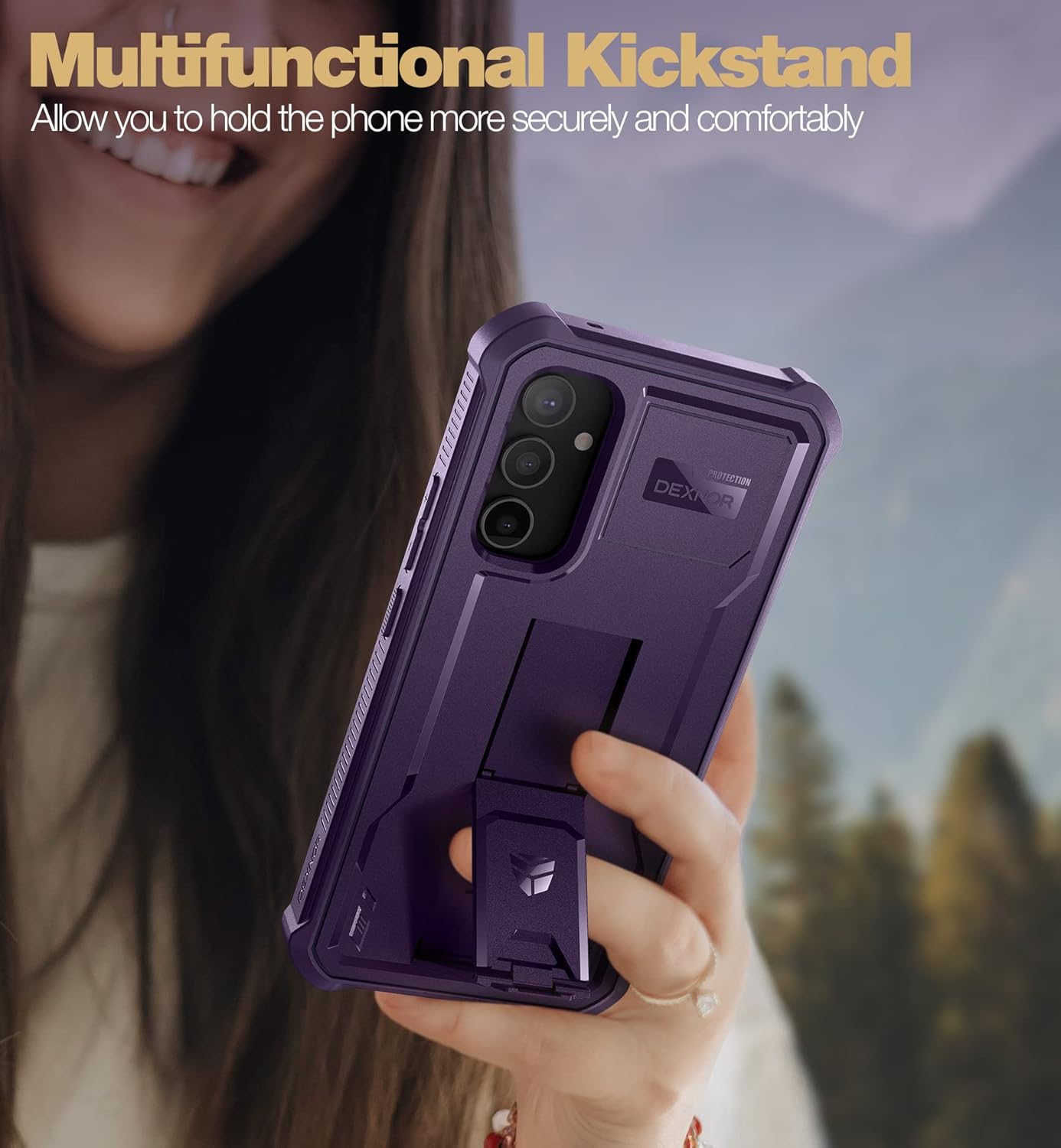
This image illustrates the versatility of the kickstand, showing it can also be used as a finger loop for a more secure grip during one-handed phone operation.
Screen Protector Functionality
The integrated screen protector is designed to be highly responsive to touch, allowing for smooth typing and gaming without delay. It is also scratch and stain-resistant. Ensure the screen protector is clean and free of dust before installation to maintain optimal touch sensitivity.

This image highlights the ultimate drop protection features of the Dexnor case, including BumperShock Cushion technology, 360-degree protection, and MIL-STD 810H-516.8 certification, designed to protect your device from scratches, drops, and accidental damage.
This image provides a detailed view of the case's protective features, including raised edges for camera and screen protection, and the integrated screen shield designed to be bubble-free and highly responsive.
Maintenance
To ensure the longevity and effectiveness of your Dexnor case, follow these maintenance guidelines:
- Cleaning: Regularly clean the case with a soft, damp cloth. For stubborn dirt, a mild soap solution can be used. Avoid harsh chemicals or abrasive materials.
- Screen Protector: If using the integrated screen protector, clean it gently with a microfiber cloth to remove fingerprints and smudges.
- Inspection: Periodically inspect the case for any signs of wear or damage. If the case is significantly damaged, consider replacing it to ensure continued protection for your device.
- Storage: When not in use, store the case in a clean, dry place away from direct sunlight and extreme temperatures.
Troubleshooting
If you encounter any issues with your Dexnor case, refer to the following common solutions:
- Case Does Not Fit: Ensure your phone model is indeed the Samsung Galaxy A54 5G. This case is not compatible with other models. Re-check the installation steps to ensure the front frame and back cover are correctly aligned and snapped together.
- Screen Protector Bubbles: Small bubbles can sometimes appear during installation. Try to gently push them towards the edges with a soft cloth. Ensure the phone screen and the screen protector are completely clean and dust-free before installation.
- Reduced Touch Sensitivity: If the screen protector affects touch sensitivity, ensure it is clean. If the issue persists, consider using the alternative front frame without the integrated screen protector, or re-installing the case carefully.
- Buttons Not Responsive: Ensure the phone is correctly seated within the case and that the case's buttons align perfectly with the phone's buttons.
Specifications
| Brand | Dexnor |
| Compatible Phone Models | Samsung Galaxy A54 5G |
| Material | Thermoplastic Polyurethane (TPU), Polycarbonate (PC) |
| Color | Violet (as per product variant) |
| Item Dimensions (L x W x H) | 17.3 x 8.7 x 1.4 cm |
| Item Weight | 120 Grams |
| Water Resistance Level | Not Waterproof |
| Special Features | Shock-absorbing, Integrated Screen Protector, Kickstand, Raised Edges |
Warranty Information
Specific warranty details for this product may vary. Please refer to the product packaging or the seller's website for the most accurate and up-to-date warranty information. Generally, Dexnor products are covered by a limited warranty against manufacturing defects.
Customer Support
For further assistance, technical support, or inquiries regarding your Dexnor case, please contact the seller or Dexnor customer service through the platform where the product was purchased. Have your order number and product details ready for faster service.