
Introduction
This manual provides essential information for the safe and effective use of your Paladone Green Xbox Icons Light. Please read these instructions carefully before use and retain them for future reference.

The Paladone Green Xbox Icons Light, featuring the iconic Xbox logo and sphere, illuminated in a vibrant green hue.
Safety Information
- Keep out of reach of children: This product is not a toy.
- Indoor use only: Do not expose to rain or moisture.
- Power source: Use only the provided USB cable or 3x AAA batteries. Do not mix old and new batteries, or different types of batteries.
- Avoid extreme temperatures: Do not operate in excessively hot or cold environments.
- Cleaning: Disconnect from power before cleaning. Use a soft, dry cloth. Do not use liquid cleaners.
- Disposal: Dispose of batteries and the product responsibly according to local regulations.
Package Contents
Carefully unpack the box and ensure all items are present:
- 1 x Paladone Green Xbox Icons Light Unit
- 1 x USB Power Cable

The product packaging, indicating the Xbox Icons Light and its features.
Setup
Your Xbox Icons Light can be powered by either the included USB cable or 3x AAA batteries (not included).
Powering via USB:
- Insert the small end of the USB cable into the USB port on the back of the light unit.
- Insert the large end of the USB cable into a powered USB port (e.g., computer, USB wall adapter, game console).
Powering via Batteries:
- Locate the battery compartment on the underside of the light unit.
- Open the battery compartment cover.
- Insert 3x AAA batteries, ensuring correct polarity (+/-).
- Close the battery compartment cover securely.

The Xbox Icons Light can be powered using the included USB cable or 3x AAA batteries (not included).
Operating Instructions
The Xbox Icons Light features a power button, typically located on the base or side of the unit. Press this button to cycle through the available lighting modes.
To Turn On/Off:
- Press the power button once to turn the light on.
- Continue pressing the power button to cycle through the lighting modes.
- Press the power button after the last lighting mode to turn the light off.

The Xbox Icons Light offers dynamic phasing and pulsing light modes for varied visual effects.
Lighting Modes
The Paladone Green Xbox Icons Light offers three distinct lighting modes:
- Standard Mode: The light remains steadily illuminated.
- Shifting Mode: The light transitions between different brightness levels or sections.
- Pulsing Mode: The light gently pulses, creating a dynamic effect.
Press the power button repeatedly to switch between these modes.
Maintenance
Cleaning:
- Ensure the light is turned off and disconnected from any power source before cleaning.
- Wipe the surface with a soft, dry, lint-free cloth.
- Do not use abrasive cleaners, solvents, or harsh chemicals, as these may damage the finish.
Battery Replacement:
- If using batteries, replace all three AAA batteries when the light dims or stops functioning.
- Follow the instructions in the 'Powering via Batteries' section under 'Setup' for safe battery replacement.
- Always dispose of used batteries according to local environmental guidelines.
Troubleshooting
| Problem | Possible Cause | Solution |
|---|---|---|
| Light does not turn on. | No power supply or depleted batteries. | Check USB cable connection or replace AAA batteries. |
| Light is dim or flickers. | Low battery power. | Replace AAA batteries or use USB power. |
| Cannot change lighting modes. | Power issue or button malfunction. | Ensure stable power. If problem persists, contact support. |
Specifications
| Feature | Detail |
|---|---|
| Model Number | PP8961XB |
| Dimensions (L x W x H) | 12.45 x 4.92 x 2.91 inches (31.8 cm x 12.5 cm x 7.4 cm) |
| Item Weight | 16 ounces (approx. 453 grams) |
| Material | Plastic |
| Power Source | USB Cable (included) or 3x AAA Batteries (not included) |
| Type of Bulb | LED |
| Number of Lights | 1 |
| Voltage | Operates on low voltage DC (5V via USB, 4.5V via AAA batteries). Listed specification: 230 Volts (AC) for power adapter compatibility (adapter not included). |
| Special Features | Dynamic Phasing and Pulsing Light Modes |
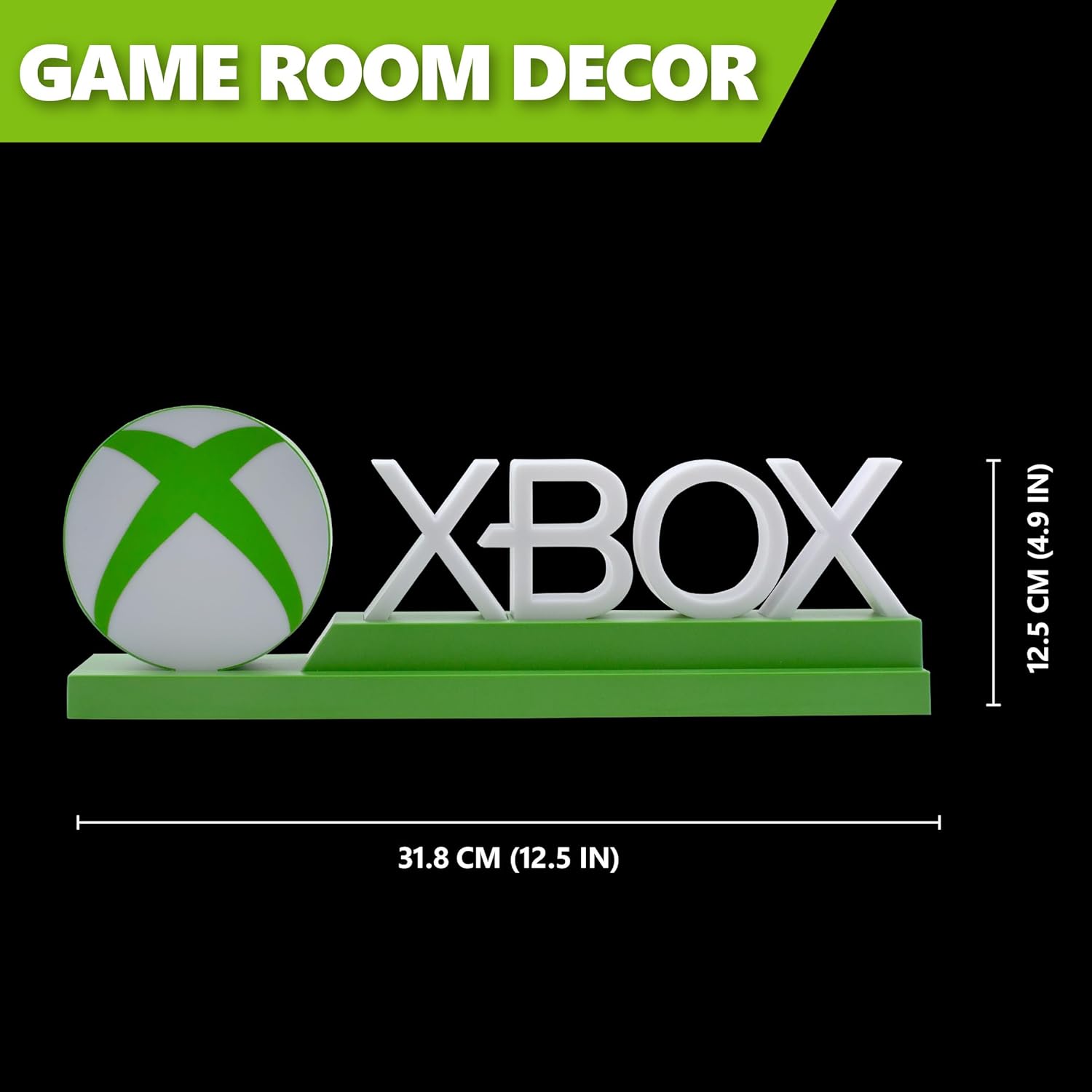
Detailed dimensions of the Xbox Icons Light, measuring 31.8 cm (12.5 inches) in width and 12.5 cm (4.9 inches) in height.
Warranty and Support
For warranty information, product support, or to inquire about replacement parts, please refer to the retailer where the product was purchased or visit the official Paladone website. Keep your proof of purchase for warranty claims.
Paladone Official Website: www.paladone.com