
Tchibo Esperto2 Caffè
Tchibo Esperto2 Caffè Fully Automatic Coffee Machine
Instruction Manual
1. Introduction
Thank you for choosing the Tchibo Esperto2 Caffè Fully Automatic Coffee Machine. This manual provides important information on the safe operation, setup, maintenance, and troubleshooting of your new appliance. Please read this manual thoroughly before first use and keep it for future reference.
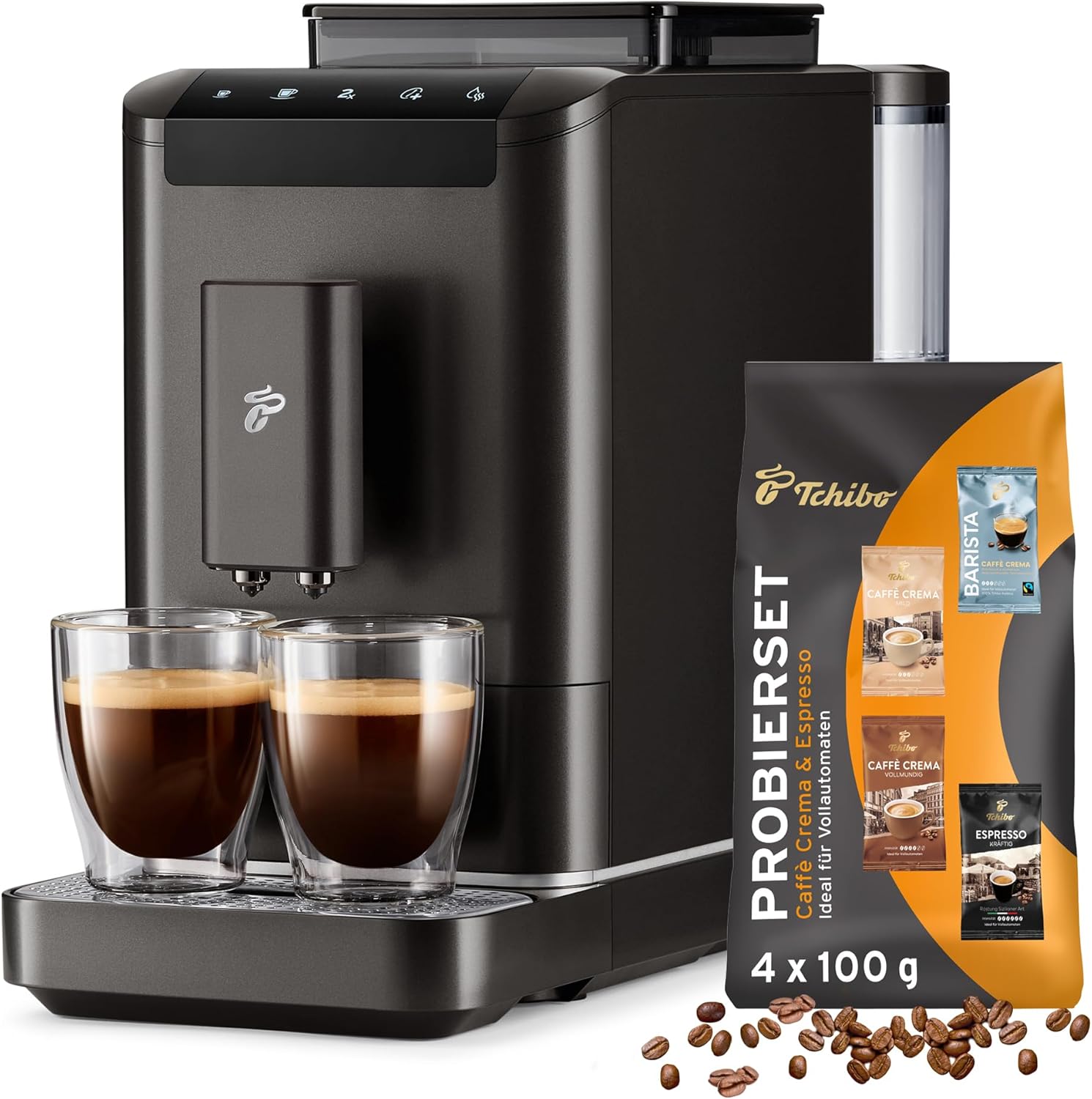
Image 1.1: The Tchibo Esperto2 Caffè coffee machine in Granite Black, shown with two cups of freshly brewed coffee and a coffee bean sample set.
2. Safety Instructions
Please observe the following safety precautions to prevent injury or damage to the appliance:
- Always connect the appliance to a properly grounded power outlet.
- Do not immerse the appliance, power cord, or plug in water or other liquids.
- Keep children and pets away from the appliance during operation.
- Do not operate the appliance if the power cord or plug is damaged.
- Exercise caution when handling hot liquids and steam. The coffee spout and drip tray can become hot.
- Only use fresh, cold water in the water tank.
- Unplug the appliance before cleaning or maintenance.
3. Product Overview
Familiarize yourself with the components of your Tchibo Esperto2 Caffè coffee machine:

Image 3.1: An exploded view showing the main components of the Tchibo Esperto2 Caffè, including the water tank, bean container, brewing unit, drip tray, and grounds container.
Key Components:
- Water Tank: 1.4 L capacity, laterally removable for easy refilling.
- Bean Container: 300g capacity with a viewing window to monitor fill level.
- Brewing Unit: Removable for easy cleaning and maintenance.
- Drip Tray: Collects excess liquid and can be easily removed for emptying.
- Grounds Container: Holds up to 10 portions of used coffee grounds.
- Coffee Spout: Height-adjustable to accommodate various cup sizes, features cup illumination.
- Intuitive Touch Display: For easy selection and customization of beverages.
4. Setup
4.1 Unpacking and Initial Cleaning
- Remove all packaging materials and protective films from the appliance.
- Clean the water tank, drip tray, and grounds container with warm water and a mild detergent. Rinse thoroughly and dry.
- Wipe the exterior of the machine with a damp cloth.
4.2 Filling the Water Tank
- Remove the water tank from the side of the machine.
- Fill the tank with fresh, cold tap water up to the MAX mark.
- Place the water tank back into the machine, ensuring it is securely seated.
4.3 Filling the Bean Container
- Open the lid of the bean container located on top of the machine.
- Pour whole coffee beans into the container. Do not fill above the MAX line.
- Close the lid securely.
4.4 First Use / Priming
- Plug the machine into a power outlet.
- Place a container (min. 250ml) under the coffee spout.
- Follow the on-screen instructions on the touch display to initiate the priming process. This will flush the system with hot water.
- Discard the flushed water. Your machine is now ready for use.
5. Operating
5.1 Turning On/Off
Press the power button on the touch display to turn the machine on or off. The machine will perform a brief rinse cycle upon startup.
5.2 Brewing Coffee (Single Cup)
- Place a cup under the coffee spout.
- Select your desired beverage (Caffè Crema or Espresso) from the touch display.
- The machine will automatically grind the beans and brew your coffee.
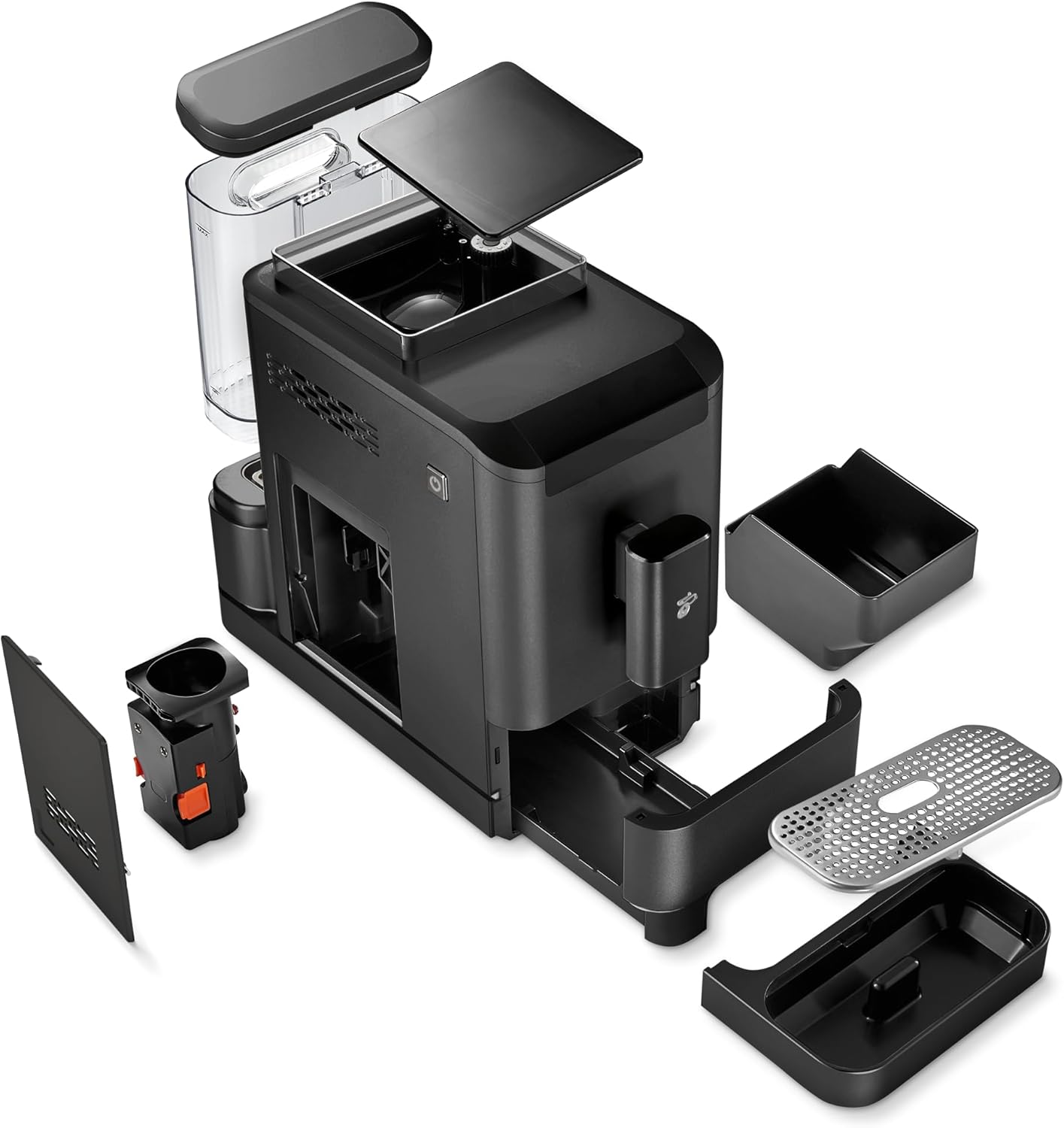
Image 5.1: A close-up view of the intuitive touch display and the height-adjustable coffee spout with cup illumination.
5.3 Double Cup Function
The Esperto2 Caffè features a double beverage spout, allowing you to brew two cups simultaneously:
- Place two cups under the double coffee spout.
- Select the desired beverage and activate the 'Double Cup' option on the display.
- The machine will brew two coffees at once.
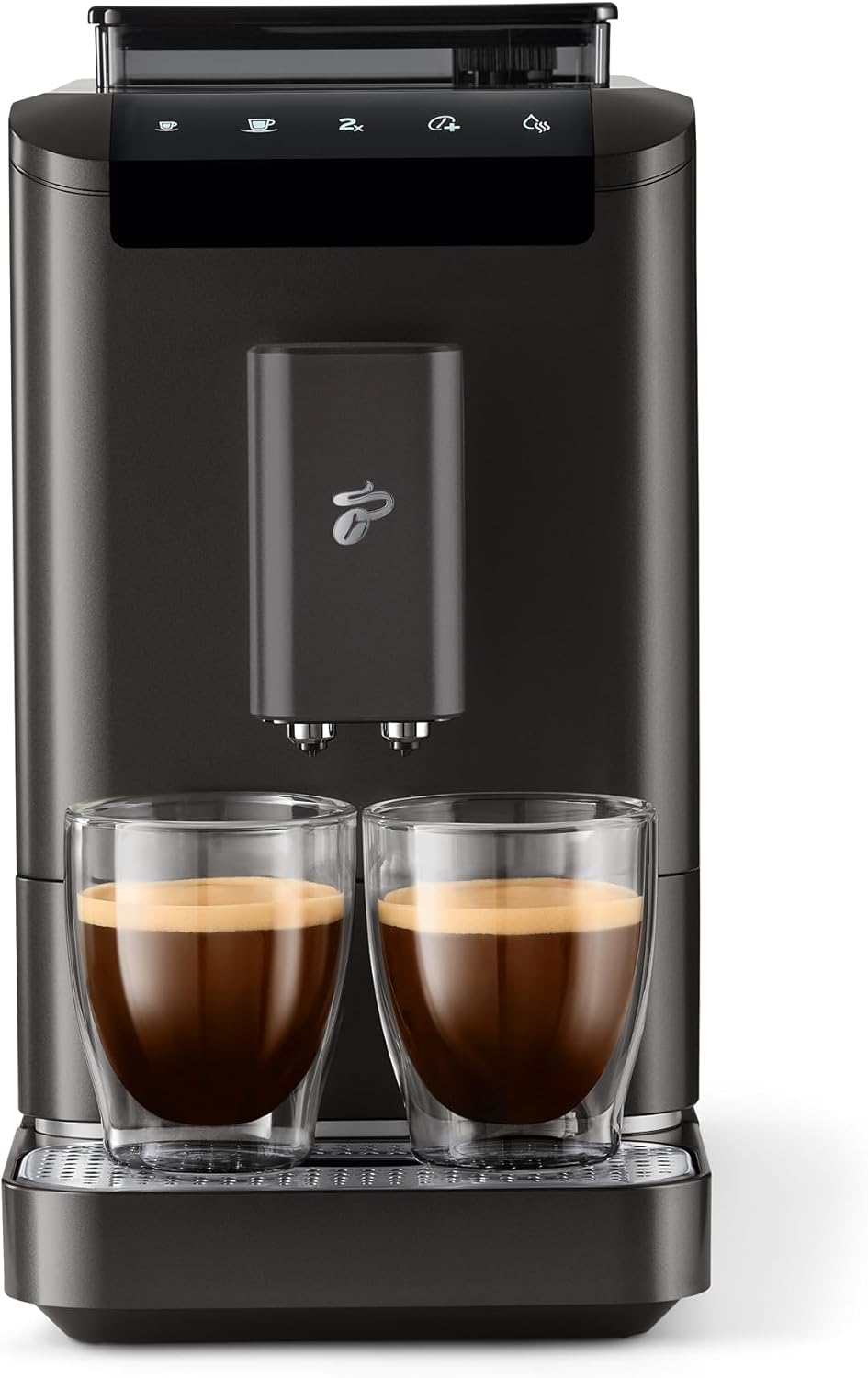
Image 5.2: The Tchibo Esperto2 Caffè demonstrating its Double Cup Function, brewing two espressos simultaneously.
5.4 Customizing Coffee Strength (Intense+ Technology)
Use the Intense+ technology to adjust your coffee strength:
- Before brewing, select the desired intensity level on the touch display.
- Options typically range from mild to strong, allowing you to personalize your coffee.
5.5 Programming Cup Volume
You can program the desired cup volume between 25 ml and 250 ml:
- Start brewing your desired beverage.
- While brewing, press and hold the beverage button until the desired volume is reached.
- Release the button. The machine will save this volume for future brews of that specific beverage.
6. Maintenance
Regular cleaning and maintenance ensure the longevity and optimal performance of your coffee machine.
6.1 Daily Cleaning
- Drip Tray and Grounds Container: Empty and rinse daily. The grounds container has a capacity for 10 portions.
- Coffee Spout: Wipe clean with a damp cloth.
- Exterior: Wipe the machine's exterior with a soft, damp cloth.
6.2 Cleaning the Brewing Unit
The brewing unit is removable for thorough cleaning:
- Turn off and unplug the machine.
- Open the service door (refer to the diagram in Section 3).
- Press the release buttons and carefully pull out the brewing unit.
- Rinse the brewing unit under running lukewarm water until all coffee residues are removed. Do not use detergent.
- Allow the brewing unit to air dry completely before reinserting it.
6.3 Descaling
The machine features an automatic descaling program. The display will prompt you when descaling is necessary.
- Follow the on-screen instructions on the touch display to start the descaling program.
- Use a descaling solution specifically designed for coffee machines, as recommended by Tchibo.
- Ensure the water tank is filled with the descaling solution as instructed.
- Place a large container under the coffee spout to collect the descaling solution.
- The program will guide you through the entire process, including rinsing cycles.
7. Troubleshooting
If you encounter issues with your machine, refer to the table below for common problems and solutions:
| Problem | Possible Cause | Solution |
|---|---|---|
| No coffee is dispensed. | Water tank empty; Beans container empty; Brewing unit blocked. | Refill water tank; Refill beans; Clean brewing unit. |
| Coffee is too weak. | Incorrect coffee strength setting; Beans not fresh. | Adjust coffee strength using Intense+; Use fresh beans. |
| Machine displays 'Descale' message. | Descaling is required. | Perform the automatic descaling program (see Section 6.3). |
| Error message on display. | Specific error. | Refer to the specific error code in the full user manual or contact customer support. |
If the problem persists after attempting these solutions, please contact Tchibo Customer Support.
8. Specifications
| Feature | Detail |
|---|---|
| Brand | Tchibo |
| Model | Esperto2 Caffè |
| Color | Granite Black |
| Product Dimensions (D x W x H) | 43.3 cm x 18 cm x 33.6 cm |
| Coffee Machine Type | Espresso Machine (Fully Automatic) |
| Water Tank Capacity | 1.4 Liters |
| Bean Container Capacity | 300 grams |
| Special Features | Space-saving design, Convenient cleaning, Programmable, Double Cup Function, Cup illumination, Height-adjustable spout |

Image 8.1: The Tchibo Esperto2 Caffè coffee machine illustrating its compact height of 33.60 cm.
9. Warranty and Support
For warranty information and customer support, please refer to the documentation included with your purchase or visit the official Tchibo website. If you require assistance with your Esperto2 Caffè machine, please contact Tchibo customer service directly.
Note: No official product videos were found in the provided data for embedding.
Related documentsEsperto2 Caffè


Ask a question about this manual
Ask about setup, troubleshooting, compatibility, parts, safety, or missing instructions. Manuals+ will review the question and use this page’s manual context to help answer it.