
1. Introduction
This manual provides detailed instructions for the installation, operation, and maintenance of your Duendhd M6 LCD Display for E-Bikes. Please read this manual thoroughly before use to ensure proper function and safety. This display is designed for use with JN E-Bike controllers and Pasion E-Bike motor kits.
2. Safety Information
- Always ensure the E-Bike is powered off before installing or removing the display.
- Do not attempt to modify the display or its wiring. Unauthorized modifications can lead to damage or injury.
- Ensure all connections are secure and waterproof where specified.
- Keep the display clean and dry. Avoid exposure to extreme temperatures or direct sunlight for prolonged periods.
- If you are unsure about any installation steps, consult a qualified E-Bike technician.
- Important Compatibility Note: The JN-LCD-M6 display is specifically designed to be compatible only with JN (JIANNUO) controllers. Using it with other controller brands may result in malfunction or damage.
3. Package Contents
Please check the package contents carefully. If any items are missing or damaged, contact your retailer.
- 1 x Duendhd M6 LCD Display (with integrated 5-pin waterproof connector cable)
4. Product Overview
The Duendhd M6 LCD Display is a robust and user-friendly interface for your E-Bike, providing essential ride data and control. It features a clear LCD screen and a durable plastic housing.
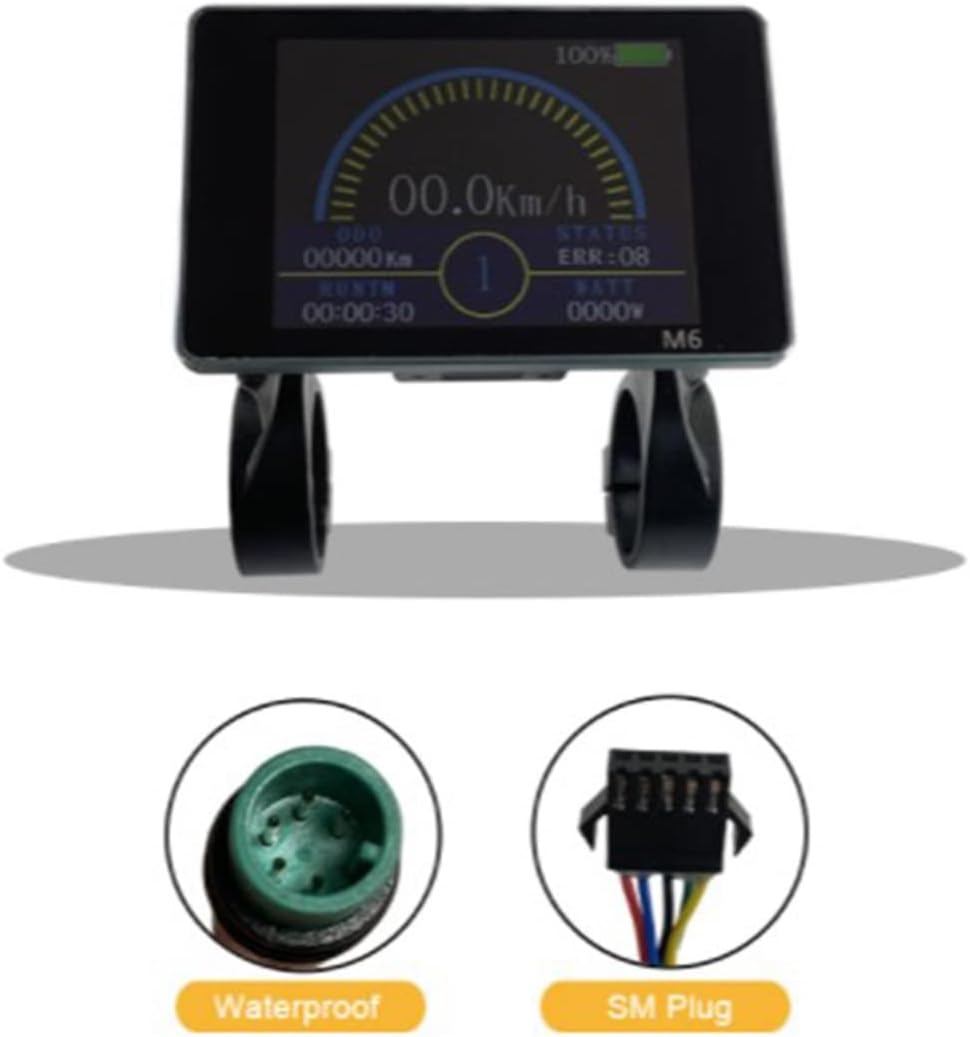
Image: Duendhd M6 LCD Display showing its dimensions (96mm width, 62mm height) and the 22.2mm mounting aperture.
Key Features:
- Voltage Compatibility: 36V / 48V Universal
- Display Type: JN-LCD-M6
- Mounting Aperture: 22.2 mm
- Connector Type: 5-pin Waterproof Connector
- Material: Durable Plastic
- Color: Black
5. Setup & Installation
Follow these steps to properly install your Duendhd M6 LCD Display on your E-Bike.
5.1 Mounting the Display
- Identify a suitable location on your E-Bike handlebars. The display is designed for a 22.2 mm mounting aperture.
- Loosen the screws on the display's mounting bracket.
- Position the display on the handlebar at your desired angle.
- Securely tighten the screws to fix the display in place. Do not overtighten.
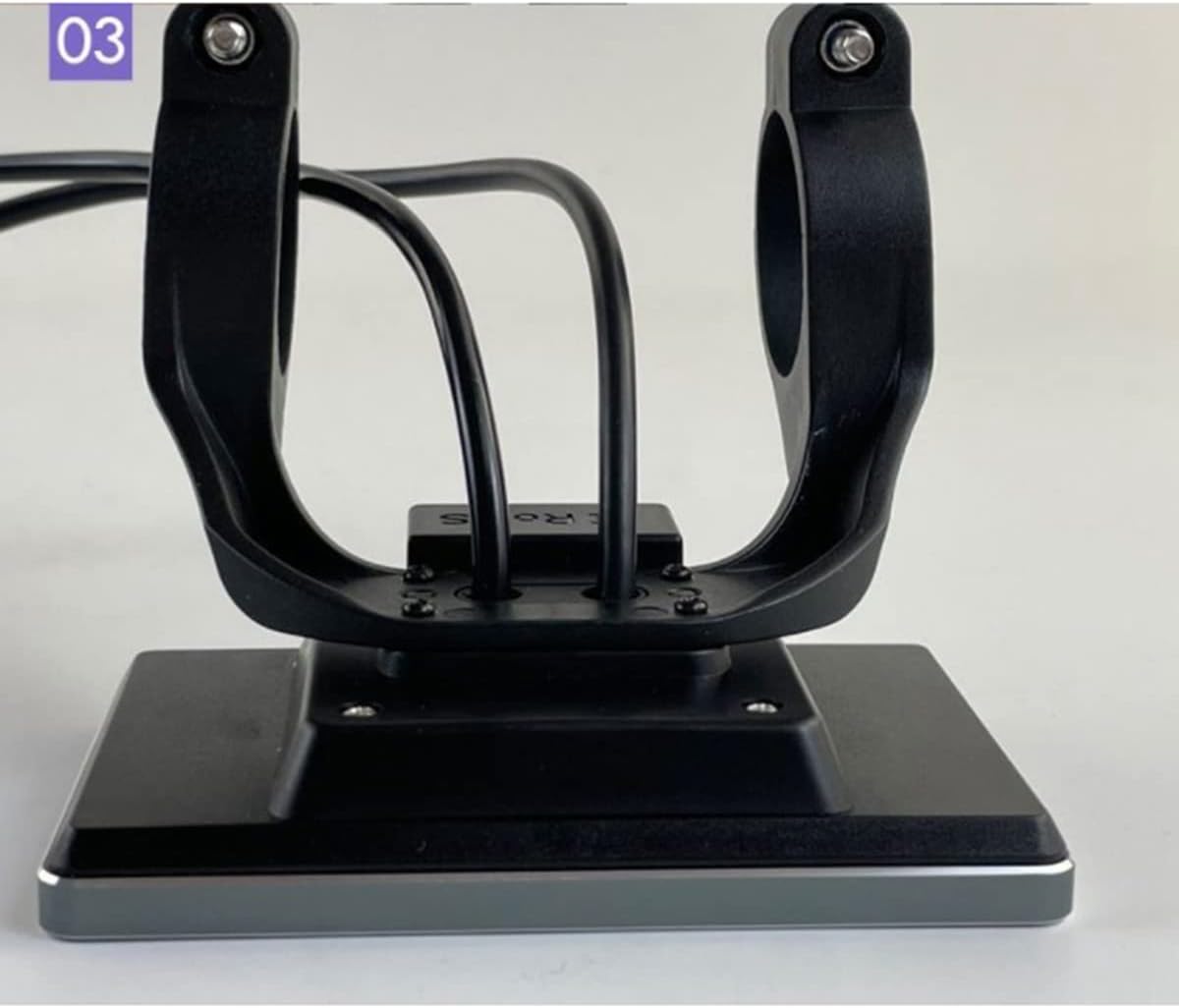
Image: Side view of the M6 display showing its mounting bracket and how it sits on the handlebar.

Image: Rear view of the M6 display, illustrating the cable routing from the display unit through the mounting bracket.
5.2 Connecting the Display
- Locate the 5-pin waterproof connector cable extending from the M6 display.
- Connect this cable to the corresponding 5-pin waterproof connector on your JN E-Bike controller. Ensure the connectors are aligned correctly before pushing them together firmly.
- The connection should be secure and waterproof.
- Crucial Note: This display is designed exclusively for JN (JIANNUO) controllers. Attempting to connect it to a non-JN controller may cause damage to both the display and the controller. If you are unsure about your controller's compatibility, please verify its model or consult your E-Bike manufacturer.

Image: A close-up showing the waterproof 5-pin connector type used by the M6 display, alongside an SM plug for comparison. Ensure you use the correct waterproof connector.
6. Operating Instructions
Once installed and connected, the Duendhd M6 LCD Display provides real-time information about your E-Bike's performance.
6.1 Powering On/Off
- To power on the display, press and hold the power button (if available on your controller or display, specific button not detailed in product info).
- To power off, press and hold the power button again.
6.2 Display Information
The LCD screen provides various metrics to monitor your ride:

Image: The M6 LCD display showing various operational parameters including current speed (00.0 Km/h), odometer (00000 Km), run time (00:00:30), wattage (0000W), battery level (100%), and error status (ERR:08).
- Speed: Current riding speed (e.g., Km/h).
- ODO (Odometer): Total distance traveled.
- RUN TM (Run Time): Duration of the current ride.
- WATT: Real-time power output.
- Battery Level: Indication of remaining battery charge.
- STATUS / ERR: Displays system status or error codes if any issues are detected.
Note: Specific button functions for changing display modes or settings are typically controlled by the E-Bike controller. Refer to your E-Bike's main manual for detailed operational controls.
7. Maintenance
- Cleaning: Wipe the display screen and housing with a soft, damp cloth. Do not use abrasive cleaners or solvents.
- Water Exposure: While the connector is waterproof, avoid submerging the display. If it gets wet, dry it thoroughly before use.
- Cable Inspection: Periodically check the cable and connector for any signs of wear, damage, or corrosion.
- Storage: When not in use for extended periods, store the E-Bike and display in a cool, dry place away from direct sunlight.
8. Troubleshooting
If you encounter issues with your Duendhd M6 LCD Display, refer to the following common problems and solutions:
| Problem | Possible Cause | Solution |
|---|---|---|
| Display does not power on. |
|
|
| Display shows "ERR" code. |
|
|
| Inaccurate speed/distance readings. |
|
|
If problems persist, contact your retailer or a qualified E-Bike service center.
9. Specifications
| Feature | Detail |
|---|---|
| Brand | Duendhd |
| Model | JN-LCD-M6 |
| Voltage | 36V / 48V Universal |
| Dimensions (L x W) | 96 mm x 62 mm |
| Mounting Aperture | 22.2 mm |
| Connector Type | 5-pin Waterproof Connector |
| Cable Length | 21 cm (operator type waterproof plug) |
| Material | Plastic |
| Color | Black |
| Compatibility | JN E-Bike Controllers, Pasion E-Bike Motor Kits |
10. Warranty & Support
Specific warranty terms and conditions may vary by region and retailer. Please retain your proof of purchase for any warranty claims.
For technical support, troubleshooting assistance, or warranty inquiries, please contact the retailer from whom you purchased the product. You may also refer to the official Duendhd website for general product information, if available.


