
Mohard Spring+X88
Mohard 15W Qi Wireless Car Charger - Model Spring+X88
User Instruction Manual
1. Introduction
Thank you for choosing the Mohard 15W Qi Wireless Car Charger. This device is designed to provide convenient and fast wireless charging for your compatible smartphone while driving, functioning as both a charger and a secure phone holder. This manual provides essential information for proper setup, operation, and maintenance of your device.
2. Package Contents
Please verify that all items listed below are included in your package:
- 1 x Mohard Wireless Car Charger
- 1 x QC 3.0 Car Charger Adapter
- 1 x Suction Cup Mount
- 1 x USB-C Charging Cable
- 1 x Instruction Card
- 1 x User Guide (this document)
3. Setup and Installation
Follow these steps to properly install your Mohard wireless car charger:
- Attach the Suction Cup: Firmly press the suction cup onto a clean, flat surface such as your dashboard or windshield. Ensure the surface is free of dust and grease.
- Secure the Mount: Press the bottom lock lever down to secure the suction cup in place. For optimal adhesion, allow the suction cup to rest for at least 30 minutes before attaching your phone.
- Adjust Viewing Angle: Adjust the angle and length of the telescopic arm to achieve your preferred viewing angle. The mount features a 360-degree rotatable ball joint for flexible positioning (portrait or landscape).

Figure 3.1: Flexible Adjustment of the Mount
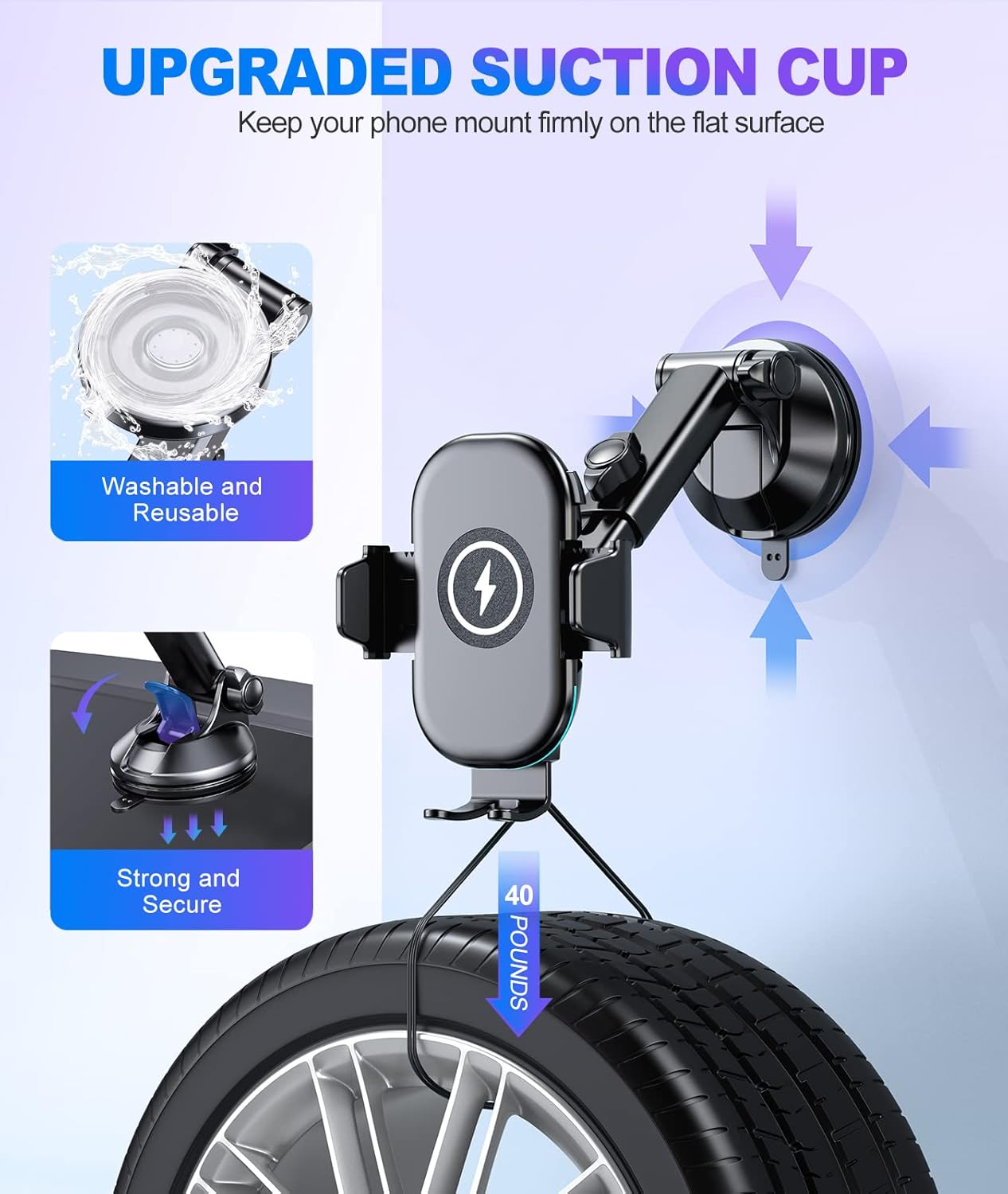
Figure 3.2: Upgraded Suction Cup for Secure Mounting
- Connect Power: Plug the USB-C charging cable into the charger mount and connect the other end to the included QC 3.0 car charger adapter. Insert the QC 3.0 adapter into your vehicle's 12V power outlet.
4. Operating Instructions
This section details how to use your Mohard wireless car charger for optimal performance.
4.1 Placing Your Phone
- Adjust Bottom Feet: Pull on the adjustable bottom feet of the charger to match the size of your phone. This ensures proper alignment of your phone's charging coil with the charger's coil for efficient wireless charging. The charger supports phones from 5.4 to 7 inches.
- Insert Phone: Gently place your phone into the holder. The side arms will automatically clamp to secure your device.

Figure 4.1: Universal Compatibility and Adjustable Feet
4.2 Wireless Charging
Once your phone is securely placed and the charger is powered, wireless charging will begin automatically. The charger supports:
- 15W Fast Charging: For Google Pixel and LG phones.
- 10W Fast Charging: For Samsung phones.
- 7.5W Fast Charging: For iPhone series.
Important: Ensure you use the included QC 3.0 car charger adapter or a more powerful car charger to guarantee fast charging speeds, as standard USB car power is often limited to 5W.

Figure 4.2: Wireless Fast Charging in Progress
4.3 Releasing Your Phone
To remove your phone, simply press the spring-loaded button on the side of the charger. The arms will quickly release, allowing you to retrieve your device.

Figure 4.3: One-Button Release Mechanism
5. Maintenance
Proper maintenance ensures the longevity and performance of your car charger.
5.1 Cleaning the Suction Cup
If the suction cup loses its grip, rinse its sticky surface with warm water. Allow it to air dry completely before re-attaching it to a surface. Do not use harsh chemicals or abrasive materials.
5.2 General Cleaning
Wipe the charger's body with a soft, dry cloth. Avoid using liquid cleaners directly on the device.
6. Troubleshooting
If you encounter issues with your Mohard wireless car charger, refer to the following common problems and solutions:
| Problem | Possible Cause | Solution |
|---|---|---|
| Phone not charging wirelessly. |
|
|
| Phone charges slowly. |
|
|
| Suction cup not holding firmly. |
|
|
| Phone holder arms not clamping/releasing. |
|
|

Figure 6.1: Case Compatibility and Incompatible Items
7. Specifications
| Feature | Detail |
|---|---|
| Brand | Mohard |
| Model Number | Spring+X88 |
| Color | Black |
| Wireless Charging Output | 15W (Max) |
| Input Voltage | 12 Volts |
| Connector Type | USB Type C |
| Compatible Devices | Qi-enabled smartphones including iPhone 15/14/13/12 series, Samsung Galaxy S23/S22 series, Google Pixel, LG, etc. (Supports phones 5.4" to 7") |
| Special Features | 15W Fast Wireless Charging, Compatible with Air Vents (not included in this model's mount), 4-Gear Design, Multiple Protection, FOD Function, 360° Rotation, Telescopic Arm, Super Strong Suction Cup |
| Case Compatibility | Charges through cases up to 6mm thick (excluding metal cases, magnets, credit cards, PopSockets) |
8. Warranty and Support
Mohard is committed to helping people live a simple and smart life by providing innovative and high-quality automotive products.
Specific warranty information for this product is not available in the provided details. For any product inquiries, technical support, or warranty claims, please refer to the retailer where you purchased the product or contact Mohard customer service through their official channels.
Related documentsSpring+X88


Ask a question about this manual
Ask about setup, troubleshooting, compatibility, parts, safety, or missing instructions. Manuals+ will review the question and use this page’s manual context to help answer it.