
Introduction
The CHI Touch Activated Compact Hair Dryer is designed for efficient and convenient hair drying. It features an innovative touch sensor for uninterrupted styling, an integrated ion generator to reduce frizz and enhance shine, and variable heat and speed settings for diverse hair types.
Important Safety Instructions
WARNING: To reduce the risk of electric shock, fire, or injury, always follow basic safety precautions when using electrical appliances.
- Keep out of reach of children.
- Do not rinse or submerge the appliance in water.
- Keep the power plug and cord away from heated surfaces.
- Do not use the hair dryer while bathing or in wet environments.
- Always unplug the appliance immediately after use.
Product Overview

Figure 1: Front view of the CHI Touch Activated Compact Hair Dryer.

Figure 2: Key features of the hair dryer, including the Ionic Generator, LCD Digital Display, Cold Air & Speed buttons, 5 Heat + 5 Speed buttons, Power + Induction On/Off, Concentrator Nozzle, and Sensor Induction.
Included Components:
- CHI Touch Activated Compact Hair Dryer
- Magnetic Nozzle Concentrator
Setup and Initial Use
- Remove the hair dryer and all accessories from its packaging.
- Ensure the appliance is clean and free from any debris.
- Attach the magnetic nozzle concentrator if desired. It can be used to add volume or smoothness to your hairstyle.
- Plug the hair dryer into a suitable electrical outlet.
Operating Instructions
Powering On/Off:
- To turn on the hair dryer, press the ON/OFF button located on the handle. The LCD display will illuminate.
- To turn off the hair dryer, press the ON/OFF button again.
Using the Touch Activation Sensor:
The hair dryer features a unique touch sensor for uninterrupted styling. When activated, the dryer will automatically pause when you release your grip from the sensor and resume when you hold it again.
- To activate the touch sensor, ensure the dryer is on, then place your hand over the sensor area on the handle (indicated by the wavy lines and dot).
- To deactivate the touch sensor and use the dryer conventionally (continuous airflow), press the Power + Induction On/Off button (refer to Figure 2).
Adjusting Heat and Speed Settings:
The hair dryer offers five temperature heat settings and three different speeds to customize your drying experience.
- Use the dedicated buttons (refer to Figure 2) to cycle through the available heat and speed settings. The current setting will be displayed on the LCD screen.
- For a cool shot to set your style, press the Cold Air & Speed button.
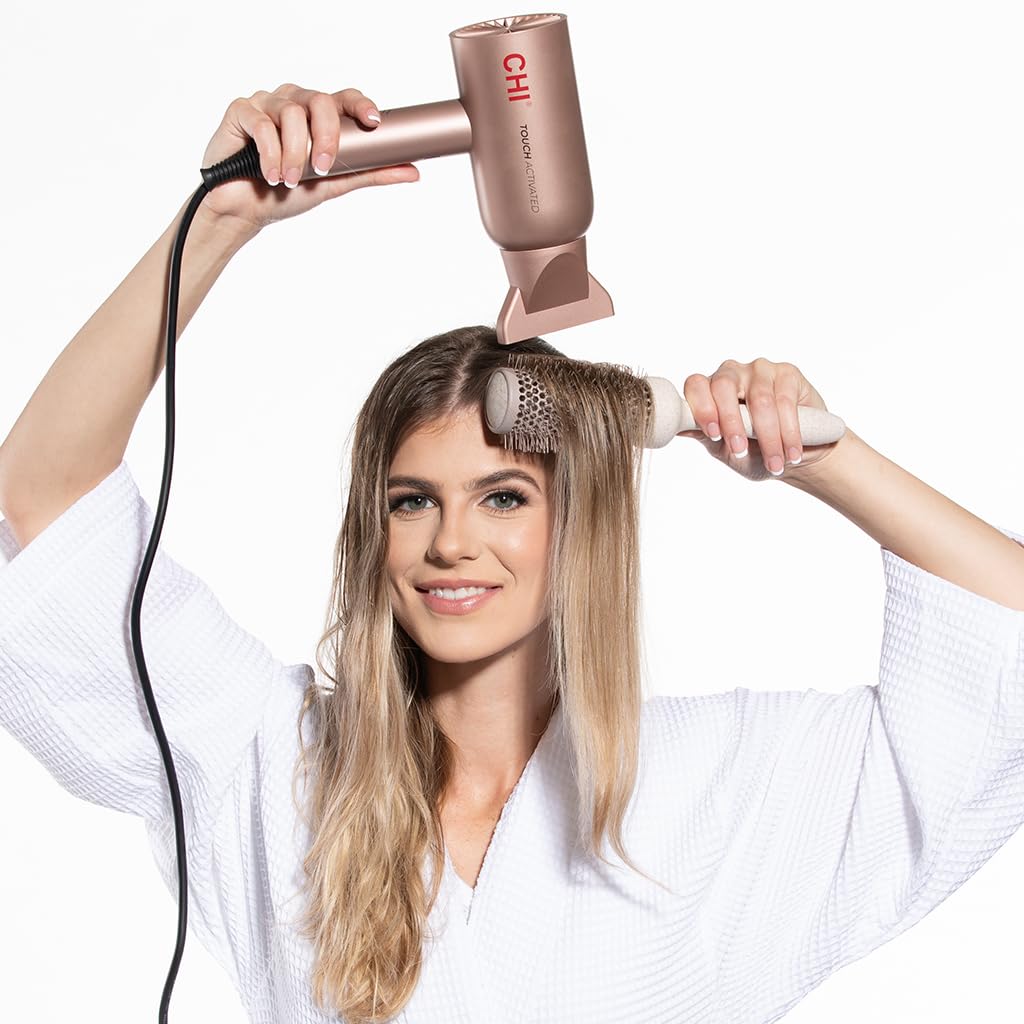
Figure 3: Demonstrating use of the hair dryer for styling.
Maintenance
- Always unplug the hair dryer before cleaning.
- Clean the exterior of the hair dryer with a damp cloth. Do not use abrasive cleaners.
- Regularly check and clean the air intake filter at the back of the dryer to prevent lint and dust buildup, which can affect performance and lifespan.
- Store the hair dryer in a safe, dry place when not in use.
Troubleshooting
Hair Dryer Not Turning On:
- Ensure the power cord is securely plugged into a working electrical outlet.
- Check if the ON/OFF button has been pressed.
- Verify that the circuit breaker has not tripped.
Intermittent Operation (Touch Sensor):
- If the dryer stops and starts unexpectedly, ensure your hand is consistently covering the touch sensor area during use.
- If you prefer continuous operation, deactivate the touch sensor by pressing the Power + Induction On/Off button.
Reduced Airflow or Overheating:
- Unplug the dryer and allow it to cool down.
- Check the air intake filter for any lint or hair buildup and clean it thoroughly.
If problems persist, contact customer support.
Specifications
| Feature | Detail |
|---|---|
| Model Number | CA8572A |
| Product Dimensions | 11 x 4 x 7.13 inches |
| Item Weight | 1.81 Pounds |
| Power Source | Corded Electric |
| Wattage | 1500W (from feature bullets) |
| Number of Speeds | 3 |
| Number of Heat Settings | 5 |
| Hair Type Compatibility | All |
| Special Features | Touch Activated Sensor, Ionic Generator, Compact Design |
| Color | Pink |
Warranty and Customer Support
For warranty information or technical assistance, please refer to the official CHI website or contact their customer support directly. Keep your purchase receipt for warranty claims.
Manufacturer: Farouk Systems