
Important Safety Information
This device is intended for professional use only. Always follow proper sterilization procedures and local health regulations. For external use only. Keep out of reach of children.
Package Contents
- BRONC V8 Tattoo Pen
- Large Capacity Battery (pre-installed)
- Type-C Charging Cable
- RCA Adapter
- Carrying Case

Image: The BRONC V8 Tattoo Machine kit, showcasing the pen, its dedicated carrying case, and the included RCA adapter.
Product Overview
The BRONC V8 is a rotary tattoo machine designed for precision and efficiency. It features a coreless Swiss DC motor and offers dual-mode operation, allowing use with its built-in battery or via an RCA adapter. The machine includes a convenient button for presetting and switching between two voltage levels.

Image: A detailed front view of the BRONC V8 Rotary Tattoo Machine, highlighting its digital display and control interface.
Specifications
| Parameter | Value |
|---|---|
| Material | Aircraft-grade aluminum |
| Stroke | 4.0mm |
| Needle Depth | 0-5.0mm |
| Motor | Swiss DC motor |
| No-load Speed | 11,000 rpm |
| Voltage Output | 4.5V-11.0V |
| Recommended Working Voltage | 5.5V-7.5V |
| Battery Capacity | 2000mAh |
| Support Work Time | 7.0-9.0 hours (Test Results) |
| Battery Specification | 7V 18500 Li-ion |
| Dimensions (Diameter x Length) | 32 x 141mm |
| Weight (Pen with battery) | 227g |
Setup
1. Battery Installation and Charging
- Ensure the machine is powered off.
- Unscrew the battery cap at the bottom of the pen.
- Insert the 18500 Li-ion battery with the positive (+) terminal facing inwards.
- Securely screw the battery cap back on.
- To charge, connect the Type-C charging cable to the port on the machine and to a suitable USB power source. The display will indicate charging status.
2. Needle Cartridge Installation
- Select a compatible needle cartridge.
- Gently push the needle cartridge into the front opening of the machine until it clicks into place.
- Ensure the cartridge is seated firmly and does not wobble.
3. Adjusting Needle Depth
Rotate the grip section of the machine clockwise or counter-clockwise to adjust the needle depth from 0mm to 5.0mm. The grip features a click mechanism for precise adjustments.
4. Using the RCA Adapter (Optional)
For wired operation, remove the battery cap and battery. Attach the RCA adapter to the bottom of the machine. Connect an RCA cable from the adapter to an external power supply.

Image: A hand demonstrating the proper grip on the BRONC V8 Tattoo Machine, with a needle cartridge installed.
Operation
1. Powering On/Off
- To power on, press and hold the power button (usually the central button) until the display illuminates.
- To power off, press and hold the power button again until the display turns off.
2. Adjusting Voltage
- Use the '+' and '-' buttons to increase or decrease the voltage.
- The voltage output ranges from 4.5V to 11.0V. The recommended working voltage is 5.5V-7.5V.
3. Using Dual Voltage Presets
The BRONC V8 allows you to preset and quickly switch between two preferred voltages. Consult the specific button layout on your device for the preset function. Typically, a dedicated button or a long press on a voltage button activates this feature.
4. Switching Operation Modes
The machine can operate wirelessly with the built-in battery or wired using the RCA adapter and an external power supply. Switch between modes by either installing the battery or the RCA adapter as described in the Setup section.
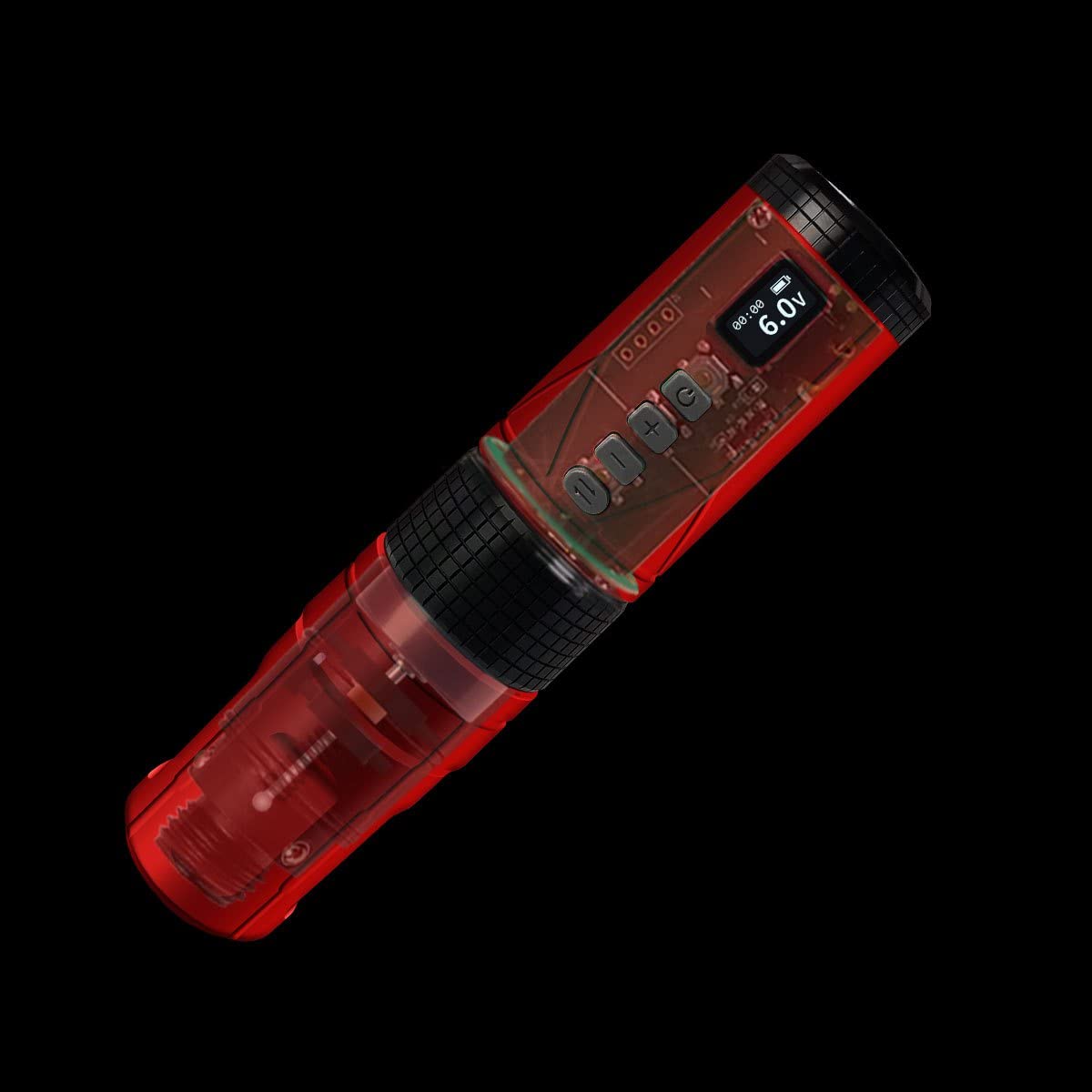
Image: An X-ray style view of the BRONC V8 Tattoo Machine, illustrating its internal coreless motor and electronic components.
Maintenance
Cleaning
- Always disconnect the machine from any power source before cleaning.
- Wipe the exterior of the machine with a clean, damp cloth and a mild, non-abrasive disinfectant.
- Do not immerse the machine in liquid.
- Ensure all surfaces are dry before storage or next use.
Storage
- Store the machine in its carrying case in a cool, dry place, away from direct sunlight and extreme temperatures.
- Remove the battery if storing for extended periods to prevent discharge.
Troubleshooting
Machine Not Turning On
- Check Battery: Ensure the battery is correctly installed and fully charged.
- RCA Connection: If using the RCA adapter, verify it is securely connected to both the machine and the power supply.
Voltage Not Adjusting
- Button Functionality: Ensure the '+' and '-' buttons are pressed firmly.
- Power Cycle: Try turning the machine off and on again.
Machine Vibrates Excessively or Makes Unusual Noise
- Needle Cartridge: Check if the needle cartridge is properly seated and not damaged. Replace if necessary.
- Internal Issue: If the issue persists, discontinue use and contact customer support.
Warranty and Support
For warranty information or technical support, please refer to the documentation included with your purchase or visit the official BRONC website. Keep your proof of purchase for any warranty claims.
