Introduction
The Taylor TE10FT Digital Portion Control Scale is designed for accurate and consistent weighing of various food items in commercial kitchen environments. This compact digital scale features tare and hold functions, a large LCD display, and a removable stainless steel platform for easy cleaning. It offers dual power supply options for flexible use.
Setup
Unpacking
- Carefully remove the scale and all components from the packaging.
- Verify that all parts are present: the scale unit and AC adapter.
- Retain packaging for future storage or transport.
Power Supply
The TE10FT scale can be powered by either the included AC adapter or two AAA batteries (sold separately).
- AC Adapter: Connect the AC adapter to the power port on the scale and plug it into a standard electrical outlet.
- Batteries: Open the battery compartment on the underside of the scale. Insert 2 AAA batteries, ensuring correct polarity (+/-). Close the compartment securely.
Placement
Place the scale on a flat, stable, and level surface to ensure accurate readings. Avoid placing it near heat sources, strong vibrations, or areas with significant air currents.
Operating Instructions
Turning On/Off
- To turn the scale on, press the ON/OFF button. The display will show "0.0" when ready.
- To turn the scale off, press and hold the ON/OFF button until the display turns off.
Unit Conversion
The scale can display measurements in pounds (lb), ounces (oz), kilograms (kg), and grams (g).

Image: Key features of the Taylor TE10FT scale, highlighting the Unit/Hold button for unit conversion.
- Press the UNIT/HOLD button to cycle through the available units of measurement. The selected unit will be indicated on the LCD display.
Tare Function
The tare function allows you to weigh multiple items in a container by subtracting the weight of the container.
- Place an empty container on the scale platform.
- Press the ON/TARE button. The display will reset to "0.0".
- Add the item(s) to be weighed into the container. The display will show the net weight of the item(s).
- To clear the tare, remove the container from the scale and press the ON/TARE button again.
Hold Function
The hold function freezes the weight reading on the display, even after the item is removed from the scale.
- Weigh an item as usual.
- While the item is on the scale, press and hold the UNIT/HOLD button until "HOLD" appears on the display.
- You can now remove the item, and the weight will remain displayed.
- To clear the hold, press the UNIT/HOLD button again.
Disabling Auto-Off
The scale features an auto-off function to conserve battery life. This feature can be disabled for continuous operation when using batteries.
- Refer to the detailed instructions in the full product manual for specific steps on disabling the auto-off feature.
Weighing Procedure
- Ensure the scale is on a stable, level surface and turned on.
- Select the desired unit of measurement using the UNIT/HOLD button.
- If using a container, perform the tare function.
- Carefully place the item(s) to be weighed onto the center of the stainless steel platform.
- Read the weight displayed on the large LCD screen.

Image: The Taylor TE10FT scale accurately weighing a bowl of blueberries, demonstrating its use in food preparation.
Maintenance
Cleaning
The 5.4-inch square stainless steel platform is removable for easy cleaning and sanitization.
- To clean the platform, carefully lift it off the scale base.
- Wash the stainless steel platform with warm, soapy water. Rinse thoroughly and dry completely before reattaching.
- Wipe the scale base with a damp cloth. Do not immerse the base in water or use abrasive cleaners.
- Ensure all parts are dry before reassembly and storage.
Storage
Store the scale in a clean, dry place away from extreme temperatures and humidity. Avoid placing heavy objects on the scale when not in use.
Troubleshooting
| Problem | Possible Cause | Solution |
|---|
| Inaccurate readings | Scale not on a level surface; overload; dirty platform; need for recalibration. | Ensure scale is on a flat, stable surface. Do not exceed maximum capacity. Clean the platform. Refer to the full manual for recalibration instructions. |
| Scale does not turn on | No power; dead batteries; faulty AC adapter. | Check AC adapter connection. Replace batteries if using battery power. Ensure batteries are inserted with correct polarity. |
| Display shows "Err" or similar | Overload; internal error. | Remove item from scale. If error persists, turn off and on again. If problem continues, contact customer support. |
| Auto-off too soon | Auto-off feature is enabled. | Disable the auto-off feature as per instructions in the Operating section or full manual. |
Specifications
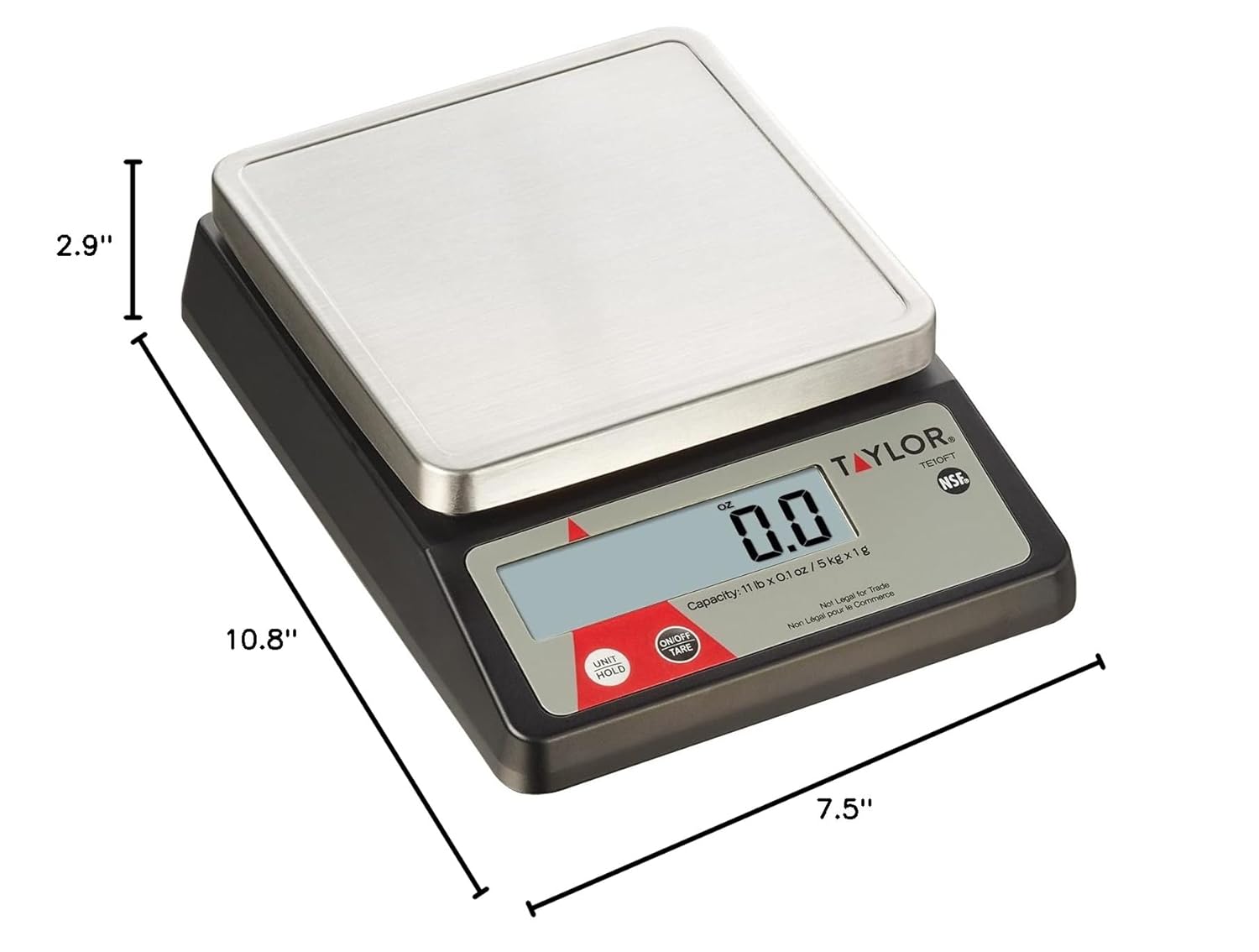
Image: Diagram showing the physical dimensions of the Taylor TE10FT scale.
| Feature | Detail |
|---|
| Model Number | TE10FT |
| Weight Capacity | 11 lb (5 kg) |
| Measurement Increments | 0.1 oz (1 g) |
| Product Dimensions (L x W x H) | 10.8 x 7.5 x 2.9 inches |
| Product Weight | 2.06 Pounds |
| Display Type | LCD (0.9-inch) |
| Platform Material | Stainless Steel |
| Power Source | AC Adapter (included) or 2 AAA Batteries (sold separately) |
Warranty and Support
For information regarding product warranty, technical support, or service, please refer to the official Taylor website or contact their customer service department directly. Contact details are typically provided in the full product manual or on the manufacturer's official website.
Manufacturer: Lifetime Brands Inc.


